

The FullStack Alpha research desk tests AI trading bots on paper and live accounts. Reviewed and edited by Jay Rocco, Founder and Editor.
By FullStack Alpha Editorial Team | Reviewed by Jay Rocco, Chief Editor
Thinkorswim paper trading is Schwab’s free simulator, called paperMoney, and it is built into every version of thinkorswim: desktop, web and mobile. You get two simulated accounts, a margin account and an IRA, and each one starts with $100,000 of hypothetical cash. Schwab’s own paperMoney tutorial says quotes are partially delayed, with a 20 minute delay by default, so check the data status at the top of the platform before you test anything intraday. It is a simulation for practice and education only: Schwab says it should not be used to judge future profitability, and the paperMoney pages we checked say nothing about connecting a bot or an API to it.
Key insights
- Cost and access: thinkorswim paper trading is free for Schwab clients. Non-clients get a 30 day Guest Pass that cannot be extended.
- Starting money: $100,000 of simulated cash in each of two account types (margin and IRA). Schwab’s tutorial shows the margin account at about $200,000 of stock buying power.
- Data: the tutorial shows a 20 minute default delay, while Schwab’s US paperMoney page advertises real-time data. Trust the status bar in your own platform, not either page.
- No bot hookup: paperMoney is for manual practice and thinkScript alerts. Code that sends orders needs Schwab’s separate Trader API, which works on real accounts.
- Rules changed in 2026: FINRA Regulatory Notice 26-10 replaced the old $25,000 pattern day trader minimum, effective June 4, 2026, with firms allowed to phase in through October 20, 2027.
The rest of this guide covers setup step by step, the limits that make simulated fills look better than live ones, how far you can push automation inside thinkorswim, and a 30-trade test plan you can start this week. For the wider bot-testing picture, start at AI Stock Trading Bots.
What Is Thinkorswim Paper Trading?
Thinkorswim paper trading is a virtual trading mode inside the same platform Schwab clients use for real orders. Schwab describes paperMoney as “a virtual trading environment” that “allows users to engage in simulated trading with hypothetical funds using live market data.” The charts, order tickets, scanners and studies are the same ones you would use live. Only the money and the fills are fake.
That is the selling point. You are not learning a demo app that looks nothing like the real thing. You are learning the tool you would eventually fund, so the muscle memory carries over.
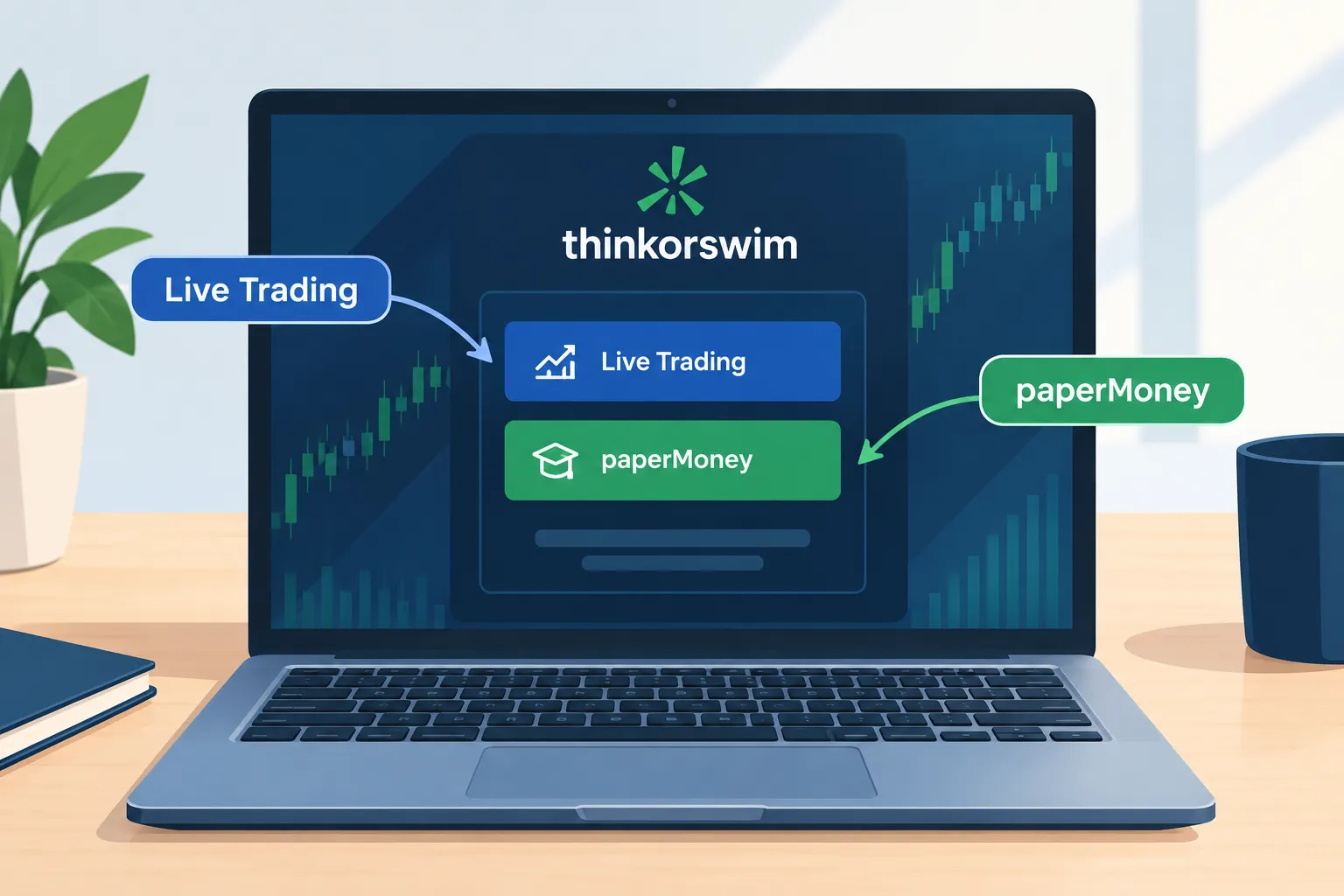
Schwab’s paperMoney page lists what you can simulate: equities, options, futures and forex, with $100,000 of virtual buying power. The same page carries the disclaimer that matters most: “Market activity, trade executions, transaction costs, and other elements presented in paperMoney are simulations only.” It also answers the question beginners always ask. Can you make money from paper trading? Schwab’s FAQ says no.
Who it suits:
- Beginners who have never placed an order and want to learn what a bid, an ask and a limit price actually do.
- Options traders who want to watch a spread move through expiration without owning the risk.
- Anyone who plans to trade live at Schwab and wants to learn the exact platform first.
- System builders who need a sandbox to run a fixed sample of trades and log the results.
Who it does not suit: anyone hoping to feel what losing real money does to their decisions. A simulator removes fear, and fear is half of what makes trading hard. It also does not suit anyone who wants to wire up a Python bot, because paperMoney is not an API sandbox.
One piece of history clears up a lot of confused searches. Thinkorswim came over from TD Ameritrade, and Schwab now markets its trading offer as “Schwab Trading Powered by Ameritrade.” So a search for “TD Ameritrade paperMoney” today lands on Schwab paperMoney. The platform name stayed. The login and the account live at Schwab.
How Much Does Thinkorswim Paper Trading Cost?
Nothing. Schwab’s paperMoney page says it plainly: “thinkorswim paperMoney is free.” Schwab clients also get the whole thinkorswim platform suite at no charge. Standard pricing only applies when you place real trades, and Schwab’s thinkorswim page lists $0 commission on online listed equity trades and $0.65 per options contract.
If you do not have a Schwab account, the thinkorswim Guest Pass gives you 30 days. Here is what Schwab’s Guest Pass page says, in plain terms:
| Guest Pass detail | What Schwab’s page states |
|---|---|
| Length | 30 days. “A Guest Pass can’t be extended.” |
| Account needed | No Schwab account required |
| What you can use | paperMoney inside thinkorswim desktop, web and mobile |
| Virtual money | $100,000 of virtual buying power |
| Products | Simulated equities, options, futures and forex, with simulated buying power and margin |
| Credentials | Not emailed to you. Lose them and you must create a new pass with a different email |
| After 30 days | Credentials expire and stop working |
Decision rule: if you are on the fence about Schwab, the Guest Pass is a free 30 day audition. If you already know you will trade at Schwab, open the account and skip the clock, because client access to thinkorswim paper trading has no stated time limit. Schwab’s paperMoney page says “Paper trading is always available for further practice.”
How Do You Turn On paperMoney in Thinkorswim Step by Step?
You turn on thinkorswim paper trading by choosing paperMoney instead of Live Trading at the thinkorswim login. Everything else is setup. For an existing Schwab client the whole process takes about ten minutes, most of it the desktop download.
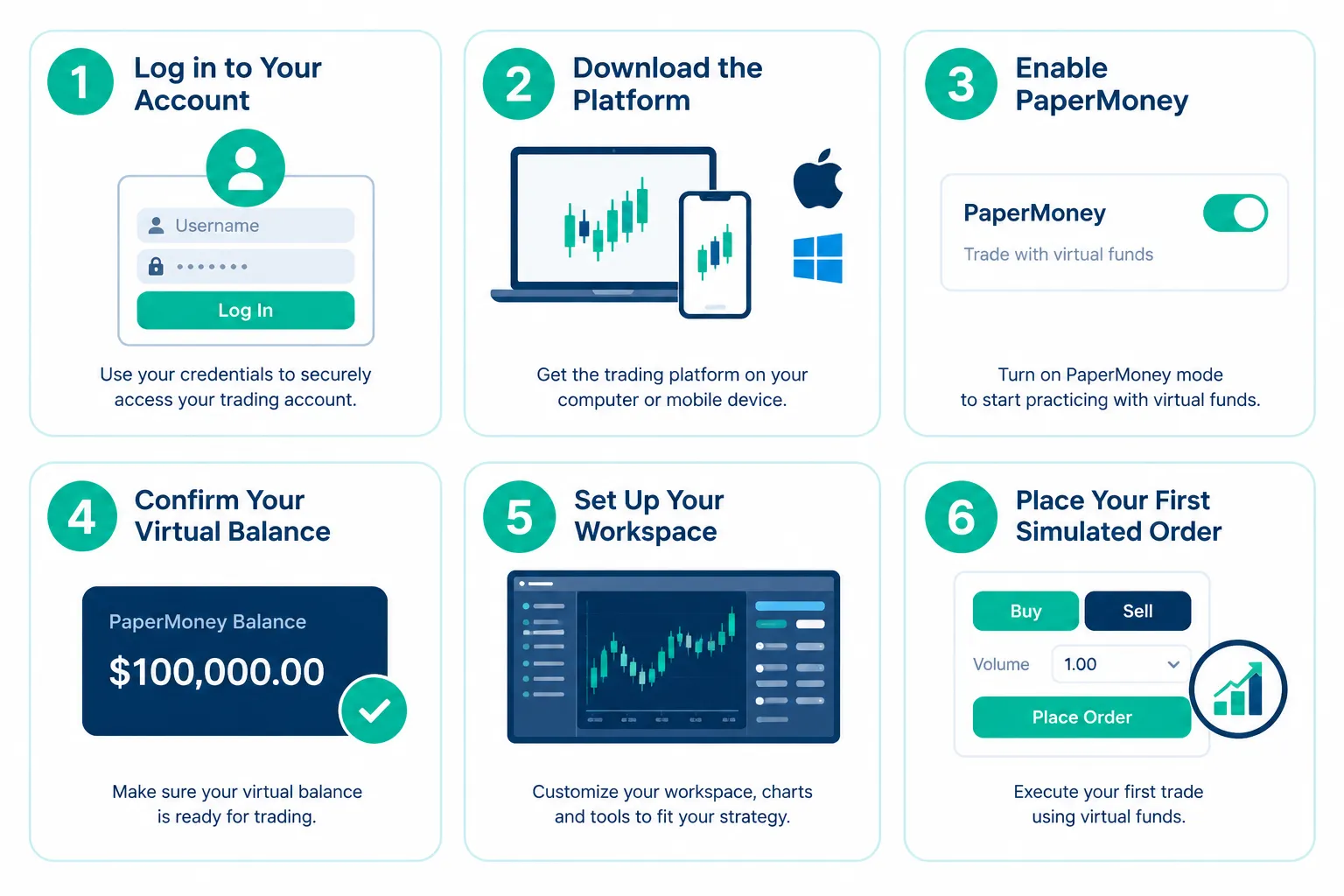
- Pick your platform. Desktop is the full version. Thinkorswim web runs in a browser at trade.thinkorswim.com with no download. Mobile is the app. paperMoney is built into all of them.
- Download desktop if you want the full toolset. Schwab clients download it from the trading tools area after logging in to Schwab.com. Expect an update on first launch.
- Log in and choose paperMoney. This is the most important click in the whole setup. Live Trading connects to your real account. paperMoney opens the simulator. Guest Pass users on desktop select the gear wheel at the bottom left and choose Guest Pass from the menu before logging in.
- Check the header. Schwab’s tutorial shows the top edge of the platform labeled as simulated trading, with the data status next to it. If it says partially delayed data, your quotes run 20 minutes behind by default.
- Pick an account. You get a margin account and an IRA account. Use the margin account to practice stock trades with leverage, and the IRA to practice the way you would trade a retirement account.
- Add stock buying power to the account panel. Schwab’s tutorial walks through it: menu icon, Customize gadget, search “stock,” add Stock Buying Power. On the margin account it shows about $200,000, double the $100,000 cash.
- Build a watchlist and link your gadgets. Thinkorswim uses colored link numbers so a click in your watchlist changes the Trade tab, the chart and the news at once.
- Place one small test order. Buy a few shares of a liquid index ETF with a limit order. Confirm the fill appears under Monitor, then Activity and Positions.
What you should see: a simulated trading label at the top, an account selector showing paperMoney accounts, and order confirmations that look exactly like live ones.
The most common error: logging in to Live Trading by habit and placing what you think is a practice trade. Check the account selector before every click on Confirm and Send. That one habit has saved more accounts than any indicator.
How Do You Place, Fix and Reset Trades in paperMoney?
Order entry in thinkorswim confuses new users because there is no big buy button on the main Trade page. Schwab’s own tutorial addresses this head on. You click the ask price to build a buy order and the bid price to build a sell order, and the order ticket opens at the bottom of the screen.
Here is the practical sequence, taken from Schwab’s paperMoney tutorial:
- Limit order: click the ask, set the quantity (the default is 100 shares, and you can type any number), set the limit price, leave it as DAY, then Confirm and Send. The confirmation screen is your last chance to catch a mistake.
- Market order: switch the order type from LIMIT to MARKET and the price field disappears. You no longer control the fill price.
- Profit target: right click the position, choose Create closing order, pick a limit, and change DAY to GTC (good till canceled) so it survives past today.
- Stop: same menu, choose a stop. Thinkorswim defaults the stop $1 below the market, which may be too close, so set your own level and make it GTC.
- Trade off the chart: right click a price on the chart to place a buy or sell limit there, then drag the order bubble to adjust it.
paperMoney also has repair tools a live account does not. If you bought the wrong stock, right click it and choose Adjust position to remove it without wiping the account. Under Monitor, Activity and Positions, the Adjust account button lets you set the cash to a different number, add cash, or choose Reset All Balances and Positions. Schwab’s tutorial says a full reset cancels working orders and zeroes positions, and the account comes back at $100,000 after the overnight reset.
Decision rule: use Adjust position to fix a fat-finger mistake. Use a full reset only when you start a new, separate test. Resetting in the middle of a test deletes the drawdown, and the drawdown is the most useful number you have.
What Are the Limits of Thinkorswim Paper Trading?
Thinkorswim paper trading simulates the market, but it does not simulate you being on the wrong side of a real order book. The limits matter most for anything time sensitive: scalps, opening range breakouts, thin small caps and options spreads that need a fill at a specific price.
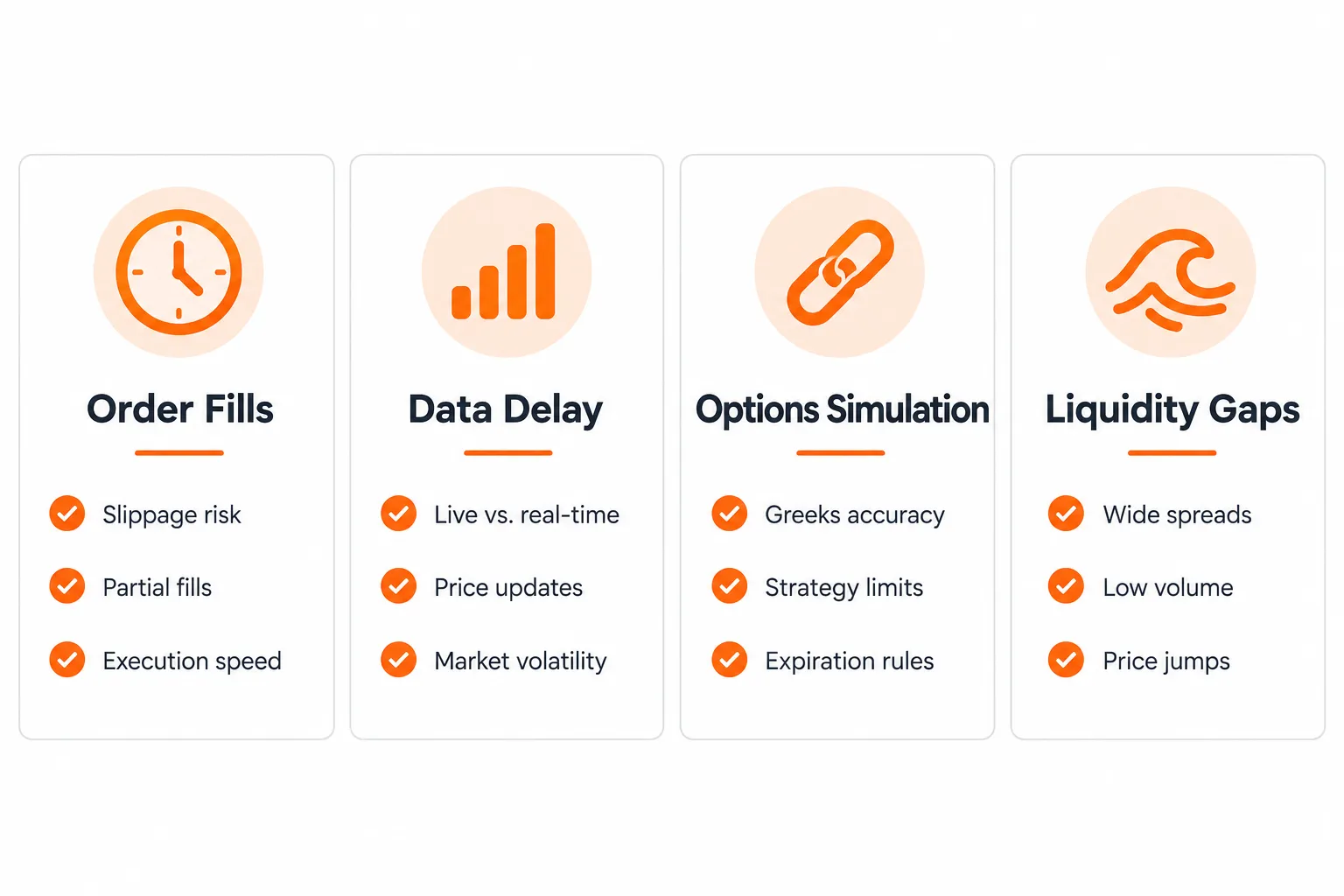
| Limit | Effect on a Bot or Strategy Test |
|---|---|
| Simulated fills and transaction costs | Schwab says executions and costs in paperMoney are simulations only, so a fast or choppy tape will fill you better on paper than live |
| 20 minute default data delay | Schwab's tutorial shows partially delayed quotes by default; an intraday breakout test on stale quotes is meaningless, so confirm your data status first |
| No real liquidity constraints | Thin, low float names can fill in paperMoney at prices that would slip badly in a live account |
| Options simulation gaps | Spread fills, assignment and early exercise behave as modeled approximations, not the exact mechanics a live options account faces |
| No API or bot access | Schwab's paperMoney pages do not mention an API, so outside code cannot place paperMoney orders |
Is paperMoney data real time or delayed?
Both answers exist on Schwab’s own sites, which is exactly why you should check your screen. Schwab’s paperMoney stock trading simulator tutorial shows “partially delayed data” in the header and says “By default, paperMoney comes with a 20-minute delay.” Schwab’s current US paperMoney page describes “real-time market data.”
Treat the 20 minute delay as the default you plan around. Look at the data status at the top of the platform every session. If it reads delayed, do not test anything shorter than a swing trade until it reads real time.
How much better are paper fills than live fills?
Schwab does not publish a number, and neither does any simulator we have checked. What Schwab does say is that trade executions and transaction costs in paperMoney are simulations. The mechanism behind the gap is simple. In a live market your limit order often fills right when better informed traders decide to push price the other way. A simulator never charges you for that.
The fix is a manual haircut. Subtract a realistic cost from every paper trade before you judge the result. We walk through the numbers in paper trading proves nothing until slippage shows up.
Decision rule: if your strategy is sensitive to execution speed or slippage (scalping, momentum breakouts, low float plays), treat paperMoney results as the best case. Live results are usually worse, not better.
Can You Run a Bot on Thinkorswim Paper Trading?
No, not in the sense most people mean. You cannot point outside code at a paperMoney account and have it place orders. Schwab’s paperMoney and Guest Pass pages describe manual simulated trading and say nothing about API access, and paperMoney does not appear as a target in any Schwab developer material we could read.
What you can do inside thinkorswim paper trading is semi-automation with thinkScript, the platform’s own scripting language. Schwab’s tutorial points out that thinkorswim ships with more than 400 studies, and thinkScript lets you write your own studies, scans and alert conditions. That covers the signal half of a bot. The execution half stays with you.
A practical bot-testing loop inside paperMoney:
- Code your entry and exit rules as a thinkScript study so the signal is drawn on the chart.
- Turn the same condition into a scan or alert so it notifies you in real time.
- When the alert fires, place the simulated order by hand at the price you would expect a bot to get.
- Log the alert time, your order time and the fill. The gap between them is a preview of the latency your future bot will face.
- After a fixed sample, compare what you did with what the rules said. Every mismatch is a bug in either the rules or your discipline.
This manual loop is slower than a real bot. It is also the better order of operations. A trader who cannot follow a rule set by hand usually cannot debug a bot that breaks the same rule set faster.
What about Schwab’s Trader API?
Schwab runs a separate developer program. The Schwab Trader API for individuals lives on Schwab’s developer portal and connects code to real Schwab brokerage accounts, not to paperMoney. Its pages render as a web app that we could not read from our server, so we are not quoting its terms here. Our Schwab API guide covers the token rules that log bots out and how traders build around them.
Two more Schwab facts belong in any bot plan. Schwab moved to block outside AI agents that log in with client credentials, covered in Schwab blocks outside AI agents. Its own assistant, Charley, does not list trade execution among its jobs, as we reported in Schwab launches Charley AI assistant.
Decision rule: use thinkorswim paper trading to prove the rules and your execution habits. If you need code placing orders in a simulator, use a broker built for it, such as Alpaca’s paper API, and keep Schwab for the manual and live side.
Did the Pattern Day Trader Rule Change in 2026?
Yes, and it changes what a paper test should rehearse. FINRA Regulatory Notice 26-10 adopted new intraday margin standards that “replace in their entirety the outdated day trading margin requirements” in Rule 4210. That removes the day-trade count test for labeling a customer a pattern day trader and the $25,000 minimum equity requirement that went with it.
The effective date was June 4, 2026. Firms that need more time can phase in implementation through October 20, 2027. Your broker may still be mid-transition, so check Schwab’s current margin rules for your account before you plan a day trading sample around the change.
What does that mean for paperMoney? A small account no longer needs to dodge the old four-day-trades-in-five-days count once its firm has implemented the new standard. It still faces intraday margin limits. Use the margin account in paperMoney to rehearse your real intraday buying power, and size your paper trades to the account you will actually fund, not to the $100,000 default.
Thinkorswim vs TradingView and Webull for Paper Trading, Which Fits?
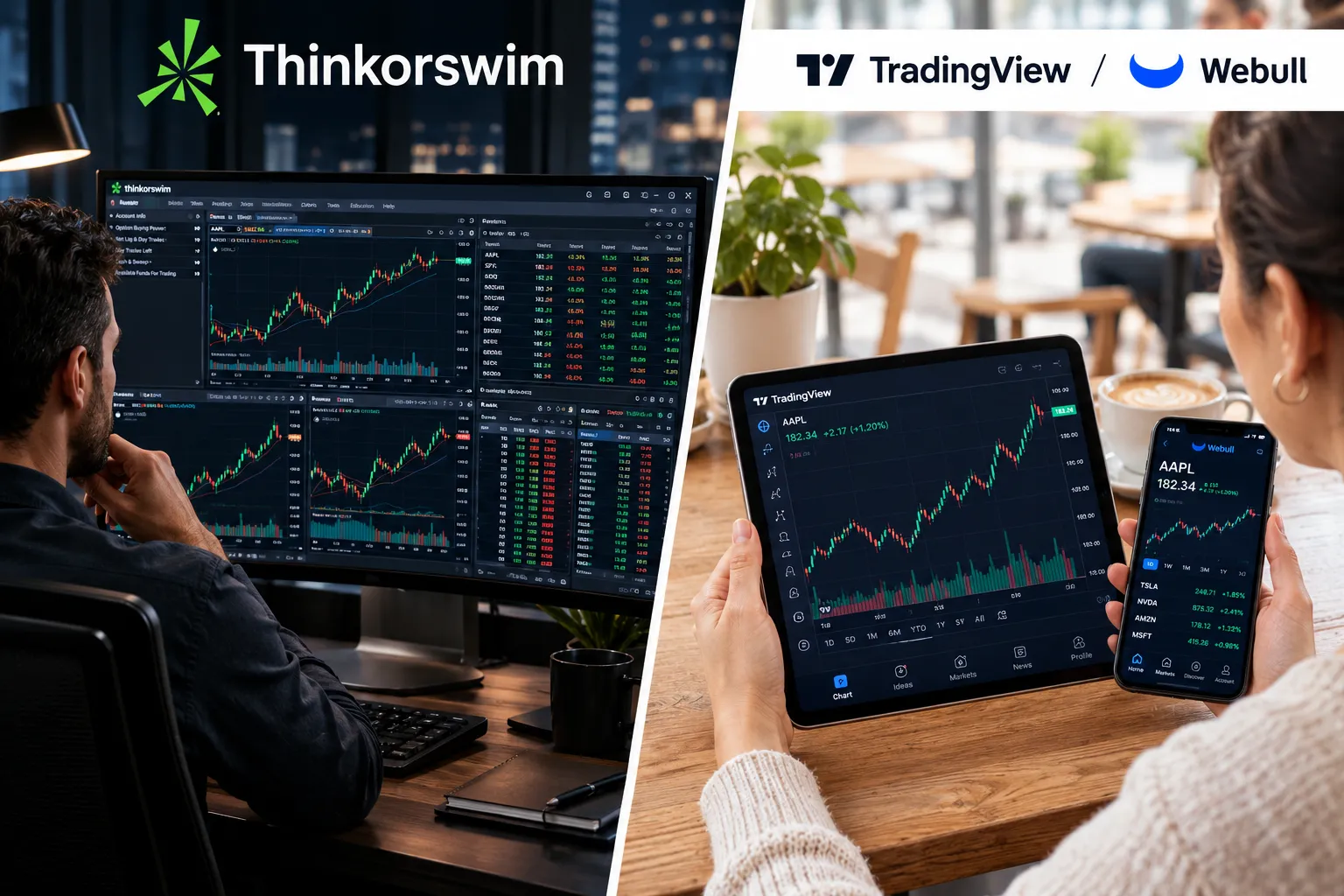
Thinkorswim paper trading wins for options depth and for anyone who will trade live at Schwab. TradingView wins for charting and scripting across many brokers. Webull fits a beginner who wants a simple mobile simulator.
| Factor | Thinkorswim (paperMoney) | TradingView | Webull |
|---|---|---|---|
| Cost | Free for Schwab clients; 30 day Guest Pass for non-clients | Free for all users per TradingView's support page | Free paper trading account; check the official page for current terms |
| Starting balance | $100,000 per account type (margin and IRA) | Not published on the TradingView pages we checked (2026) | See our Webull guide linked below |
| Options support | Full options chain simulation, built for options-heavy traders | Chart-and-script first; options are not the focus | Supported, simpler than thinkorswim's chain |
| Scripting | thinkScript, native to the platform | Pine Script, plus webhook alerts to outside services | No native scripting language |
| Best for | Options and futures traders who will trade live at Schwab | Chart-first traders who script across multiple brokers | Beginners who want a simple mobile-first simulator |
Decision rule: choose thinkorswim paper trading if your end goal is live options or futures trading through Schwab, because practicing on the platform you will fund removes a whole layer of friction. Choose TradingView if your charts and scripts need to travel across brokers. Choose Webull if you are brand new and want the lowest-friction simulator this weekend. Our Webull paper trading guide and the roundup of free paper trading simulators cover the alternatives in more depth, and our TradingView paper trading guide covers the chart-first route.
What Should You Test First in Thinkorswim Paper Trading?
Test one setup, 30 times, with written rules. Random practice teaches you the buttons and nothing else. A fixed sample with a log turns paperMoney into an experiment you can actually read.
The 30-trade plan:
- Pick one setup. A breakout above a tight range, a pullback to a moving average, a gap fill. If you cannot write the entry trigger in one sentence, it is not a setup yet.
- Write the rules before trade one. Entry trigger, stop level, profit target and position size. If it is not written down, it is a guess.
- Size to your real account. If you will fund $5,000, size your paper trades as if the account were $5,000. Use Adjust account to set the cash to that number. Trading $100,000 of fake money teaches habits a small account cannot afford.
- Log every trade. Date, time, ticker, entry, stop, exit, result in R (your gain or loss divided by the amount you risked), and one line on why you took it.
- Run at least 30 trades. Ten trades is noise. Thirty is the point where the shape of your results starts to be readable. It is still not proof.
- Score win rate and payoff together. A 40% win rate with winners three times the size of losers beats a 70% win rate with losers three times the size of winners.
- Flag every broken rule. Moved stops, revenge trades, entries that did not match the setup. If 10 of 30 trades show a broken rule, that is your real problem, not your entry signal.
A worked example. Say you risk $50 per trade on a $5,000 paper account, which is 1%. After 30 trades you have 13 winners averaging $110 and 17 losers averaging $50. Gross result: 13 times $110 is $1,430, minus 17 times $50 is $850, so $580. Now apply a cost haircut. If you assume $4 of slippage and fees per round trip, that is $120 across 30 trades, leaving $460. The edge survives. If your average winner had been $70 instead, the gross would be $60 and the haircut would wipe it out. That is the test working.
Include an earnings week in the window. Volatility around earnings behaves differently, and a setup that looks clean in a quiet tape can fail badly the week a company reports.
When Should You Leave paperMoney and Go Live?
Move to a small live account when four boxes are checked: 30 or more logged trades on one setup, a cost haircut applied to every trade, rules followed on at least 27 of 30, and a worst losing streak you can state in R and live through with real money.
Then cap your first live size hard. Risk a quarter of what you risked on paper for your first 20 live trades. The goal of those trades is to learn what your hands do when the money is real, not to make money.
Expect live numbers to come in worse than paper. Plan for the gap instead of being surprised by it. If live results fall apart completely, go back to paperMoney and check two things first: whether your paper data was delayed, and whether your paper fills came at prices a live order book would never have given you.
Frequently Asked Questions
How do I turn on paper money on thinkorswim?
Open thinkorswim desktop, web or mobile and choose paperMoney instead of Live Trading at the login screen. Thinkorswim paper trading is built into every version of the platform, so there is nothing separate to install. Non-clients can log in with a 30 day Guest Pass; on desktop, pick Guest Pass from the gear wheel menu first.
How much money do you get in thinkorswim paperMoney?
Each paperMoney account starts with $100,000 of simulated cash, and you get two accounts: a margin account and an IRA. Schwab’s tutorial shows the margin account at about $200,000 of stock buying power. You can change the cash amount with the Adjust account button.
Is thinkorswim paper trading real time?
Not by default, according to Schwab’s own paperMoney tutorial, which shows partially delayed quotes with a 20 minute delay. Schwab’s US paperMoney page describes real-time data, so check the data status at the top of your platform before testing anything intraday.
Is thinkorswim paper trading free?
Yes. Schwab says thinkorswim paperMoney is free, and Schwab clients get the thinkorswim platform at no charge. Non-clients can try it free for 30 days with a Guest Pass, which cannot be extended.
Can I connect a trading bot to thinkorswim paperMoney?
No. Schwab’s paperMoney and Guest Pass pages describe manual simulated trading and do not mention API access. You can code signals and alerts in thinkScript, but placing orders from outside code requires Schwab’s separate Trader API, which works with real accounts.
How do I reset my thinkorswim paperMoney account?
Go to Monitor, then Activity and Positions, click Adjust account and choose Reset All Balances and Positions. Schwab’s tutorial says this cancels working orders and zeroes positions, and the account returns to $100,000 after the overnight reset. To fix one bad trade instead, right click the position and use Adjust position.
Can you make real money from thinkorswim paper trading?
No. Schwab’s paperMoney FAQ says you cannot make money from paper trading, and the balances never connect to real funds. The only thing that carries over to a live account is what you learned.
Our Take
Thinkorswim paper trading is the default simulator for anyone who plans to trade options or futures at Schwab, because it is the real platform with fake money, and the $100,000 accounts, the Adjust account tools and the 30 day Guest Pass make it easy to start. Its weak spots are honest ones: a 20 minute default delay in Schwab’s own tutorial, fills that are kinder than a live order book, and no door for outside code. Use it to build the rule set and the habit of following it. Use Schwab’s Trader API or a paper API built for bots when the code is ready, and use small real money to build the discipline. Process over prediction, every time.
Related: if the chart-first route wins out, our TradingView tool profile in the AI stock picker directory lays out its plans and features next to the other platforms we track.
Want a second opinion before you trust a strategy or a bot with real money? Submit it for review, and read our full thinkorswim platform review if you are still choosing a broker.
Stay alpha.
The FullStack Alpha research desk tests AI trading bots on paper and live accounts. Reviewed and edited by Jay Rocco, Founder and Editor.
