

The FullStack Alpha research desk tests AI trading bots on paper and live accounts. Reviewed and edited by Jay Rocco, Founder and Editor.
By FullStack Alpha Editorial Team | Reviewed by Jay Rocco, Chief Editor
The TradeStation API is a REST and streaming interface that gives you market data, account details, and order placement for stocks, options, and futures through one connection. The current recommended version is v3, documented at api.tradestation.com/docs, and TradeStation says its own web and mobile platforms run on the same APIs. Before you risk a dollar, point your app at the simulator base URL instead of production: orders never reach the market, fills are generated instantly, and your logic gets exercised safely. That simulator order is the first test anyone building on this API should run.
What You Should Know
- v3 is the current recommended version. TradeStation’s developer documentation lists
https://api.tradestation.com/v3as the primary base URL and notes v3 carries features v2 doesn’t. - Access tokens expire after 20 minutes. TradeStation’s authentication docs (updated October 2026) state this plainly, which means refresh tokens aren’t optional in anything you plan to run unattended.
- The simulator has its own host. Swap to
https://sim-api.tradestation.com/v3for tradestation paper trading. Same logic, artificial accounts, immediate simulated executions. - Streaming is not polling. TradeStation uses persistent HTTP connections with chunked transfer encoding and newline-delimited JSON, so your client reads messages off an open response.
- Extended-hours options arrived in the October 19, 2026 platform release, with the API accepting “Plus” time-in-force durations such as
GCP, returning values likeDay+andGTC+.
Does TradeStation Have an API?
Yes. TradeStation offers a public, documented trading API covering market data, real-time streaming, account information, and order entry across stocks, options, and futures. It’s a genuine broker API, not a data feed with a trading button glued on.
The official docs at api.tradestation.com/docs name v3 as the current recommended version, with https://api.tradestation.com/v3 as the base URL. Both v2 and v3 support the three asset classes, but v3 holds features that never shipped to v2. Build on v3. Starting a new project on a deprecated version is the software equivalent of catching a falling knife.
What the tradestation api actually covers
- Market data, quotes, bars, option chains, symbol details.
- Streaming, live quotes, bars, and position updates over an open connection.
- Brokerage, account balances, positions, orders, and order history.
- Order execution, place, replace, and cancel across equities, options, and futures.
Two connectivity flavors exist. TradeStation describes REST/JSON as the web-friendly route and FIX as the institutional-grade path. Ninety-nine percent of retail builders want REST. If you’re asking whether you need FIX, you don’t.
One detail worth sitting with: TradeStation states its own applications leverage the same APIs. That matters more than it sounds. When a broker runs its production platform on a separate internal pipe and tosses a thinner public API to developers, you get feature drift, odd gaps, and quiet breakage. Shared infrastructure means your bot and the broker’s own order ticket are closer to speaking the same language.
The practical read: one credential set, three asset classes, and a simulator that mirrors production. That combination is rarer than it should be.
How Do You Get TradeStation API Access Step by Step?
Getting access runs in four moves: open a TradeStation account, request API/developer access through TradeStation’s developer site, receive a Client ID and secret, then complete an OAuth 2.0 flow to get tokens. Confirm each step on TradeStation’s current developer pages, requirements and approval timelines change, and what was true last year may not be today.
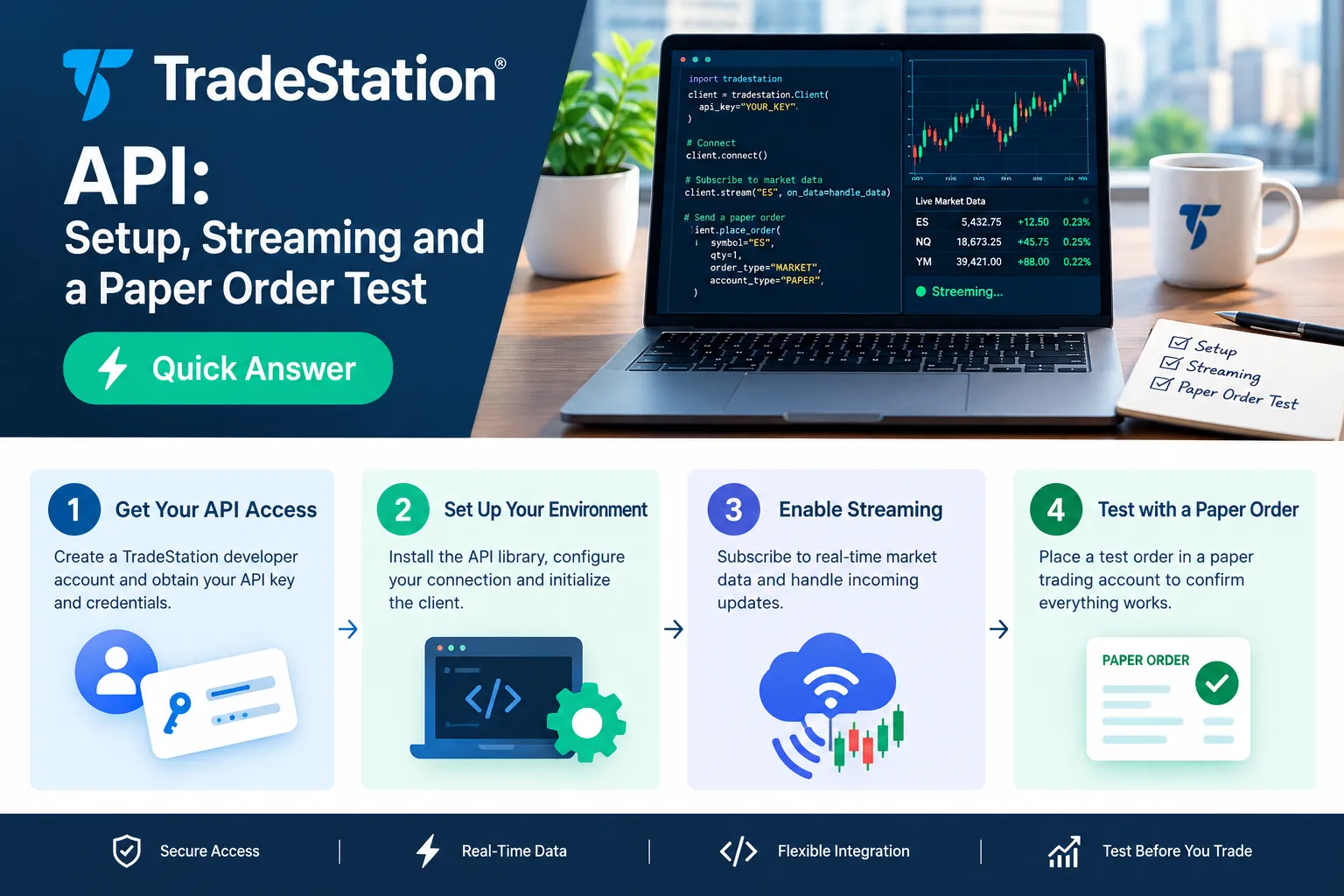
The steps, in order
- Open and fund a TradeStation brokerage account. Minimums and eligibility live on TradeStation’s own pages. Don’t take a number from a forum post… check the official page.
- Request API access on the TradeStation developer site. You’re asking for a developer application registration, not just a password. Expect to name your app and supply a redirect URI.
- Receive your Client ID and Client Secret. These identify your app. The secret is a secret… treat it like a brokerage password, keep it out of the repo, and load it from environment variables.
- Set your redirect URI exactly. This is where OAuth sends the user after login. A trailing slash mismatch will reject your request, and the error message rarely says so clearly.
- Run the OAuth 2.0 flow. TradeStation supports the authorization-code flow and PKCE (Proof Key for Code Exchange, the variant built for apps that can’t safely store a secret, like mobile and desktop clients).
- Exchange the code for tokens. You get an access token that expires in 20 minutes plus a refresh token. Store the refresh token securely and use it. No one wants to re-login every twenty minutes at 9:31 a.m.
- Request the right scopes. Default scopes per TradeStation’s documentation cover market data, account read access, trading, and option spreads. Extras like market depth or Matrix functionality may need configuration or approval.
What you should see when it works
A successful token response returns a JSON object containing an access token, a refresh token, a token type of Bearer, and an expiry value in seconds. Your first authenticated call to the accounts endpoint should return your account IDs. If you see account IDs, the handshake is done.
Common errors, and what they actually mean
| Symptom | Usual cause |
|---|---|
invalid_client | Client ID or secret wrong, or the secret was regenerated |
redirect_uri_mismatch | Registered URI and request URI differ by a character |
401 Unauthorized on a working call | Access token aged past 20 minutes |
403 Forbidden on data | Scope not requested, or market data entitlement missing |
| Login loops back with no code | Missing PKCE verifier, or state parameter mismatch |
Decision rule: if your tradestation api calls worked an hour ago and don’t now, check token age before you check anything else. That’s the answer 80% of the time.
What Does the TradeStation API Cost?
TradeStation does not charge a separate subscription fee for API access itself in the way some vendors charge for data terminals, but market data entitlements, exchange fees, and account-level requirements are separate matters that TradeStation publishes on its own pricing and market data pages. Verify every figure there before budgeting.
No one should be quoting dollar amounts to you from memory on broker fees. Exchange data fees in particular shift, and non-professional versus professional status changes everything.
| Item | What to expect | Where to confirm | Date checked |
|---|---|---|---|
| Developer API access | Available to TradeStation account holders via the developer site | TradeStation developer site | Oct 23, 2026 |
| Account type | Brokerage account required; eligibility on TradeStation’s pages | TradeStation account pages, check the official page | Oct 23, 2026 |
| Market data fees | Exchange-driven; professional vs non-professional status applies | TradeStation market data pricing, check the official page | Oct 23, 2026 |
| Simulator access | Mirrors live API on a separate host, artificial funds | api.tradestation.com/docs | Oct 23, 2026 |
| FIX connectivity | Positioned as institutional-grade, separate arrangement | TradeStation developer/trading-API pages | Oct 23, 2026 |
Common mistake: assuming “free API” means “free data.” The request is free. The real-time quote flowing through it is governed by exchange entitlements, and professional classification can multiply what you pay. If you’ll use the data for a business, say so honestly on the forms. Misclassifying yourself to save money is a stupid game with a stupid prize attached.
If API costs are the deciding factor in your broker choice, compare the whole field on our broker API guide rather than one spec sheet.
How Do You Stream Quotes With the TradeStation API?
Streaming with the TradeStation API means opening a persistent HTTP connection to a stream endpoint and reading newline-delimited JSON objects as they arrive. TradeStation uses chunked transfer encoding, so your client must parse each JSON message off an open response rather than waiting for a complete document.
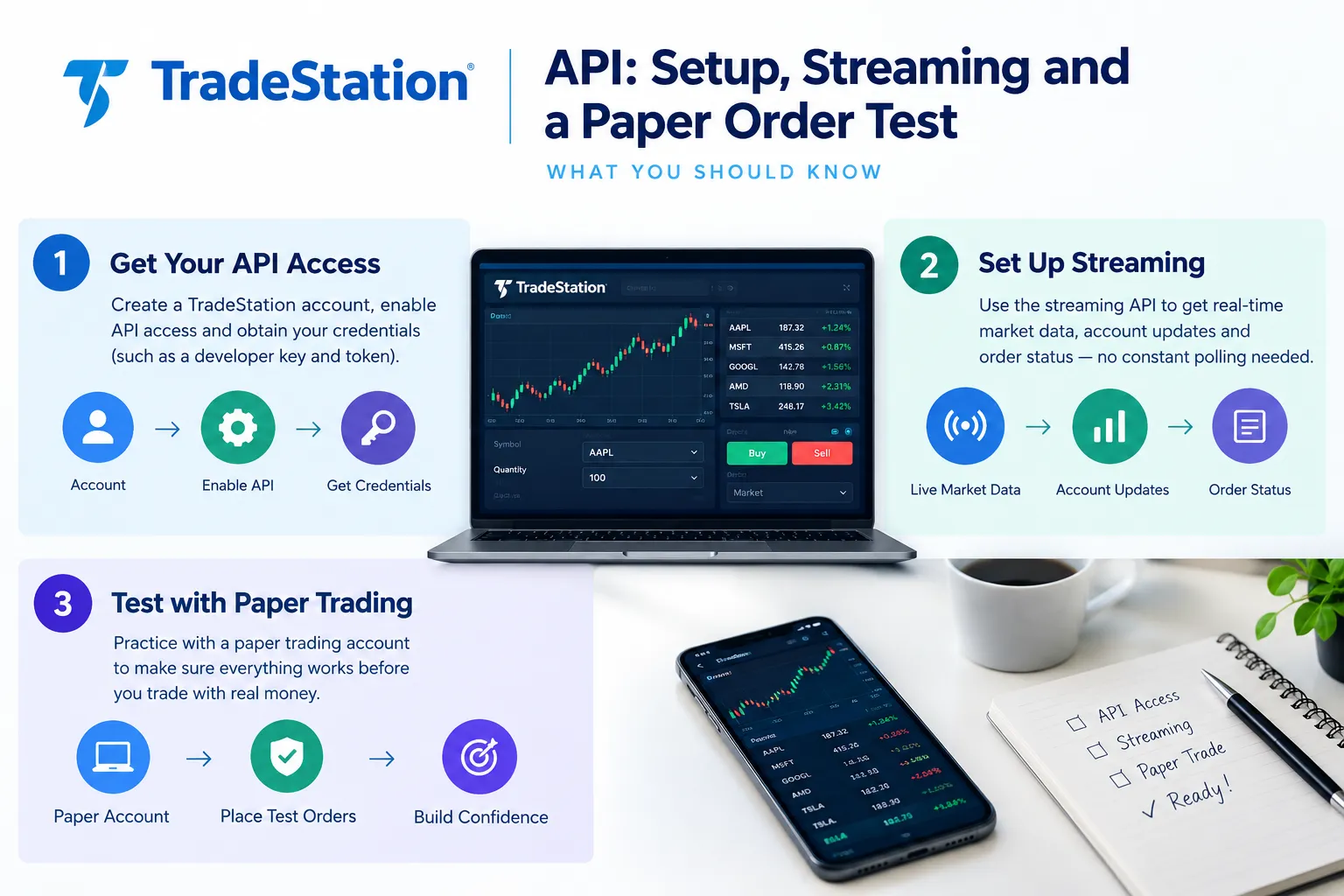
That distinction trips up almost every beginner. A normal HTTP library call says: send request, wait for the response to finish, parse the body. A stream never finishes. If your code is blocking on completion, you’ll sit there forever with zero errors and zero data, convinced something is broken upstream.
How a stream begins and ends
- Begins when you send an authenticated request to a streaming endpoint with your symbol list.
- Stays open as long as the connection holds, delivering one JSON object per line.
- Ends when you close the connection, the token behind it ages out, the network drops, or the server closes it.
What breaks a stream
- Token expiry. Twenty minutes is short. A stream started at 9:30 can die mid-session if you never refreshed.
- Buffered readers. If your HTTP client buffers the full body before handing it over, you get nothing. Use streaming-mode reads.
- Idle network middleboxes. Corporate proxies, VPNs, and some home routers kill connections they think are idle. Heartbeat messages help, but your code still needs to notice silence.
- Laptop sleep. The most common “the api keeps dropping” culprit in retail setups is a lid that closed.
- Too many symbols on one stream. Keep subscriptions reasonable and split across connections if needed.
Fixing a connection that keeps dropping
- Log every disconnect with a timestamp. Patterns show up fast. Every 20 minutes means tokens. Every 60 seconds means an idle timeout.
- Refresh the token proactively, not reactively. Refresh at the 15-minute mark on a timer.
- Add exponential backoff reconnects. First retry at 1 second, then 2, 4, 8, capped. Hammering a broker endpoint on a tight loop is how you get throttled.
- Track a last-message timestamp. If nothing has arrived in a sensible window, tear down and reconnect rather than trusting an open socket.
- Re-sync state on reconnect. Pull current positions and open orders after every reconnect. Never assume the gap was empty.
Decision rule: if your strategy would make a bad decision from a 90-second data gap, you need reconnect logic before you need a better entry signal.
Worth knowing your own lag, too. Data speed is only half the equation when a human sits in the loop… our trader reaction time test is a quick, slightly humbling check.
How Do You Place a Paper Order in the TradeStation Simulator?
Point your application at https://sim-api.tradestation.com/v3 instead of the production base URL. TradeStation’s documentation states the simulator mirrors the live API using artificial accounts and funds, orders are never sent to markets, and simulated executions are generated immediately. Same code, same endpoints, different host.
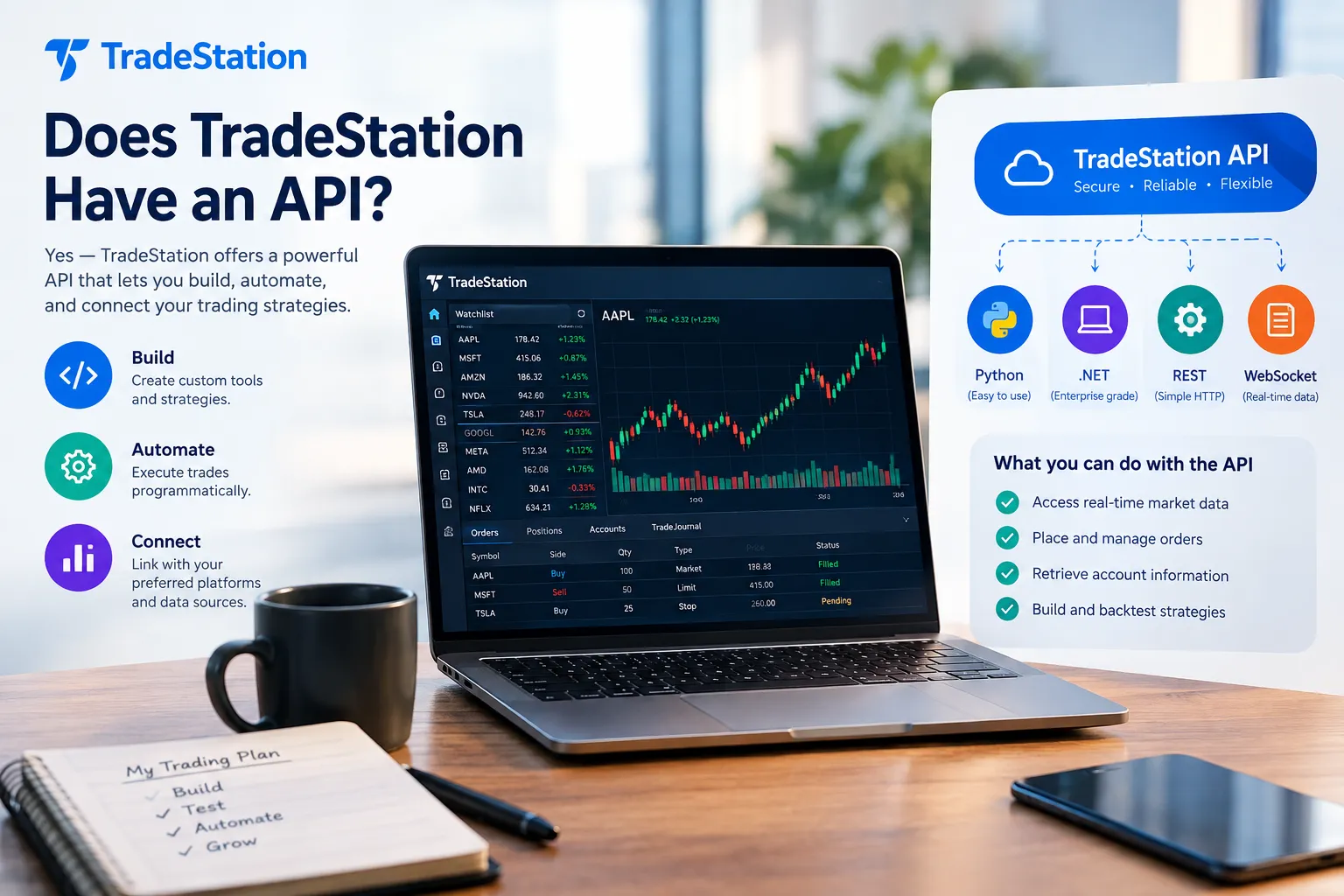
That design is the whole reason this API deserves respect. One configuration variable separates a harmless test from a real fill.
The paper order test, step by step
- Set your base URL from an environment variable. Call it something unambiguous.
TS_BASE_URL. Never hardcode the production host anywhere in your codebase. Ever. - Authenticate against the simulator and confirm the token works by listing accounts.
- Identify your simulated account ID. It will differ from your live account ID. Print it. Look at it. Know it by sight.
- Pull a quote for one liquid symbol, something like SPY or AAPL, to verify market data is flowing.
- Build a small order. One share, market or limit, day time-in-force. One share. Not one hundred.
- Use the order confirmation endpoint first. TradeStation exposes a confirm route that validates an order and returns estimated cost and commission without submitting it. Treat this as your pre-flight check.
- Submit the order. You should receive an order ID in the response.
- Query the order back by ID. Confirm the status, the symbol, the quantity, and the account. A correct response shows your order as filled or working, with the fields matching exactly what you sent.
- Cancel a working order deliberately. Test the cancel path while nothing is at stake. You’ll need it on a bad day.
- Read the account positions endpoint. Your one share should appear. If it doesn’t, your account ID or routing is off.
What a correct response looks like
An accepted order returns a JSON payload containing an order ID and a status indicator. A rejected order returns a message explaining why, and those messages are genuinely useful: bad symbol, invalid duration, insufficient buying power, unsupported order type for that asset class. Read them literally.
Note that the October 19, 2026 TradeStation platform release added extended-hours equity options trading and improved order-modification validation. Validation changes matter to API users because an order that confirmed cleanly under old rules may now return a different message. Re-run your confirmation tests after any broker release.
Best practices for tradestation paper trading
- Separate credentials and separate config files for sim and live. Never one file with a commented-out line.
- Make the live path require an explicit flag. Default to simulator. Make production the deliberate choice.
- Log the base URL at startup. One line, every run. Cheap insurance.
- Run the same strategy for 20 to 30 sessions before touching real money. Fewer than that and you’re reading noise.
- Respect the fill fantasy. Simulated executions are generated immediately, which means paper fills are kinder than real ones. Real markets have queues, partial fills, and slippage. We covered that gap in detail in our piece on paper trading slippage.
The paper order is not a formality. It’s the test that proves your order object, your account routing, and your error handling all work before any money is involved. Paper trade it first, every single time.
Can you trade options using the TradeStation API?
Yes. TradeStation’s documentation lists stocks, options, and futures as supported across both v2 and v3, and default scopes include option spreads. Multi-leg orders are supported, and as of the extended-hours options documentation published in October 2026, eligible options orders accept “Plus” time-in-force durations such as GCP, with resulting records showing values like Day+, GTC+, or GTD+.
A warning that belongs here: options are where retail traders get hurt most, and automating them compresses the time between a mistake and a loss. Build equity orders first. Get boring with them. Then add legs.
What Are the TradeStation API Rate Limits?
TradeStation publishes rate-limiting guidance in its developer documentation, and the specific per-endpoint numbers belong to that page rather than a blog post. Read the current limits on api.tradestation.com/docs before you design your polling loop, because an outdated number in your head becomes a 429 in production.
| Endpoint type | Limit | Source |
|---|---|---|
| REST market data requests | Published per-endpoint limits apply, check the official page | api.tradestation.com/docs |
| Brokerage and order endpoints | Published limits apply, check the official page | api.tradestation.com/docs |
| Streaming connections | Connection and subscription constraints apply, check the official page | api.tradestation.com/docs |
| Token refresh | Governed by OAuth token lifetimes; access tokens expire in 20 minutes | TradeStation authentication docs, updated Oct 2026 |
What’s genuinely useful regardless of the exact numbers:
- Respect
429responses and anyRetry-Afterheader rather than retrying blindly. - Stream instead of poll for anything you need continuously. Streaming exists precisely so you’re not hammering a quote endpoint every second.
- Cache static data. Symbol details and contract specs don’t change intraday. Fetch once.
- Batch where the endpoint allows it. One request for twenty symbols beats twenty requests.
- Back off exponentially. A retry storm looks like abuse from the server side, and it’ll be treated like abuse.
Edge case worth planning for: the open. 9:30 to 9:35 Eastern is when your app wants the most data and when every other app wants it too. Design your startup sequence so the heavy lifting (symbol lookups, account sync) happens at 9:15, not 9:30.
Can Claude Connect to TradeStation With MCP?
MCP (Model Context Protocol) is Anthropic’s open standard for connecting AI assistants like Claude to external tools and data. Community-built MCP servers for broker APIs exist across the open-source world, and whether a TradeStation-specific one suits you depends entirely on the specific project’s maintenance, permissions, and code quality. TradeStation’s official developer documentation is the authority on supported integrations… check it before trusting any third-party bridge with trading scopes.
The honest state of tradestation mcp in October 2026: this is a fast-moving, community-driven space. Anyone claiming a definitive official answer is selling something. What matters far more than which server you pick is how you configure it.
Read-only first. Not negotiable.
If you wire an AI assistant to a broker API, start with a configuration that can only read:
- Request read scopes only. Market data and account read access. Leave trading scope off entirely.
- Point it at the simulator host. Even read-only, use
sim-apiwhile you learn what the model does with the tools. - Review every tool definition the server exposes. If there’s a
place_orderfunction available, you are one confidently-worded prompt away from a problem. - Log every call the assistant makes. You want a record of what it asked for and when.
What a read-only setup is genuinely good for
- Summarizing your open positions and exposure in plain English.
- Pulling option chains and explaining the structure of a spread.
- Checking whether today’s price action matches conditions on your watchlist.
- Reviewing your fill history and flagging patterns like overtrading or revenge trading.
What it should not be doing
- Placing orders autonomously.
- Sizing positions.
- Deciding when to exit.
A language model can describe a chart beautifully and still have no idea what your risk tolerance is. Analysis is a reasonable job for an AI. Execution authority is not, and handing it over because the demo looked slick is how smart people make preventable mistakes.
One compliance note that applies regardless of your stack: FINRA Rule 2210 governs communications with the public, and it gets amended periodically. Not TradeStation-specific, but if your application combines automated trading with public-facing recommendations, marketing claims, or social features, read the current version of that rule on finra.org before you ship.
Can You Build a TradeStation Trading Bot With Python?
Yes. A tradestation api python build is one of the most common approaches, because the API is REST/JSON and Python’s requests library plus a streaming-capable HTTP client covers nearly everything you need. No special SDK is required, though community wrappers exist.
A realistic workflow
- Auth module. Handles OAuth, stores the refresh token securely, refreshes proactively on a timer, and hands valid tokens to everything else.
- Data module. Fetches historical bars for your signal logic and manages the live stream for current prices.
- Signal module. Your actual strategy. Keep it dumb and testable. It takes data in and returns an intent, nothing more.
- Risk module. Position sizing, a maximum position count, a daily loss limit, and a hard kill switch. This module has veto power over everything.
- Execution module. Translates intent into an order object, calls the confirmation endpoint, submits, and tracks the order to a terminal state.
- State and logging. Every decision, every request, every response, timestamped. When something goes sideways at 10:14 a.m., the log is the only thing that tells you why.
If you’re starting from scratch on the strategy side rather than the plumbing, our walkthrough on Python algorithmic trading covers the structure before the broker connection.
Safety checklist before any tradestation trading bot touches live
- Simulator base URL by default; live requires an explicit flag.
- Maximum order size enforced in code, not in your head.
- Daily loss limit that halts trading, not just warns.
- Duplicate-order protection using a client order ID.
- Market-hours check so no order fires at 3 a.m. after a scheduler mistake.
- Reconnect logic with state re-sync after every stream drop.
- A manual kill switch you can hit from your phone.
- At least 20 sessions of paper results reviewed with your own eyes.
- A plan for what happens when your internet dies mid-position.
The code that makes money is boring. The code that prevents catastrophe is the part worth obsessing over. Systems over hacks.
Backtesting the logic before it ever hits the API is a separate discipline… tools like Backtestloop handle that layer.
How Does TradeStation Compare With NinjaTrader and Other Broker APIs?
TradeStation stands out for covering stocks, options, and futures through one REST API with a dedicated simulator host. NinjaTrader is futures-first with a strong desktop-centric automation model. Interactive Brokers offers the widest global market access with the steepest setup. Schwab’s API arrived through the thinkorswim lineage, and our Charles Schwab review covers what that inheritance means in practice. All four have paper environments.
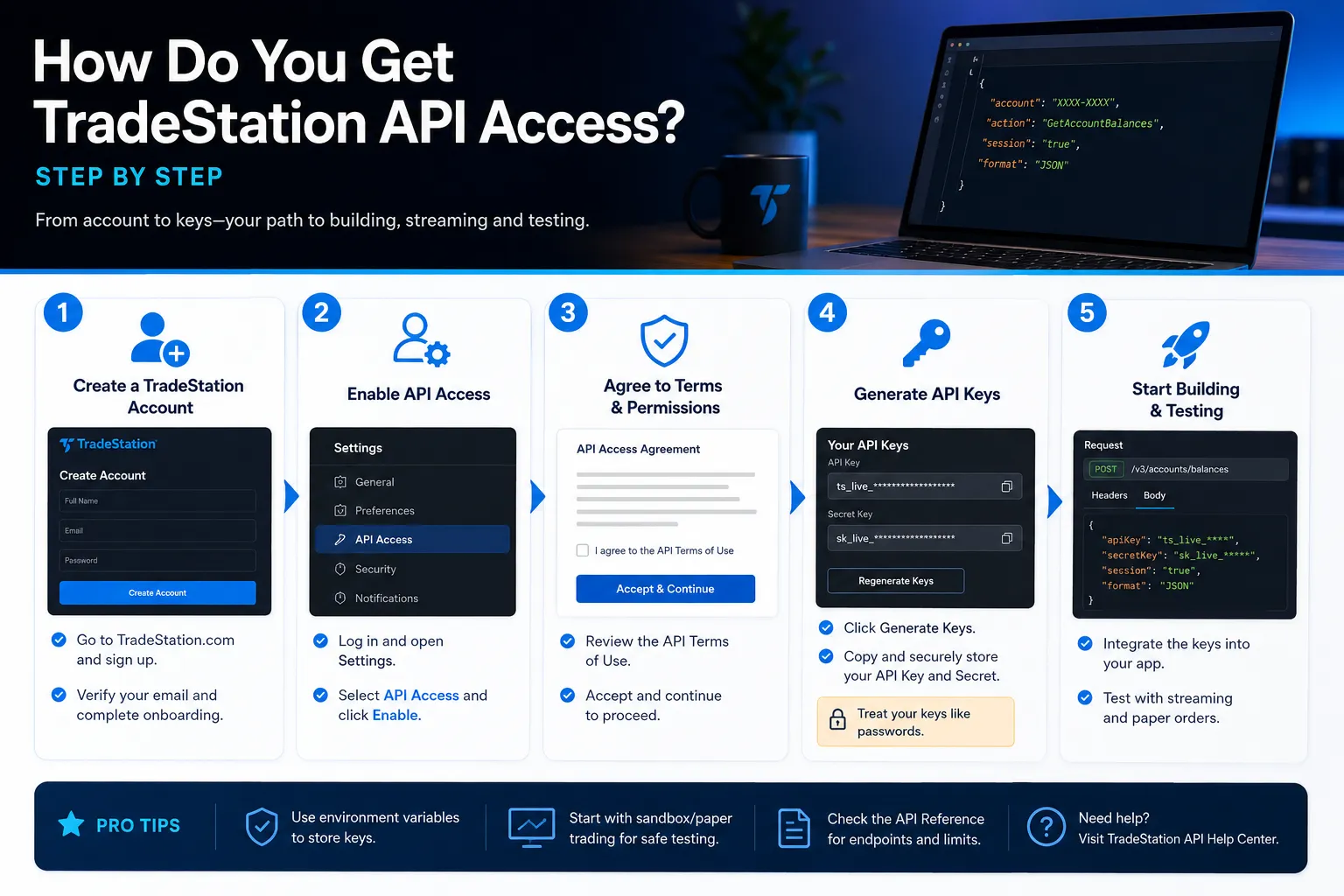
| Broker | Public API | Paper environment | Best for |
|---|---|---|---|
| TradeStation | REST/JSON v3 plus FIX | Separate simulator host (sim-api) | Multi-asset retail builders who want stocks, options, and futures on one credential |
| NinjaTrader | Yes, platform-centric automation | Simulation and market replay | Futures traders who want tight desktop integration |
| Interactive Brokers | TWS API and Client Portal API | Paper trading account | Global access and breadth, if you’ll tolerate the gateway setup |
| Schwab | Trader API (thinkorswim lineage) | Check Schwab’s developer portal | Traders already consolidated at Schwab |
The tradestation vs ninjatrader question usually answers itself by asset class. Trading futures almost exclusively, with chart-based strategy automation and replay testing? NinjaTrader’s model fits, and our NinjaTrader API guide covers it. Running equities with options overlays and the occasional futures hedge from a cloud-hosted Python service? TradeStation’s single-interface multi-asset coverage wins on fewer moving parts.
For the broader field, including setup friction and documentation quality, see our Interactive Brokers TWS API walkthrough and the Schwab API guide. Platform feel is a different question from API quality, which is why we also compared DAS Trader, TWS and TradeStation as front ends.
Alternatives to the tradestation api for retail traders
- Alpaca, commission-free equities and crypto API, popular for a low-friction start.
- Interactive Brokers, breadth and global reach, more setup.
- Tradier, straightforward REST with equities and options.
- TradingView webhooks, alerts routed to a broker through middleware, not a broker API itself.
Decision rule: pick the API attached to the broker you’d want to execute at anyway. Choosing a broker for its API and then hating the fills, the platform, or the support is a trade you’ll regret within a quarter. The full field lives in our broker API archive.
What Data Can You Access With the TradeStation API?
The TradeStation API provides quotes, historical bars, option chains, symbol details, account balances, positions, order history, and live streaming of quotes and position updates. Default scopes cover market data, account read access, trading, and option spreads, with extras like market depth potentially requiring additional configuration or approval.
In practice that breaks into three buckets:
- Reference data, symbol details, contract specifications, option chain structure. Static enough to cache.
- Market data, quotes, historical bars at multiple intervals, and streaming prices. Entitlements apply, and professional status changes the terms.
- Account data, balances, buying power, open positions, working orders, and executed order history.
Common mistake: assuming every scope is on by default. If a 403 shows up on a data call you expected to work, your token almost certainly lacks that scope. Re-run the authorization with the correct scope list rather than debugging the endpoint for an hour.
What Mistakes Do Beginners Make With the TradeStation API?
The most expensive beginner mistakes are hardcoding the production base URL, ignoring the 20-minute token expiry, trusting simulator fills as realistic, and skipping the order confirmation endpoint. All four are preventable in an afternoon.
The full list, ranked by how much damage each one causes:
- Hardcoding the live base URL. One sloppy variable and a test order becomes a real one. Environment variable. Default to sim.
- No refresh token handling. Works in the morning, mysteriously dies at 9:50. It’s the token.
- Treating paper fills as truth. Simulated executions generate immediately. Real markets do not. Your backtest-to-live degradation is real and mostly lives here.
- Skipping the confirmation endpoint. It tells you an order is invalid before you submit it. Free validation, ignored constantly.
- Polling where streaming belongs. Burns rate limit, adds latency, and gives you worse data.
- No duplicate-order protection. A retry on a timeout can submit the same order twice. Client order IDs solve this.
- No logging. Debugging a trading system without logs is guessing with extra steps.
- Going live after three good paper days. Three days is weather. Twenty-plus sessions is something closer to evidence.
If you’d rather test a strategy before building the infrastructure around it, scanning tools can validate the idea first, we reviewed one in our TrendSpider AI pattern scanner breakdown.
Frequently Asked Questions
Which is better, TradeStation or NinjaTrader?
Neither is universally better; it depends on what you trade. NinjaTrader is built around futures with deep desktop automation and market replay, while TradeStation covers stocks, options, and futures through one REST API with a separate simulator host. Multi-asset cloud-hosted builds favor TradeStation. Futures-only desktop automation favors NinjaTrader.
What brokers have an API?
TradeStation, Interactive Brokers, Schwab, NinjaTrader, Alpaca, and Tradier all offer developer APIs for retail traders. Coverage, documentation quality, and paper environments vary widely. Check each broker’s official developer portal for current access requirements, since eligibility and approval processes change regularly.
What can I trade in TradeStation?
TradeStation’s API documentation lists stocks, options, and futures as supported asset classes across both v2 and v3. Default API scopes include option spreads, and as of October 2026 the API accepts extended-hours “Plus” time-in-force durations for eligible options orders. Confirm current product availability on TradeStation’s own pages.
Does TradingView allow API integration?
TradingView supports webhook alerts that can trigger external systems, which is how most traders connect it to a broker. That’s alert routing rather than a broker API, so you still need a broker connection on the receiving end. Check TradingView’s current documentation for plan-level webhook availability.
Which broker API is free?
Several broker APIs, including TradeStation’s, don’t charge a separate subscription for developer access itself, but market data entitlements and exchange fees are a separate line item. Professional versus non-professional classification can change data costs substantially. Verify on each broker’s official market data pricing page.
How long does a TradeStation API access token last?
TradeStation’s authentication documentation, updated in October 2026, states access tokens expire after 20 minutes. Production applications should use refresh tokens to obtain new access tokens rather than repeatedly prompting users to authenticate. Refresh proactively on a timer rather than waiting for a 401.
Our Take
The tradestation api fits traders who want stocks, options, and futures under one credential set, who can write enough Python to manage an OAuth refresh loop, and who intend to actually execute at TradeStation rather than shopping an API in isolation. It’s not the easiest first API, Alpaca holds that title, but the simulator host and the shared infrastructure with TradeStation’s own platforms make it one of the more honest retail options available.
If you’re futures-only and live inside a desktop chart, NinjaTrader will feel more natural. If you need global markets, Interactive Brokers wins on breadth and loses on setup pain.
Whatever you build, the paper order comes first. One share, simulator host, confirmation endpoint, order ID back, position verified. That test takes an hour and saves accounts.
Built something on this API and want it reviewed? Submit your bot to FullStack Alpha and we’ll put it through the same testing every tool on the site gets.
Stay alpha.
The FullStack Alpha research desk tests AI trading bots on paper and live accounts. Reviewed and edited by Jay Rocco, Founder and Editor.
