

The FullStack Alpha research desk tests AI trading bots on paper and live accounts. Reviewed and edited by Jay Rocco, Founder and Editor.
By FullStack Alpha Editorial Team | Reviewed by Jay Rocco, Chief Editor
The NinjaTrader API is not one product. It is NinjaScript (C# strategies that run inside NinjaTrader Desktop), the Automated Trading Interface for outside signals, a REST Trade API that runs on Tradovate’s infrastructure, a WebSocket Market Data API, and a beta MCP server for AI agents. Bots connect through one of those doors: a NinjaScript strategy, ATI, direct REST calls to live.tradovateapi.com, a webhook bridge from TradingView, or an AI client over MCP. The single most important rule is in NinjaTrader’s API conventions: any order a bot places must set isAutomated to true, because the default is false and an unflagged automated order “can violate exchange policies.” Charting, backtesting and simulated trading are free with no funding, so every route can be tested in sim before a dollar moves.
Key insights
- NinjaTrader API tokens last about 90 minutes. NinjaTrader’s docs say to call
renewAccessTokenabout 15 minutes before expiry instead of requesting new tokens, because each new request starts a new session and you only get two concurrent sessions per user. - Do not hard-code hosts. The auth response returns an
apiHostsobject, and some organizations run on dedicated hosts. - API credentials are a client ID (
cid) and secret (sec) issued by NinjaTrader, plus a device ID up to 64 characters. On Tradovate, generating a key requires a live account above $1,000 and the API Access add-on, per Tradovate’s own community guide. - The NinjaTrader MCP server is beta and lets Claude, ChatGPT, Codex and Cursor read accounts and place futures orders after OAuth sign-in, with Demo and Live on separate URLs.
- Platform pricing in 2026: Free ($0 a month), Monthly ($99) and Lifetime ($1,499 one time), per NinjaTrader’s pricing page. Commissions and exchange fees are extra.
What Does the NinjaTrader API Include?
The NinjaTrader API is a family of developer tools, and each one assumes a different skill level and runs in a different place. NinjaTrader’s developer docs describe the platform as “the NinjaTrader and Tradovate platform” with REST APIs, desktop and web SDKs, an MCP server and a vendor marketplace API.
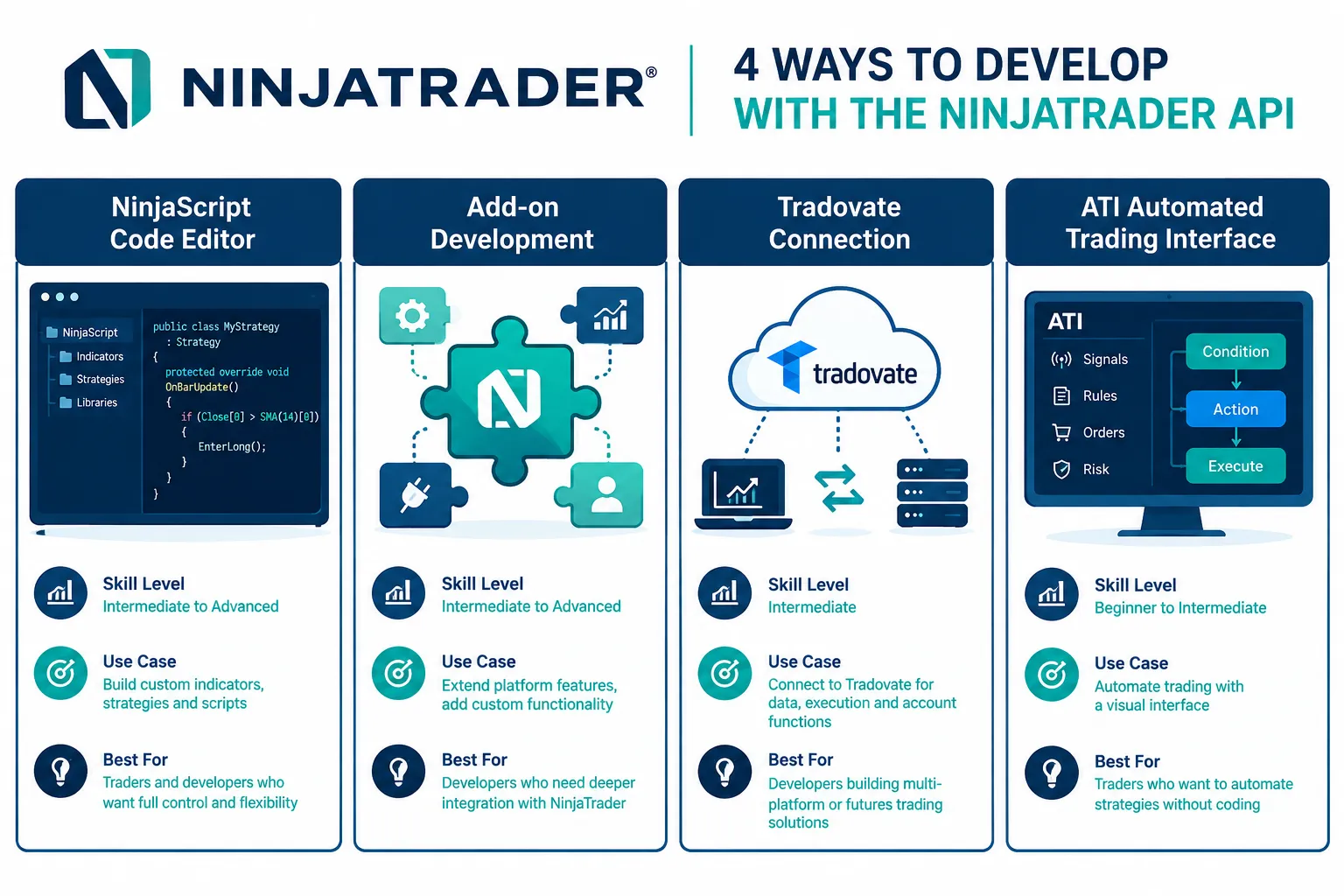
| Tool | What it is | Where it runs | Skill needed | Best use |
|---|---|---|---|---|
| NinjaScript | C# indicators, strategies and add-ons for NinjaTrader 8 Desktop | Your Windows PC, inside the platform | Intermediate to advanced C# | Full custom strategies with backtesting in Strategy Analyzer |
| Strategy Builder | Point-and-click tool that generates NinjaScript strategies | Inside NinjaTrader Desktop | Low | Rule-based strategies without hand-written code |
| Automated Trading Interface (ATI) | Protocol for sending trade signals from outside apps into NinjaTrader | Your PC, file or DLL interface | Low to moderate | Excel, TradeStation or custom apps sending signals |
| Trade API | REST interface for orders, accounts, positions, risk, alerts and contracts | NinjaTrader’s servers on *.tradovateapi.com | Comfortable with REST | External bots in any language |
| Market Data API | Real-time quotes, depth, charts over WebSocket | NinjaTrader’s servers | Comfortable with WebSockets | Live data for an external bot |
| MCP server (beta) | Remote server that lets AI agents read accounts and trade | NinjaTrader’s servers | None beyond an MCP client | Claude or ChatGPT acting on a Demo account |
NinjaScript and Strategy Builder
NinjaScript is the oldest and most common path for a NinjaTrader trading bot. NinjaTrader’s help guide says the Strategy Builder “is used to generate NinjaScript based strategies for automated systems trading,” and that once you have developed a strategy “you can run it live in full automation.” The strategy lives on your machine, so there is no network hop between signal and order, only between the platform and the exchange.
ATI is a signal pipe, not a full API
NinjaTrader’s ATI help guide says ATI provides “efficient protocols to communicate trading signals from various external sources” such as TradeStation, eSignal, Excel, Visual Studio apps and black-box systems. It also says plainly that ATI is “ONLY used for processing trade signals generated from external applications and is NOT a full blown brokerage/market data API.” You enable it under General Options, Automated trading interface. Use ATI when another program already decides the trade and you only need NinjaTrader to execute it.
The Trade API is where external bots live
The Trade API overview says “almost anything you can do in the trader application, you can also do through the API”: place and modify orders, query accounts and cash balances, look up contracts and products, set risk limits, and send alerts and chat messages. Real-time quotes, depth of market and charts come from the separate Market Data API over WebSocket.
For a side-by-side of NinjaTrader against other platforms, our sister directory’s NinjaTrader tool page lists features and alternatives.
How Does the NinjaTrader Trade API Work?
The REST side of the NinjaTrader API is relaxed: you exchange credentials for an access token, then send that token as a Bearer header on every request. Per NinjaTrader’s getting-started guide, you need a NinjaTrader account username and password, a client ID (cid) and secret (sec) issued by NinjaTrader, and a device identifier of up to 64 characters that permanently identifies the machine.
Hosts
| Host | Use |
|---|---|
demo.tradovateapi.com | Demo, simulated money |
live.tradovateapi.com | Live trading |
md.tradovateapi.com | Market data feed |
NinjaTrader warns not to hard-code these. The authentication response can include an apiHosts object naming the host for each service, because some organizations run on dedicated infrastructure. Build your base URLs from that response.
Get a token and place an automated order
This is the documented request shape with placeholders. Keep sec out of public repos and client-side code, as the docs say.
curl -X POST https://demo.tradovateapi.com/v1/auth/accesstokenrequest \
  -H "Content-Type: application/json" \
  -d '{"name":"YOUR_USERNAME","password":"YOUR_PASSWORD",
       "appId":"YourBotName","appVersion":"1.0",
       "cid":YOUR_CID,"sec":"YOUR_SECRET","deviceId":"YOUR_DEVICE_ID"}'
The response returns accessToken, a separate mdAccessToken for market data, and an expirationTime. An order then looks like the docs’ example, with isAutomated set:
{
  "accountSpec": "YOUR_ACCOUNT_NAME",
  "accountId": 123456,
  "action": "Buy",
  "symbol": "MESZ6",
  "orderQty": 1,
  "orderType": "Market",
  "isAutomated": true
}
POST that body to /v1/order/placeorder with your bearer token. The accountId is the integer entity ID from account/list, not the DEMO12345 string, a mistake NinjaTrader calls out by name. The symbol above is a placeholder; look up the current front-month contract with the ContractLibrary endpoints rather than typing it.
Tokens, sessions and limits
- Token life: about 90 minutes, exact time in
expirationTime. CallrenewAccessTokenabout 15 minutes before it expires. - Sessions: two concurrent sessions per user. A third closes the oldest, which can drop a service that shares the token. NinjaTrader suggests a dedicated API user and one service that issues tokens for the rest.
- Connections: one simultaneous client connection per customer, with more available by subscription.
- Rate limits: hour, minute and second limits exist. Breaching them returns
HTTP 429. Sensitive calls such as token requests carry tighter limits and return a time penalty object withp-ticketandp-time; retry afterp-timeseconds with the ticket. Ap-captcha: trueresponse means wait about an hour. - Errors:
401or403for access,404for unavailable,429or423for rate limits, and anerrorTextfield when business rules reject a request that succeeded at the HTTP level.
The docs also recommend two-factor authentication and offer an OAuth flow for apps that log in other users, so your app never handles their passwords.
What a minimal Trade API bot loop looks like
Put the documented pieces together and a small external bot runs in this order:
- Authenticate with
accesstokenrequestand readapiHostsfrom the response for every base URL. - Open a WebSocket and send
user/syncRequest. NinjaTrader’s conventions page says to respond to changes this way rather than polling, and the server pushes order and position updates as they happen. - Subscribe to market data on the market data host with the
mdAccessToken, and cache the subscription IDs so you can unsubscribe later. - Decide in your own code. Keep the strategy logic out of the API layer so you can test it alone.
- Place with
order/placeorder,isAutomated: true, and log theorderIdyou get back. - Renew the token about 15 minutes before
expirationTime. - Back off on
429, and honor anyp-timepenalty before retrying.
Each step maps to one failure you can test in Demo: a bad host, a dropped socket, a stale subscription, a rejected order, an expired token and a rate limit.
Why Does isAutomated Matter in the NinjaTrader API?
isAutomated tells the exchange that a machine, not a person, placed the order. NinjaTrader’s API Conventions page says you “must set the isAutomated flag” for any order placed “through code or an automated process,” that it defaults to false, and that “the exchange takes the isAutomated requirement seriously. Failing to flag an automated order can violate exchange policies.”
This is the single most useful line in any NinjaTrader API guide, and most tutorials skip it. Three practical rules:
- Hard-code it. Put
isAutomated: truein your order builder function, not in each call, so no code path can forget it. - Test for it. Add a unit test that fails if any order payload lacks the flag.
- Ask your AI tool. If Claude or another model writes your order code, check the payload yourself. Models trained on older samples may leave it out.
How Do Bots Connect to NinjaTrader?
Bots connect to NinjaTrader through five routes, and each one uses a different part of the NinjaTrader API: a NinjaScript strategy inside the desktop platform, ATI from an outside app, direct Trade API calls, a webhook bridge that turns TradingView alerts into orders, or an AI client on the MCP server. Each has a different dependency and a different way to fail.
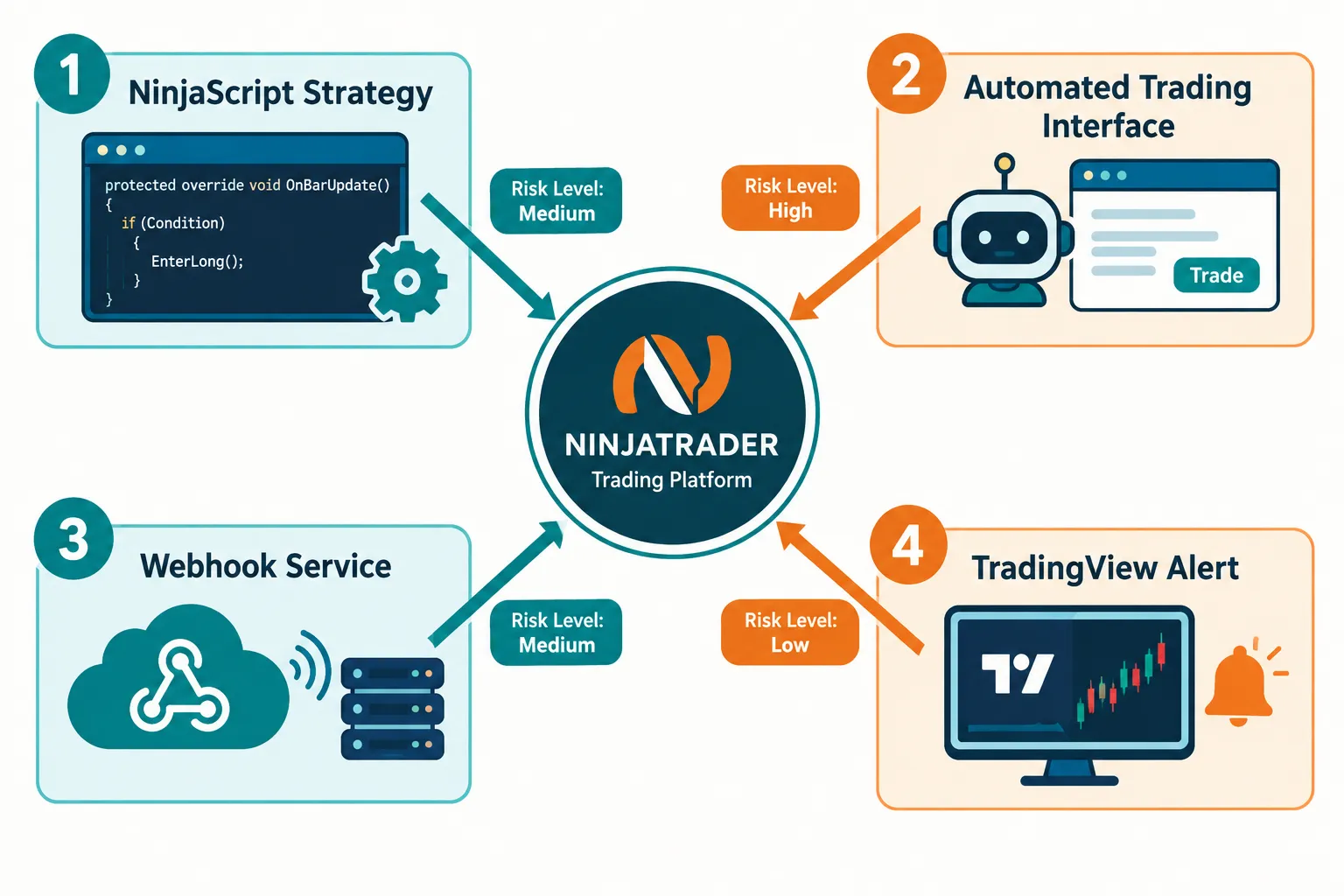
| Route | What sits in the middle | Main failure mode | Who it fits |
|---|---|---|---|
| NinjaScript strategy | Nothing; runs in the platform | Your PC or connection drops | C# developers who want full control |
| ATI | NinjaTrader’s file or DLL interface | The outside app or ATI bridge stops | Traders with an existing signal program |
| Trade API direct | Your own server | Token expiry, session limits, missed isAutomated | Developers in any language |
| Webhook bridge | A third-party relay service | Relay downtime, payload errors | Chart traders who use TradingView alerts |
| MCP agent (beta) | An AI client plus NinjaTrader’s MCP server | The model misreads an instruction | Experimenters on a Demo account |
What the webhook route really depends on
TradingView’s own webhook docs set hard limits on that hop: only ports 80 and 443 are accepted, a request that takes longer than three seconds is cancelled, IPv6 is not supported, two-factor authentication must be on, and webhooks “may occasionally fail to reach the specified URL.” Check the Webhook status column in the alert log. Our guide to TradingView automated trading covers the bridges that reach brokers.
Common mistake: treating a webhook relay as instant. There is a network hop between the alert firing and the order landing, and in a fast tape that hop is the difference between a clean fill and a worse one. For the general pattern across brokers, see how AI trading platforms connect to a broker.
Decision rule: if you write C#, start with NinjaScript. If another program already makes the decision, use ATI. If your bot runs on a server or in Python, use the Trade API. Use a webhook bridge only if you accept a third party in your order path.
Can Claude Write or Run a NinjaTrader Strategy?
Yes, in two different ways. Claude can draft NinjaScript or NinjaTrader API code that you compile and test, and through NinjaTrader’s beta MCP server, Claude can act on your account directly: read positions, pull quotes and place orders. The second is far riskier than the first.
Claude as a coder
What an AI assistant can help with:
- A skeleton NinjaScript strategy class with the entry and exit rules you describe
- Trade API calls for placing, modifying or cancelling an order
- Explaining a compile error from the NinjaScript editor
- Position-sizing logic based on rules you set
What still needs you and a sim account:
- Compiling cleanly inside NinjaTrader with the right references
- Confirming the order types your account and exchange support
- Checking
isAutomated: trueis in every order payload - Watching behavior in a fast, choppy session, not just a backtest
Creators show both styles on YouTube. ZenomTrader’s video “CLAUDE CONTROLS MY NINJATRADER” demonstrates autonomous backtesting in NinjaTrader using Claude Code, and Raffi Sosikian’s “Best NinjaTrader Strategy?” tutorial compares machine learning plus news against technical indicators. Neither is an official NinjaTrader tutorial, so check each step against the docs. Our breakdown of what a Claude trading bot can build and where it fails applies here too.
Claude as an agent on the NinjaTrader MCP server
NinjaTrader’s MCP docs describe a remote server, in beta and “not yet generally available,” that works with Claude Code, Claude Desktop, ChatGPT, Codex and Cursor. You add a URL to your client and sign in with OAuth 2.1 in a desktop browser; nothing is installed.
- Demo URL:
https://mcp-demo.tradovateapi.com/mcp - Live URL:
https://mcp-live.tradovateapi.com/mcp
The docs list what an agent can do with the right permissions: check account value and P&L, look up quotes and margins, place bracket orders, flatten positions, review performance and set loss limits. Write tools such as place_order, modify_order, cancel_order and close_position carry MCP’s destructive-action hint, so most clients pause for approval. You can also set connection risk limits when you approve access: max total exposure, max traded volume per session, and per-product or per-contract caps. Listing any product turns those caps into an allowlist.
NinjaTrader’s safety page puts it bluntly: you are responsible “for every order placed in your account, including those an AI agent places for you.” Start on Demo, require approval for write actions, and keep account-level loss limits on. Our guide to AI trading agent risks explains why the kill switch has to live outside the agent.
How Do You Test a NinjaTrader Bot in Sim First?
Test every NinjaTrader API route in simulation before funding it, in a fixed order: compile or authenticate, connect to sim or Demo, trade one contract, log everything, and set a stop rule in writing before live money. NinjaTrader’s pricing page says the platform “is always free to use for advanced charting, strategy backtesting, and simulated (paper) trading,” with “no time limit and no funding required.”

Where each route tests:
| Route | Where to test |
|---|---|
| NinjaScript | Strategy Analyzer for backtests, then a Sim account in the platform |
| ATI | A Sim account selected as the target account |
| Trade API | demo.tradovateapi.com |
| MCP agent | mcp-demo.tradovateapi.com/mcp |
A sim-first plan that holds up:
- Compile or authenticate cleanly. Zero warnings you do not understand.
- Connect to sim or Demo only. Never point a first run at Live.
- One instrument, one contract, at least two full sessions. You want a clean read on one setup.
- Keep a trade log. Every entry, exit, rejected order and the
errorTextfrom any rejection. - Test the ugly hours. The open, the close and scheduled economic releases expose bugs quiet midday trading never will.
- Test the failures on purpose. Kill your network, let a token expire, start a third session. Watch what the bot does with an open position.
- Write a stop rule before funding. For example: “If the bot disconnects twice or loses more than X in sim, it does not go live.”
- Only then go small on live. One micro contract, sized so a mistake is cheap.
Edge case: a bot that runs clean for three days and misbehaves on day four usually has not gotten worse. It met a condition your test never included: a gap, a halt, a contract roll or a reconnection. Simulated fills also flatter you; our piece on paper trading slippage shows how to estimate the gap, and our roundup of futures backtesting software covers testing tools beyond NinjaTrader.
What Does NinjaTrader Cost for Automated Trading?
NinjaTrader has three platform plans in 2026, per its pricing page: Free, Monthly at $99 a month, and Lifetime at a one-time $1,499. All three include simulated trading and the Desktop, Web and Mobile platforms. They differ in per-contract commissions. Exchange, clearing and NFA fees apply on top.
| Plan | Platform cost | Commission per side, Micro and e-Nano | Commission per side, Standard |
|---|---|---|---|
| Free | $0 a month | $0.39 | $1.29 |
| Monthly | $99 a month | $0.29 | $0.99 |
| Lifetime | $1,499 one time | $0.09 | $0.59 |
What else to budget for:
- Funding to activate plan features. NinjaTrader says all plans “require a funded, approved live account before benefits become active,” and any amount above $0 qualifies.
- Market data. NinjaTrader says all plans include top-of-book market data, and a new account gets a free 14-day trial of streaming live data. Check what your plan covers after the trial and whether your strategy needs depth beyond top of book.
- Direct NinjaTrader API access. Tradovate’s community guide, written by its staff, says generating an API key requires a live account holding more than $1,000 and a paid API Access add-on. A 2026 community reply and a 2026 vendor article both put that add-on at $25 a month. Confirm in your account settings before you budget, because neither is a NinjaTrader pricing page.
- Extra connections. The Trade API allows one simultaneous connection per customer; more are a paid subscription.
Worked example: a bot that trades 10 Micro round trips a day, 21 days a month, makes 420 round trips, or 840 sides. On the Free plan that is about $327.60 in commissions; on Monthly it is about $243.60 plus the $99 fee, or $342.60. At that volume, Free is cheaper. Double the volume and Monthly wins. Run your own numbers before you upgrade, and add exchange fees to both.
Common mistake: assuming free sim access includes live API order routing. Sim is free; live automation needs a funded account, and direct API access has its own requirements.
NinjaTrader API vs Tradovate API: Are They Different?
Mostly no. NinjaTrader’s Trade API runs on Tradovate’s infrastructure: its hosts are demo.tradovateapi.com and live.tradovateapi.com, its docs link a Tradovate JavaScript example project, and its risk docs point to Tradovate’s liquidation policy. The real choice is which front end you want around the same order engine.
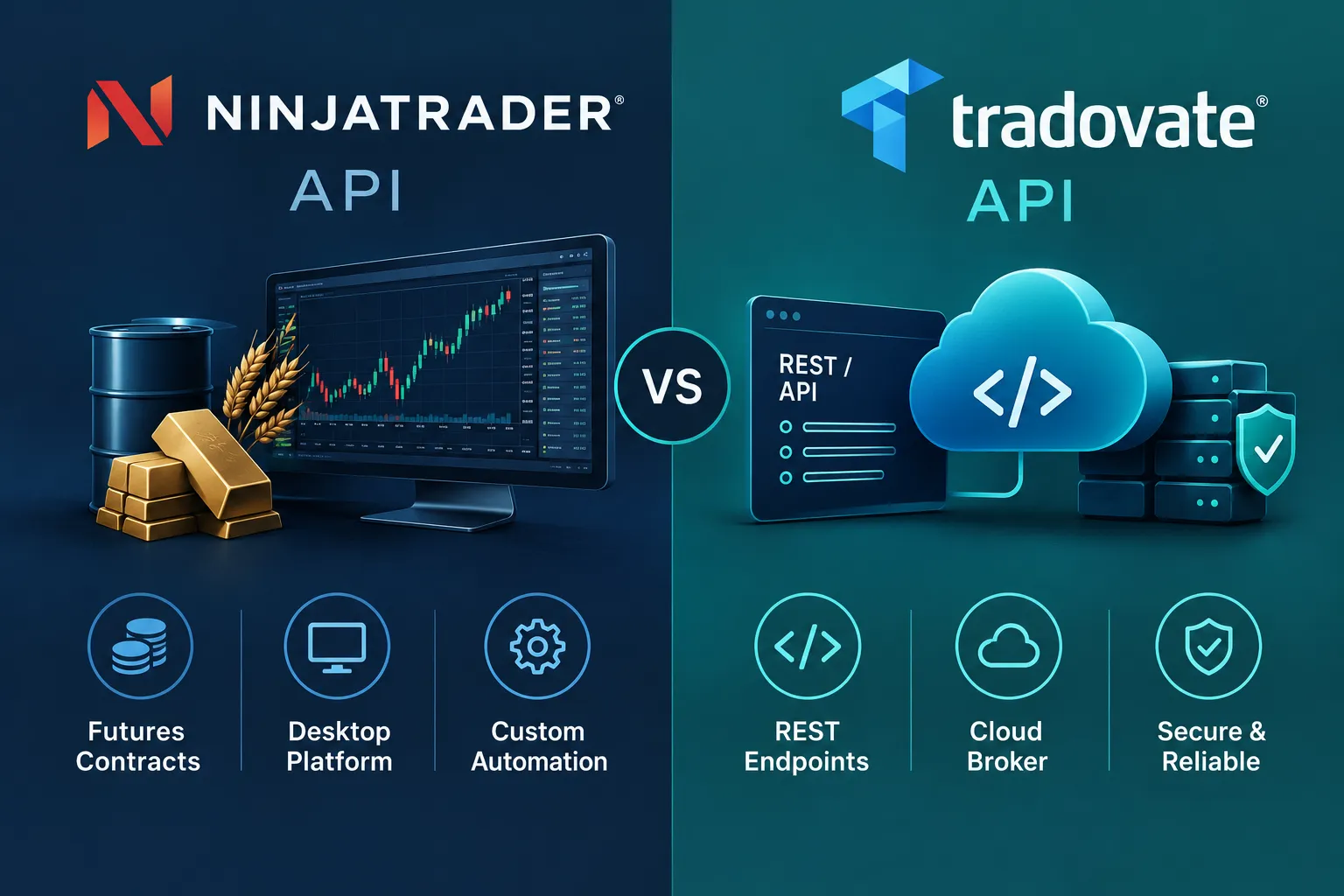
| Factor | NinjaTrader Desktop plus NinjaScript | Trade API (NinjaTrader or Tradovate login) |
|---|---|---|
| Where code runs | Inside NinjaTrader 8 on Windows | Your own server, any language |
| Language | C# | Anything that speaks HTTPS and WebSocket |
| Backtesting | Built in (Strategy Analyzer) | Bring your own |
| Data | Platform data feeds | Separate Market Data API and token |
| Credentials | Platform login | cid, sec, device ID, token renewal |
A Tradovate community thread from 2026 shows how this confuses people: a trader opened a NinjaTrader account, found the docs pointed to Tradovate, and asked support where the API option lived. Read the access requirements for your specific account before you build. We go deeper on the Tradovate side, including costs and the bridges that skip the API gate, in our Tradovate API guide.
Decision rule: choose NinjaScript if you want charting, backtesting and execution in one place. Choose the Trade API if you already have your own stack and only need order routing and account data underneath it.
What Mistakes Break NinjaTrader Bots?
Most NinjaTrader API bots break for a handful of repeatable reasons, and the docs name most of them.
- Missing
isAutomated: true. Defaults to false. An unflagged bot order can violate exchange policy. - Hard-coded hosts. Organizations on dedicated infrastructure get different hosts in
apiHosts. - Token churn. Calling
accessTokenRequestrepeatedly opens new sessions; the third kills the oldest. Renew instead. - Wrong account ID. Use the integer
idfromaccount/list, not theDEMO12345name. - Hard-coded contract symbols. Futures roll. Query the ContractLibrary endpoints for the current contract.
- No reconnection logic. A dropped connection can leave a position unmanaged while you think the bot is watching.
- Treating ATI as a data API. NinjaTrader says it is not one.
- Ignoring account risk status. Accounts below health criteria may be auto-liquidated. Use the Risks endpoints for loss limits and position caps as a backstop.
Prop traders get one extra tool: NinjaTrader 8.1.8, released July 21, 2026 per the release notes, added a manual lockout for Prop accounts on the NinjaTrader connection that cancels working orders, flattens positions and blocks new orders until it expires. It is a useful circuit breaker when a bot misbehaves.
Practical takeaway: most of these are process failures, not coding failures. A written pre-deployment checklist catches more bugs than a cleverer algorithm.
Frequently Asked Questions
Does NinjaTrader have an API?
Yes. The NinjaTrader API includes NinjaScript for C# strategies inside NinjaTrader Desktop, the Automated Trading Interface for outside signals, a REST Trade API, a WebSocket Market Data API and a beta MCP server for AI agents. The Trade API runs on hosts such as live.tradovateapi.com.
What is isAutomated in the NinjaTrader API?
isAutomated is an order field that tells the exchange a program placed the order. NinjaTrader’s API conventions say it defaults to false and must be set to true for any order placed by a bot or automated process. Failing to flag an automated order can violate exchange policies.
How long does a NinjaTrader API token last?
A NinjaTrader Trade API access token lasts about 90 minutes, with the exact time in the expirationTime field. NinjaTrader recommends calling renewAccessToken about 15 minutes before expiry instead of requesting a new token. Each new token request opens a new session, and only two concurrent sessions are allowed per user.
Is NinjaTrader free for automated trading?
Charting, backtesting and simulated trading are free with no time limit and no funding. Live trading uses the Free plan at $0 a month, Monthly at $99 or Lifetime at $1,499, with per-contract commissions and exchange fees on top. Direct API keys have their own requirements, so check your account settings.
Can Claude trade on NinjaTrader?
Yes, through NinjaTrader’s MCP server, which is in beta and not yet generally available. You add the Demo or Live MCP URL to Claude and sign in with OAuth, and the agent can read accounts and place orders within the permissions you approve. Start on Demo and keep approval prompts on for write actions.
What is the difference between ATI and the NinjaTrader Trade API?
ATI passes trade signals from outside programs such as Excel or TradeStation into NinjaTrader Desktop on your PC, and NinjaTrader says it is not a full brokerage or market data API. The Trade API is a REST service on NinjaTrader’s servers that any language can call for orders, accounts, positions and risk settings.
What language does NinjaTrader use?
NinjaScript is built on C#, and that is the language for strategies inside NinjaTrader Desktop. The Trade API is REST and WebSocket based, so you can call it from Python, JavaScript, C# or any language that sends HTTPS requests.
Our Take
For a beginner, a webhook-plus-TradingView setup or Strategy Builder is a gentler start than raw NinjaScript or REST code. For a developer, the REST side of the NinjaTrader API is clean and well documented, as long as you build token renewal, session limits and isAutomated in from the first commit. The MCP server is the newest door and the one to treat most carefully: it is beta, it can trade, and an AI that misreads one sentence can place an order you did not mean.
The NinjaTrader API itself is not the hard part. Testing discipline is. Run everything in sim, log everything, write your stop rule before you fund the account, and let the log decide when you go live. For more broker and bot breakdowns, start at AI Stock Trading Bots.
Still choosing a platform for futures automation? Weigh NinjaTrader against other brokers in the FullStack Alpha platform reviews.
Built a NinjaTrader bot and want a second set of eyes before it goes live? Send it to us.
Stay alpha.
The FullStack Alpha research desk tests AI trading bots on paper and live accounts. Reviewed and edited by Jay Rocco, Founder and Editor.
