

The FullStack Alpha research desk tests AI trading bots on paper and live accounts. Reviewed and edited by Jay Rocco, Founder and Editor.
By FullStack Alpha Editorial Team | Reviewed by Jay Rocco, Chief Editor
Futures paper trading is free on several real platforms, and you can practice a prop firm evaluation on a simulator before paying an evaluation fee. NinjaTrader, TradingView, thinkorswim paperMoney, Tradovate and Moomoo all offer simulated futures accounts with virtual money, though the data quality and time limits differ sharply between them. The one thing no simulator shows you is how your decision-making changes when the loss is real money. Everything else is transferable.
What You Should Know
- NinjaTrader’s free-trial structure changed on October 9, 2026. New users get 14 days of live Level II data for CME, CBOT, COMEX and NYMEX, then data drops to 10 minutes delayed unless you fund an account or buy a data subscription. Simulated trading itself stays free.
- TradingView updated its futures paper trading documentation on October 22, 2026, confirming the feature is global, requires no deposit, and supports classical futures contracts selectable from the Futures symbol category.
- Tradovate’s free simulated account runs 14 days with $50,000 in virtual funds, with a separate SIM-only subscription listed at $12.95 per month. Real-time data, market replay and exchange charges may cost extra. Check the official page before assuming what’s included.
- CME Group’s own simulator uses 10-minute-delayed data in standard practice mode, starts with $100,000 virtual, and only gives real-time data to users enrolled in a Trading Challenge.
- Topstep’s Trading Combine is a simulated evaluation, not live capital. As of October 15, 2026, Topstep listed the 50K, 100K and 150K Standard Path accounts at $49, $99 and $199 per month with a $149 activation fee after passing. Check Topstep’s official pricing page before you budget around those figures.
Can You Trade Futures With Paper Trading?
Yes. Paper futures trading works the same way as live futures trading minus one thing: the money. You open a simulated account, the platform streams market data (live or delayed, depending on what you’re paying), and when you click buy on an E-mini S&P contract, the software fills you at a price it decides is plausible. No clearing house, no margin call, no wire.
The mechanics you’re rehearsing are real, though. Futures contracts have a standard size, a tick value and an expiry. The ES contract and the MES micro contract behave the same on a simulator as they do live, because the price data feeding the chart is the same data the exchange publishes.
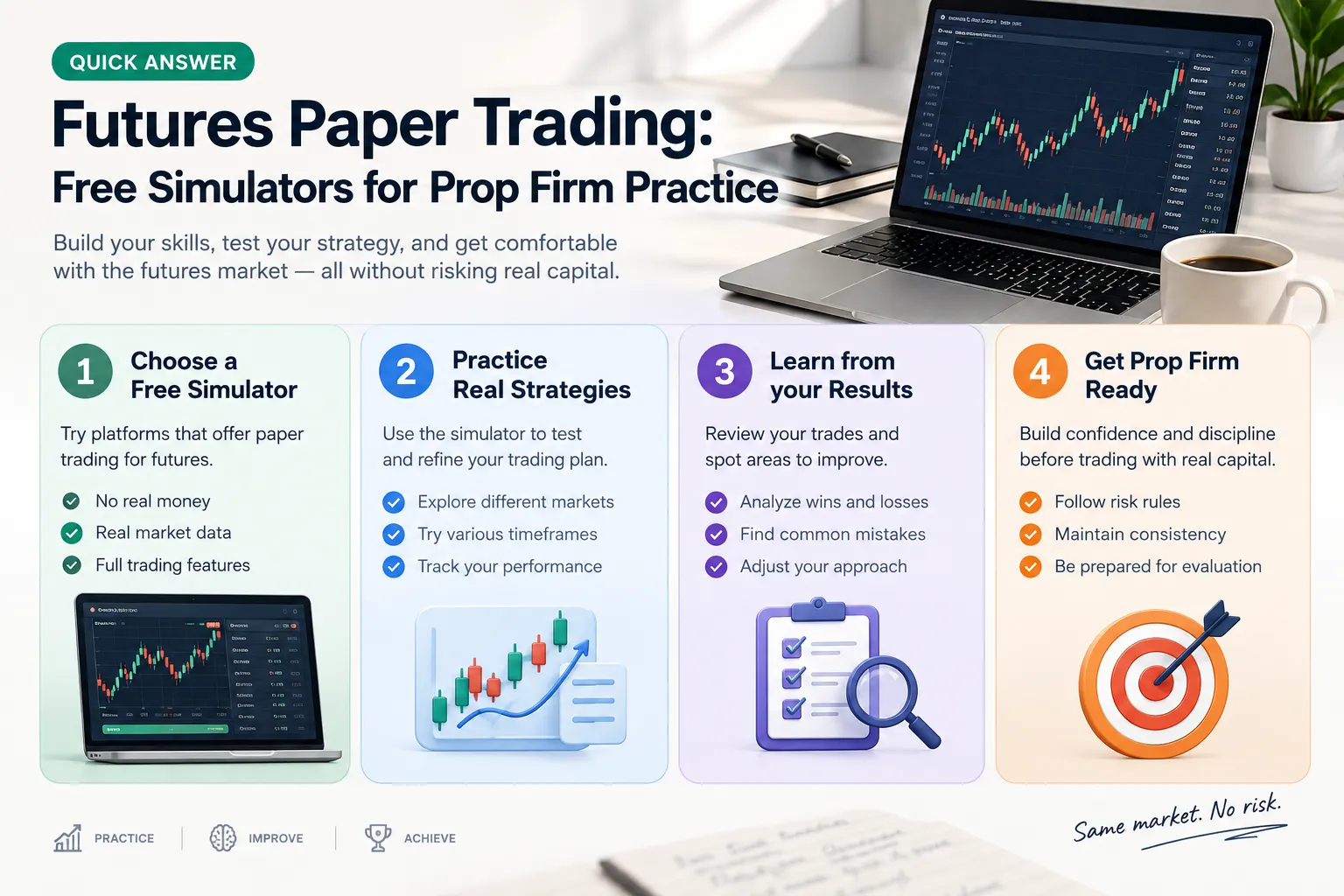
What a futures paper trading account actually gives you:
- A virtual balance you can reset when you blow it up
- Order types you’ll use live: market, limit, stop, bracket, OCO
- Depth of market (the order book, showing resting buy and sell orders at each price)
- Chart tools identical to the live platform
- Position and P&L tracking in contract and dollar terms
What it doesn’t give you: a real place in the order queue. The simulator assumes you got filled. The exchange makes no such promise.
Future paper trading is best understood as a flight simulator. Pilots learn the instrument panel, the checklist and the emergency procedure in a box on hydraulics. No one thinks that box teaches them what engine failure feels like at 30,000 feet with passengers behind them. Same deal here.
Decision rule: if you can’t name your contract, your tick value, your stop distance and your max loss for the day before you click, you’re not ready to be in a simulator either. You’re guessing with free money, which teaches you to guess with real money later.
Which Free Futures Simulators Are Worth Using in 2026?
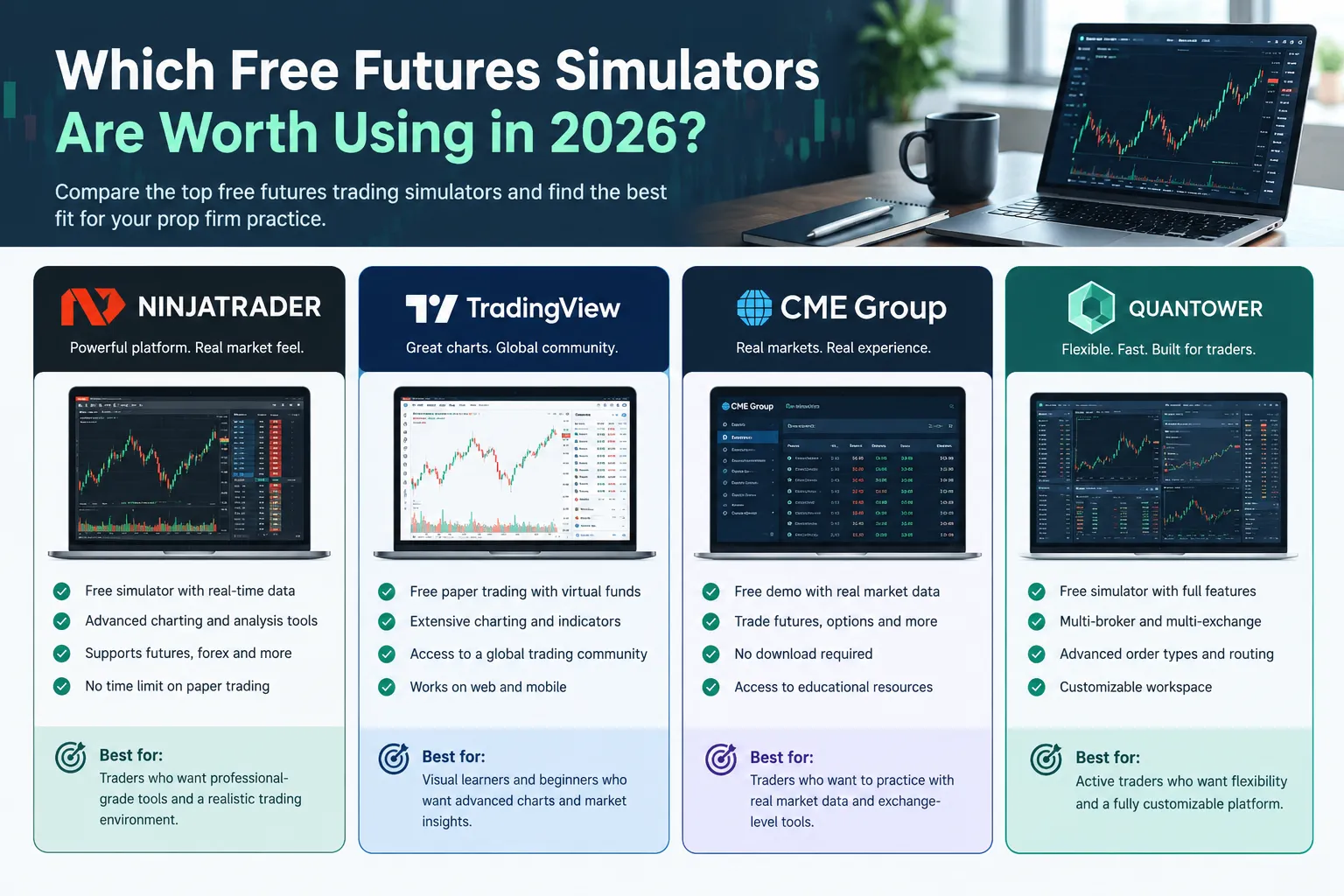
Five platforms cover almost every case: NinjaTrader and Tradovate for prop-style order entry, TradingView for charting-first traders, thinkorswim paperMoney for Schwab customers, and Moomoo for mobile-first beginners. Here’s what each one confirmed on its own documentation as of the date checked.
| Simulator | Cost | Data | Futures covered | Reset option | Date checked |
|---|---|---|---|---|---|
| NinjaTrader | Free simulated trading; platform free to use | Live Level II for 14 days, then 10-min delayed unless funded or subscribed | CME, CBOT, COMEX, NYMEX | Yes, sim accounts can be reset | Oct 9, 2026 |
| Tradovate | Free 14-day sim with $50,000 virtual; SIM-only plan listed at $12.95/mo | Real-time during the promotional period; check official page on data add-ons | CME group futures | Check the official page | Oct 2026 |
| TradingView Paper Trading | Free, no deposit required | Depends on your data subscription; delayed by default on free plans | Classical futures, selectable in the Futures symbol category | Yes, account can be reset | Oct 22, 2026 |
| thinkorswim paperMoney (Schwab) | Free with a Schwab login | Live market data; Schwab states executions and costs remain simulated | Futures supported with $100,000 virtual buying power | Check the official page | Oct 2026 |
| Moomoo | Free paper trading in-app | Check the official page for futures data entitlements by region | Check the official page | Check the official page | Oct 2026 |
A few honest notes on that table.
NinjaTrader is the one most prop-firm traders already have open. The simulator uses the same charts, order entry and market-depth tools the funded traders use, which is the whole point. After the 14-day live window closes, the delayed feed makes scalping practice useless but still works for reviewing structure, support and resistance, and basing patterns.
Tradovate is browser-native, which matters if you’re on a Mac or a locked-down work laptop. The 14-day window with $50,000 virtual is generous for a free offer. The $12.95 SIM-only plan exists for people who want to keep practicing past the trial without funding anything.
TradingView added explicit futures support to its Paper Trading function in an October 2026 update. It’s the easiest to start in. Open a chart, hit Trading Panel, pick Paper Trading, done. It’s also the least like a prop firm platform, because the order entry is chart-based rather than ladder-based.
thinkorswim paperMoney runs on live market data with $100,000 virtual buying power, and Schwab is unusually blunt in its own disclosure: market activity, executions and transaction costs are all simulated. That honesty is worth more than most marketing copy.
Moomoo is the mobile answer. Good for building the habit of logging trades on a phone. Confirm the futures data entitlements for your region on the official page before you assume the contract you want is there.
CME Group also runs its own free simulator with $100,000 virtual and a resettable balance, but standard practice mode is on 10-minute-delayed data. Real-time data is limited to a CME Trading Challenge. Useful for learning contract specs, not for timing.
Common mistake: picking the simulator with the prettiest charts. Pick the one that matches the platform you’ll trade live on. Muscle memory on an order ladder is a real skill, and relearning it under pressure is an expensive hobby.
If you want the wider field, the best paper trading apps roundup covers equities and options simulators too.
How Does the NinjaTrader Simulator Compare With the Tradovate Demo?
Both are free to start, both run on CME-group futures, and the real split is platform type and how long your live data lasts. The NinjaTrader simulator is a desktop-first application with unlimited simulated trading at no platform cost. The Tradovate demo is browser and cloud-based with a 14-day $50,000 virtual account.
Setup
NinjaTrader requires a download and install on Windows, with Desktop, Web and Mobile access available during the trial. Expect to spend an hour on workspace setup, chart templates and ATM strategy configuration before you place a trade. That hour isn’t wasted; it’s the same hour you’d spend on a funded account.
Tradovate starts in a browser. Sign up, log in, trade. Faster to first order by a wide margin, which matters if you’re testing whether futures are even for you.
Data
This is the real difference. NinjaTrader’s updated structure, effective October 9, 2026, gives new users two weeks of live Level II data across CME, CBOT, COMEX and NYMEX. After day 14, you’re on 10-minute-delayed data unless you fund an account or buy a market-data subscription. Tradovate advertises real-time data during its 14-day promotional period, with real-time data, market replay and exchange charges potentially adding cost on the paid SIM plan.
Neither one gives you free live futures data forever. No one does. Exchanges charge for that feed, and the broker is passing the bill along.
Platform feel
NinjaTrader’s SuperDOM ladder is the closest free thing to what a funded futures trader stares at all day. Tradovate’s ladder is clean and modern but lighter on advanced order automation.
How long free access lasts
NinjaTrader: simulated trading is unlimited and free; it’s the live data that expires at 14 days. Tradovate: the free sim account is a 14-day offer; past that, the SIM-only subscription was listed at $12.95 per month in October 2026.
| Factor | NinjaTrader simulator | Tradovate demo |
|---|---|---|
| Install required | Yes, desktop app (Web and Mobile also available) | No, browser-based |
| Free sim length | Unlimited simulated trading | 14 days free |
| Live data window | 14 days, then 10-min delayed | Real-time during promo period |
| Virtual funds | Configurable in sim account | $50,000 |
| Ladder quality | SuperDOM, deep feature set | Clean, lighter automation |
| Paid continuation | Fund account or buy data subscription | $12.95/mo SIM-only listed |
Choose NinjaTrader if you’re practicing for a prop evaluation that runs on NinjaTrader, or you want unlimited sim reps and can live on delayed data between live-data sprints.
Choose Tradovate if you’re on a Mac, you want zero install friction, or you’re still deciding whether futures suit you at all.
If you later want to automate a tested setup, both expose developer access. See our notes on the NinjaTrader API and the Tradovate API before you write a line of code.
Which Simulator Matches the Platforms Prop Firms Use?
Practice on the platform your prop firm actually runs, because the evaluation is partly a test of execution speed, and execution speed is partly a test of whether you know where the buttons are. Most futures prop firms list their supported platforms publicly on their own pages. Check the firm’s page directly before you commit a month of practice to the wrong software.
Topstep is the one with the clearest public documentation. Its Trading Combine and Express Funded Account run in simulated environments using real market data, and Topstep states plainly on its own site that simulated results carry important limitations. Topstep publishes its Standard Path and No Activation Fee Path pricing, plus any activation fee charged after you pass, on its own pricing page. Those numbers and the promotions attached to them move often, so read them at topstep.com on the day you sign up rather than trusting a figure quoted in an article.
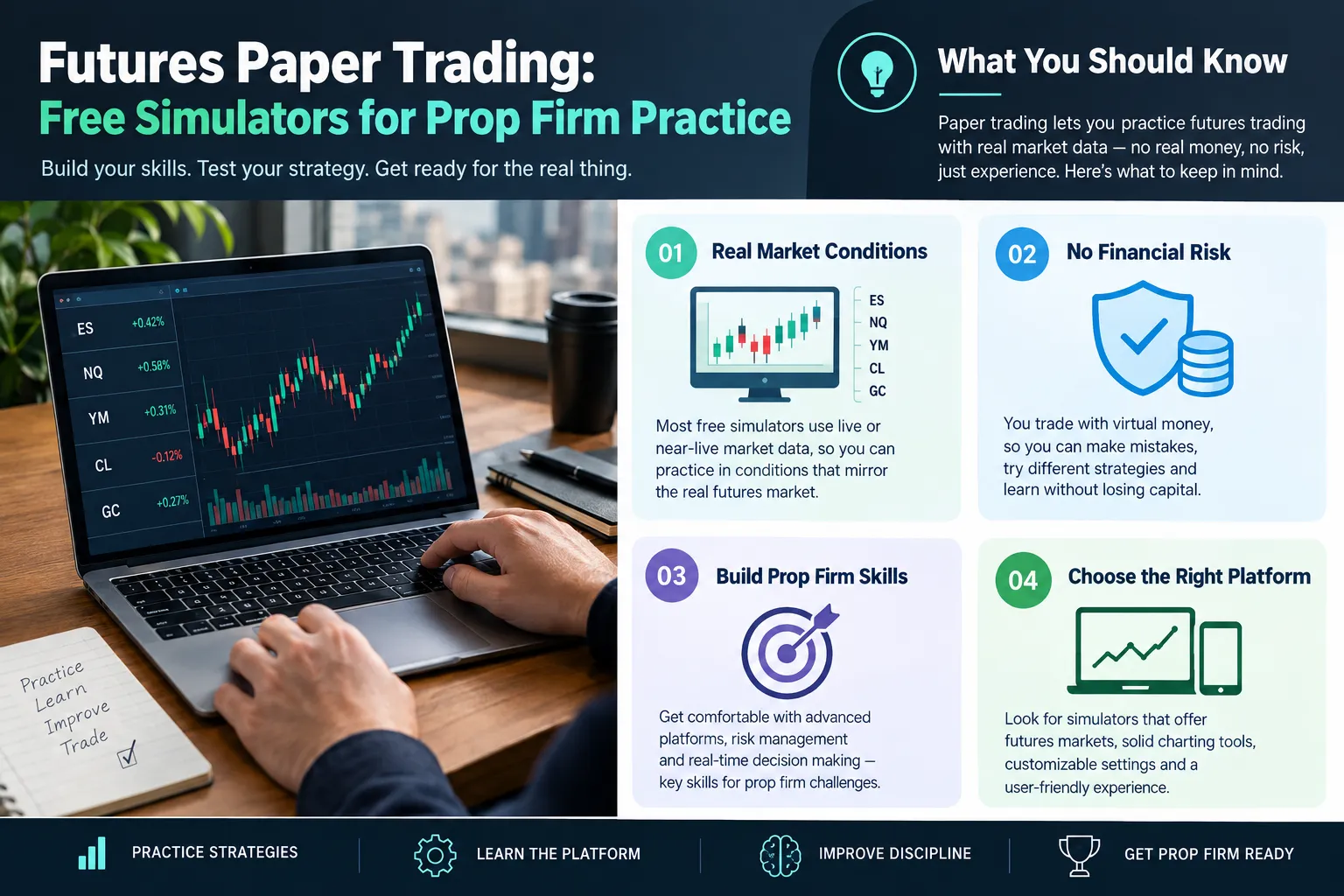
Read that twice. A prop firm evaluation is itself a simulator you pay monthly for. The difference is that passing it leads to an account where the payouts are real.
Why platform matching matters:
- Order entry layout. Hitting the wrong side of a ladder costs you a round turn plus the move against you. That’s a muscle-memory error, not an analysis error.
- Bracket and ATM behavior. How your platform attaches a stop and target to a filled order differs between applications. Learn it in sim.
- Data feed. Firms specify the feed. Practicing on a delayed feed and evaluating on a live one changes every entry you take.
- Hotkeys and flatten buttons. The flatten-all button is the single most important key on the board during a drawdown. Know where it is in the dark.
Edge case: if you want to run automated strategies inside an evaluation, the rules get stricter and vary by firm. Some permit it, some ban it, some allow semi-automated entries only. Our breakdown of prop firms that allow algo trading covers what to verify before you pay an evaluation fee.
Practical step: open the firm’s platform page, write down the exact platform name and feed, then download that same platform’s free simulator. Not a close relative of it. The same one. A full breakdown of NinjaTrader as a tool is worth a read if that’s your target platform.
Why Do Simulated Futures Fills Look Better Than Live Fills?
Simulators fill you at prices you’d often miss in reality, because they assume you were first in line, ignore the cost of crossing the spread under stress, run on a feed that may lag the market, and frequently default commissions to zero. Four separate flattering assumptions, stacked.
Queue position. Say you place a limit buy at 5,000.00 on ES. In a live market, 800 contracts are already resting at that price ahead of you. Price touches 5,000.00, trades 200 contracts, and bounces. Live, you got nothing. In the simulator, price touched your level, so you’re filled. You’re now up two points on a trade that never existed.
Slippage. Your stop sits at 4,995.00. News hits, the tape goes thin, and the next printed trade is 4,993.25. Live, you’re out at 4,993.25, which on one ES contract is an extra $87.50 of loss versus plan. Many simulators hand you 4,995.00 flat. Do that 40 times in an evaluation and the difference is the difference between passing and failing. We go deeper on this in our write-up on paper trading slippage.
Data delay. On a 10-minute-delayed feed, every entry you take is a decision made with a time machine. The breakout you “caught” already resolved. This is why NinjaTrader’s post-trial delayed feed and CME’s standard simulator mode are fine for structure study and useless for timing practice.
Commissions and fees left at zero. Futures carry a commission plus exchange and clearing fees per side. A scalper taking 20 round turns a day is paying real money before a single tick of profit. If your simulator shows $0.00 in costs, your strategy’s edge is overstated by exactly the amount you never paid.
Quick example of the stack: a sim strategy showing +$1,400 a month across 200 round turns, with half a tick of average slippage ($6.25 on ES) and $4.00 round-turn costs, loses roughly $2,050 to reality. The strategy wasn’t profitable. The simulator was polite.
Fix: set commissions manually in the simulator to match your broker’s published rate, then subtract an extra half tick per stopped-out trade in your log. Paper trade it first, but paper trade it honestly.
How Do You Run a Prop Firm Practice Plan on a Simulator?
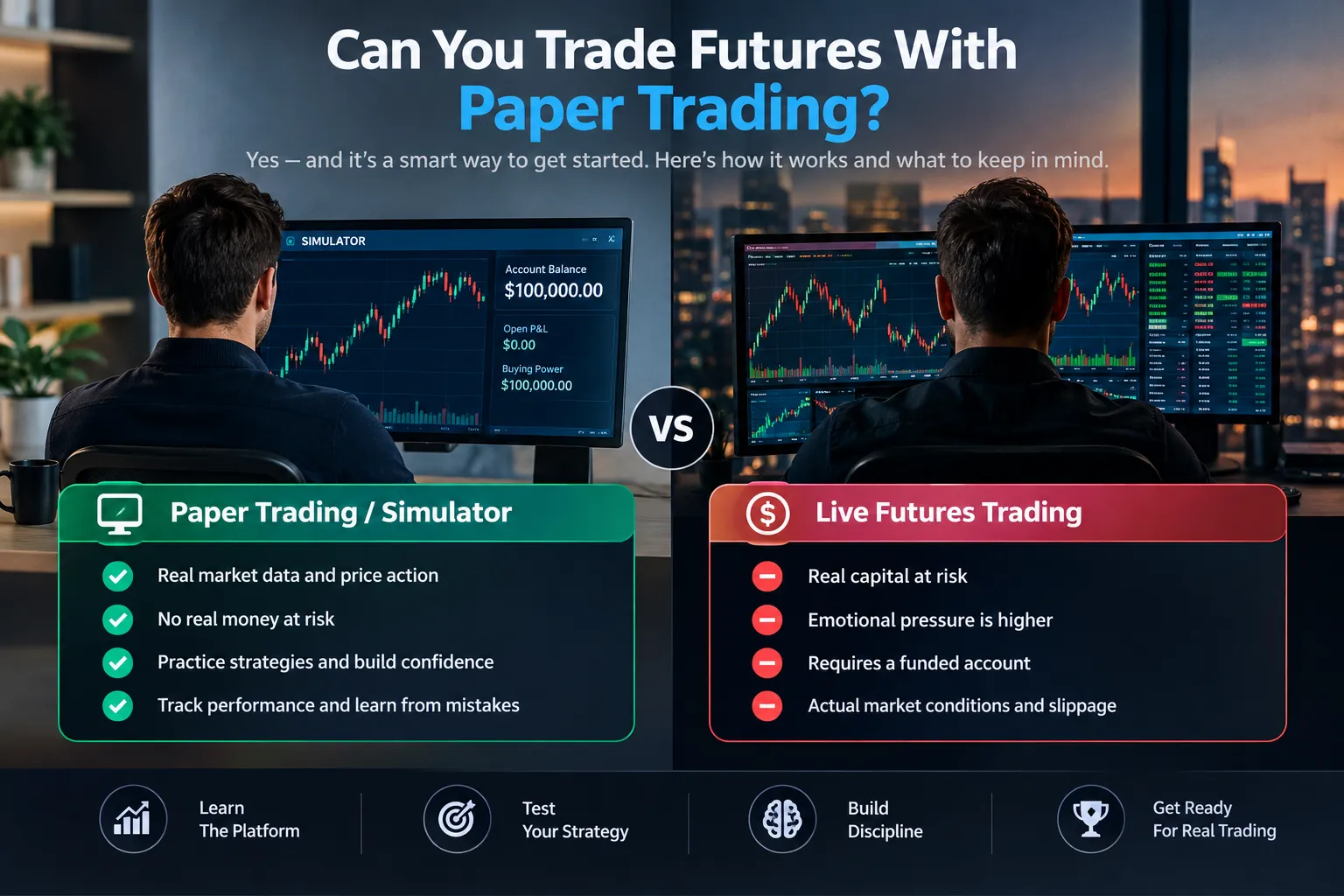
Treat the simulator as a dress rehearsal with the same rules as opening night. Copy the evaluation’s constraints exactly, set real costs, log everything, and decide in advance what counts as pass and what counts as stop.
Step 1: Copy the evaluation rules onto one page. Pull the firm’s rules from its own documentation and write down the daily loss limit, the drawdown type (trailing, end-of-day trailing, or static), the maximum contract count, any consistency rule, and the profit target. These vary by firm and by account size, so use the firm’s numbers, not a forum’s.
Step 2: Set your simulator to the same account size and constraints. If you’re practicing a 50K evaluation, don’t run a $100,000 virtual balance. The whole point is feeling the ceiling. Reduce the sim balance and cap yourself at the firm’s contract limit, even if the simulator lets you trade more.
Step 3: Set realistic commissions. Enter your broker’s actual published round-turn rate into the simulator’s commission settings. If the platform won’t let you, subtract it manually from your log at the end of each day.
Step 4: Define your setup before you trade it. One or two setups, written down. Entry trigger, stop placement, target, and the market condition where you don’t take it. A clean setup you can describe in two sentences beats six you half-know. Analysis paralysis kills more evaluations than bad entries.
Step 5: Size positions against the daily loss limit, not your ego. If the daily loss limit is $1,000 and your stop is 10 ticks on ES ($125 per contract), two contracts risks $250 per trade. That’s four losers to the wall. Decide now whether four is enough room for a bad morning.
Step 6: Keep a daily log, every single day. Minimum fields: date, contract, setup name, entry, stop, exit, result in ticks and dollars, slippage versus assumption, rule broken (yes/no), and one sentence on your state of mind. The last two columns are the ones that find the leak.
Step 7: Set your own pass and fail rules before you start. Example thresholds you set, not industry standards: “I take 60 trades across 20 sessions. I pass if I hit the firm’s profit target with zero rule breaks and a max drawdown under half the limit. I stop and rebuild if I break a rule twice.” Write it down before trade one, because you will absolutely renegotiate with yourself at trade 30.
Step 8: Run a review on Sunday. Group trades by setup. If one setup is carrying everything and another is bleeding, cut the bleeder. The trend is your friend applies to your own equity curve too.
Common failure mode: resetting the sim account after a bad day. The reset button is the single most dangerous feature in futures paper trading. It teaches you that blowing up has no consequence, which is the exact lesson that will cost you a funded account. Reset monthly, on a schedule, or not at all.
For broader tool coverage while you build the process, our day trading tools hub lists what’s actually worth running alongside a simulator.
How Much Money Do You Need to Trade Futures After Paper Trading?
There’s no fixed number, because futures margin is set by the exchange and then marked up by your broker, and both change with volatility. Check your broker’s current day-trade and overnight margin page for the specific contract before you fund anything.
What’s confirmable: the Financial Industry Regulatory Authority’s pattern day trader rule applies to margin accounts trading securities, not to futures accounts, which are regulated under the Commodity Futures Trading Commission and the National Futures Association. Futures day traders have never been bound by the $25,000 securities PDT threshold.
Worth noting for context: the securities-side PDT minimum was removed in 2026, dropping the floor to the standard $2,000 margin minimum. That change affects stock and options day traders, not futures traders, who were already outside it.
What actually determines your starting capital:
- The day-trade margin your broker charges per contract (check the broker’s page, dated)
- Your stop distance in ticks multiplied by the tick value
- How many consecutive losers you can take without breaching your own rules
- Whether you’re trading full-size contracts or micros
Decision rule: your account should survive a streak of losses at your normal position size without going below the broker’s margin requirement. If one bad morning puts you near the floor, you’re undercapitalized regardless of what the minimum says.
The alternative route: a prop firm evaluation. You pay a monthly fee instead of posting capital, trade a simulated account under rules, and if you pass, you trade the firm’s money. Check the current monthly fee and any activation fee on the firm’s own pricing page before you commit. Cheaper entry, tighter rules, and you don’t own the account.
What Should You Prove Before You Leave the Simulator?
Four things, measured, not felt. A sample size large enough to mean something, a clean rule-following record, a drawdown inside your own plan, and slippage assumptions that held up.
The checklist:
- Trade count. At least 50 to 100 trades of the same setup across varied conditions. A choppy tape week and a trending week. Twelve good trades is noise.
- Rule breaks: zero in your last 20 sessions. Not “mostly.” Zero. One break in sim is three breaks live, because live has adrenaline.
- Drawdown versus plan. Your worst stretch should sit comfortably inside the limit you wrote down. Touching the limit in sim means breaching it live.
- Slippage versus assumption. Compare your logged fills against what you assumed. If reality was worse than your model even in a simulator, your model is optimistic.
- Can you describe your edge in one sentence? If not, you have a hobby, not a system.
Edge case: if you’ve passed every box but you’re still trading twice your planned size on winning days, you’ve proved the setup works and your discipline doesn’t. Stay in sim and fix the second problem. Discipline beats prediction.
Frequently Asked Questions
Can you trade futures with paper trading?
Yes. NinjaTrader, Tradovate, TradingView, thinkorswim paperMoney and Moomoo all offer simulated futures accounts with virtual funds. You get real contract specs, real charts and real order types, with fills generated by the platform rather than the exchange. The practice transfers; the emotional experience does not.
Is $5,000 enough to trade futures?
It depends entirely on your broker’s day-trade margin and your stop size, so check your broker’s current margin page. Micro contracts like MES carry a fraction of the tick value of full-size contracts, which makes small accounts more workable. The real question is whether a losing streak at your normal size leaves you above the margin floor.
Do you need $25,000 to day trade futures?
No. The $25,000 pattern day trader threshold came from FINRA’s securities rules and never applied to futures accounts, which fall under CFTC and NFA oversight. That securities-side minimum was itself removed on June 4, 2026. Futures requirements are set by exchange and broker margin instead.
Which platform is best for paper trading futures?
Whichever one your live broker or prop firm actually runs. If that’s undecided, NinjaTrader’s simulator is the closest free match to a professional futures ladder, and the Tradovate demo is the fastest to start with no install. TradingView is the easiest for chart-first traders.
Does paper trading have time limits or restrictions?
Often, yes, but on the data rather than the trading. NinjaTrader’s simulated trading is unlimited while live Level II data ends after 14 days under its October 9, 2026 structure. Tradovate’s free sim is a 14-day offer. CME’s standard simulator runs on 10-minute-delayed data outside of Trading Challenges.
Why aren’t my paper trading profits translating to real money?
Usually four reasons stacked: flattering fills from assumed queue position, slippage your sim ignored, zero commissions in the simulator, and a completely different emotional state when real money is at risk. Fix the first three by setting real costs and logging actual slippage. Fix the fourth with the smallest position size your broker allows.
Why do 90% of day traders lose?
The 90% figure is a popular claim repeated widely without a consistent named source, so treat it as folklore rather than a statistic. What’s defensible: a large share of active retail traders underperform, and the common causes are overtrading, revenge trading after a loss, position sizing with no rule, and no written plan. Those are process failures, not prediction failures.
Is paper trading actually worth it for beginners?
Yes, with one condition: treat it like real money. Paper trading teaches platform mechanics, order types, contract specs and the discipline of logging trades, all for free. It becomes worthless the moment you start taking trades you’d never take live because the losses don’t sting.
How long should I paper trade before going live?
Long enough to hit 50 to 100 trades of one setup across different market conditions, with zero rule breaks in your last 20 sessions. For most people trading a few times a day, that’s roughly one to three months. Time in the seat matters less than trade count and rule adherence.
How does paper trading with leverage and margin work?
The simulator applies the same contract multiplier and margin requirement a live account would, so a one-point move on ES still shows as $50 per contract. What’s missing is the margin call. No simulator liquidates your position and calls you, which is exactly why traders size recklessly in sim and get wrecked live.
Our Take
For prop firm practice, start on the NinjaTrader simulator. It’s free to use indefinitely for simulated trading, the SuperDOM ladder is the closest free equivalent to a professional futures platform, and a large share of futures prop firms run on it or something very close. Use the 14-day live-data window for timing practice, then switch to structure and review work when the feed goes delayed.
If you’re on a Mac or want to be trading in five minutes, the Tradovate demo gets you there with $50,000 virtual for 14 days. If you mostly want chart practice, TradingView’s futures paper trading is free, global, and needs no deposit.
Whichever you pick: set real commissions, keep the log, and stop hitting the reset button. Cut the noise, keep the alpha.
Want the tools and setups behind this, tested rather than hyped? Start with our tool reviews, then browse the free trading tools and calculators to build your practice stack without spending a dollar.
Stay alpha.
The FullStack Alpha research desk tests AI trading bots on paper and live accounts. Reviewed and edited by Jay Rocco, Founder and Editor.
