

The FullStack Alpha research desk tests AI trading bots on paper and live accounts. Reviewed and edited by Jay Rocco, Founder and Editor.
By FullStack Alpha Editorial Team | Reviewed by Jay Rocco, Chief Editor
VectorBT is an open-source Python library that backtests trading strategies as arrays instead of looping bar by bar, which is why it can test thousands of parameter combinations in the time a traditional engine tests one. Speed comes from NumPy, Numba, and a Rust execution path that the project now ships as an optional companion package. The part most people skip: fees and slippage are inputs you pass in, not something the library guesses for you. Leave them out and your equity curve is fiction.
What You Should Know
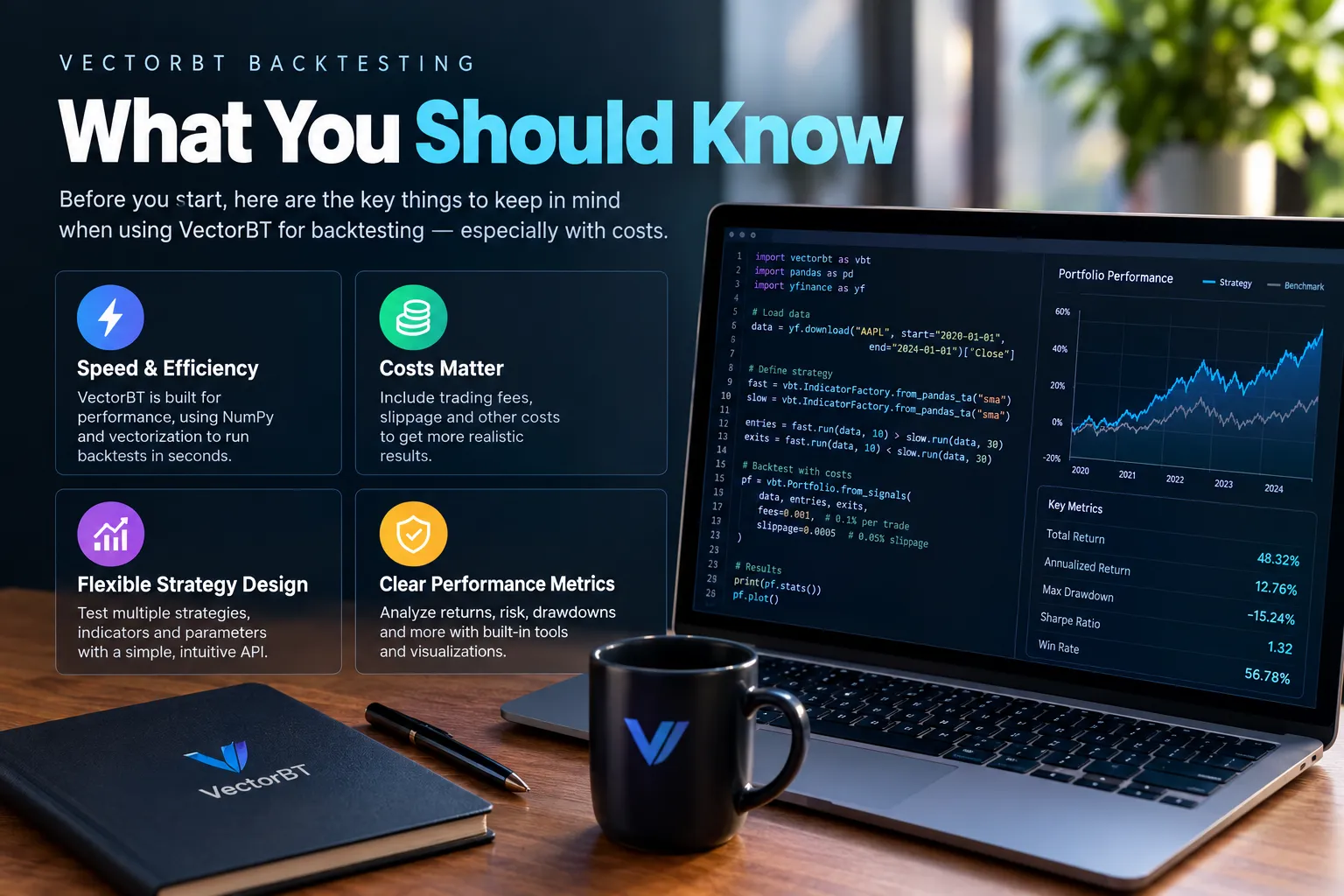
- VectorBT 1.2.0 is the current release, published October 19, 2026 on the project’s GitHub releases page. PyPI records 1.1.2 on October 9 and 1.1.1 on September 26, so the release cadence is fast.
- Python 3.11 through 3.14 are supported, per the package metadata on PyPI, which also lists an optional
vectorbt-rust==1.2.0dependency. - The open-source package is free. The GitHub repo describes it as the community edition of VectorBT PRO.
- VectorBT PRO membership was listed at $25 per month, $240 for 12 months, or $500 lifetime on vectorbt.pro in October 2026. Check the live page before you buy anything, prices move.
- Fees and slippage are applied during order processing, not subtracted at the end. That changes how much cash is left for the next trade, which changes position sizing and compounding.
What Is VectorBT?
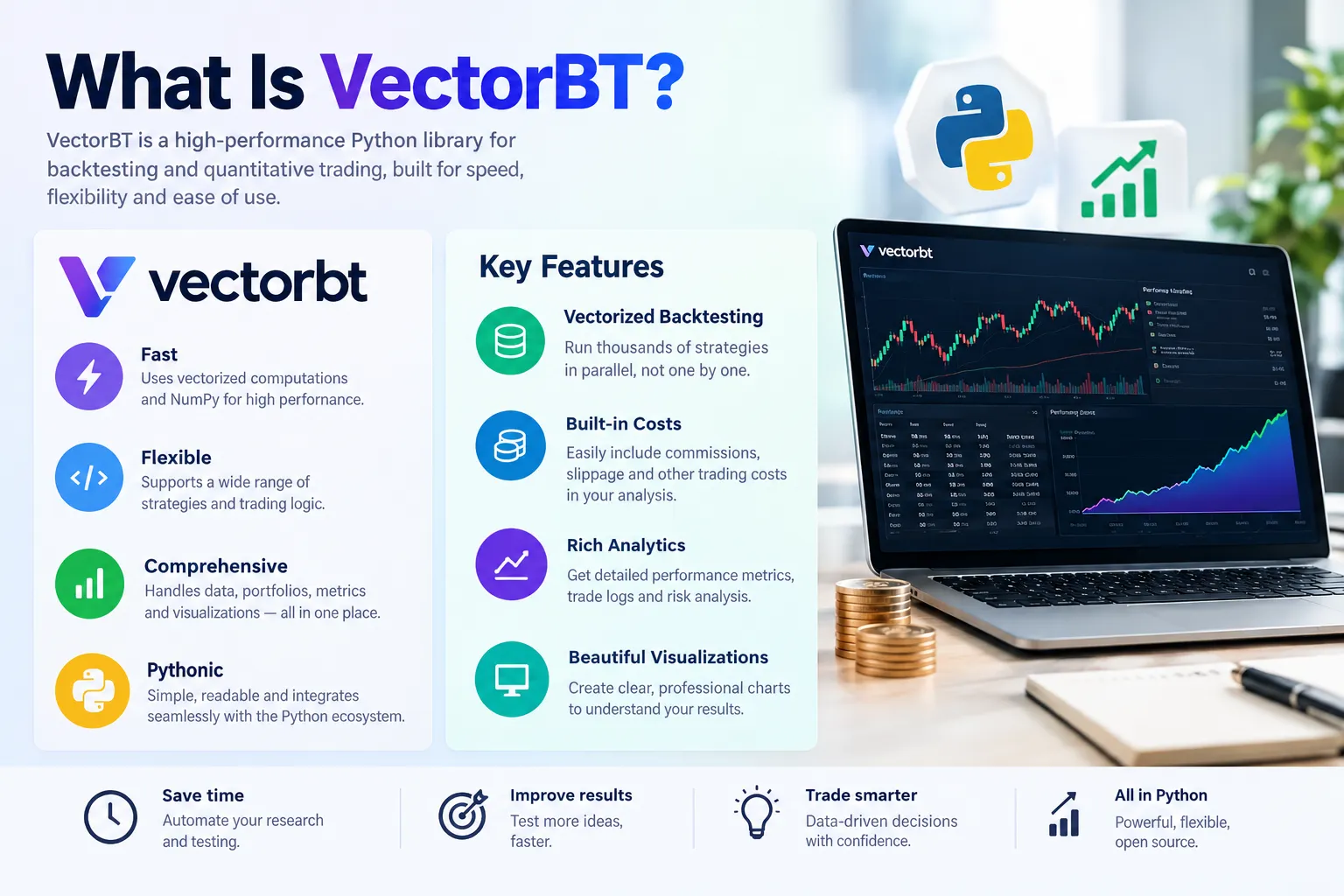
VectorBT is a Python backtesting and research library built by Oleg Polakow (GitHub handle polakowo) that represents strategies, assets, and parameter sets as columns in a NumPy array, then simulates all of them at once. The open-source edition lives at github.com/polakowo/vectorbt with docs at vectorbt.dev. As of October 23, 2026, the GitHub releases page lists version 1.2.0 (October 19, 2026) as the latest.
Two versions exist, and confusing them is the first mistake new users make.
The open-source edition is the community version. It’s free, installable from PyPI, and documented at vectorbt.dev. The repo describes the workflow plainly: explore market data, generate signals, simulate portfolios, inspect trades, fees, drawdowns, and performance. For the licence terms, read the LICENSE file in the repo directly rather than trusting a blog post, the project has adjusted its terms over its life.
VectorBT PRO is the paid, actively developed commercial product at vectorbt.pro. Its October 2026 documentation describes a much wider workflow: data acquisition, indicator libraries, signal generation, portfolio simulation, validation, optimization, and AI-agent integration. PRO advertises both Python and native Rust implementations, multidimensional parameter sweeps, walk-forward and purged cross-validation, and distributed execution across cores or machines.
Here’s the practical read. If you’re learning, the free edition does everything you need to run a credible vectorbt backtesting workflow with realistic costs. If you’re running dozens of strategies across hundreds of assets daily and your time is worth more than $25 a month, PRO’s validation tooling is the actual selling point, not the speed.
One thing VectorBT is not: a broker, an execution system, or a risk manager. It simulates. What you do with the output is on you. ESMA’s February 26, 2026 supervisory briefing on algorithmic trading in the EU makes the same point from the regulator’s side, firms using algorithms or third-party tech keep full responsibility for controls, validation, and governance. The library doesn’t absorb your liability.
How Does VectorBT Compare With Backtesting.py and Backtrader?
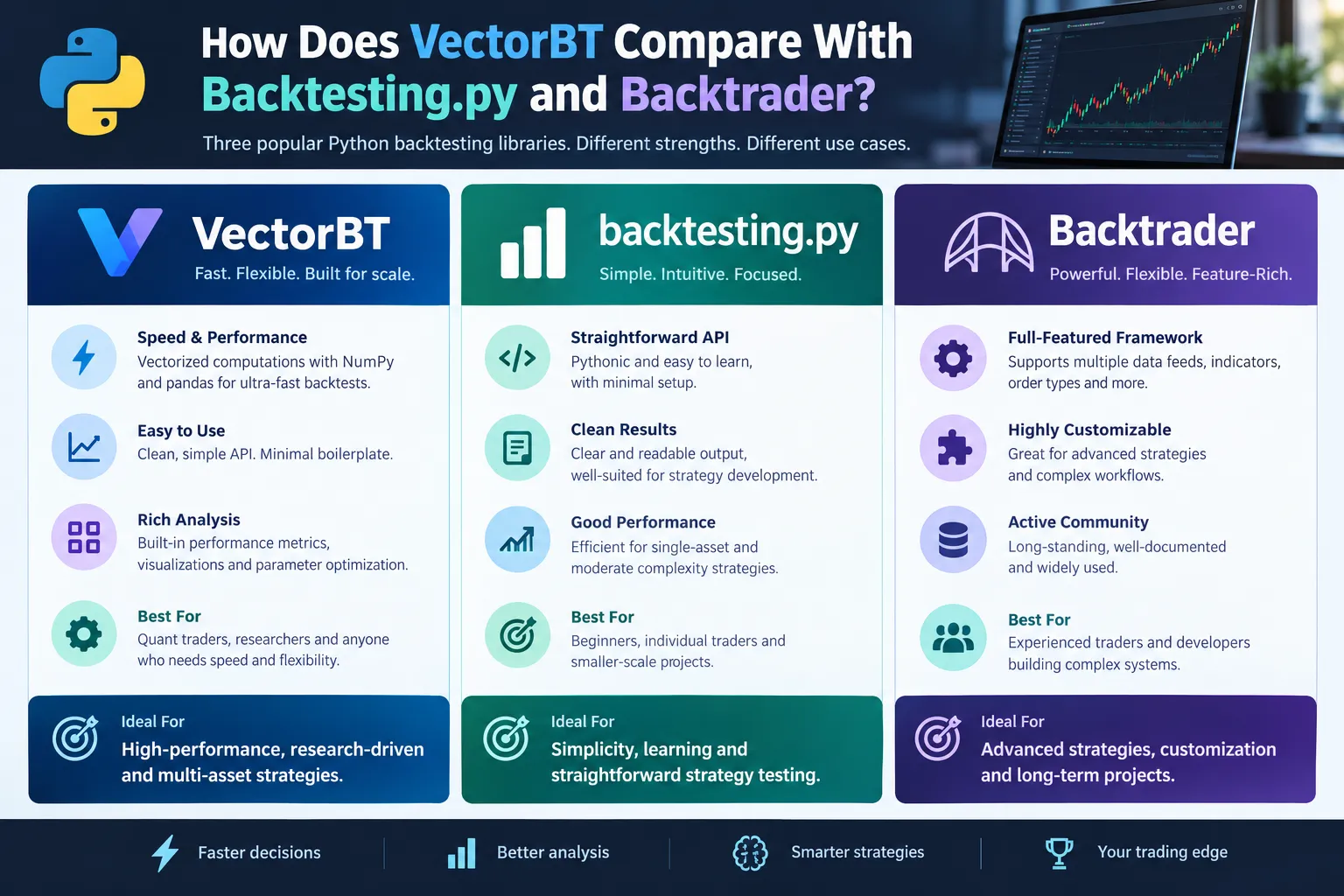
VectorBT wins on raw speed and parameter sweeps. Backtesting.py wins on how fast a beginner gets a working single-asset test. Backtrader wins on event-driven realism and broker-style order logic, with the caveat that its maintenance has been quiet for years. Pick by what you’re actually doing, not by what benchmarks well.
| Library | Approach | Ease for beginners | Cost inputs | Maintenance status | Licence |
|---|---|---|---|---|---|
| VectorBT (open source) | Vectorized arrays, Numba/Rust accelerated | Moderate, array thinking required | fees, fixed_fees, slippage as scalars or arrays | Active, 1.2.0 released Oct 19, 2026 | See LICENSE in repo |
| VectorBT PRO | Same, plus native Rust and validation suite | Moderate, docs are deep | Same, plus per-asset and per-regime arrays | Active commercial product | Paid membership, check vectorbt.pro |
| Backtesting.py | Event-driven, single asset, small API | Easiest of the three | Single commission parameter | Community maintained | MIT, check repo |
| Backtrader | Event-driven, broker simulation, live broker hooks | Steeper, large API surface | Commission schemes, slippage models | Largely dormant, community forks exist | GPL-style, check repo |
Three decision rules that actually hold up:
- Testing one strategy on one ticker to learn the mechanics? Use backtesting.py. You’ll have a result in twenty minutes.
- Sweeping 500 parameter combinations across 100 tickers? VectorBT, and it isn’t close. Doing that in an event-driven loop is a weekend you won’t get back.
- Modelling complex order types, partial fills, or multi-leg broker behaviour? Backtrader’s object model handles that more naturally, but check fork activity before you build on it.
The honest caveat on comparisons: speed claims you read online are usually measured on the task that favours the library doing the measuring. VectorBT’s advantage is real and structural, it’s testing many columns at once rather than one row at a time. But a 1,000x speedup on a backtest with no fees is a 1,000x speedup on nothing.
If Backtrader’s quiet maintenance is what pushed you here, we’ve mapped the field in our Backtrader alternatives breakdown, and the free-tier options are covered in our best free backtesting software roundup.
What Do You Need Before You Start?
You need Python 3.11 or newer and below 3.15 (the range in the package metadata), a pip install of vectorbt from PyPI, and a price data source you trust. That’s it. Everything else is optional.
Python version. The repo metadata is the authority here, not a tutorial from 2022. If you’re on 3.10 or older, upgrade before you troubleshoot an install error for three hours. Use a virtual environment, conda or venv, both fine. Mixing vectorbt into a system Python with forty other packages is how you end up in Numba version hell.
Install route. Standard pip install from PyPI. The project also lists an optional vectorbt-rust==1.2.0 dependency, which points to the Rust execution path being part of the package ecosystem now. Read the install section of the official docs before adding extras, because optional dependencies change between releases and a stale guide will have you installing something that no longer exists.
Data. VectorBT doesn’t manufacture prices. You bring them. Common routes for backtesting python work:
- A free source like Yahoo via a data wrapper, fine for learning, unreliable for anything you’d fund.
- A paid vendor API with proper adjusted closes and survivorship-bias-free history.
- Your own stored CSVs or a database, which is where most people land eventually.
The data trap no one warns you about: if your price history only contains tickers that exist today, you’ve already baked in survivorship bias. Every company that went to zero is missing. Your backtest will look great and mean nothing.
Also helpful: a working knowledge of pandas. VectorBT speaks DataFrames and Series fluently, and the column structure of your data is the structure of your backtest. If df.shift() and boolean indexing are new to you, spend a day there first. Our Python algorithmic trading primer covers that ground.
How Do You Run Your First VectorBT Backtest Step by Step?
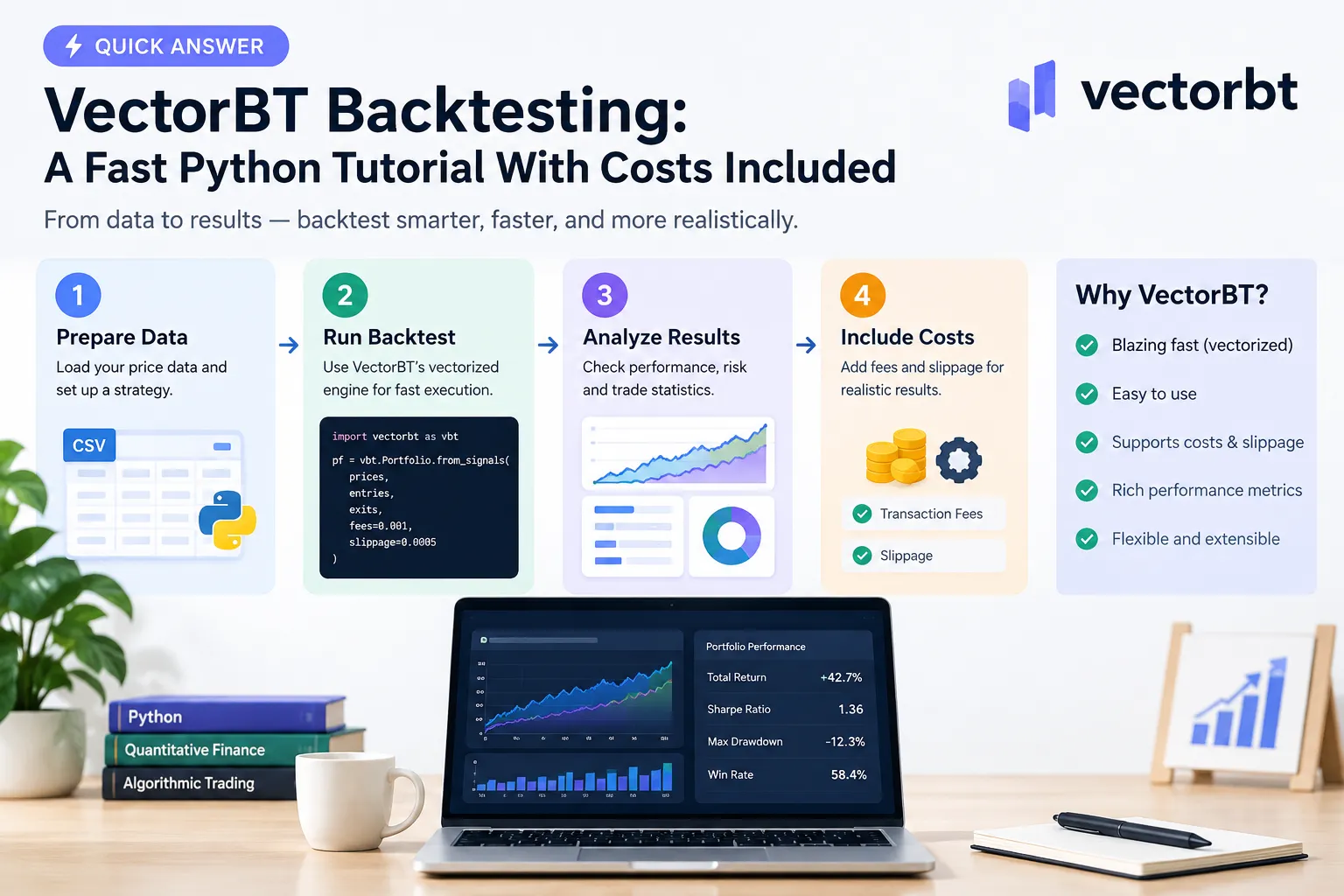
A first vectorbt backtesting run is four moves: load a price series, turn it into boolean entry and exit signals, feed those signals to Portfolio.from_signals() with your cost assumptions, and read the stats output. No code blocks here, just what each step does and where it goes wrong.
Step 1: Load the price data. Pull a daily close series into a pandas Series or DataFrame indexed by date. One column per asset. Check three things before moving on: the index is a proper DatetimeIndex, there are no duplicate dates, and the closes are split and dividend adjusted. A single unadjusted split will produce a fake 50% gap that your signal logic will happily trade.
Step 2: Build your signals.
Compute whatever your rule needs. A fast and slow moving average, an RSI threshold, a breakout above a rolling high. Then turn it into two boolean arrays of the same shape as your price data: entries (True where you want to be long) and exits (True where you want out).
This is where the single most common error lives. If your signal uses today’s close to decide, you can only act on tomorrow’s open or close, not today’s. Shift your signals forward by one bar. Skip that and you’ve built a time machine, not a strategy. We go deep on this in the look-ahead bias guide.
Step 3: Create the portfolio from signals.
Portfolio.from_signals() is the main entry point in the official API, alongside Portfolio.from_orders() for order-level control. The signals version is built for signal-driven systems and handles entry, exit, stop-loss, take-profit, and position-conflict logic for you. Pass it:
- Your price series (what fills get priced off).
- Your entries and exits.
- Starting cash.
- Your cost parameters. Yes, on this first run. Do not “add them later.”
- Optionally, a stop-loss or take-profit level.
One quiet detail worth knowing: if an entry and an exit fire on the same bar, VectorBT resolves the conflict according to its conflict-handling rules rather than silently picking one. Read that section of the docs once so you know which behaviour you’ve got.
Step 4: Read the stats. Call the portfolio’s stats method. You get total return, Sharpe, max drawdown, win rate, trade count, and the total fees paid. Then look at the trade records individually, not just the summary. Three hundred trades producing a 40% return is a different animal from two trades producing a 40% return.
The parameter sweep. This is where vectorbt earns its reputation. Instead of a single fast and slow window, pass arrays of windows. VectorBT expands them into columns and simulates all combinations in one pass. A 20x20 grid is 400 backtests in a single call.
Which brings the warning: 400 backtests means 400 chances to find a fluke. The best cell in that grid is almost always overfit. Treat the surface, not the peak. If the profitable region is one isolated square surrounded by losers, that’s noise. If it’s a broad plateau, you might have something.
Quick example of the whole flow in words: load ten years of SPY daily closes, compute a 50-day and 200-day moving average, mark entries where fast crosses above slow, mark exits where it crosses below, shift both signals one bar forward, pass them to from_signals() with $10,000 starting cash, a 0.1% fee, and 0.05% slippage, then print the stats. Fifteen lines. Under a second to run.
How Do You Add Fees and Slippage in VectorBT?
VectorBT exposes three cost parameters on the portfolio constructors: fees (a fraction of order value), fixed_fees (a flat amount per order), and slippage (a fraction of price that moves fills against you, so buys fill higher and sells fill lower). Confirm the exact spellings in the current API docs at vectorbt.dev before you write them, parameter names are the one thing you should never take from a tutorial.
The mechanical point that separates a real backtest from a toy one: costs are applied during order processing, not deducted from the final return. When a fee hits, there’s less cash left. Less cash means a smaller next position. Smaller positions compound differently. Subtracting 0.2% from a final number at the end does not reproduce that.
Setting your cost numbers
feesas a decimal fraction. 0.001 means 0.1% of order value. For a US equity broker charging zero commission, this might be near zero, but you still have regulatory and exchange fees on sells.fixed_feesas a flat currency amount per order. Use it for per-contract or per-ticket charges.slippageas a decimal fraction of price. 0.0005 means your buy fills 0.05% above the reference price and your sell fills 0.05% below.
All three accept arrays, not just single numbers. That means slippage can vary by asset, by date, by signal type, or by liquidity regime. A mega-cap at 10am and a low float name in the last ten minutes of power hour do not deserve the same number. If you want a feel for how far real fills drift from the chart, run through our paper trading slippage breakdown.
Worked cost example (illustrative numbers)
These figures are a made-up demonstration, not results from a real backtest. The point is the shape of the gap, not the specific values.
| Assumption | No costs | With costs |
|---|---|---|
| Starting cash | $10,000 | $10,000 |
| Fee rate | 0% | 0.1% of order value |
| Slippage | 0% | 0.05% of price |
| Round-trip trades | 180 | 180 |
| Total return | 94% | 61% |
| Total fees and slippage paid | $0 | roughly $2,700 |
| Max drawdown | 18% | 22% |
Where does $2,700 come from on a $10,000 account? Each round trip costs about 0.3% all-in (0.1% fee plus 0.05% slippage, twice). One hundred and eighty round trips is roughly 54% of average position value bled away, compounding against you the entire time. The drawdown gets worse too, because recovering from a dip now has friction on both sides.
The decision rule: if adding realistic costs kills your edge, you didn’t have one. You had a chart. High-frequency and intraday strategies are where this bites hardest, because cost per trade is fixed-ish while the edge per trade is small.
Common mistake: modelling slippage as a flat fraction when your strategy trades at the open on gap days. Opening auctions in volatile names routinely slip far more than a tenth of a percent. Use an array keyed to realized volatility or volume, not a constant you picked because it looked conservative.
Can Claude Code Write a VectorBT Backtest for You?
It can write something that runs. Whether it runs correctly is a separate question, and the answer depends entirely on whether you audit three specific things. Trade Tactics has published YouTube material on using Claude Code to build backtests, which is worth watching as a claim about workflow rather than a verified result, treat it as a demonstration, not a validation.
Here’s what actually happens. Large language models are very good at producing plausible pandas and vectorbt code because there are thousands of examples in training data. They are not good at knowing whether your particular signal peeks at the future. That’s your job.
Audit checklist for any AI-generated backtest:
- Signal shifting. Does the generated code shift entries and exits forward relative to the bar that produced them? If the signal is computed from today’s close and executed at today’s close, the result is garbage. This is the number one failure mode, and models produce it constantly.
- Look-ahead in indicators. Centered rolling windows,
.rolling(center=True), any fill-forward that reaches backward, any normalization computed over the whole sample including future data. All of these leak. - Costs present and realistic. Models default to zero fees and zero slippage unless told otherwise, because the simplest working example omits them. Check that
feesandslippageare actually passed and that the numbers match your broker, not a placeholder. - Parameter names match the current API. A model trained on older docs will confidently use a parameter that was renamed two versions ago, or invent one. Cross-check every argument against vectorbt.dev.
- Data integrity. Did it quietly drop NaNs in a way that shifts your index? Did it forward-fill across a gap?
The useful way to use AI here: let it write the boilerplate, the data loading, the plotting, the parameter grid construction. Then you write or rewrite the signal logic yourself, line by line, and you own the cost assumptions. Hand off the typing, keep the thinking.
The decision rule: if you can’t read the generated code well enough to spot a one-bar shift error, you aren’t ready to trade the strategy it produces. Paper trade it first, and compare the paper fills to what the backtest assumed.
How Do You Read the Results Without Fooling Yourself?
Read the stats, then immediately ask what would make them wrong. A backtest’s job is to disprove your idea, not to confirm it. The Unbiased Trading channel on YouTube has built a body of work around exactly this framing, worth crediting as a point of view on backtest skepticism.
What to look at, in order:
- Trade count. Fewer than about 100 trades and your statistics are mostly noise. Three great trades carrying an entire curve is not an edge, it’s a coincidence with good timing.
- Max drawdown and time underwater. Not just the depth. How long did it take to recover? A 35% drawdown that lasts 14 months is one most people abandon at month six.
- Total fees paid. VectorBT reports this. If fees are a meaningful share of gross profit, your strategy is a toll booth for your broker.
- Return distribution. Is the curve smooth or is it one 2020-style explosion surrounded by flat years?
- Sharpe, with suspicion. A Sharpe above 3 on a daily equity strategy usually means something leaked. Go hunting for the leak.
The out-of-sample split is non-negotiable. Reserve the final 25 to 30% of your history and don’t touch it while you’re developing. Build on the first chunk. When you’re done, run the untouched chunk once. If the result falls apart, the strategy was fitted to the past, not describing the market.
Walk-forward is the better version of that. Instead of one split, you roll the training and testing windows forward through time repeatedly, re-fitting parameters at each step. VectorBT PRO ships walk-forward and purged cross-validation in its validation suite, and you can build the same logic manually in the open-source edition with a bit of work. The method is covered in our walk-forward analysis guide.
The edge case most people miss: if you run your out-of-sample test, don’t like the result, tweak the strategy, and run it again, the out-of-sample data is now in-sample. You burned it. Every look costs you. Decide your rules before you peek.
Common mistake: optimizing on the metric you like best. Pick your evaluation metric before you run the sweep, and judge every variant on it. Picking Sharpe when Sharpe looks good and switching to total return when it doesn’t is just storytelling with numbers. More on the whole trap in our piece on backtesting a trading strategy without fooling yourself.
Is VectorBT Good for Day Trading Strategies, and How Do You Handle Big Datasets?
VectorBT handles intraday data fine mechanically, but day trading is where cost modelling stops being optional and starts being the entire result. Minute bars across hundreds of symbols also push memory hard, and that’s solvable with a few habits.
Day trading with vectorbt
Feed it minute or second bars and it simulates them like any other series. What changes is the cost-to-edge ratio. A swing strategy holding two weeks might earn 3% per trade against 0.3% of friction. A scalp earning 0.15% per trade against the same 0.3% of friction is a guaranteed loser dressed as a system.
So for intraday work:
- Model slippage as an array tied to time of day and spread, not a constant. The first and last fifteen minutes are a different market.
- Include the spread, not just commission. Crossing the spread is a real cost that
slippagecan approximate. - Test whether your fills are even plausible at your size. A backtest that assumes you get the full print on a 2,000-share order in a thin name is lying to you.
- Watch for partial-fill assumptions. Vectorized simulation fills your whole order. Reality often doesn’t.
If you want to know how much your signal delivery latency costs you before you write a line of code, our trader reaction time test makes the point in about ninety seconds.
Memory optimization for large datasets
A vectorized backtest holds the full array in memory. Ten years of minute bars across 500 tickers is a big array, and a 400-parameter sweep multiplies it.
Practical fixes, roughly in order of payoff:
- Downcast your dtypes. float64 to float32 halves memory. For price data, the precision loss is almost never material.
- Chunk the parameter grid. Run 50 combinations at a time, save the stats, free the memory, repeat. You lose a little speed and gain the ability to finish.
- Chunk by asset. Simulate 50 tickers at a time instead of 500 in one go.
- Drop columns you don’t need. If your strategy only uses close and volume, don’t carry open, high, low, and adjusted close through the whole pipeline.
- Use a narrower date range while developing. Test the logic on two years, then run the full history once it’s correct.
- Check whether the Rust path helps. With
vectorbt-rustnow listed as an optional dependency at version 1.2.0, the native execution route may change your memory and speed profile. Read the current docs for how to enable it.
Performance habits that matter more than any single trick: keep your data in a single contiguous array rather than a dict of DataFrames, avoid Python loops anywhere near the hot path (that’s the entire point of this library), and cache your indicator calculations if you’re sweeping only the signal thresholds.
Edge case: if your strategy requires path-dependent logic that can’t be vectorized, like sizing based on the outcome of the previous trade in a way the built-ins don’t cover, you may need Portfolio.from_order_func() with a Numba-compiled callback. That’s slower than the fully vectorized path but still far faster than a pure Python loop. If most of your logic is path-dependent, an event-driven library may be the better fit.
What Are the Best VectorBT Alternatives for Stock and Crypto Backtesting?
If VectorBT’s array model doesn’t suit your strategy, the three realistic open-source alternatives are backtesting.py for simplicity, Backtrader for event-driven order logic, and a hand-rolled pandas loop for full control. For non-coders, chart-based platforms cover a lot of ground.
Backtesting.py. Small API, event-driven, single asset at a time, built-in plotting. Best first stop for anyone learning backtesting python concepts. The limitation is that multi-asset portfolio work and large sweeps get slow fast.
Backtrader. Mature object model, broker simulation, live-trading adapters. The tradeoff is that core development has been quiet for a long time, so you’re betting on community forks. Check recent commit activity before committing.
Custom pandas. You control everything and you own every bug. Fine for a simple rules test, painful once you need position sizing, multiple assets, and realistic fills.
No-code and chart-based. TradingView’s Strategy Tester handles Pine Script strategies with commission and slippage settings, and it’s where most traders start. Platforms like Optuma sit further up the price curve with deeper testing tooling. Neither gives you the parameter-sweep throughput of a vectorized Python library, but neither requires you to debug a Numba error at midnight.
AI-assisted options. The crop of tools that generate and test strategies from a prompt is growing fast, with wildly varying honesty about what they actually do. We keep the field sorted in our AI backtesting tools roundup, and the longer-form trading guides cover how to judge one before you trust its output.
Choose this way:
- Learning the concepts, one ticker, want a result today: backtesting.py.
- Heavy parameter sweeps, many assets, research workflow: VectorBT.
- Complex order types and broker behaviour: Backtrader, with the maintenance caveat.
- Don’t want to write Python at all: a chart platform’s built-in tester.
Which Python Backtesting Library Should You Pick?
Pick VectorBT if you’re running parameter sweeps or multi-asset research. Pick backtesting.py if you’re testing one idea on one symbol and want to be done by lunch. Pick Backtrader only if you specifically need its event-driven order model and you’ve checked that your fork is maintained.
Vinzenz Richard Ulrich has published comparative testing of Python backtesting frameworks, which is worth treating as a useful framework for thinking about the tradeoffs rather than a settled verdict, benchmarks depend heavily on the task being measured.
The uncomfortable truth about this choice: the library matters far less than the discipline. A perfectly engineered VectorBT sweep with no costs and no out-of-sample test is worth less than a sloppy pandas loop that includes realistic fees and holds back three years of data. Tool selection feels like progress because it’s easy. Building the validation habit is the actual work. Systems over hacks.
Frequently Asked Questions
What is the best backtesting software for trading?
There isn’t one, there’s a best fit per use case. For Python-based research with heavy parameter sweeps, VectorBT. For single-strategy tests with a small learning curve, backtesting.py. For traders who don’t code, a chart platform’s built-in strategy tester with commission and slippage enabled. The deciding factor is whether the tool makes it easy to include realistic costs and run out-of-sample tests.
What is the best backtest app for trading?
For most retail traders, the strategy tester built into their charting platform is the practical answer, because it uses data they already pay for and needs no setup. Mobile-only backtesting apps generally can’t model costs properly or run out-of-sample splits, which makes their output decorative. If the app won’t let you set a fee and a slippage figure, skip it.
What are some good backtesting libraries for Python?
VectorBT for vectorized multi-strategy research, backtesting.py for simple single-asset event-driven tests, and Backtrader for broker-style order modelling, though its maintenance has slowed. Zipline-style forks still exist but require careful checking for active support. All three mainstream options let you specify commission and slippage, which should be a hard requirement.
Can ChatGPT backtest a trading strategy?
It can write the code to run a backtest, but it does not execute strategies or hold market data on its own unless connected to a code execution environment and a data source. Even then, the output needs auditing for look-ahead bias, signal shifting errors, and missing cost assumptions. Treat AI-generated backtest code as a first draft from a fast but careless intern.
Which AI is best for backtesting trading?
No AI is reliably “best,” because the hard part of backtesting is validation, not code generation. Coding assistants like Claude Code or ChatGPT speed up boilerplate in a Python backtest. The signal logic, cost parameters, and out-of-sample design still need a human who understands what breaks. Any tool claiming it validates strategies for you deserves heavy skepticism.
Does VectorBT cost money?
The open-source edition on GitHub and PyPI is free to install and use, subject to its licence terms in the repo. VectorBT PRO is the paid commercial version, listed at $25 per month, $240 for 12 months, or $500 lifetime on the vectorbt.pro membership page in October 2026. Check that page for current pricing before purchasing.
Can you use VectorBT for live trading?
VectorBT is a simulation and research library, not an execution system. It has no broker connection of its own. Traders typically generate signals with vectorbt, then hand those signals to a separate execution layer via a broker API. Under rules like ESMA’s February 2026 algorithmic trading briefing, the responsibility for controls and validation stays with the firm running the system.
Our Take
Speed is a feature, not an edge. VectorBT will run 400 backtests while another library finishes one, and that is genuinely useful right up to the moment you realize all 400 of them assumed zero fees, zero slippage, and perfect fills on a thin stock at the open. A fast wrong answer is still wrong.
Put the costs in on the first run. Hold back the last three years before you start. Judge the parameter surface, not the peak. If the edge survives all three, you might have something worth paper trading. If it doesn’t, you just saved yourself tuition.
Built a bot or a backtest worth sharing? Submit it here and we’ll put it through the same test. More backtesting breakdowns live in our backtesting archive.
Stay alpha.
The FullStack Alpha research desk tests AI trading bots on paper and live accounts. Reviewed and edited by Jay Rocco, Founder and Editor.
