

The FullStack Alpha research desk tests AI trading bots on paper and live accounts. Reviewed and edited by Jay Rocco, Founder and Editor.
By FullStack Alpha Editorial Team | Reviewed by Jay Rocco, Chief Editor
How to build a trading bot comes down to seven steps: write one rule in plain English, open a free Alpaca paper account and get API keys, set up Python and keep the keys out of your code, have Claude turn the rule into code you can read, backtest it with fees and slippage, run it on paper for weeks, and add a kill switch before real money touches it. The tools are cheap. Alpaca’s paper account is free with a $100,000 default balance, Python and the uv package manager are free, and Claude Pro, which includes Claude Code, costs $20 a month or $17 a month billed annually. The hard part is not the code; it is writing a rule specific enough to test and having the patience to test it. Skip a step and you are not building a system, you are gambling with extra code.
Key insights
- Paper is free and separate. Alpaca’s paper environment has its own host, paper-api.alpaca.markets, and its own keys, so test code cannot reach a live account by accident.
- The official library needs Python 3.10 or newer. Install it with pip install alpaca-py; its TradingClient defaults to paper mode.
- Paper fills flatter you. Alpaca says its simulator ignores market impact, latency slippage, queue position, price improvement, regulatory fees and dividends.
- Claude writes, you verify. Claude Code is included in every paid Claude plan, but it will not tell you whether your rule has an edge.
- Build the kill switch before the strategy goes live, and test it by tripping it on purpose.
For broker comparisons and more bot guides, start at AI Stock Trading Bots.
Can You Build Your Own Trading Bot With Claude?
Yes. The first thing to know about how to build a trading bot with Claude is that you need a broker that offers an API, a programmatic doorway into your account instead of a phone app button. Alpaca does this, and it is where most beginners land because its paper account costs nothing and its official Python library is well documented.
Claude writes the code. That is the part it is good at. Ask it to turn “buy when the 10-day average crosses above the 30-day average” into Python and it will hand you something that runs. What Claude will not do is tell you whether that rule is any good, whether your position size survives a bad week, or when to pull the plug. That is on you.
Most beginners get the division of labor backwards. They treat Claude like a trading guru instead of a very fast typist. Claude’s pricing page says Claude Code is included in all paid plans, so Pro is enough for this project, and Max (from $100 a month) only matters if you hit usage limits. The free plan does not include Claude Code. Our breakdown of what a Claude trading bot can build and where it fails goes deeper on the limits.
The model writes, you verify. The AI does not have skin in the game. You do.
What Do You Need Before You Build a Trading Bot?
A short checklist beats a long tutorial. Before you look up how to build a trading bot step by step, put these in place.
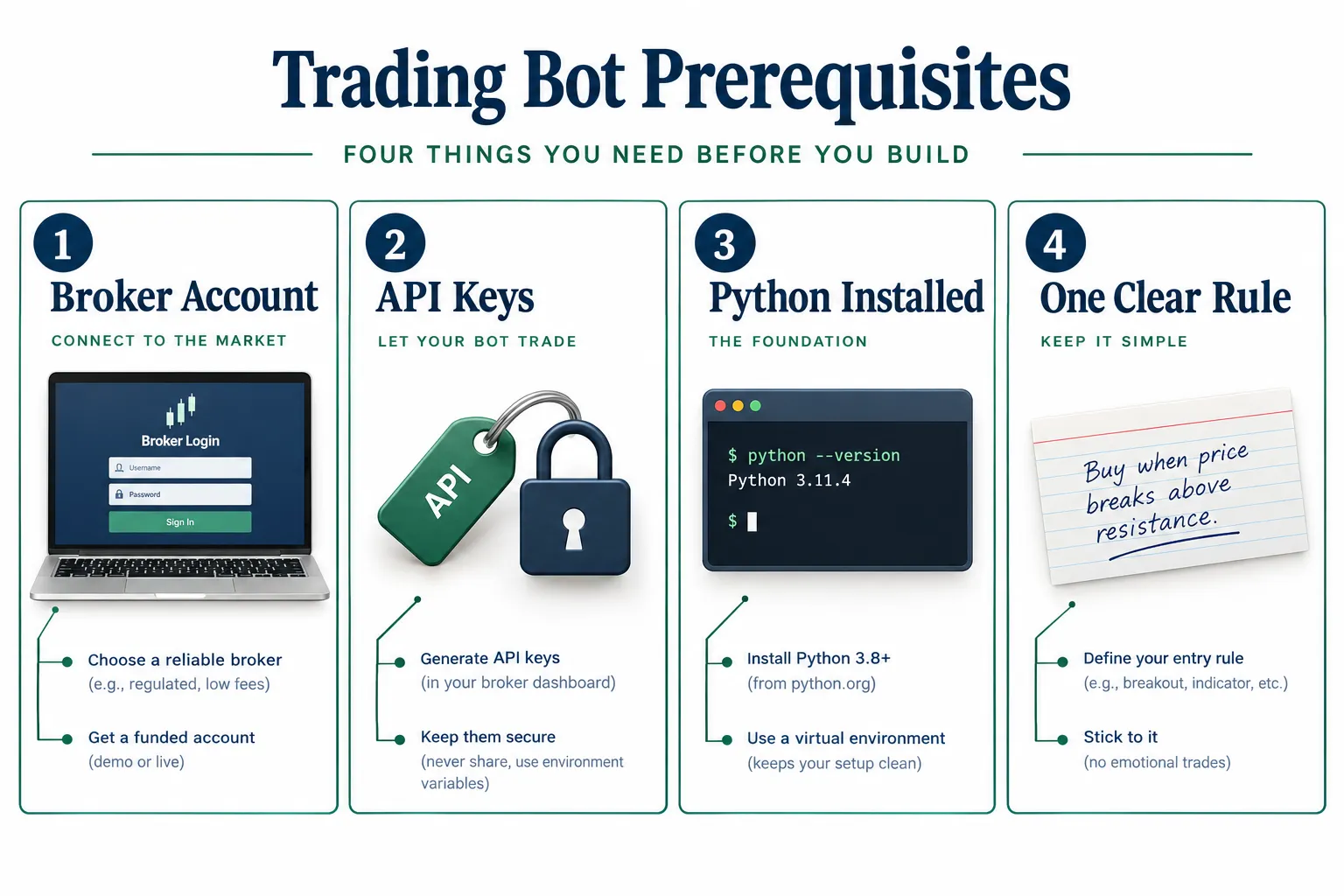
A broker account with an API. This guide uses Alpaca. Its paper trading documentation says your first paper account is created with $100,000 by default, which is plenty of room to test.
API keys kept apart from your code. These are the username and password your bot uses to talk to the broker. Paper and live accounts get different keys, and mixing them up is the fastest way to lose real money testing a toy strategy.
Python 3.10 or newer, plus a package manager. The official alpaca-py library requires Python 3.10 or later. The uv tool installs Python packages quickly and keeps each project separate.
One sentence describing your rule. “Buy 10 shares of SPY when it closes above its 20-day high; sell when it closes 3% below the entry price.” If you cannot write it in one sentence, you do not have a strategy yet. You have an opinion.
That is the whole list. Everything else is detail inside the seven steps.
How Do You Build a Trading Bot in 7 Steps?
Here is how to build a trading bot from idea to supervised reality. Step one locks the rule. Steps two and three set up the broker connection and your coding environment. Step four is where Claude writes the code. Step five tests it against history honestly. Step six watches it trade simulated money long enough to trust it. Step seven adds the off switch that saves your account the day something breaks. Each step lists what to do, what you should see, and the mistake that trips up almost everyone.
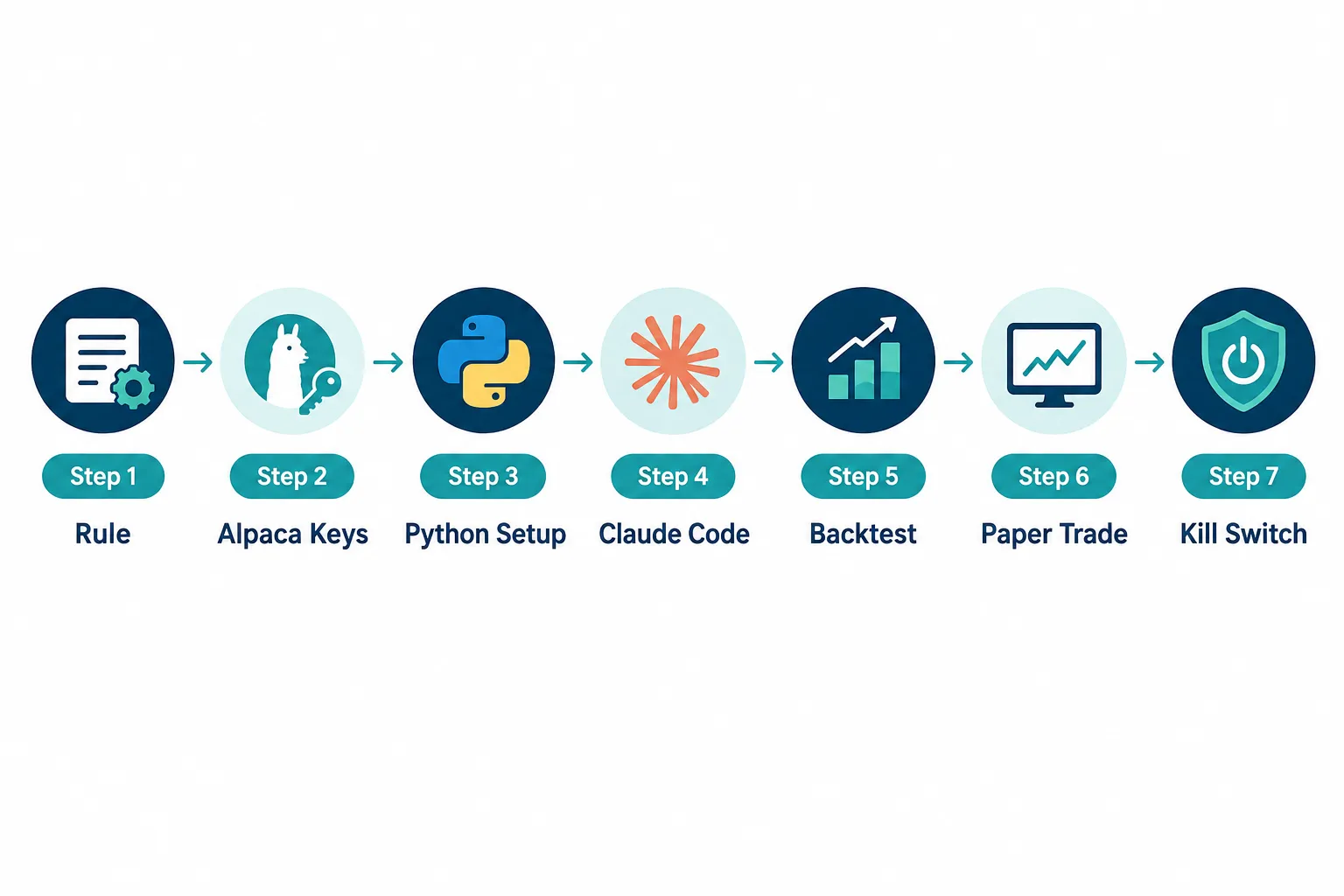
Step 1. What rule will the bot follow?
Write the rule before you open any software. In any guide to how to build a trading bot, this is the most skipped step and the reason most bots fail before they place a trade.
A real rule names the asset, the entry condition, the exit condition and the position size. For example: “Buy 5 shares of QQQ when the 14-day RSI closes below 30; sell when it closes above 60 or after 10 trading days, whichever comes first.” It has an exit for both a winning trade and a stalled one. A rule without an exit is a one-way door.
What you should see: a single paragraph a stranger could follow without asking you a question. The common error: a rule so vague that two people would trade it differently. Force a number into every clause. “Buy when it looks strong” is not a rule. “Buy when volume exceeds its 20-day average by 50%” is.
Step 2. How do you open an Alpaca paper account and get keys?
Sign up at Alpaca and open the paper trading dashboard. Paper trading means simulated orders with fake money against real prices. Alpaca’s documentation gives the paper environment its own base URL, https://paper-api.alpaca.markets, separate from live trading, so a test order cannot become a real one.
Generate an API key ID and secret from the paper dashboard. Alpaca’s documentation also notes it no longer resets paper accounts; you create a new paper account from the account menu, or delete one in Account Settings, when you want a clean start.
What you should see: a dashboard showing your simulated balance and a key pair you can copy. The common error: generating live keys instead of paper keys, or saving them in a file that later gets uploaded somewhere public. Treat these keys like a house key. No one needs to see them, including your code’s version history. Our guide to Alpaca API keys covers storage and rotation.
Step 3. How do you set up Python and keep keys safe?
Install Python 3.10 or newer, then install uv. The uv installation guide gives a one-line standalone installer for macOS and Linux (curl -LsSf https://astral.sh/uv/install.sh | sh), a PowerShell command for Windows, and pip install uv as an alternative. Create a project folder and a virtual environment inside it, an isolated space so this project’s libraries do not collide with anything else on your machine. Then install the official library with pip install alpaca-py, or the uv equivalent.
Store your Alpaca keys as environment variables, not typed into the script. An environment variable is a value your operating system holds outside your code, so if you share or upload the code, the keys stay behind.
What you should see: a Python environment where a simple import of the alpaca library runs with no errors, and keys your code reads but never prints. The common error: hardcoding the key “just for now.” There is no “just for now” with credentials. Fix it before step four. Our Python algorithmic trading roadmap covers environment setup in more depth if this is your first time in a terminal.
Step 4. How do you get Claude to write the bot, and how do you read what it wrote?
This is the step most people mean when they ask how to build a trading bot: code appearing on screen. Give Claude your one-sentence rule, tell it to use the official alpaca-py library against the paper account, and ask for a script that checks the condition on a schedule, places a paper order when it is true, and logs every decision to a file.
The alpaca-py reference documents the pieces Claude should use. The TradingClient handles orders and account data in “both paper and live mode,” and its paper setting defaults to true. Order requests such as MarketOrderRequest carry the symbol, quantity, side and time in force. Market data comes from separate clients such as StockHistoricalDataClient.
Then read the code line by line. Does the buy condition match your sentence exactly? Does the position size match what you wrote, not a default Claude assumed? Does it log every decision? Is the paper setting explicit, so no one relies on a default? Ask Claude to explain any function you do not recognize before you run anything.
What you should see: a script that runs, prints clear messages about what it checked and decided, and builds a log file. The common error: running code you do not understand because it ran without errors. Running and correct are different words. If you cannot explain a block of code to a friend, do not run it, even against paper money.
A prompt checklist that saves hours:
- State the Python version (3.10 or newer) and the library (alpaca-py).
- Require keys from environment variables and an explicit paper setting.
- Ask for a maximum position size and a maximum daily loss as named settings at the top of the file.
- Ask for a log line for every signal, order, rejection and fill, with a timestamp.
- Ask Claude to list the assumptions it made, then check each one.
Step 5. How do you backtest it with fees, slippage and unseen data?
Backtesting means running your rule against past prices to see how it would have done. Do it before paper trading, not instead of it.
A proper backtest includes costs even when your broker charges no commission. Alpaca says commission-free trading is available for its retail self-directed accounts, but its regulatory fee page lists FINRA’s Trading Activity Fee on sells and the Consolidated Audit Trail fee on buys and sells. The backtest must also simulate slippage, the gap between the price you wanted and the price you got.
Split your history. Build and tune the rule on one chunk, then test it, unchanged, on a later chunk it never saw. A rule that shines on the data you tuned it with and falls apart on fresh data was never a strategy. It was an accident wearing a strategy’s clothes.
What you should see: a report with win rate, average win, average loss and maximum drawdown for both the tuning data and the untouched data, with similar results on both. The common error: testing only on the data you built the rule with, which flatters every strategy equally.
Worked example. A rule makes 200 trades in a backtest with an average gross profit of $6 per trade on 100 shares: $1,200. Add one cent per share of slippage each way ($2 per trade) and small regulatory fees on the sells, and you are near $4 per trade, or about $800. If the untouched period shows $2 per trade before costs, the edge is gone after costs. Better to learn that in a spreadsheet than in your account.
Step 6. How long should it run on paper?
Weeks, not days. The part of how to build a trading bot that beginners rush most is this one. A few good trades over three days proves nothing except that you were lucky or the market happened to trend your way. Paper trading exists to show how your bot behaves in different market moods: choppy, quiet, and a sudden gap on news.
Know what Alpaca’s simulator leaves out. Its documentation says it does not account for market impact, slippage due to latency, order queue position for resting limit orders, price improvement, regulatory fees or dividends, and paper-only accounts receive IEX data only. It also gives eligible orders a random partial fill 10% of the time, so your bot’s partial-fill handling gets exercised.
Watch for the boring failures: does the bot skip days when its condition is not met, log errors instead of failing silently, and refuse to trade on stale data?
What you should see: a log covering at least several weeks and more than one type of market, with no unexplained gaps. The common error: declaring victory after one good week and going live. Let the paper account run until checking it bores you. Boredom is a good sign here.
Step 7. How do you add a kill switch before any live money?
A kill switch is an override that stops the bot from placing new orders, instantly, whatever its logic says. Build it before you fund a live account, not after something goes wrong.
At minimum, set a maximum daily loss that halts trading when it is hit. Add a circuit breaker for abnormal conditions, such as a data feed that stops updating or prices that jump further than any normal move. Market plumbing does fail: when Blue Ocean ATS halted overnight US stock trading for 2 hours 43 minutes, bots that could not notice the outage kept acting on stale information.
Send yourself an alert the moment the kill switch trips. Silence is the enemy. Decide in advance whether a trip also closes open positions or only freezes new orders, and write that decision into the rule. Our guide to AI trading agent risks explains why the switch should sit outside the bot’s own code.
What you should see: a kill switch you have tripped by hand at least once and confirmed blocks new orders. The common error: a switch that stops new signals but leaves open positions unmanaged.
How Much Does It Cost to Build and Run a Trading Bot?
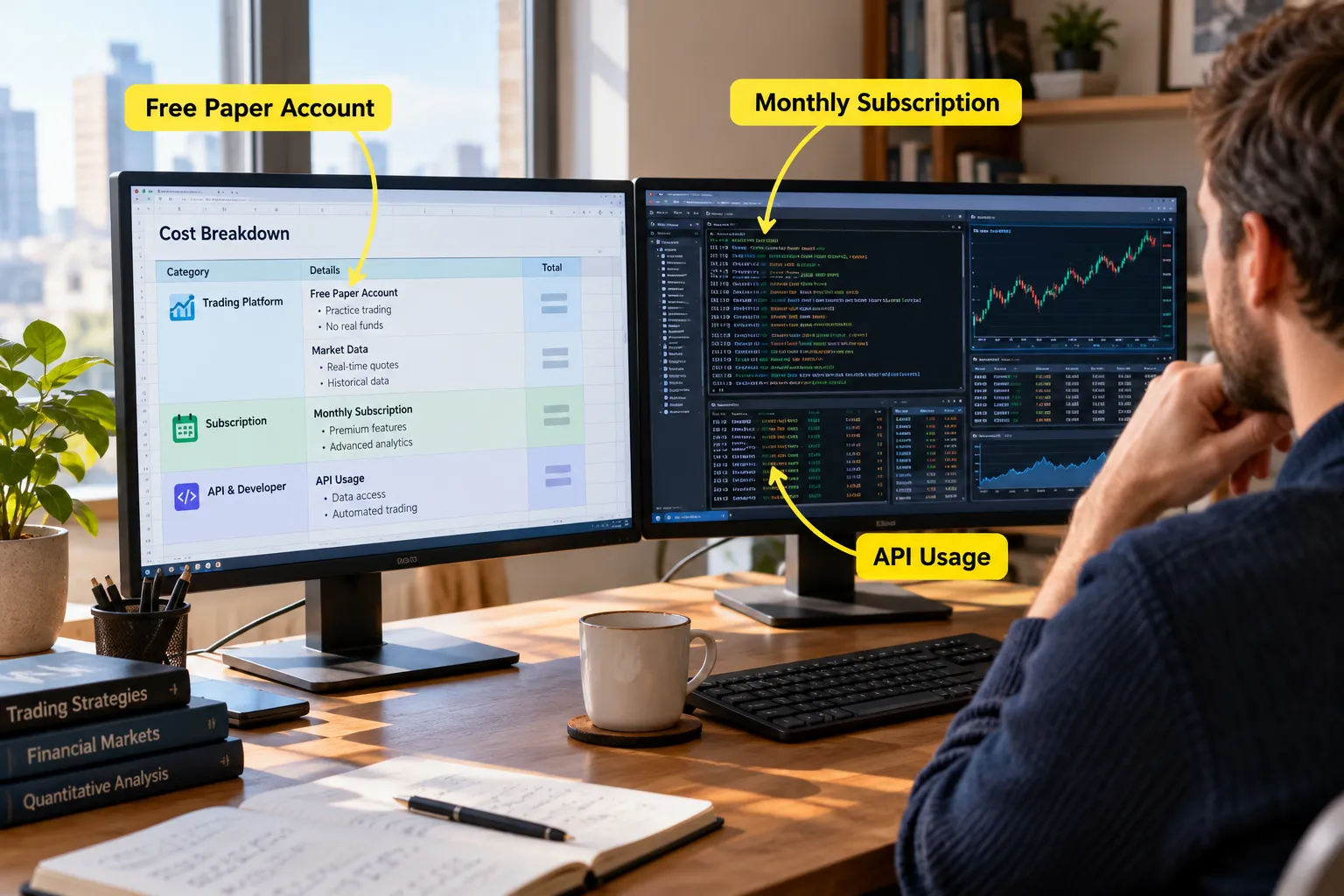
Cost is the question that usually follows how to build a trading bot. Here is the table, using prices from the vendors’ own pages (2026). Check them again on the day you subscribe.
| Item | Cost | Notes |
|---|---|---|
| Alpaca paper account | Free | $100,000 simulated cash by default; IEX data for paper-only accounts |
| Alpaca live trading | Commission-free for retail self-directed accounts | FINRA TAF on sells and CAT fee on buys and sells still apply |
| Claude Pro | $17/mo billed annually ($200 up front) or $20/mo monthly | Includes Claude Code |
| Claude Max | From $100/mo | 5x or 20x Pro usage, includes Claude Code |
| Python, uv, alpaca-py | Free | Open-source tooling |
The rest of the bill depends on choices this table cannot make for you: a server that stays on during market hours, paid market data if IEX is not enough, and any backtesting platform. Our guide to how much a trading bot costs adds those up month by month.
Worked example. A beginner on Claude Pro billed monthly ($20) running a paper bot on a home machine pays $20 a month, or $240 a year, before any trading. If the plan is a $3,000 live account, that is 8% of the account per year in tooling alone. Either the strategy has to clear that bar, or the subscription should end once the code is written.
Is It Legal to Build a Trading Bot?
Generally yes, for a retail account whose broker allows API trading, and it belongs on your checklist for how to build a trading bot before you write a line. Alpaca builds its API for exactly this. The real question is not whether bots are allowed but whether your broker’s terms allow the kind of automated activity you plan.
Read the terms before you build around a specific account type, especially for anything beyond standard stocks. Regulators also care about how much independent decision-making your software has. In a January 2026 post on AI agents, FINRA listed risks including agents “acting autonomously without human validation and approval,” agents acting “beyond the user’s actual or intended scope and authority,” and multi-step reasoning that “can make outcomes difficult to trace or explain.” In plain English: keep the bot’s scope narrow and keep logs that let you reconstruct why it did what it did.
What Do Popular AI Bot Builds Get Wrong?
Watch enough tutorials on how to build a trading bot and a pattern shows up fast. Beginners optimize for clever instead of durable, and durable is the only thing that survives a real market.
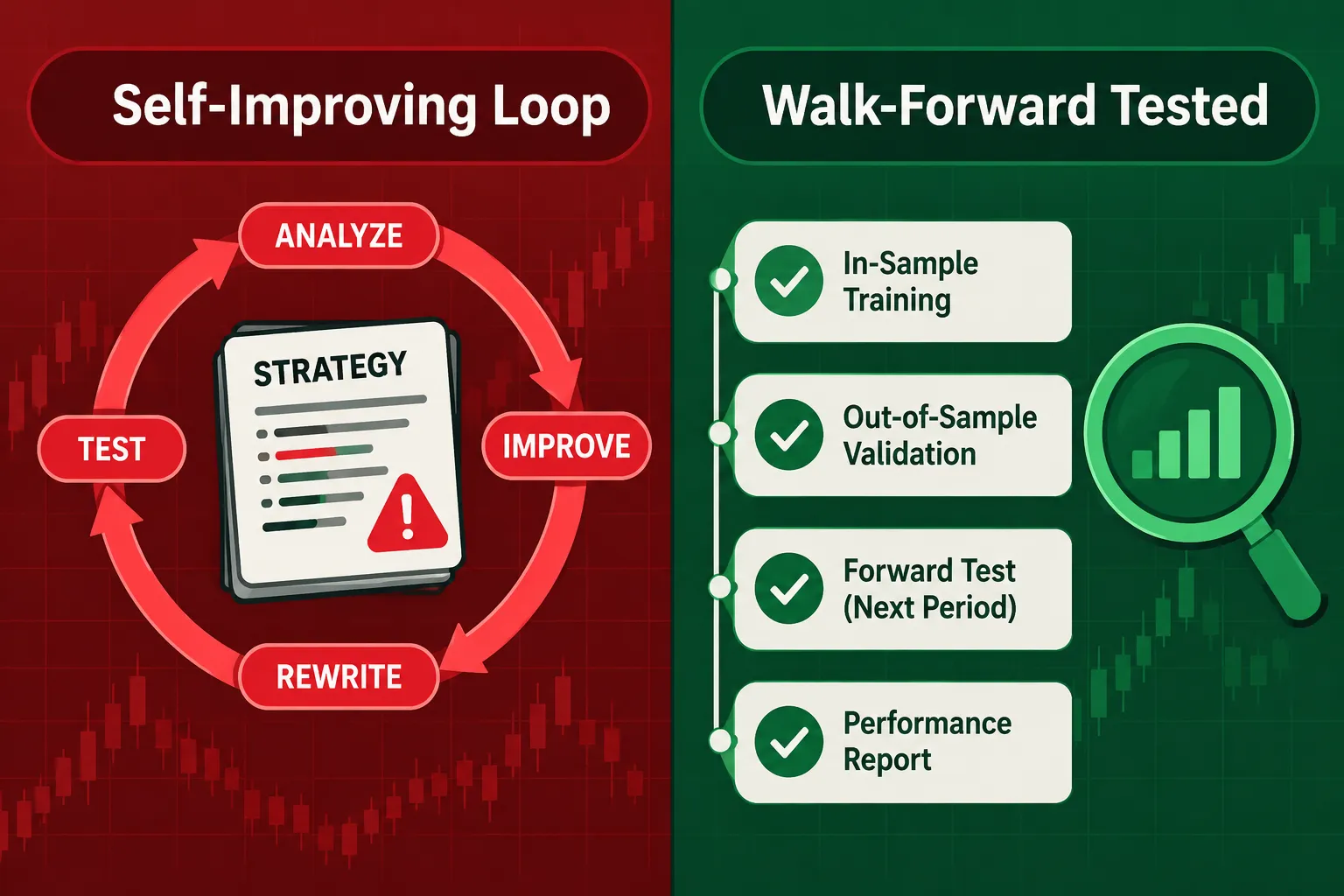
The self-improving agent. A popular build has the bot rewrite its own strategy based on its past results. It is an interesting engineering exercise. It is also a curve-fitting machine unless its output is judged on data it has never seen. A bot grading its own homework from a test it already memorized is not learning.
The disciplined build. The better builds add regime detection (changing behavior when markets trend, chop or turn volatile), walk-forward testing (repeatedly tuning on one window and testing on the next), circuit breakers and drawdown limits. Fewer fireworks, more guardrails.
The boring beginner build. One simple rule, Claude Code, Alpaca’s paper account, and months on paper before any live money. That restraint is the lesson. A boring bot that runs for months on paper beats a clever one that blows up in week two.
If you would rather not write code at all, no-code builders such as Composer are a different route with their own limits.
How Long Does It Take to Learn How to Build a Trading Bot?
Expect the code to take an afternoon and the testing to take months. That ratio surprises people, and it is the right one.
| Stage | Realistic time | What finishes it |
|---|---|---|
| Write the rule | An evening | A one-sentence rule with numbers in every clause |
| Account, keys and Python setup | One to two hours | An import of alpaca-py that runs, keys read from the environment |
| Claude writes the first version | An afternoon | A script you can explain line by line, with logging |
| Backtest with costs and fresh data | One to two weekends | Similar results on tuning data and untouched data |
| Paper trading | At least four to eight weeks | A log covering several market moods with no unexplained gaps |
| Kill switch and alerts | An evening, plus a test | A switch you tripped on purpose that blocked new orders |
Those time ranges are our planning estimates, not vendor figures. The point is the shape: the parts you can see (code) are quick, and the parts that protect your money (testing) are slow.
What is the simplest first bot worth building?
Pick a rule that trades rarely and uses daily bars, such as a moving average cross on one liquid ETF checked once a day after the close. A daily rule gives you time to read every log entry, and it is far less sensitive to the slippage and data delays that wreck fast strategies. Learning how to build a trading bot on a slow rule first means every bug you find is a logic bug, not a speed problem.
What is the most common reason a first bot fails?
Not bad code. A vague rule, an untested exit, or a backtest that skipped costs. When people ask how to build a trading bot that lasts, the answer is unglamorous: narrow scope, written rules, logs, and a kill switch you have already tested. Get those right and the strategy itself becomes the only open question, which is exactly where you want it.
What Should You Do After the Bot Survives Paper Trading?
Go live small, and keep the paper bot running beside it. Running both on the same signals is the cleanest way to measure the gap between simulated and real fills.
A sensible first month live:
- Size at a quarter of your paper size or less for the first 20 trades.
- Compare every live fill with the paper fill for the same signal, and track the average gap in cents.
- Keep the kill switch thresholds tight, then loosen them only with evidence.
- Review the logs weekly, looking for rejected orders, duplicate orders and trades the rule did not call for.
If live results trail paper by more than your cost haircut predicted, stop and find out why before adding size. The usual suspects are slippage at the open, a data feed difference (IEX on paper versus a fuller feed live), and orders that rested in a queue the simulator ignored. For a broker-level look at Alpaca’s live offering, see our Alpaca review.
Frequently Asked Questions
Can I create my own trading bot?
Yes. Learning how to build a trading bot takes a broker with an API such as Alpaca, Python 3.10 or newer, and a rule specific enough to test. The code is the easy part; the testing on paper is what takes weeks.
Can Claude or ChatGPT build a trading bot?
They can write the code, and Claude Code is included in every paid Claude plan. Neither verifies whether your rule has an edge, manages your risk or decides when to stop. Read every line, test with costs and keep a kill switch outside the bot.
How much does it cost to build a trading bot?
Alpaca’s paper account is free, Python, uv and alpaca-py are free, and Claude Pro costs $20 a month or $17 a month billed annually. Live trading at Alpaca is commission-free for retail self-directed accounts, but regulatory fees still apply.
Is it legal to build a trading bot?
Generally yes for a retail account whose broker allows API trading, as Alpaca does. Read your broker’s terms for limits on automated activity, keep the bot’s scope narrow, and keep logs that explain every decision it made.
How long should a trading bot run on paper?
At least several weeks, covering more than one kind of market. Alpaca’s simulator ignores market impact, latency slippage and queue position, so expect live fills to be worse and go live at a small size.
What is a kill switch in a trading bot?
A kill switch is an override that stops the bot from placing new orders, whatever its logic says. Trigger it on a maximum daily loss or a stale data feed, alert yourself when it trips, and decide in advance whether it also closes open positions.
Do AI trading bots actually work?
A bot executes rules consistently, which is its real value. Whether it makes money depends on the rule, the costs and the market, and claims of fixed or near-certain profits are a warning sign of fraud according to US regulators.
Our Take
Learning how to build a trading bot is no longer the hard part. Claude, Alpaca’s free paper API, Python and an afternoon handle the mechanics. The hard part is the same as it has always been: a rule disciplined enough to survive a bad month, a backtest that includes costs and fresh data, and the patience to run weeks of paper trading before real money shows up. Build the kill switch first, keep the keys out of the code, and read every line Claude writes. Skip the testing and you have not built a bot, you have built a faster way to lose money.
Related: the Alpaca tool profile in our AI stock picker directory lists its plans and data feeds next to the other broker APIs bot builders use.
Got a bot running on paper and ready for a second set of eyes? Send it over for a review before it touches a funded account.
Stay alpha.
The FullStack Alpha research desk tests AI trading bots on paper and live accounts. Reviewed and edited by Jay Rocco, Founder and Editor.
