

The FullStack Alpha research desk tests AI trading bots on paper and live accounts. Reviewed and edited by Jay Rocco, Founder and Editor.
By FullStack Alpha Editorial Team | Reviewed by Jay Rocco, Chief Editor
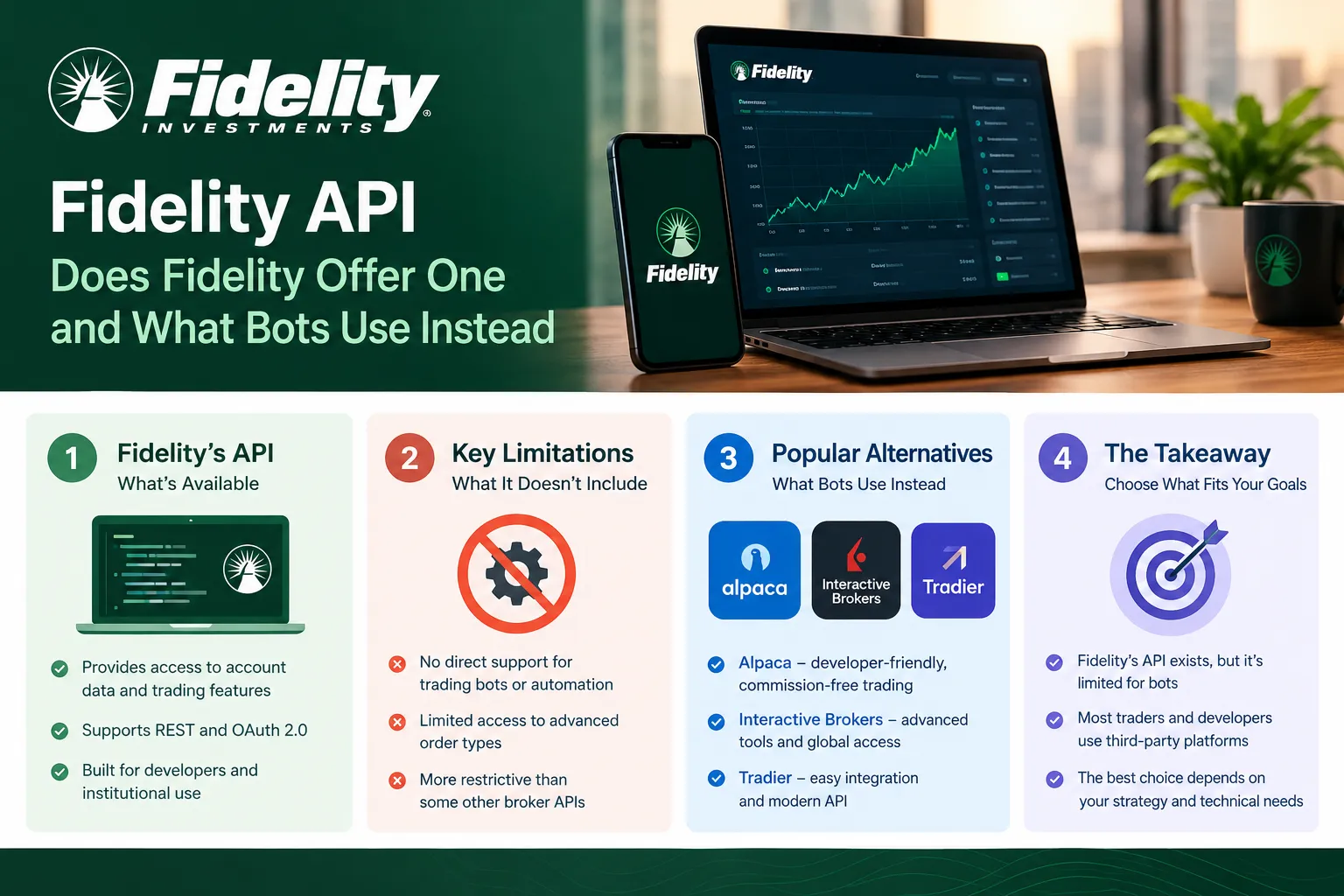
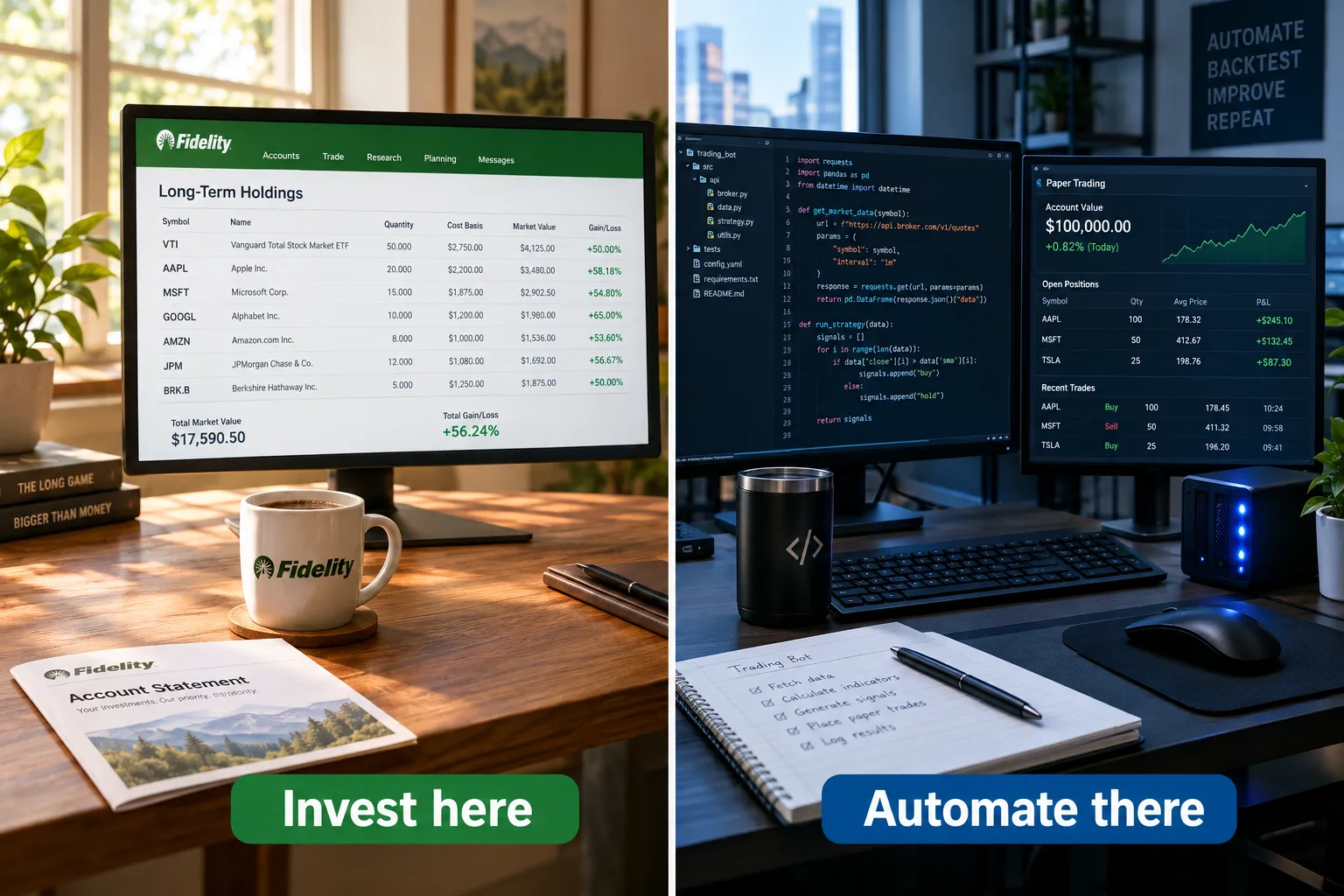
There is no public Fidelity API for retail trading. As of October 2026, Fidelity representatives were still telling customers on r/fidelityinvestments (May 28 and July 31, 2026) that no public API exists, and Fidelity’s own developer-facing catalogs only document workplace, institutional, and digital-asset APIs. Retail users can get read-only account data through aggregators like SnapTrade and Plaid, but order placement is not available. Traders who want a bot build on Alpaca, Interactive Brokers, Tradier, or Schwab instead, and keep Fidelity as the long-term investing account.
What You Should Know
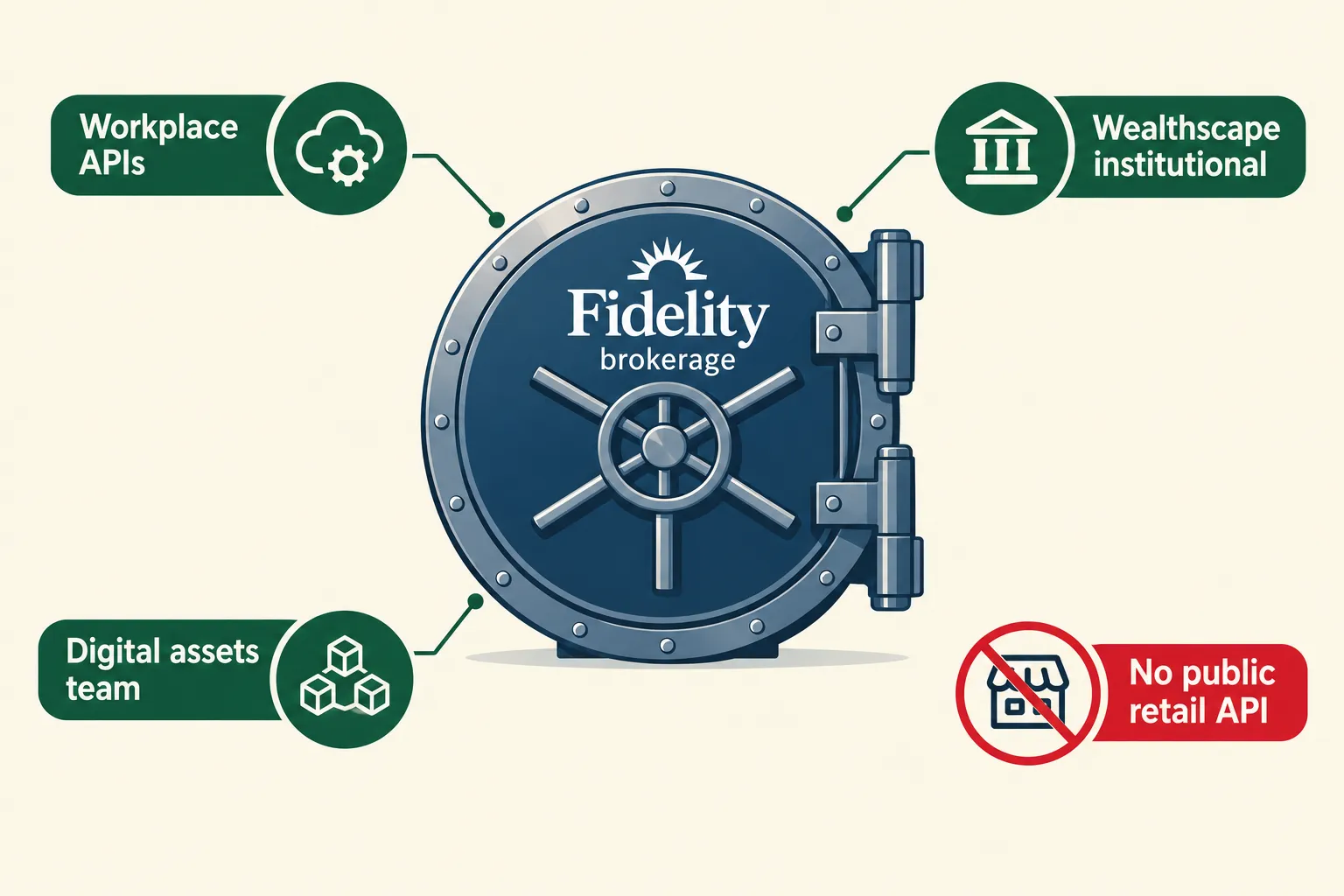
- No public retail Fidelity API exists as of the October 2026 check of Fidelity’s public API catalog, which lists workplace and organization APIs only.
- A Fidelity representative said on May 28, 2026 there were “no updates to share” on a public API, and a second rep repeated the same answer on July 31, 2026.
- Fidelity Institutional’s Wealthscape Integration Xchange advertises 400+ active integration points and 200+ fintech solutions, but it’s for advisors and vendors, not individual developers.
- Fidelity’s Terms of Use prohibit third-party tools built for “high-speed, automated, or repeated access” to its sites, including tools that automate trading, unless Fidelity has approved them.
- Read-only is the ceiling. The SnapTrade API and Plaid both surface Fidelity holdings and balances through consumer-permissioned connections; neither gives you an order endpoint at Fidelity.
Does Fidelity Have an API?
No. Fidelity does not offer a public API that lets a retail customer submit stock or options orders programmatically. Checked October 23, 2026, against Fidelity’s own public API catalog and two 2026 statements from Fidelity representatives.
The confusion is understandable, because Fidelity absolutely has APIs. Plural. They’re just not for you.
What Fidelity actually publishes
Fidelity’s public API catalog on WorkplaceXchange is a retirement-plan product. The documented endpoints cover participant data, plan balances, payroll feeds, contribution elections, loans, and pay statements. That’s HR and recordkeeping plumbing for employers and benefits vendors. Nothing in it places a trade in your individual brokerage account.
Then there’s Wealthscape Integration Xchange, run by Fidelity Institutional. Fidelity describes it as supporting APIs, data feeds, single sign-on, and FIX connectivity, with more than 400 active integration points and over 200 fintech solutions. FIX, for anyone new to the term, is the Financial Information eXchange protocol, the messaging standard institutions use to route orders between systems. So yes, real order plumbing exists inside Fidelity’s world.
Access is the catch. Wealthscape runs through Fidelity Institutional relationships, assigned representatives, and an approval process for integrations. There’s no open developer portal, no sandbox you sign up for on a Tuesday night, no API key emailed to a retail customer. You get in because you’re a registered investment advisor custodying assets there or a vendor those advisors already use.
Fidelity has also kept building API infrastructure elsewhere. A current Fidelity Digital Assets engineering listing describes customer-facing APIs for trading and custody in digital-asset services. Interesting signal about internal capability. It says nothing about whether your taxable brokerage account will ever get an endpoint.
What Fidelity has said directly
Two data points from 2026, both from Fidelity staff answering customers in public:
- May 28, 2026, on a r/fidelityinvestments thread titled “Fidelity APIs”: a representative said there were no updates to share regarding a public API, and that feedback had been passed to internal teams.
- July 31, 2026, on a separate thread about Fidelity trading APIs: another representative repeated that Fidelity does not currently offer a public API and would forward the request.
Two different reps, two months apart, same answer. That’s not a stalling tactic. That’s a product decision.
A September 12, 2026 broker comparison from JorgAI, updated October 22, 2026, still listed Fidelity in the “no public API” column with no sanctioned retail automation route. Independent reporting matches what Fidelity says about itself.
Why doesn’t Fidelity offer an API like other brokers?
Fidelity hasn’t published a reason, so anything here is reading the tape rather than quoting a policy. A few things are visible though.
Fidelity’s retail business is built around long-horizon investors, retirement accounts, and advice. That customer doesn’t need a REST endpoint. Supporting one means supporting rate limits, outage escalations, order-routing disputes when somebody’s script fires 40 duplicate buys, and a surveillance obligation for algorithmic order flow. Schwab took years to turn the old TD Ameritrade API into the Schwab Trader API after that acquisition, and the migration was messy for developers the whole way. Fidelity watched that.
Market truth: a broker builds an API when automated flow is worth the compliance cost. Fidelity’s book doesn’t make that math obvious.
Practical takeaway: stop waiting. Build against a broker that already wants your API traffic. If Fidelity ships a retail API later, great, port the code then.
What Are the Read-Only Options for Fidelity Data?
You can pull Fidelity holdings, balances, and transaction history into third-party software through consumer-permissioned aggregators, mainly the SnapTrade API and Plaid. None of them give you order placement at Fidelity. Read-only is the whole menu.
SnapTrade
SnapTrade is a brokerage-connection API built for apps that need investment account data and, at supported brokers, order placement. It connects to a long list of North American brokerages and exposes positions, balances, account history, and symbol data through a single interface.
The thing that matters for this article: trading support is broker-by-broker, and Fidelity is a read-only connection. You can build a portfolio tracker, a tax-lot analyzer, a risk dashboard, or a performance app on Fidelity data through the snaptrade api. You cannot route a buy order through it to Fidelity. Check SnapTrade’s current broker support page before you commit code, because that list changes.
Plaid
Plaid is the aggregator most people have already used without noticing, the little bank-login modal inside budgeting and fintech apps. Plaid’s investments product returns holdings, securities metadata, and investment transactions from brokerage accounts including Fidelity.
Plaid is a data layer, full stop. No orders, no options chains for trading, no streaming quote feed for a scalping bot. It’s excellent for net-worth tracking and reconciliation. It’s useless as the execution leg of a strategy.
Portfolio trackers and spreadsheet routes
A third tier exists: consumer portfolio trackers that connect through these same aggregators, plus Fidelity’s own CSV and position exports. Fidelity lets you download positions and transaction history from the account pages. Unglamorous, and perfectly fine if your “automation” is a weekly review rather than an intraday system. Tools in the broader AI stock screener category mostly operate on market data rather than your broker account anyway, so the account connection matters less than people assume.
What read-only gets you, and what it doesn’t
| Want to do this | Possible with Fidelity read-only? |
|---|---|
| Track positions in a custom dashboard | Yes, via SnapTrade or Plaid |
| Calculate portfolio risk and exposure | Yes |
| Pull transaction history for tax work | Yes |
| Get real-time streaming quotes for a bot | No |
| Submit, modify, or cancel an order | No |
| Run a stop-loss watcher that actually sells | No |
Decision rule: if your idea only needs to read, Fidelity is workable. The moment it needs to write, you need a different broker.
Common mistake: people build an entire analytics layer on Fidelity data, get attached to it, then discover at the execution step that there’s no door. Check the write path first. Always.
Can You Automate Fidelity Trades?
Partially, and only using Fidelity’s own built-in features. Fidelity automated trading through outside software is not supported, and Fidelity’s Terms of Use explicitly prohibit third-party tools designed for high-speed, automated, or repeated access to its sites, including tools that facilitate trading, unless Fidelity has expressly approved them.
What Fidelity lets you automate
This part’s real, and plenty of people overlook it while chasing an API that doesn’t exist.
- Automatic investments. Fidelity supports recurring transfers and scheduled purchases into mutual funds, ETFs, and stocks on a set schedule. Set the amount, set the cadence, forget it. Check the automatic investment page in your account for which security types and schedules apply to your account.
- Conditional orders. Stop loss, stop limit, trailing stop, and trailing stop limit orders are available on Fidelity’s trade ticket. A trailing stop, for the uninitiated, follows price up and triggers only after a set pullback. That’s automation. It executes while you sleep and it’s fully sanctioned.
- Dividend reinvestment. Automatic, per position or account-wide.
- Conditional and multi-leg order types on Active Trader Pro, including contingent orders that fire based on another security’s price.
So how do I automate investments in Fidelity? Use scheduled recurring buys plus resting conditional orders. That’s the sanctioned answer, and for a swing or position trader it covers most of what a simple bot would do anyway.
Where it crosses the line
Three separate Fidelity documents put walls around outside automation:
- Terms of Use. Bans third-party tools built for automated or repeated access, specifically including tools that facilitate trading or automate obtaining, downloading, transferring, or transmitting information from a Fidelity account, unless Fidelity approves them.
- Electronic Services Customer Agreement. States the customer is the only authorized user and the services are for personal, non-commercial use. Unattended software running in your session is a problem under that language.
- Integrated Subscriber Agreement (market data). Restricts using Fidelity market data in automated trading applications, generating orders automatically or semi-automatically, or executing transactions automatically without written consent.
That’s not one vague clause. That’s three documents saying the same thing from three angles.
Market truth: the absence of an API isn’t an invitation to build one yourself.
Edge case worth naming: browser extensions that only reformat what’s already on screen, with no automated clicking or scheduled polling, sit in a greyer area than a headless script hammering the login endpoint every 30 seconds. Grey is not green. Fidelity decides, not you, and the consequence menu includes account restriction.
If you want signal generation separate from execution, that’s a cleaner split. Run your analysis anywhere, then place the trade yourself. Plenty of traders use AI tools for idea generation and keep the trigger finger human. Slower, yes. Also compliant.
Can You Build a Fidelity Trading Bot?
Technically you can build something that logs into a Fidelity web session and clicks buttons. You shouldn’t, and the open-source projects that do this exist in a permanent state of breaking. A sanctioned fidelity trading bot is not currently possible because there’s no public API to build it on.
Why screen-scraping a broker login is a bad trade
Risk-reward on this one is ugly, and risk-reward is the whole job.
- Terms violation. Covered above. Automated access to Fidelity’s site without express approval is prohibited. Worst case isn’t a stern email, it’s a restricted account.
- Credential exposure. A scraper needs your username, password, and a way around two-factor. You’re storing live brokerage credentials in a script. If that script lives in a public repo, a Docker image, or a VPS you half-configured, the blast radius is your entire account.
- Constant breakage. Fidelity ships UI changes whenever it likes. Your selector breaks on a Tuesday and your “automated” stop loss quietly stops existing. You find out when you check the account on Thursday and the position is down 18%.
- Order ambiguity. No order IDs, no fill confirmations, no reliable error handling. A timeout mid-submit leaves you not knowing whether you’re in or flat. That’s how a scraper turns one bad trade into two.
- No recourse. If an unsanctioned script fires a wrong order, you own it.
Brokers have also gotten less tolerant of automated agents generally, not more. Schwab has moved to block AI agents from operating in customer accounts, a policy shift worth reading if you assumed the industry was trending toward openness. Our breakdown of Schwab blocking AI agents covers what that means for anyone planning an agent-driven workflow. Fidelity’s written terms land in the same place.
Play stupid games. Hand your live brokerage credentials to a scraper you found on GitHub at 11pm and the prize is rarely alpha.
The sane version of the idea
Build the bot. Just don’t point it at Fidelity.
- Write the strategy logic as plain, broker-agnostic code: signal in, order instruction out.
- Put a thin broker adapter behind it.
- Point the adapter at a broker with a documented API and a paper-trading sandbox.
- Keep your Fidelity account for the buy-and-hold sleeve where no automation is needed.
That architecture costs you nothing and means you’re not rewriting everything if Fidelity ever ships an endpoint. Our broker API category covers the current field in more depth.
What Do Bots Use Instead of Fidelity?
Most retail trading bots in 2026 run on Alpaca, Interactive Brokers, Tradier, or Schwab, because all four publish documented APIs for individual accounts. Which one you pick depends on whether you need options, futures, international markets, or just the fastest path from idea to working script.
| Broker | Public retail API | Paper trading | Best for |
|---|---|---|---|
| Alpaca | Yes, REST and WebSocket, built API-first | Yes, free paper accounts | Beginners and Python developers who want a working script the same day |
| Interactive Brokers | Yes, TWS API plus Client Portal Web API | Yes, paper account with a funded live account | Serious systematic traders, options, futures, global markets |
| Tradier | Yes, REST brokerage API | Yes, sandbox environment | Options-focused automation and third-party platform connections |
| Schwab | Yes, Schwab Trader API via developer portal approval | Limited, check current developer docs | Traders already custodying at Schwab who want sanctioned access |
Verify current features, rate limits, and market-data terms on each broker’s developer documentation before you build. These change.
Alpaca
Alpaca was designed as an API first and a brokerage second. Commission-free US stocks and ETFs, clean REST endpoints, WebSocket streaming, and a free paper-trading environment you can sign up for without funding anything. For a first bot it’s the shortest distance between an idea and a filled paper order. Our Alpaca API guide for beginners walks the setup.
Trade-off: a narrower product range than IBKR. If you need futures, deep international coverage, or complex multi-leg options, you’ll outgrow it.
Interactive Brokers
The heavyweight. The TWS API has been around for decades and reaches stocks, options, futures, forex, bonds, and dozens of exchanges worldwide. If you’re building something that needs real market breadth and institutional-grade routing, this is where it lives.
Trade-off: the learning curve is genuinely steep. The classic TWS API requires a running gateway or desktop application and a tolerance for documentation written by engineers for engineers. Budget a weekend, not an evening. Our Interactive Brokers TWS API walkthrough exists because people get stuck on step three.
Tradier
Tradier runs a REST brokerage API with a sandbox environment, and it’s the one options traders keep naming. It also powers connections for a lot of third-party trading platforms, so if you’d rather configure a strategy in someone else’s interface than write code, Tradier is often the broker underneath.
Trade-off: smaller than the other three, with a narrower asset range.
Schwab
Schwab absorbed the old TD Ameritrade developer ecosystem and now runs the Schwab Trader API through a developer portal with an application and approval step. It’s a real, sanctioned retail API, which puts Schwab in a different category from Fidelity entirely. See our Schwab API guide for the current approval flow.
Trade-off: approval isn’t instant, and Schwab has drawn hard lines around AI agents operating inside accounts.
Is Fidelity good for algorithmic trading, or is Interactive Brokers better?
Interactive Brokers, by a wide margin, and it isn’t close. Fidelity offers no public retail API, so there is no supported path to algorithmic execution. IBKR offers documented APIs, paper trading, global market access, and explicit support for systematic order flow. If algorithmic trading is the goal, IBKR or Alpaca is the account you open.
Fidelity remains a strong brokerage for investing. It’s just the wrong tool for this particular job, the way a pickup truck is a bad choice for a track day.
Can you do high-frequency trading on Fidelity?
No. High-frequency trading needs direct market access, colocation, microsecond-level latency, and specialized data feeds. Fidelity’s retail platform provides none of those, and its terms prohibit high-speed automated access to its systems. Real HFT also requires capital and infrastructure far outside retail territory, regardless of broker.
What retail traders usually mean by “high frequency” is intraday scalping, and even that wants a low-latency direct-access broker, not a retail portal with no API.
What’s the easiest alternative to Fidelity for API-based trading?
Alpaca. Free paper account, no funding requirement to start testing, Python and JavaScript SDKs, and documentation written for people who aren’t API specialists. Most developers get a paper order filled within an hour.
Choose differently if: you need options complexity (Tradier), futures or international markets (Interactive Brokers), or you’re already custodying at Schwab and want to stay put.
How to connect Fidelity to trading automation software
You generally can’t, for execution. Platforms that advertise Fidelity “connections” are almost always doing one of three things:
- Read-only aggregation via SnapTrade, Plaid, or a similar provider: data in, no orders out.
- Manual export and import of CSV positions for analysis.
- Alerts only, where the software tells you what to do and you place the trade at Fidelity yourself.
If a vendor claims full automated execution into a standard Fidelity brokerage account, ask exactly how. If the answer involves your Fidelity username and password, that’s your signal to walk. For strategies you want to run from charts rather than code, TradingView automated trading connects to brokers that accept the webhook, and Fidelity isn’t one of them.
What data and order types does the Fidelity API support?
There is no retail fidelity api, so the honest answer is none at the brokerage level. Fidelity’s documented public APIs cover workplace and retirement data, not market data or order entry. Institutional Wealthscape connectivity supports FIX order routing and data feeds, but only for approved advisors and vendors.
Inside Fidelity’s own platforms, the order types available to a retail trader include market, limit, stop loss, stop limit, trailing stop, trailing stop limit, and conditional orders on Active Trader Pro. Those are platform features, not API features, and they’re worth using. Check Fidelity’s trading pages for the current list per account type.
Is the Fidelity Trading Platform Free?
Yes, for the core retail offering. Fidelity charges $0 commission on online US stock, ETF, and options trades, with a $0.65 per-contract fee on options. There’s no account minimum for a standard brokerage account, and Active Trader Pro is free to download. Confirmed against Fidelity’s commissions page, checked October 2026.
A few fees that still exist and that people forget:
- Options contract fee: $0.65 per contract. Trade 10 contracts, pay $6.50. For a high-volume options trader, that adds up fast.
- Broker-assisted trades carry a fee. Phone orders aren’t free.
- Mutual funds outside the no-transaction-fee list carry transaction fees.
- Regulatory fees (SEC and FINRA pass-throughs) apply on sells, at all brokers.
Verify current numbers on Fidelity’s commissions and fees page before you plan around them. Brokers revise schedules.
What’s missing from the free column is the thing this article is about: there’s no paid tier that buys you a retail fidelity api. It isn’t a pricing question. How much does Fidelity API access cost? For retail, the question doesn’t apply, because the product doesn’t exist at any price. Is the fidelity api free for retail traders? Same answer. Institutional Wealthscape pricing is negotiated through Fidelity Institutional relationships and isn’t published.
Observation: free commissions and no API often travel together. Brokers that monetize order flow and asset gathering have less reason to court algorithmic developers than brokers that monetize per-trade activity and data.
What Is the Safest Way to Test an Automation Idea?
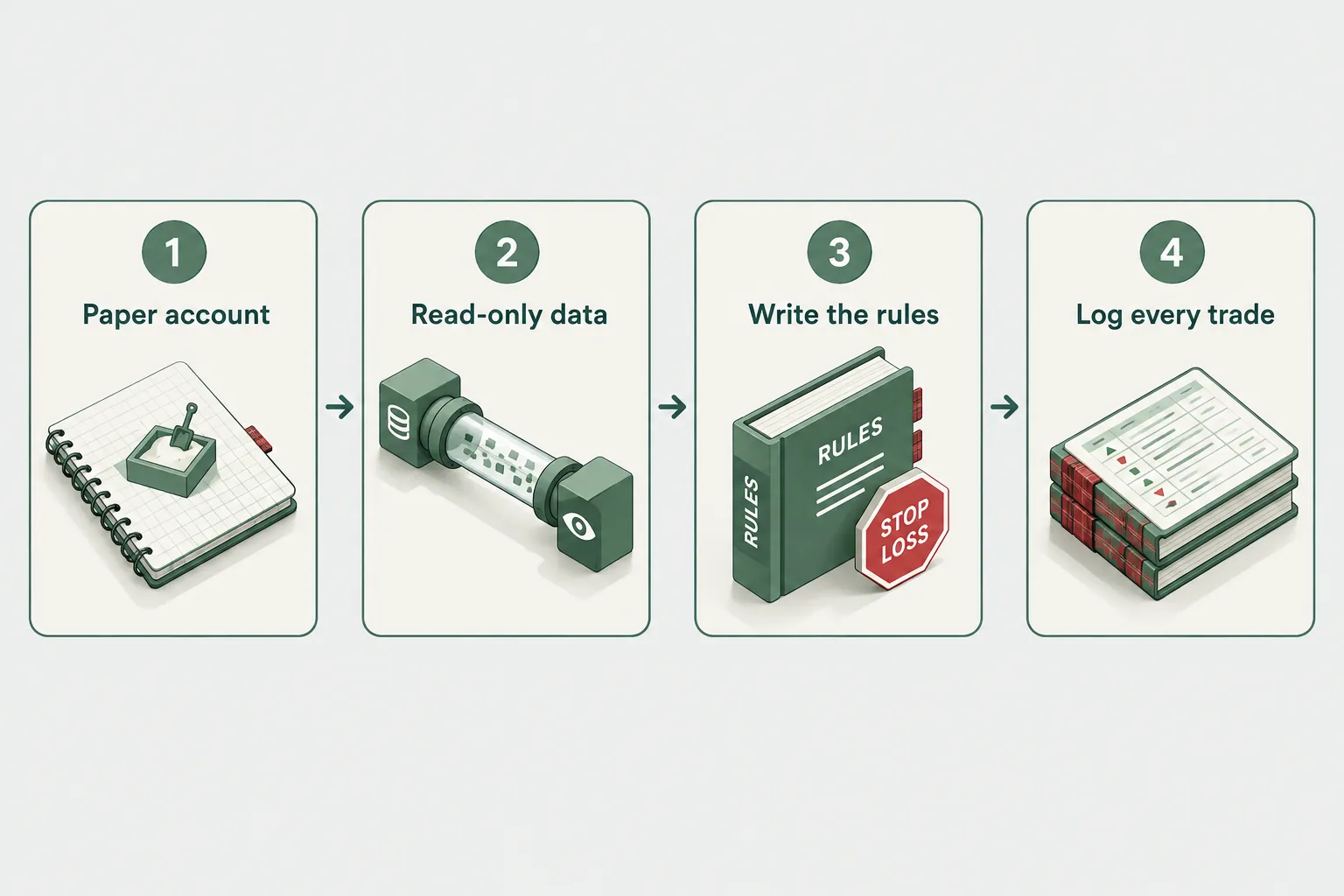
Paper trade it first, on a broker with a real sandbox, using read-only data for anything you can’t execute. Then log every single decision. No live capital until the log says the system behaves the way you thought it would.
Here’s a sequence that works.
1. Write the rules down before you write any code. Entry condition, exit condition, stop loss placement, position size, maximum open positions, maximum daily loss. If you can’t write it in ten plain sentences, you don’t have a system, you have a hunch wearing a hoodie.
2. Open a paper account. Alpaca’s paper environment is free and takes minutes. Interactive Brokers offers a paper account too. Paper trading means simulated orders against live market prices, so you see fills and slippage behavior without risking anything.
3. Keep Fidelity read-only in the loop if you want. Use the snaptrade api or Plaid to pull your real Fidelity holdings into the same dashboard, so the simulated strategy sits next to your actual portfolio. You see total exposure in one place without touching Fidelity’s execution path at all. Clean separation, no terms problem.
4. Log everything. Timestamp, signal, intended order, simulated fill, position size, and a one-line reason. Review weekly. A log is the only thing that tells you whether your edge is real or whether you got three lucky weeks in a trending tape.
5. Run it for 30 trading days minimum before going live. Thirty days includes at least one choppy stretch, which is where most strategies quietly fall apart. A system that only works in a clean uptrend isn’t a system, it’s a beta bet.
6. Start live at a position size that feels insultingly small. Then scale only after the live log matches the paper log. Paper fills are optimistic. Real slippage, real partial fills, and real latency show up in week one.
Common mistake: skipping the log because the backtest looked great. Backtests are an argument. Logs are evidence.
Edge case: if your strategy depends on sub-second execution, paper trading will flatter it badly, because simulated fills don’t model queue position. Scale your expectations down accordingly, or pick a slower strategy. Before you decide your edge is speed, it’s worth knowing how fast your own reactions are.
Common Fidelity API integration errors and how to fix them
Since there’s no retail endpoint, “errors” here are really the four wrong assumptions developers make.
| What goes wrong | What’s happening | Fix |
|---|---|---|
| 401 or redirect loop when hitting a “Fidelity API” URL | You’ve found the workplace or institutional catalog, which requires an organizational relationship | Stop. There’s no retail equivalent to request |
| SnapTrade connects but order placement fails | Trading support is broker-specific; Fidelity is read-only on aggregators | Route orders through a broker with a trading API |
| Scraper worked, then broke overnight | Fidelity changed the page markup or a security control | Don’t rebuild it. Move execution to a supported broker |
| Stale or delayed holdings data | Aggregator connections refresh periodically, not in real time | Fine for tracking, unusable for intraday triggers |
Decision rule: if your fix involves storing Fidelity login credentials somewhere, the design is wrong, not the code.
Frequently Asked Questions
Is the Fidelity trading platform free?
Yes, for the core retail features. Fidelity charges $0 commission on online US stock and ETF trades and $0 commission plus $0.65 per contract on options, with no account minimum, confirmed October 23, 2026. Active Trader Pro is free. Broker-assisted trades, some mutual funds, and regulatory pass-through fees still cost money, so check the current commissions page.
How do I automate investments in Fidelity?
Use Fidelity’s own built-in tools: recurring automatic investments on a set schedule, dividend reinvestment, and conditional orders like stop loss and trailing stop. Those are sanctioned and run without you watching. Outside automation software is not supported and is restricted under Fidelity’s Terms of Use.
Does Fidelity have an API?
Fidelity has APIs for workplace retirement plans, institutional advisors through Wealthscape, and digital-asset services, but no public retail trading API. Fidelity representatives confirmed this publicly on May 28 and July 31, 2026. An individual developer cannot get keys to place brokerage orders.
What is the downside to Fidelity?
For automation-minded traders, the main downside is the missing retail fidelity api, which rules out custom bots, webhook-driven strategies, and programmatic order management. Fidelity also restricts third-party automated access in its terms. For buy-and-hold investors, these limits rarely matter at all.
Which broker has a free API?
Alpaca offers free API access with a free paper-trading account and commission-free US stock and ETF trading. Interactive Brokers, Tradier, and Schwab also provide retail APIs, though market-data subscriptions, approval steps, or account requirements may apply. Confirm current terms on each broker’s developer documentation.
Can SnapTrade place orders in my Fidelity account?
No. The snaptrade api supports order placement at certain brokers, but the Fidelity connection is read-only: holdings, balances, and transaction history. Use it for tracking and analytics, not execution.
Will Fidelity launch a retail API in the future?
Unknown. Fidelity representatives have said customer requests are being forwarded internally but gave no timeline as of July 31, 2026. Build broker-agnostic strategy code so you can add a Fidelity adapter later if it ever arrives.
Our Take
Use Fidelity for what it’s genuinely good at: low-cost investing, strong execution quality, good research, and a retirement account you never have to think about. Then open a second account at a broker that wants your API traffic, and run every automated strategy there. Two accounts, two jobs, zero terms-of-service anxiety.
The traders who get hurt here are the ones who try to force one account to do both, usually with a scraper and a stored password. That’s not a shortcut, it’s an unhedged risk sitting on top of a trading risk. Systems over hacks.
Related: if you are choosing that second account, our hands-on Alpaca review and Charles Schwab review at AI Stock Picker App compare the two most common picks.
Got a bot running on a real broker API? Tell us what you built and what broke: submit it here. More broker API breakdowns live at aistocktradingbots.com.
Stay alpha.
The FullStack Alpha research desk tests AI trading bots on paper and live accounts. Reviewed and edited by Jay Rocco, Founder and Editor.
