

The FullStack Alpha research desk tests AI trading bots on paper and live accounts. Reviewed and edited by Jay Rocco, Founder and Editor.
By FullStack Alpha Editorial Team | Reviewed by Jay Rocco, Chief Editor
The Tradier API is a REST and streaming brokerage API that gives you market data, account balances, positions, order placement and options chains from a single account. Tradier runs a separate sandbox environment with its own token and delayed data, so you can test order logic without risking a dollar. As of 2026, Tradier also documents a first-party MCP server at https://mcp.tradier.com/mcp, which lets Claude talk to your account in plain English. Rate limits vary by endpoint type and are published on Tradier’s rate limiting documentation page.
What You Should Know
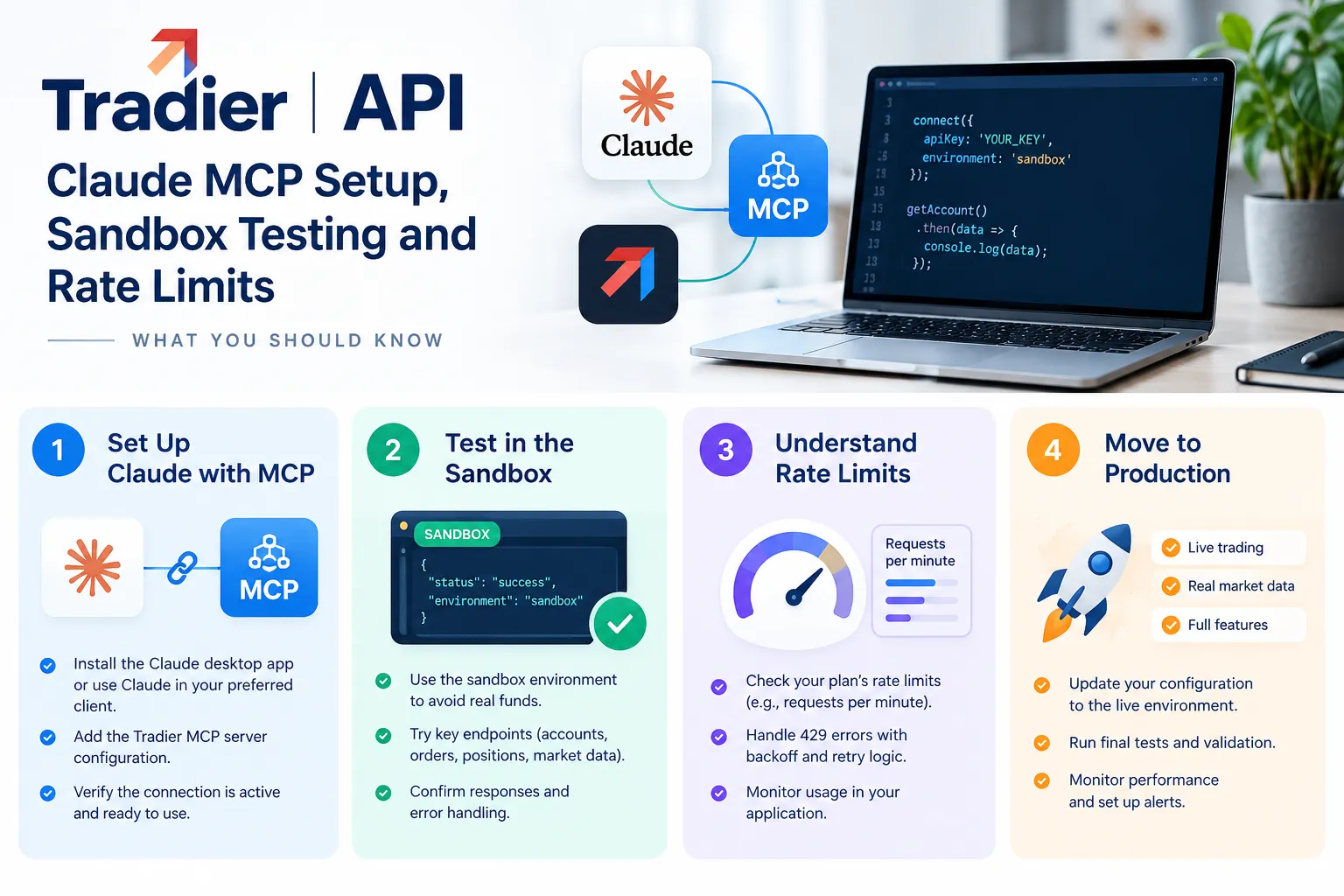
- Tradier documents a hosted MCP endpoint at
https://mcp.tradier.com/mcpusing the Streamable HTTP transport. - That MCP server exposes 22 tools: one documentation-search tool plus 21 brokerage tools covering equities, single-leg options, 2-to-4-leg option spreads, OCO, OTO and OTOCO orders.
- Tradier’s September 30, 2026 product digest promoted AI-agent connectivity for market data, analysis and order execution.
- Personal API tokens are for personal use. Public or distributed apps need Tradier Partner status and OAuth 2.0, per Tradier’s rate limiting docs.
- Tradier’s status page logged elevated API errors on October 12-13, 2026, later resolved, with 60-day uptime shown around 99.86% trading, 99.99% market data, 100% streaming, 99.82% paper trading.
Does Tradier Have an API?
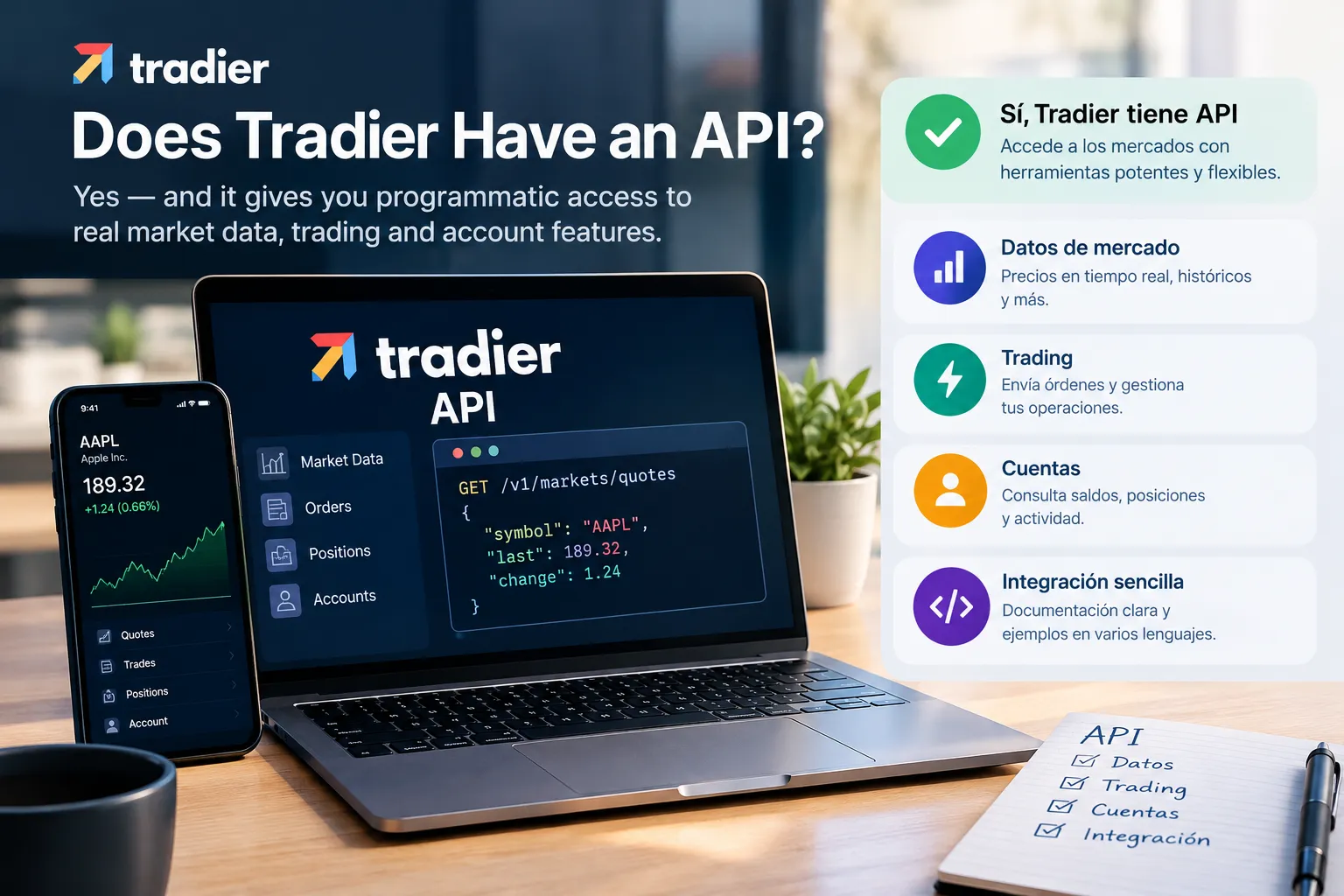
Yes. Tradier has a documented REST API plus a streaming layer, and it’s one of the main reasons developers pick the broker in the first place. Unlike brokers that bolt an API on as an afterthought, Tradier was built API-first and sells brokerage-as-a-service to other platforms.
What the tradier api actually gives you, per Tradier’s developer documentation:
- Market data. Quotes, historical pricing, time and sales, option chains with strikes and expirations, company search and symbol lookup.
- Accounts. Balances, positions, order history, gain/loss, and account profile details.
- Trading. Equity orders, single-leg options, multileg spreads (two to four legs), and advanced order types including OCO, OTO and OTOCO. If those are new to you: OCO means “one cancels other,” OTO means “one triggers other,” and OTOCO chains both.
- Streaming. A WebSocket and HTTP streaming layer for live quotes and trade events, so you aren’t hammering the REST endpoint every second like a man refreshing his portfolio 14 times an hour.
- Watchlists. Create, read, update, delete. Small feature, surprisingly useful for a scanner pipeline.
The practical takeaway: if your workflow is options-heavy and you want one account that handles both data and execution, the Tradier API covers the whole chain. If you only want historical bars for backtesting, there are cheaper data-only vendors.
Options chains are where this API earns its keep. Pulling a full chain with greeks in one call beats stitching together three free sources and praying the strikes line up.
What Does the Tradier API Cost?
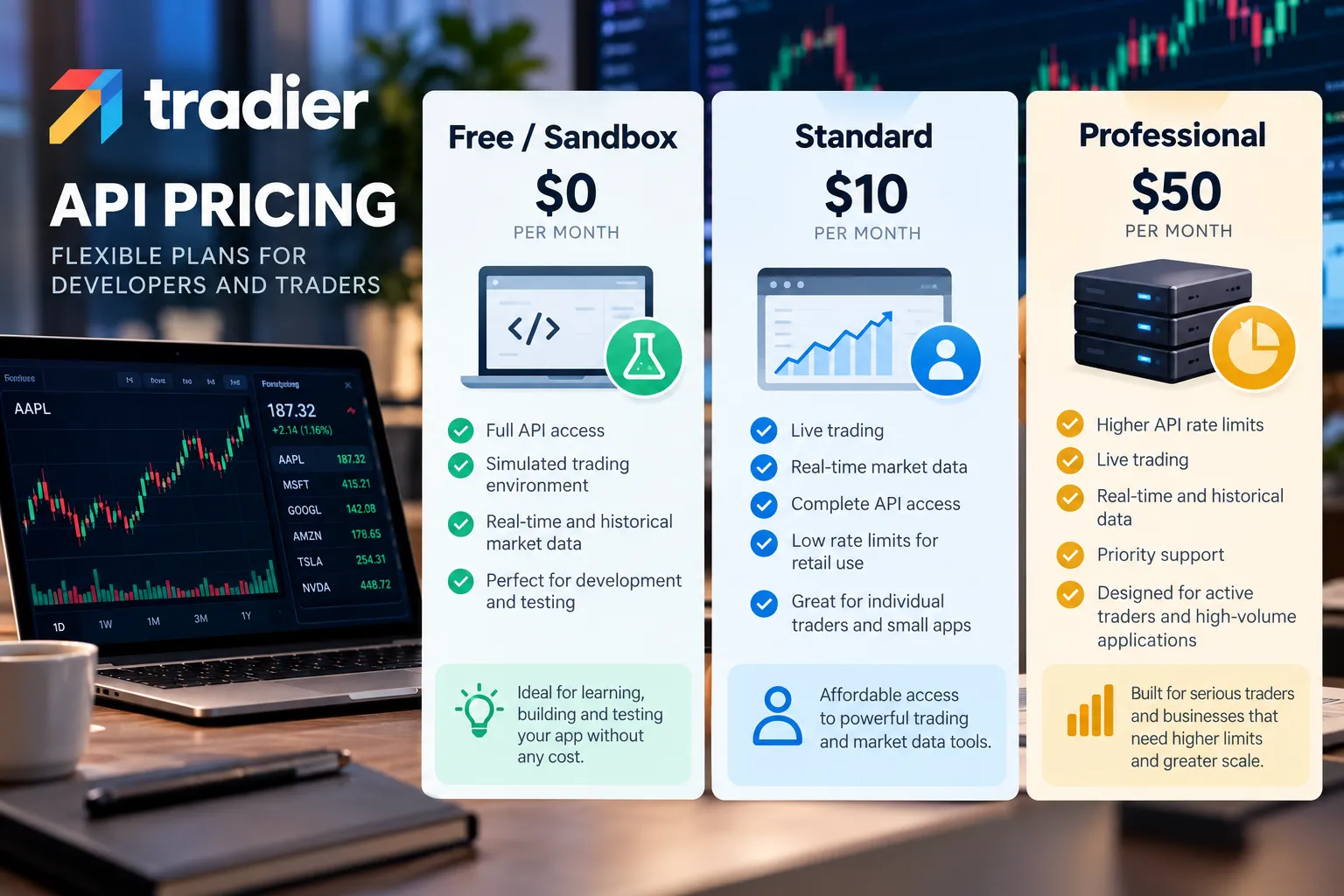
API access itself is included with a Tradier brokerage account. What costs money is real-time market data and the premium data tiers. Tradier has historically sold a market data subscription separately from commission-free equity trading, and pricing has changed more than once, so check the official page before you budget.
Here’s the honest version of the cost picture:
| Account type | API access | Data | Monthly cost | Date checked |
|---|---|---|---|---|
| Sandbox / developer | Yes, sandbox token | Delayed, simulated | Free | Oct 23, 2026 |
| Brokerage account | Yes, live token | Delayed by default | Check official page | Oct 23, 2026 |
| Market data subscription | Yes | Real-time streaming | Check official page | Oct 23, 2026 |
| Pro / Pro Plus tiers | Yes | Real-time, higher limits | Check official page | Oct 23, 2026 |
Does Tradier cost money? The account and the API aren’t the expense. Real-time data is the expense. That’s the pattern across the industry, and anyone telling you a broker API is “totally free” is quietly ignoring the data bill or handing you quotes that are 15 minutes stale.
Two things worth knowing about Tradier’s 2026 ecosystem moves:
- On July 16, 2026, Tradier announced a relationship with tradeSteward, an automated options-trading platform, offering discounted software to qualified Tradier Pro Plus users.
- In February 2026, Tradier expanded its TradingView integration to cover options, giving chart-first traders an execution path that doesn’t involve writing code.
Decision rule: if you’re paper trading or backtesting, don’t pay for real-time data yet. Delayed quotes are fine for building logic. Pay the moment your strategy’s edge depends on being first, and not a day earlier. Most traders buy real-time data to feel professional, then use it to stare at a ticker. That’s a subscription for anxiety.
If you’re weighing the whole field, our rundown of AI trading software and what you actually get for the money applies the same math to the tools layer.
How Do You Get Tradier API Access Step by Step?
You need a Tradier account, then you generate two separate tokens: one for sandbox, one for live. They are not interchangeable, and mixing them up is the single most common beginner error.
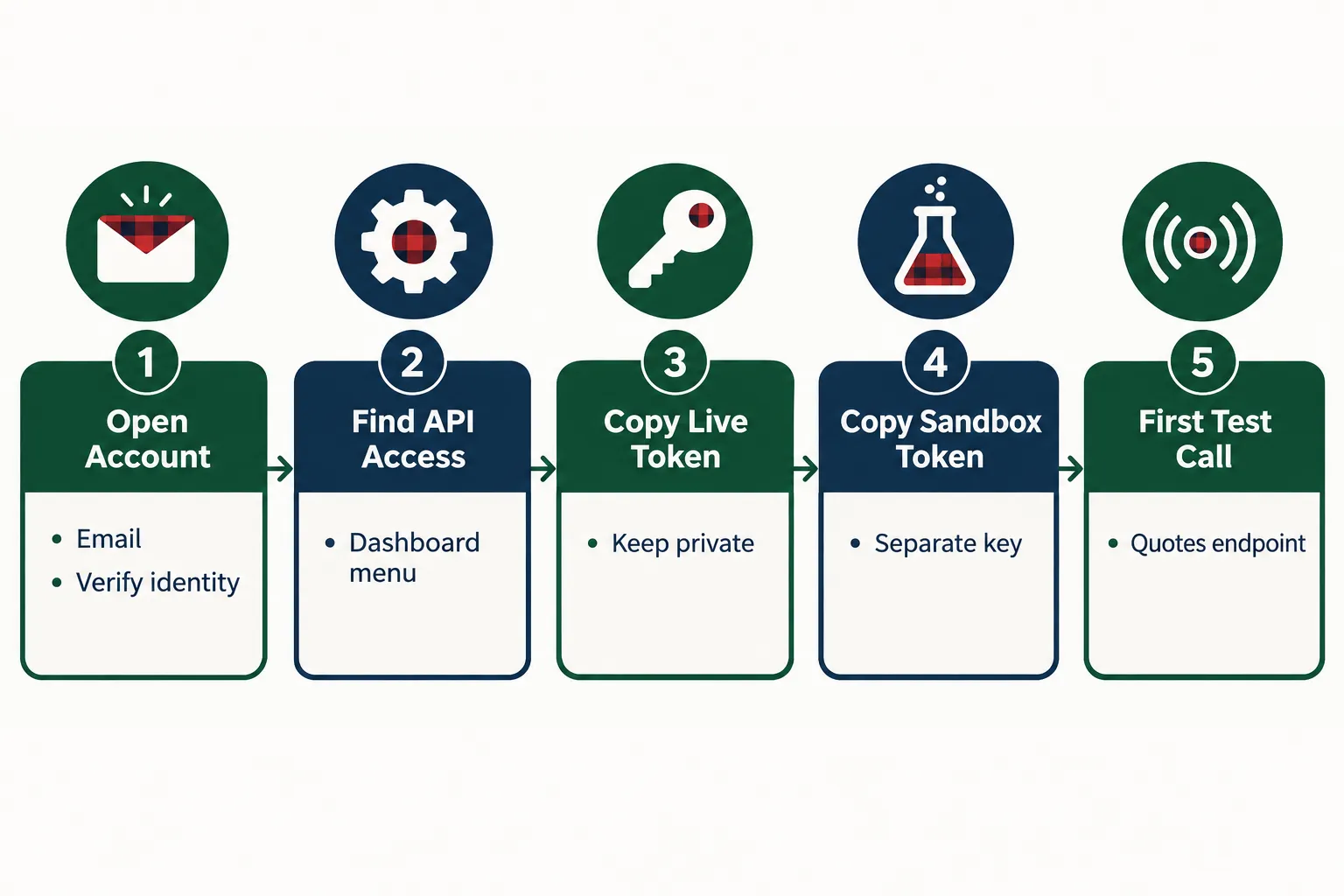
The sequence:
- Open a Tradier account. Standard brokerage onboarding: email, identity verification, funding. For sandbox-only use, you still create an account, the developer sandbox is tied to your login.
- Log in to the Tradier dashboard and find API Access. It lives under your account settings / developer section. You should see a page listing your access tokens.
- Generate your sandbox token first. Copy it. It only works against the sandbox base URL. If you fire it at the production host, you get a 401 Unauthorized.
- Generate your live access token. Treat it like a password to your money, because it is. Never commit it to a public repo. Never paste it into a Discord to get help debugging.
- Make one test call. Hit the quotes endpoint for a single symbol. You should get back a clean JSON payload with last price, bid, ask and volume. That’s your “the wiring works” moment.
- Set your Accept header to
application/json. Tradier can return XML. If you forget the header and your parser explodes, that’s usually why.
Errors you will probably see, and what they mean:
- 401 Unauthorized. Wrong token for the environment, missing
Bearerprefix, or an expired token. - 404 Not Found. Wrong base URL. Sandbox and production hosts are different. Check the hostname before you check your code.
- 400 Bad Request on orders. Missing a required field. Option orders need class, symbol, option_symbol, side, quantity, type and duration. Drop one and it rejects.
- Empty quote response. Bad symbol format. Option symbols follow the OCC convention, not the ticker you see on your chart.
- 429. You’re over the rate limit. More on that below.
Common mistake: generating one token, hardcoding it, and building your whole script around it. Use an environment variable with a flag that switches base URL and token together. One boolean, two environments. It takes ten minutes and saves you from the worst possible bug, placing a live order you thought was fake.
How Do You Test in the Tradier Sandbox First?
The tradier sandbox is a separate environment with its own base URL, its own token and simulated order fills, so you can run your entire order pipeline end to end without touching real capital. It’s the single best feature for anyone building a bot. Use it before you use anything else.
What the sandbox gives you:
- A full copy of the API surface: accounts, orders, quotes, option chains.
- Simulated fills so your order submission, status polling and cancellation logic all get exercised.
- Delayed market data, typically 15 minutes behind.
- A paper balance you can blow up repeatedly without consequence.
What the sandbox cannot prove:
- Real fill quality. A simulator fills you at a price that’s convenient. The live market fills you at the price that exists. On a wide options spread, that gap is the whole trade.
- Slippage during fast moves. The sandbox has no idea what a gap down feels like.
- Partial fills on thin names. Low float stocks fill in pieces. Simulators rarely replicate that.
- Latency under real load. Tradier’s status page showed elevated API errors on October 12-13, 2026. Your sandbox never had a bad day like that. Your live bot will.
- Rejection edge cases. Margin calls, pattern-day-trade flags, halted symbols. Mostly absent from a sandbox.
Paper trade it first, then size small. A sandbox proves your code works. It does not prove your strategy works.
Decision rule: run in the sandbox until you’ve gone a full week with zero unhandled exceptions, zero duplicate orders and a clean cancel path. Then go live at one-tenth your intended size for another two weeks. If that sounds slow, you probably haven’t yet lived through a loop that submitted the same order 40 times in 90 seconds.
Edge case worth planning for: your bot submits an order, the network times out, your code retries, and now you have two positions. Build idempotency in, track your own order IDs and check status before resubmitting. The sandbox is the place to find out whether your retry logic is a safety net or a grenade.
Position sizing matters more than any of this. If you haven’t nailed that, our breakdown of the position sizing mistake that wipes out new traders is a better use of the next ten minutes than any API doc.
What Are the Tradier API Rate Limits?
Tradier publishes rate limits by endpoint category on its rate limiting documentation page, and the limits differ between market data, trading and account endpoints. Rather than guess at numbers that change, read them from the source and read them from the response headers.
| Endpoint type | Where the limit is published | How to read it live |
|---|---|---|
| Market data (quotes, chains, history) | Tradier rate limiting docs | X-Ratelimit-Available header |
| Trading (order placement, cancel) | Tradier rate limiting docs | X-Ratelimit-Available header |
| Account (balances, positions, history) | Tradier rate limiting docs | X-Ratelimit-Available header |
| Streaming sessions | Tradier streaming docs | Session limits per account |
The important mechanic: Tradier returns rate limit information in the response headers on every call. You get the allowed count, the amount available and the expiry timestamp. That means you never have to guess. Your client can read the remaining budget and throttle itself.
Why am I getting rate limit errors with Tradier? Four usual suspects:
- Polling in a tight loop. A
while Truewith no sleep will exhaust any budget in seconds. - Per-symbol quote calls. The quotes endpoint accepts a comma-separated list. Requesting 50 symbols individually is 50 calls. Requesting them in one batch is one call. This fix alone solves most 429s.
- Using REST where streaming belongs. If you need live prices, open a streaming session. Polling quotes every second is the wrong tool.
- Sharing a personal token across an app. Personal tokens are for personal use. Distributed apps need Partner status and OAuth 2.0. One token serving many users will get throttled fast and may violate the terms.
What’s the best way to handle rate limiting in the Tradier API?
Read the headers, back off exponentially on a 429, and batch everything you can. Concretely:
- Parse
X-Ratelimit-Availableon every response and pause when it drops below a buffer (say, 10% of the allowance). - On a 429, sleep, then retry with doubling delays: 1s, 2s, 4s, 8s. Cap it and log it.
- Cache anything static. Option expiration dates for a symbol don’t change between 9:31 and 9:32.
- Use streaming for live quotes, REST for everything else.
- Never put order placement and market data polling on the same unthrottled thread.
Common mistake: retrying immediately on failure. That turns one 429 into a ban-shaped hole in your afternoon. Play stupid games.
How Do You Connect Claude to Tradier With MCP?
Tradier documents a first-party MCP server, hosted at https://mcp.tradier.com/mcp over the Streamable HTTP transport. MCP, or Model Context Protocol, is the open standard that lets an AI client like Claude call external tools directly. Connect it and Claude can pull your balances, scan option chains and place orders through natural language.
The server exposes 22 tools: one documentation-search tool plus 21 brokerage tools. Coverage includes equities, single-leg options, two-to-four-leg option strategies, and OCO, OTO and OTOCO orders.
Claude Web and Claude Desktop
Open Settings, go to Connectors, and choose Add custom connector. Name it Tradier MCP, paste the hosted URL, and supply your API key along with the paper-trading setting. Tradier’s documented URL pattern carries the API key and the paper-trading flag, so the environment you’re pointed at is determined at connection time.
Set paper trading to true on your first connection. Not your second. Your first.
Claude Code
Claude Code supports HTTP MCP registration, and Claude Code’s own documentation now recommends HTTP as the method for remote MCP servers. You register the Tradier endpoint with two headers:
API_KEY: your_api_key_herePAPER_TRADING: true
Claude Code also prompts for approval before loading project-scoped MCP servers from a .mcp.json file, which is a sane guardrail. Approve it deliberately, not reflexively.
Read-only first, always
Before you let any model touch an order endpoint, run a week of read-only work:
- “What’s my current options exposure by expiration?”
- “Pull the chain for the February expiry and show me open interest above 1,000.”
- “Summarize my fills from the last five sessions.”
That’s where a tradier trading bot built on MCP shines, not as an autonomous trader, but as an analyst that reads your account faster than you can. Execution is the last thing you hand over, not the first.
The edge case no one plans for: a model misreads an ambiguous instruction. “Close my Nvidia position” is clear. “Trim some of that” is not. Put hard limits outside the model, maximum order size, approved symbol list, a daily order cap enforced in your own code, not in a prompt. A prompt is a suggestion. A guardrail is a guardrail.
If you’re comparing connector setups across brokers, the same pattern applies to eToro MCP connectors for Claude, ChatGPT and Grok and to the IBKR API with Claude.
Can You Build a Tradier Bot With Python?
Yes, and it’s the most common path. The tradier api python workflow is straightforward because the API is plain REST with JSON responses, you need requests and nothing exotic. No proprietary SDK, no desktop gateway running in the background like certain other brokers require.
A realistic build order:
- Wrapper layer. One module that handles base URL, auth header, JSON accept header and error handling. Everything else calls this.
- Data layer. Quotes, chains, history. Cache aggressively.
- Strategy layer. Your signal logic. Keep it completely separate from execution. If you can’t backtest it without touching the broker, the design is wrong.
- Risk layer. Position sizing, max daily loss, max open positions, symbol allowlist. This layer has veto power over the strategy layer.
- Execution layer. Order submission, status polling, cancellation. Idempotent by design.
- Logging. Every request, every response, every decision, timestamped. When something goes wrong at 10:14 a.m., logs are the only thing that tells you why.
Safety checklist before you flip to live:
- Environment flag controls token and base URL together, never separately.
- Hard-coded maximum order quantity enforced in code.
- Daily order count cap.
- Kill switch: a file, a flag, anything you can trip in two seconds from your phone.
- Exception handling around every API call, with no bare
except: pass. - Duplicate order detection before submission.
- Alerting when the bot errors, not just when it trades.
- Tested behavior for a mid-session API outage. Tradier had elevated errors on October 12-13, 2026. Yours will meet one.
Common mistake: writing the strategy first and the risk layer last. Build risk first. A mediocre strategy with good risk control survives. A great strategy with no stop loss doesn’t get to be great for long.
For the broader groundwork, Python algorithmic trading fundamentals covers the structure before you wire in a broker.
Can TradingView Alerts Trigger Tradier Orders?
Yes, through webhooks, and Tradier expanded its direct TradingView integration to options in February 2026. The webhook route works like this: a TradingView alert fires, posts a JSON payload to a server you control, and your server translates it into a Tradier order.
The chain has three links, and each one can break:
- TradingView fires the alert. Alerts can be missed, delayed, or fire on a repainting indicator that looked great in hindsight.
- Your webhook receiver accepts the POST. It must be publicly reachable, which means it must be secured. An unauthenticated endpoint that places trades is an invitation.
- Your code places the order. This is where validation lives.
The risks, plainly:
- No authentication. Anyone who guesses your URL can trade your account. Use a secret token in the payload and verify it.
- Repainting indicators. A signal that redraws after the bar closes will backtest beautifully and lose money live.
- Duplicate alerts. TradingView can fire twice. Your receiver needs deduplication.
- No market context check. The alert doesn’t know the stock is halted, or that it’s 3:59 p.m., or that the spread is a dollar wide. Your code has to check.
Decision rule: use webhooks if your strategy is chart-based and you’ve traded it manually for a few months. Skip them if you’re automating a signal you’ve never taken live. Automation multiplies whatever you already have, including bad decisions. The deeper walkthrough lives in our guide to TradingView automated trading.
Tradier vs Tastytrade and Other Broker APIs
Tradier’s pitch is API-first brokerage with strong options coverage. Tastytrade’s pitch is options-native pricing and a platform built by options traders. Alpaca’s pitch is developer ergonomics for equities. Which one fits depends on what you’re building, not on which has the slickest marketing site.
| Broker | API style | Options via API | Sandbox / paper | Best fit |
|---|---|---|---|---|
| Tradier | REST + streaming, API-first | Yes, incl. 2-4 leg spreads, OCO/OTO/OTOCO | Yes, dedicated sandbox token | Options automation, MCP/AI workflows |
| Tastytrade | REST + streaming | Yes, options-focused platform | Check official page | Active options traders who want platform plus API |
| Alpaca | REST + streaming, developer-first | Equities-first, options added later | Yes, paper account | Equity bots, clean beginner docs |
| Interactive Brokers | Gateway-based API | Yes, broad global coverage | Yes, paper account | Multi-asset, global, heavier setup |
A few honest distinctions:
- Tradier is the easiest to connect to an AI client right now because it ships its own MCP server. That’s a genuine lead as of late 2026.
- Alpaca has the gentlest on-ramp if you’ve never called a broker API before. Start there if Python is new to you, then migrate.
- IBKR has the broadest market coverage and the clunkiest setup. You run a gateway. It disconnects. You restart it.
- Tastytrade wins on options pricing structure for high-frequency options traders. Check both commission schedules against your actual volume.
Compare directly: our Tradier tool profile, the Questrade vs Tradier head-to-head, the Tastytrade review, and the Alpaca profile. For a broader survey, see brokers with an API and the broker API category.
What Data Does the Tradier API Give You?
Stock prices, option chains, account positions and order records, the full set a trading system needs. The specific payloads:
- Quotes: last, bid, ask, bid size, ask size, volume, change, previous close. Batch multiple symbols in one call.
- Historical pricing: daily, weekly and monthly bars. Intraday time and sales available separately.
- Option chains: strikes, expirations, bid/ask, volume, open interest, and greeks when requested.
- Option expirations and strikes: separate lightweight endpoints so you don’t pull a full chain just to see the dates.
- Market calendar and clock: whether the market is open, which is useful before your bot does something embarrassing at 3 a.m.
- Accounts: balances, buying power, positions with cost basis, order history, gain/loss.
- Orders: status, fill price, remaining quantity, partial fill details.
Quick example of the right pattern: pull expirations, pick one, pull strikes for that expiration, then pull only the chain slice you need. Three small calls beat one giant one, and your rate limit budget will thank you.
Who this is not for: if you want tick-level historical data going back ten years for research, a broker API is the wrong vendor. Buy data from a data company. Use the broker for execution and live quotes.
Frequently Asked Questions
Does Tradier have an API?
Yes. Tradier offers a documented REST API plus streaming, covering market data, accounts, order placement and options chains. It’s a core part of the company’s product, not a side feature, and Tradier also sells brokerage infrastructure to other platforms. Full technical reference lives in Tradier’s developer documentation.
What is the API price for Tradier?
API access comes with a Tradier brokerage account; what costs money is real-time market data and premium tiers. Pricing has changed over time, so confirm current figures on Tradier’s official pricing page before budgeting. The sandbox environment, with delayed data and simulated fills, is free to use.
Which broker API is free?
Alpaca and Tradier both offer free sandbox or paper environments, and most brokers include API access with an account at no extra charge. The cost usually appears as real-time market data fees rather than API fees. Free paper access is near-universal; free real-time data rarely is.
Is Tradier a legit broker?
Yes. Tradier is a US brokerage and publishes an operational status page showing uptime and incidents, including elevated API errors reported on October 12-13, 2026. Verify any broker’s registration through FINRA BrokerCheck and confirm SIPC membership, which covers custody failure, not market losses.
Which broker is better, Tradier or Tastytrade?
Tradier suits developers automating options strategies, especially anyone connecting an AI client via MCP. Tastytrade suits active options traders who want a strong platform alongside API access. Compare current commission schedules against your actual monthly volume before choosing, because that’s where the real difference shows up.
Can I use the Tradier API for paper trading or only real trades?
Both. The Tradier sandbox is a dedicated paper environment with its own token, delayed quotes and simulated fills. Tradier’s MCP integration also carries a paper-trading flag you set at connection time. Keep that flag on until your order logic has run clean for several sessions.
Do I need a Tradier account to use the sandbox?
Yes. Sandbox tokens are issued through the Tradier dashboard, so you create an account first. You don’t need to fund it to generate a sandbox token and start testing against delayed data and simulated order fills.
Our Take
The Tradier API fits one person really well: the options trader who can write a little Python, wants execution and data under one roof, and would rather connect Claude than babysit a dashboard. The first-party MCP server is a real advantage in 2026, most brokers haven’t shipped one. If you’re trading equities only and you’re new to APIs, start with Alpaca, learn the shape of a REST brokerage call, then come back.
What stays true regardless of broker: the sandbox proves your code works, not your edge. Run read-only for a week. Build the risk layer before the strategy layer. Keep the paper-trading flag on longer than feels necessary. Systems over hacks.
Built something on the Tradier API and want it reviewed? Submit your bot here, or browse the full field of tested tools at AI Stock Trading Bots.
Stay alpha.
The FullStack Alpha research desk tests AI trading bots on paper and live accounts. Reviewed and edited by Jay Rocco, Founder and Editor.
