

Jay Rocco is the Founder and Editor of FullStack Alpha. He has tested 200+ AI stock tools since 2022 and run 15+ AI trading platforms on live accounts with his own money. He reviews the software. He does not tell you what stocks to buy.
Is a robinhood ai trading bot free? The connection is: Robinhood charges $0 to plug Claude, ChatGPT, Grok or another AI agent into its Trading MCP at https://agent.robinhood.com/mcp/trading, and in Claude Code it takes one command plus a login. You still pay for the AI model that drives the agent. Robinhood’s own in-app Robinhood Agents start you with $5 of free tokens and then bill per message, and Robinhood Cortex requires Gold at $5 a month after a 30-day free trial. One default matters more than price: trade approvals are off by default for external MCP accounts, so a connected agent can place orders without asking you. 1 3
Quick Answer: The robinhood ai trading bot free question has a real answer, not a marketing one. Robinhood charges nothing to connect an AI agent through its Trading MCP endpoint. Robinhood Cortex, the built-in AI assistant, requires Robinhood Gold at $5 a month. And the AI subscription powering your agent, whether that is Claude, ChatGPT, or something else, costs whatever that provider charges. Nothing about this is fully free once you factor in all three layers. For how other brokers handle AI agents, see our broker coverage at AI Stock Trading Bots.
Key Takeaways
- The Robinhood Trading MCP endpoint (
https://agent.robinhood.com/mcp/trading) is free to connect. Robinhood charges no separate fee for Agentic Trading itself. - Robinhood Cortex, the conversational AI assistant built into the platform, is a Robinhood Gold benefit. Gold costs $5 a month, with the first 30 days free.
- Robinhood Agents, the newer built-in agent, bills tokens from a prepaid balance: $5 free to start, $1 minimum top-up, charged at the model’s public token cost.
- Your AI subscription, Claude, ChatGPT, Grok, or another MCP-compatible agent, is a separate cost you already pay or will need to pay.
- The agent gets read access to all your Robinhood accounts, including account numbers, positions, balances, and order history. It can only place trades inside a ring-fenced Agentic account.
- Robinhood warns explicitly: “if you’ve asked your agent to take action without asking your approval, it can place trades without your confirmation.” For MCP accounts, trade approvals start switched off.
- Crypto agentic trading is blocked in some states including New York.
- Robinhood Financial LLC and Robinhood Securities are SIPC members. Crypto held through Robinhood Crypto is not FDIC insured and not SIPC protected.
- This is a genuine capability from a major regulated US broker, not a third-party workaround. That matters for security and accountability.
Introduction: A Real Broker Just Published a Public MCP Endpoint
Most “AI trading bots” sold to retail traders are either a wrapper around a public API, a Discord alert service with a fancy dashboard, or an outright scam. Robinhood Agentic Trading is none of those things.
What Robinhood actually built is a documented, officially supported Model Context Protocol endpoint that lets external AI agents, Claude, ChatGPT, Grok, Cursor, Codex, and any MCP-compatible tool, read your portfolio data and place real trades inside a dedicated brokerage account. A major US broker published a public MCP server. That is genuinely new, and it is worth understanding precisely before you connect anything.
The robinhood ai trading bot free framing is understandable. Robinhood does not charge a connection fee. But “free” is doing a lot of heavy lifting in that sentence, and this review is going to make the actual cost structure plain. For the bigger product launch, read our Robinhood Agentic Trading review.
What Is Robinhood Agentic Trading?
Robinhood Agentic Trading is a dedicated brokerage account, held at Robinhood Financial LLC, that a third-party AI agent can trade in through the Robinhood Trading MCP endpoint. The Model Context Protocol, or MCP, is an open standard that lets AI agents communicate with external services in a structured way. Think of it as a standardized plug socket: any AI tool built to the MCP spec can connect to any MCP server that accepts it.
Robinhood’s MCP server is at https://agent.robinhood.com/mcp/trading. Connect your AI agent to that endpoint, authenticate, and the agent can read your portfolio data across all your Robinhood accounts and place trades specifically inside the Agentic account. Robinhood calls this an MCP account, and it counts as a self-directed individual investing account. 1
The Agentic account is ring-fenced. The agent cannot trade in your main brokerage account, your IRA, or any other account you hold at Robinhood. It can only act inside the one account you designate for agent trading. That is a meaningful design choice, and it is the primary safety mechanism the platform provides.
Does Robinhood have an AI trading bot built into the app?
It does now, in two forms. Robinhood Cortex is the Gold-only assistant that drafts orders you then review and submit. Robinhood Agents, still rolling out to customers, lets you create one AI agent inside the Robinhood mobile app, choose the model that powers it, fund a dedicated Agentic account, and let it research and trade. Robinhood says it does not build, train or own the AI; it hosts the platform around a third-party model. 2 5
The external MCP route is different. The agent lives outside Robinhood, in whatever AI tool you already use. Robinhood provides the endpoint and the account structure. The intelligence comes from your AI subscription.
How Much Does the Robinhood AI Trading Bot Actually Cost?
There are three separate cost layers for the external agent route, plus a fourth if you use Robinhood’s built-in agent. Conflating them is where the “free” confusion comes from.
Layer 1: The MCP connection itself. Free. Robinhood charges nothing to connect an agent through the Trading MCP endpoint. There is no API fee, no per-trade fee specific to agentic trading, and no Robinhood subscription required just to use the endpoint.
Layer 2: Robinhood Cortex. Not free. Cortex is Robinhood’s own conversational AI assistant, and Robinhood’s support page says it is only available to Gold members ($5 monthly subscription). Gold’s first 30 days are free. Cortex can create market, stop and limit orders, but you review and submit them, and it cannot handle multi-leg options or futures trades. 6 7
Layer 3: Your AI subscription. Whatever Claude, ChatGPT, Grok, or your chosen agent costs, you pay that separately. Whether a free tier of your AI app allows custom MCP connectors varies by provider and plan, so check before you count on it. These are not Robinhood costs, but they are real costs.
Layer 4: Robinhood Agents tokens. If you use the built-in agent instead, every message spends tokens from a prepaid dollar balance. Your first Agentic account comes with $5 in tokens; after that you buy at least $1 at a time, paid from buying power in your primary individual account, and you can set automatic top-ups that trigger when the balance hits $1. Robinhood charges the model’s public token cost, rounded to the nearest cent, so a stronger model burns the balance faster. 4
So the honest answer to “how to get Robinhood AI trading bot for free” is: you can connect an agent at no charge from Robinhood, but you cannot run the full setup without paying for at least one AI model, and Cortex specifically requires Gold.
| Cost Layer | Free? | Price |
|---|---|---|
| Robinhood Trading MCP connection | Yes | $0 |
| Robinhood Gold (required for Cortex) | First 30 days only | $5/month after trial |
| Robinhood Cortex (via Gold) | Included in Gold | Part of $5/month |
| Claude / ChatGPT / Grok subscription | No | Varies by provider |
| Agentic account setup at Robinhood | Yes | $0 |
| Per-trade fees via MCP | No additional fee | Standard Robinhood pricing |
A worked monthly budget for a robinhood ai trading bot
Here is what a realistic first month looks like for someone who already trades on Robinhood. External route: $0 to Robinhood, plus whatever your AI plan costs. Built-in route: the first $5 of tokens is free; if you then set a $10 automatic top-up, you spend $10 each time the balance falls to $1. Add $5 if you also want Cortex after the Gold trial. The decision rule is simple: if you already pay for an AI app that supports custom connectors, the external MCP route adds nothing to your bill; if you do not, the built-in agent’s pay-as-you-go tokens are the cheaper way to test the idea.
How Do You Actually Set Up the Robinhood AI Trading Bot?
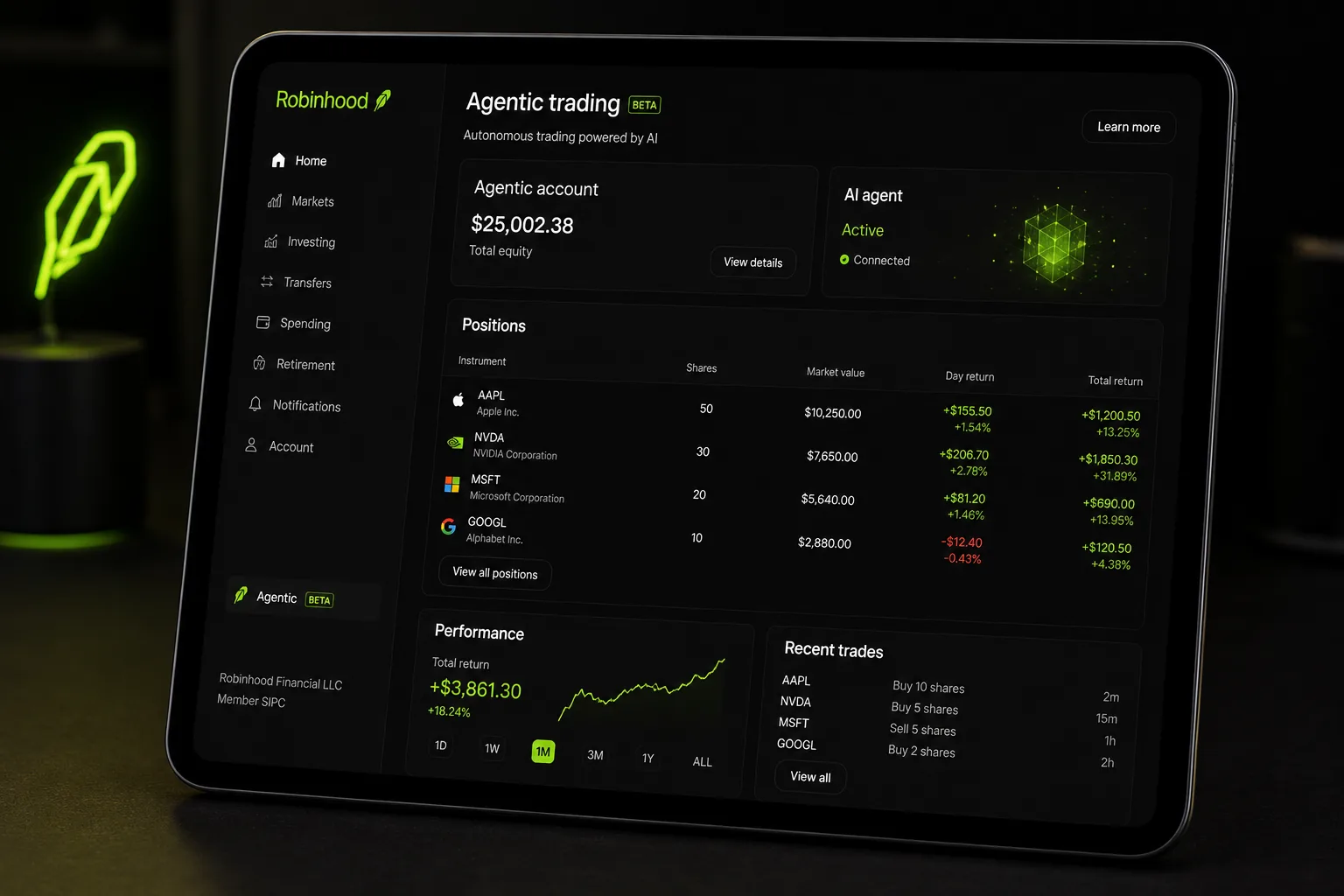
The external agent setup starts in your AI tool, not in the Robinhood app. When you authenticate, Robinhood prompts you to open the MCP account and walks you through onboarding on screen. Robinhood’s onboarding page does not describe a desktop-only requirement for external agents (checked in 2026); its built-in Robinhood Agents experience, by contrast, is mobile app only for now. 1 5
Prerequisites before you start:
- A primary individual investing account at Robinhood in good standing
- An MCP-compatible AI agent (Claude, ChatGPT, Grok, Cursor, Codex, or similar) on a plan that allows custom connectors
- You can hold a maximum of 10 self-directed individual investing accounts, including the MCP account
Step 1: Connect your AI agent using the MCP endpoint. The official MCP endpoint is https://agent.robinhood.com/mcp/trading. How you connect depends on which agent you use.
For Claude Code, run this command exactly as written:
claude mcp add robinhood-trading --transport http https://agent.robinhood.com/mcp/tradingThen type /mcp in Claude Code, select robinhood-trading, and authenticate.
For Claude Desktop, go to Settings, then Connectors, then Add custom connector, and paste the MCP link.
For ChatGPT, Robinhood’s instructions are Settings, then Security & login, turn on Developer Mode, then Plugins and add the link. Codex uses Settings, then MCP servers, Streamable HTTP; Codex CLI uses codex mcp add robinhood-trading --url https://agent.robinhood.com/mcp/trading. Cursor and Grok each have a custom connector flow. Robinhood also lists Perplexity, OpenClaw, Replit, AWS Quick, Poke and any localhost platform. 1
Step 2: Authenticate and open the MCP account. When the agent authenticates, Robinhood prompts you to open the dedicated MCP account. Follow the on-screen steps. The agent then has read access to your accounts and trade access inside the MCP account only.
Step 3: Check the trade approval setting before anything else. Robinhood says trade approvals are turned off by default for MCP accounts, and the approvals feature is still rolling out for them. Open the MCP account tab, tap your connected agent, and look under Safety Controls. If the toggle exists for you, turn it on until you trust the setup. 3
Step 4: Set your standing rules or instructions. You can give the agent plain-English instructions; Robinhood’s own example is “Buy $100 of ROAR every time the price decreases 2% or more in 1 day.” The agent can preview an order before placing it, giving you a confirmation step, or you can let it act without confirmation. Read the next section carefully before you choose the latter.
That is the complete answer to how to set up a robinhood ai trading bot. The technical steps are not complicated. The judgment calls around permissions are where you need to slow down.
What breaks in practice
Most failed robinhood ai trading bot setups trace back to three things. The AI platform shows the connector but never finished authentication; Robinhood’s troubleshooting advice is to disconnect and reconnect the MCP on your AI platform. The agent tries to trade crypto but your MCP account has no matching Robinhood Crypto account, which the agent cannot open for you. Or the agent tries a multi-leg options order, which Robinhood says agents cannot place for you. 1 3
What Access Are You Actually Granting?
This is the section most setup guides skip. Do not skip it.
When you connect an agent through the Robinhood Trading MCP, the agent receives read access to all your Robinhood accounts, not just the Agentic account. Robinhood lists all your accounts including account numbers, all details about positions and balances, and all details about transactions including order history. 1
The agent can only place trades inside the Agentic account. But it can read everything else. That is a meaningful distinction. Robinhood’s disclosure is blunt about what happens next: once your data is shared with an AI provider, “it leaves Robinhood’s security environment and is governed by that provider’s terms.” 8
Treat this as a security and control decision, not just a feature toggle. Ask yourself: am I comfortable with my AI provider’s data handling policies having access to my Robinhood account numbers and full position history?
Then there is the autonomy question. Robinhood’s own documentation states this verbatim: “if you’ve asked your agent to take action without asking your approval, it can place trades without your confirmation.”
That is not a bug. It is the feature. An agent configured to act autonomously will place trades without a second look from you. If the agent misinterprets an instruction, encounters an unexpected market condition, or acts on a prompt you did not anticipate, the trade happens. You are responsible for all trades placed by the agent. Robinhood makes that clear. Our guide to AI trading agent risks and why you need an external kill switch covers the controls Robinhood does not give you.
The preview-before-placing option exists for a reason. Use it until you have thoroughly tested how your agent interprets your instructions. None of the Robinhood agent pages we checked describe a paper trading mode for agents, so the safest live test is a tiny funded Agentic account; our answer to does Robinhood have paper trading lists free simulators for a dry run.
FINRA replaced the $25,000 pattern day trader minimum with new intraday margin standards effective June 4, 2026, though firms may phase in the change until October 20, 2027. Robinhood’s built-in Agentic accounts open as cash or limited margin accounts with no margin borrowing. That makes discipline more important, not less: an old trade-count limit is no longer what stops a badly written rule from trading all day. 9 5
What Can the Agent Actually Trade?
Robinhood says built-in and external agents can currently place long equities, options and crypto orders, using market (share-based or dollar-based), limit, stop limit and stop market orders. Options trading through the agent follows your existing Robinhood options approval level, and agents cannot place multi-leg options orders for you. 3
Crypto is tradable by the agent, with a significant caveat: the agent cannot transfer, stake, or lend crypto. It can buy and sell, but that is the extent of crypto functionality through the MCP. You also need a Robinhood Crypto account that corresponds to the Agentic or MCP account, and you must accept the updated crypto agreement.
Crypto agentic trading is also unavailable in some states, including New York. If you move from a restricted state to an eligible one, crypto agentic trading is restored 45 days after the move. For built-in agents in California and Connecticut, trade approvals must stay on for crypto trades. 3
Robinhood Crypto is not FDIC insured and not SIPC protected. Robinhood Financial LLC and Robinhood Securities are SIPC members, which means brokerage accounts holding stocks and ETFs have SIPC protection against custodial failure, not against market losses. SIPC does not protect you from a bad trade. It protects you if the broker fails and your assets go missing. Those are very different things.
What Is Robinhood Cortex and How Does It Fit In?
Robinhood Cortex is the native AI assistant built into the Robinhood platform. It is not the same as connecting an external agent through the MCP. Cortex lives inside Robinhood’s interface, drafts orders you review and submit, and does not run autonomously in the background. It cannot give buy or sell recommendations. 6
Cortex is a Robinhood Gold benefit. Gold is $5 per month, with the first 30 days free. If you want a guided assistant inside the app, Cortex is the answer. If you want an agent that can trade on its own inside a funded sub-account, Robinhood Agents or the external MCP route is the answer. They serve different use cases and are not mutually exclusive.
| Option | Where it runs | Can it trade on its own? | Cost |
|---|---|---|---|
| Robinhood Cortex | Robinhood iOS app | No, you submit each order | Gold, $5/month after 30 free days |
| Robinhood Agents (built-in) | Robinhood mobile app | Yes, if you turn trade approvals off (on by default) | $5 free tokens, then prepaid tokens |
| External agent via Trading MCP | Your AI app (Claude, ChatGPT, Grok, Cursor) | Yes; approvals off by default for MCP accounts | $0 to Robinhood, plus your AI plan |
Sources: Robinhood support pages for Cortex, Robinhood Agents and trading with your agent.
For a deeper look at how AI tools fit into a broader trading process, the guide on AI trading platforms at aistockpickerapps.com covers the landscape without the hype.
Robinhood Agentic Trading: Honest Pros and Cons
What works
No Robinhood fee to connect. The MCP endpoint is free. For a self-directed trader who already pays for Claude or ChatGPT, there is no additional Robinhood charge to start using those tools for real trades.
Officially documented and supported. This is not a reverse-engineered unofficial API. Robinhood published the endpoint, documented the setup for Claude Code, Claude Desktop, ChatGPT, Codex, Cursor, and Grok, and supports the integration. That matters for reliability and accountability.
Ring-fenced Agentic account. The agent trades in one dedicated account. Your main brokerage account is not exposed to agent actions. That is a sensible structural safeguard.
Plain-English standing rules. You do not need to write code. Instructions like “buy $100 when price drops 2 percent” work as written. That makes the robinhood automated trading capability genuinely accessible to non-developers.
Order preview option. The agent can show you what it intends to do before executing. That confirmation step is valuable during the learning phase.
SIPC membership. Robinhood Financial LLC and Robinhood Securities are SIPC members. Your stock and ETF holdings have custodial protection against broker failure, subject to SIPC limits.
What does not work
Read access is broad. The agent reads all your Robinhood accounts, not just the Agentic one. Account numbers, full position history, balances, and transaction records across every account you hold are visible to the agent. That is a real data exposure consideration.
Approvals start off for external agents. For MCP accounts, trade approvals are off by default and still rolling out. If you never touch the setting, the agent acts without confirmation. A misinterpreted instruction or an edge case the agent handles poorly becomes a real trade. You own the outcome.
No multi-leg options. Agents cannot place spreads for you, so an options strategy that needs two legs has to be finished by hand.
Crypto restrictions by state. New York residents cannot use crypto agentic trading. The 45-day restoration period after moving is a meaningful delay.
Cortex is not free. If you want Robinhood’s native AI assistant, you pay $5 a month for Gold after the trial. The robinhood ai trading bot free framing does not apply to Cortex.
You still pay for the AI driving the agent. Whether it is your own Claude, ChatGPT or Grok plan or Robinhood’s prepaid tokens, someone pays for the model. The total cost of the setup is higher than the Robinhood connection fee alone suggests.
Who Should Use Robinhood Agentic Trading?
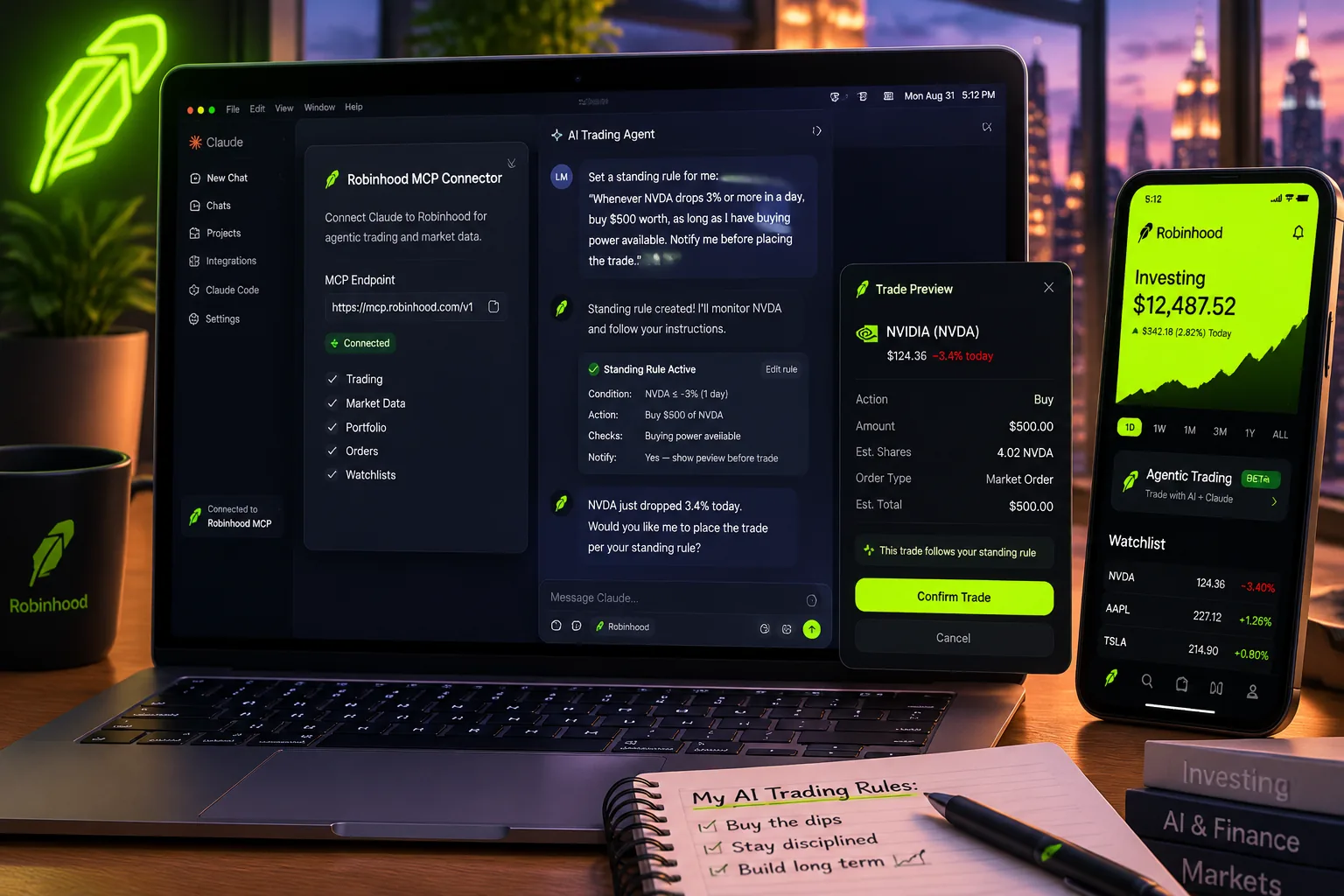
This robinhood ai trading bot setup makes sense for a specific kind of trader. If you already pay for Claude or ChatGPT, have a Robinhood account in good standing, and have been frustrated that your AI tool drafts spreadsheets instead of placing trades, this closes that gap. You get a real brokerage account that your existing AI subscription can act in, through an officially supported connection. Our Claude trading bot guide covers what Claude does well here and where it fails.
It also makes sense for traders who want to automate rule-based strategies in plain English without writing code. If your strategy is systematic and expressible as clear conditions, standing rules through the MCP are a legitimate way to execute that without a developer.
Self-directed traders who understand the access they are granting and are comfortable with the data exposure tradeoffs will find this genuinely useful. The ring-fenced account structure means the downside of a bad agent instruction is limited to the Agentic account balance, not your entire Robinhood portfolio.
For a broader view of how AI fits into a research-first trading process, this guide on AI portfolio management is worth reading before you automate anything.
Who Should Skip Robinhood Agentic Trading?
If you want a one-click robinhood ai trading bot that needs no thought, this is not it. Robinhood Agents is still rolling out, and the external agent lives outside Robinhood entirely.
If you are not already paying for an AI subscription with connector support, the total cost of entry is higher than the free connection fee implies. Factor in Claude or ChatGPT pricing, or Robinhood’s token pricing, before deciding this is a budget setup.
If you are in New York and primarily interested in crypto automation, the state restriction makes this a non-starter until that changes.
If you are not comfortable granting an external AI agent read access to all your Robinhood account data, including account numbers and full transaction history, do not connect. The access scope is real and it is broad.
If you are prone to overtrading or revenge trading, handing execution authority to an autonomous agent without careful guardrails is likely to accelerate those tendencies, not fix them. An agent acting on a poorly defined standing rule during a choppy tape can churn through capital faster than you would manually. Systems over hacks applies here: build the rules carefully before you automate them.
New traders who have not yet developed a repeatable process should paper trade the strategy first. Automating a process you have not validated is just losing money faster.
Robinhood Agentic Trading Review: The Honest Assessment
The robinhood ai trading bot free question gets a nuanced answer. The connection is free. The full setup is not. That distinction matters and most coverage of this product glosses over it.
What Robinhood actually built here is more significant than the free-or-not question suggests. A regulated US broker publishing a public MCP endpoint, officially supporting Claude, ChatGPT, Grok, Cursor, and Codex, and providing a ring-fenced account for agent trading is a structural shift in how retail traders can interact with a brokerage. That is worth taking seriously, and it is part of a wider wave covered in our report on broker AI agent launches at Robinhood and Public.
The drawbacks are real too. Broad read access across all accounts is a genuine data exposure consideration. Autonomous mode without confirmation is exactly as powerful and exactly as risky as it sounds, and for external agents it is the default.
The robinhood ai trading bot review conclusion is this: for a self-directed trader who already pays for an MCP-compatible AI agent, understands what access they are granting, and has a rule-based strategy worth automating, Robinhood Agentic Trading is a legitimate and well-structured tool. It is not a magic system. It is an execution layer for a process you already need to have built. Discipline beats prediction, and that does not change because an AI is placing the orders.
For anyone researching how AI trading bots perform in practice before committing, this breakdown of what automated trading bots actually show in real results is a useful read before you fund the Agentic account.
Final Verdict
Robinhood Agentic Trading is the most credible implementation of AI-driven retail brokerage automation available right now. A regulated broker, a public MCP endpoint, officially supported AI platforms, a ring-fenced trading account, and plain-English standing rules: the architecture is sound.
The robinhood ai trading bot free framing is technically accurate for the connection fee and misleading about the total cost. Budget for your AI subscription or Robinhood’s tokens and, if you want Cortex, Gold at $5 a month.
The access you grant is real. Read access across all your Robinhood accounts, including account numbers and full transaction history, goes to your AI agent and its provider. Autonomous mode places trades without confirmation. These are not fine-print gotchas; they are the product working as designed. Treat the connection decision with the same seriousness you would treat any brokerage permission.
If you have a rule-based strategy, already pay for Claude or ChatGPT, and want those tools placing real orders instead of drafting analysis you then execute manually, this is the cleanest path to that outcome currently available from a regulated US broker. Go in with your eyes open, turn trade approvals on until you trust your setup, and keep the Agentic account sized to what you can afford to have an agent manage.
For a full directory of AI stock tools, screeners, and trading platforms, browse the 200+ options catalogued at aistockpickerapps.com, filterable by category and price.
References
- Onboarding an external agent (Robinhood support)
- Robinhood Agents overview
- Trading with your agent (Robinhood support)
- Token usage billing (Robinhood support)
- Setting up an agent (Robinhood support)
- Robinhood Cortex (Robinhood support)
- Robinhood Gold
- Robinhood Agentic Trading disclosures
- FINRA Regulatory Notice 26-10: Intraday margin standards
Affiliate disclosure: This site may earn a commission from qualifying purchases or signups made through links in this article, at no additional cost to you.
By Jay Rocco, Founder and Editor, FullStack Alpha.
Stay alpha.
Frequently Asked Questions
Is the robinhood ai trading bot free to connect?
Robinhood charges nothing to connect an external AI agent through the Trading MCP endpoint. The connection itself is free. Robinhood Cortex requires Gold at $5 a month, and the AI subscription driving your agent, Claude, ChatGPT, Grok, or another tool, costs whatever that provider charges separately.
Does Robinhood have an AI trading bot built into the app?
No. Robinhood does not have a native trading bot inside the app. Robinhood Cortex is a conversational AI assistant available to Gold subscribers, but it executes only orders you request in conversation and does not run autonomously. The external agent connection through the MCP endpoint requires a third-party AI subscription and desktop setup.
Does Robinhood offer AI trading bot functionality for free?
Partially. The MCP connection is free. Cortex is not free after the 30-day Gold trial. Your external AI agent subscription is a separate cost. The full setup requires at least one paid subscription beyond what Robinhood charges.
How do I use the Robinhood AI trading bot with Claude?
For Claude Code, run claude mcp add robinhood-trading --transport http https://agent.robinhood.com/mcp/trading in your terminal. For Claude Desktop, go to Settings, then Connectors, then Add custom connector, and paste https://agent.robinhood.com/mcp/trading. Complete authentication on desktop. The agent will then have read access to your accounts and can place trades in your Agentic account.
Can the agent place trades without my approval?
Yes, if you configure it that way. Robinhood states explicitly: "if you've asked your agent to take action without asking your approval, it can place trades without your confirmation." The order preview option lets you require confirmation before each trade. Use that option until you have thoroughly tested how your agent handles your instructions.
What accounts does the agent have access to?
The agent gets read access to all your Robinhood accounts, including account numbers, positions, balances, transactions, order history, watchlists, and scans. It can only place trades inside the Agentic account. Read access is broader than trade access.
Is crypto trading available through the Robinhood AI agent?
The agent can buy and sell crypto in the Agentic account, but cannot transfer, stake, or lend crypto. Crypto agentic trading is unavailable in some states including New York. It is restored 45 days after moving to an eligible state. Crypto held through Robinhood Crypto is not FDIC insured and not SIPC protected.
Does the pattern day trader rule limit the Agentic account?
No. The old $25,000 pattern day trader minimum was retired in June 2026, so a small Agentic account can day trade. That puts the burden on your own rules: set clear limits on how often the agent can trade before you let it act without confirmation.
Jay Rocco is the Founder and Editor of FullStack Alpha. He has tested 200+ AI stock tools since 2022 and run 15+ AI trading platforms on live accounts with his own money. He reviews the software. He does not tell you what stocks to buy.
