

The FullStack Alpha research desk tests AI trading bots on paper and live accounts. Reviewed and edited by Jay Rocco, Founder and Editor.
By FullStack Alpha Editorial Team | Reviewed by Jay Rocco, Chief Editor
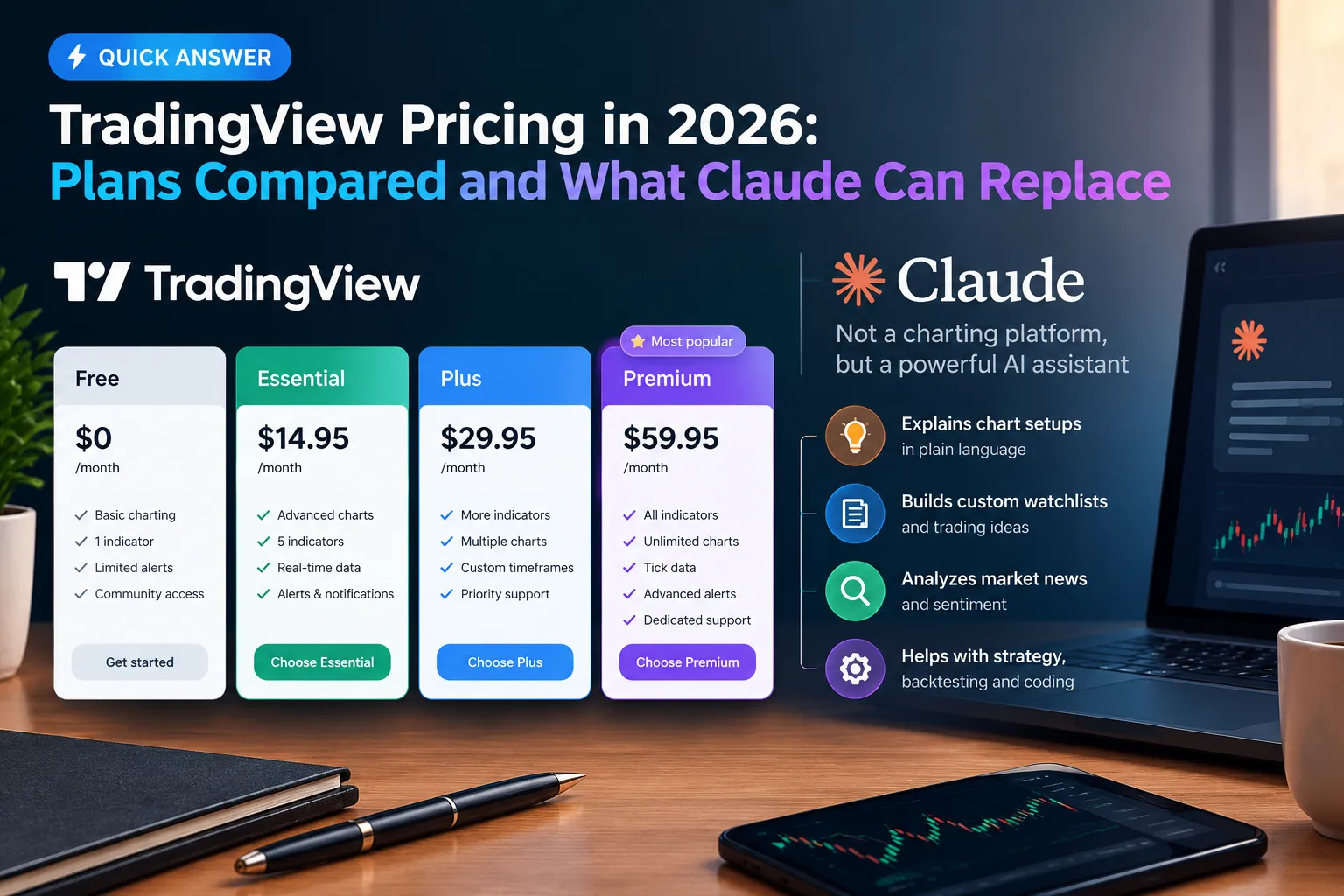
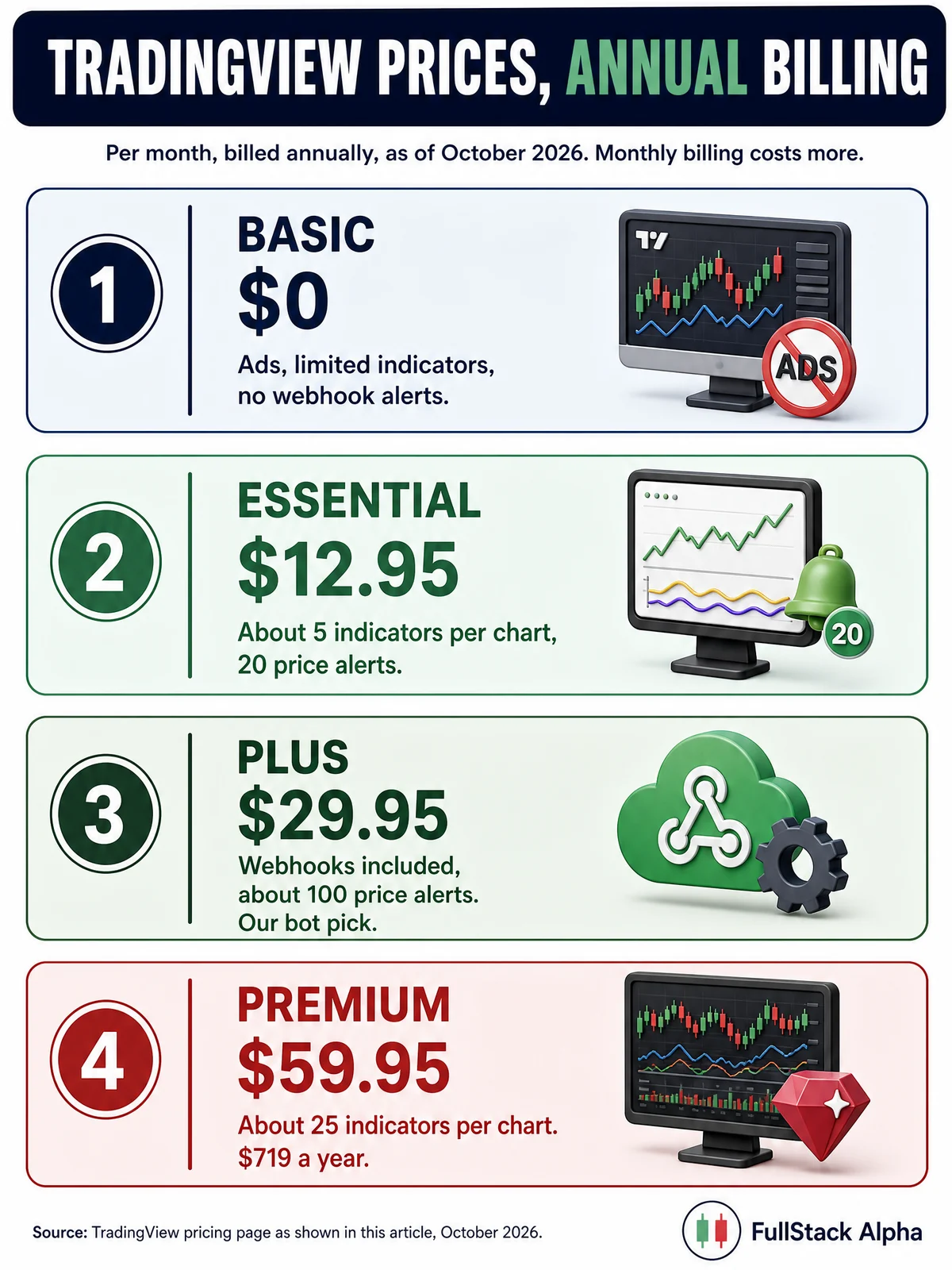
TradingView pricing runs from $0 on the Basic plan up to roughly $59.95 a month on Premium when billed annually, with Essential around $12.95/month annual and Plus around $29.95/month annual, per TradingView’s own pricing page. Bot builders need a paid tier, because webhook alerts are not part of the free plan. Claude can replace a chunk of the analysis and scripting work, and TradingView now even runs a public-beta MCP server that connects paid accounts to Claude. What Claude cannot replace is licensed real-time exchange data and the execution-grade chart you stare at during power hour. Verify every number against the official TradingView pricing page before you pay, because tiers and trial offers changed as recently as October 2026.
What You Should Know
- TradingView Basic is $0. It includes ads, limited indicators per chart, and limited historical bars, per TradingView’s support page on costs.
- Premium lists at $59.95/month billed annually or $69.95 month-to-month, with roughly 25 indicators per chart and 400 price alerts, per TradingView’s pricing page.
- TradingView launched AI Copilot on September 28, 2026, an in-platform assistant, not a replacement for the chart itself.
- TradingView shipped a public-beta MCP server for Claude in September 2026, letting paid members pipe TradingView data into Claude.
- Third-party pricing monitors flagged a change in early October 2026: paid-plan cards stopped explicitly advertising 30-day and 14-day free trials and switched the button to “Start now.” Check the live page before assuming a trial exists.
How Much Does TradingView Cost in 2026?
TradingView pricing has four public consumer tiers: Basic (free), Essential, Plus, and Premium, with an Ultimate tier sitting above them. Annual billing is cheaper per month than monthly billing on every paid plan. The figures below come from TradingView’s own pricing page as displayed on October 23, 2026.
| Plan | Monthly price | Annual (per month equivalent) | Key limits | Date checked |
|---|---|---|---|---|
| Basic | $0 | $0 | Ads, limited indicators, limited historical bars, limited alerts | Oct 23, 2026 |
| Essential | $14.95 | $12.95 | ~5 indicators/chart, 10,000 bars, 20 price alerts, 20 technical alerts | Oct 23, 2026 |
| Plus | $34.95 | $29.95 | ~4 charts/tab, 10 indicators/chart, 100 price alerts, 100 technical alerts | Oct 23, 2026 |
| Premium | $69.95 | $59.95 | ~8 charts/tab, 25 indicators/chart, 20,000 bars, 400 price alerts | Oct 23, 2026 |
| Ultimate | Check official page | Check official page | Highest limits tier; TradingView lists current caps on the pricing page | Oct 23, 2026 |
Three things worth saying out loud about tradingview cost.
One: the annual discount is real, not a gimmick. Premium at $59.95/month annual versus $69.95 monthly is roughly $120 a year saved. On Plus, the gap is about $60 a year. If you already know you’ll use it past three months, annual wins.
Two: the tradingview premium cost is where most people overbuy. $59.95 a month is $719 a year. That’s a meaningful slice of a $5,000 account. If your edge is one clean setup on daily charts, you’re renting a Formula 1 car to do school runs.
Three: market data is a separate line item. The subscription buys the platform. Real-time feeds from specific exchanges often carry their own fees on top, billed per exchange per month. Always price the data alongside the tradingview plans, not after.
Decision rule: pick the cheapest tier that removes the specific thing blocking you. Not the tier that looks most impressive in a screenshot.
Common mistake: buying Premium for “more indicators.” If you need 25 indicators on one chart, indicators aren’t the problem. Analysis paralysis is.
What Is the Difference Between TradingView Free and Paid?
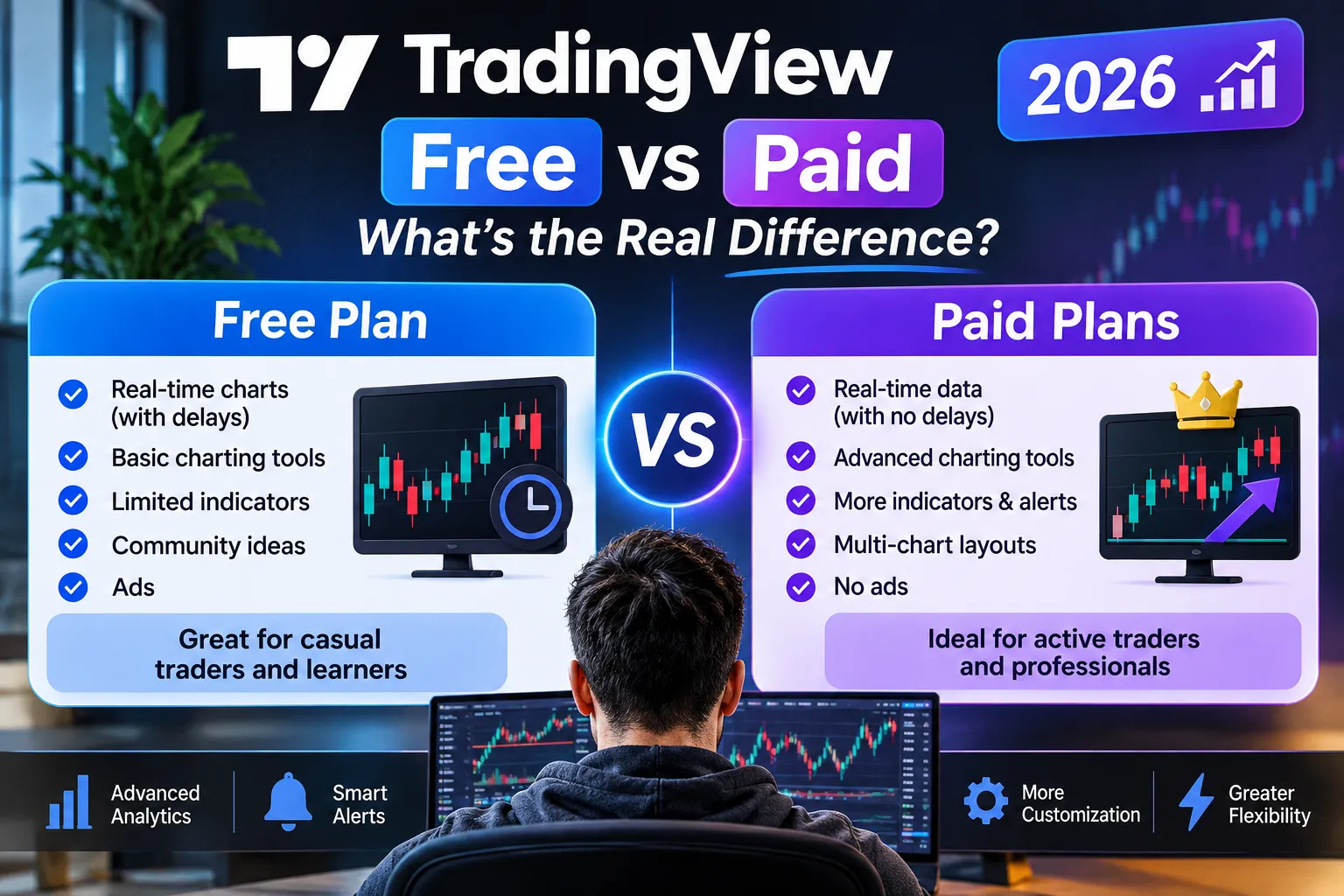
The tradingview free vs paid gap comes down to four things: ads, indicators per chart, alert capacity, and automation access through webhooks. Everything else is a matter of degree.
| Feature | Basic (Free) | Plus | Premium | Ultimate |
|---|---|---|---|---|
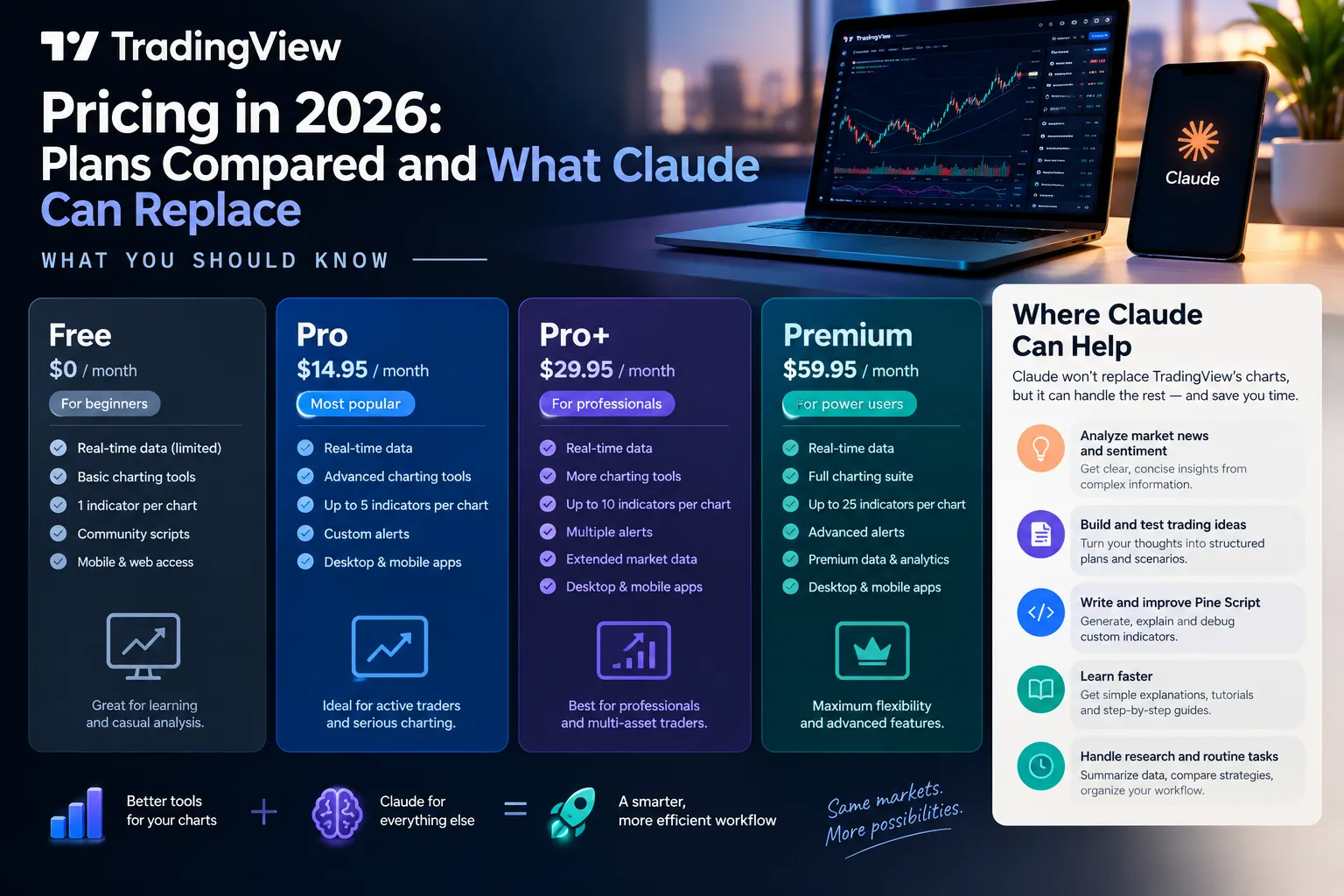
| Price per month (annual) | $0 | ~$29.95 | ~$59.95 | Check official page |
| Indicators per chart | Limited (low single digits) | ~10 | ~25 | Higher, see pricing page |
| Charts per tab | 1 | ~4 | ~8 | Higher, see pricing page |
| Historical bars | Limited | ~10,000 | ~20,000 | Higher, see pricing page |
| Price alerts | Limited | ~100 | ~400 | Higher, see pricing page |
| Technical alerts | Limited | ~100 | ~400 | Higher, see pricing page |
| Watchlist alerts | No | No | ~2 | Check official page |
| Ads | Yes | No | No | No |
| Webhook alerts | No | Yes | Yes | Yes |
All figures reflect TradingView’s pricing page as shown on October 2026. TradingView adjusts caps without much fanfare, so treat this as a snapshot.
What can you do with paid TradingView that you can’t do free?
Four things, honestly. Run webhook alerts that trigger an external script. Stack more than a handful of indicators on one chart. Hold hundreds of active alerts instead of a tiny handful. See a multi-chart layout without juggling browser tabs.
That’s the real list. Not “better analysis.” The free charts draw the same candles.
Can I day trade with the TradingView free version?
You can chart on it, but you shouldn’t day trade off it alone. The free plan’s alert cap and single-chart layout make an active intraday watchlist painful, and free data on many symbols is delayed rather than real-time. Delayed data on a fast tape is a history lesson, not a trade.
If you’re day trading, your broker platform is usually the execution surface anyway. TradingView is where you find the setup. Free works for finding. It struggles for managing.
TradingView free plan limitations for crypto trading
Crypto is the one category where the free tier holds up best, because most crypto exchange feeds are not licensed the way equity exchange feeds are. Spot pairs from major exchanges generally stream without the delay you get on US equities. The limits that bite crypto traders are structural, not data-related: fewer alerts for a market that trades 24/7, fewer charts for watching correlated pairs, and no webhooks for automating a strategy that runs while you sleep.
Edge case: a crypto trader running three pairs and checking twice a day can genuinely live on Basic. A crypto trader running twelve pairs with overnight triggers cannot.
Which TradingView Plan Do Bot Builders Need?
Webhook alerts, the feature that lets a TradingView alert send a JSON payload to your own server, are a paid feature. The cheapest tier that reliably includes them is where bot builders should start, and that’s Plus for most people. Confirm current webhook availability on TradingView’s pricing page before subscribing, since feature placement across tiers has moved before.
Why Plus, not Premium, for most bot builders:
- A bot doesn’t care about indicators per chart. Your Pine Script strategy runs on one chart.
- A bot doesn’t need eight charts per tab. The server watches, not your eyes.
- A bot does burn alerts. Plus gives roughly 100 price alerts and 100 technical alerts, which covers a watchlist of 30 to 50 names with a couple of triggers each.
When you actually need Premium: you’re running more than about 100 live alert conditions, or your strategy needs deeper history (20,000 bars versus 10,000) for backtesting a long-dated system. That second one matters more than people expect. A 10,000-bar limit on 5-minute candles is roughly 130 trading days. Not much of a sample.
Here’s the honest sequencing for anyone building with TradingView automated trading:
- Write the strategy in Pine Script on the free plan. Costs nothing.
- Backtest it until you can state the rules in one sentence.
- Paper trade it first, manually, for 30 sessions.
- Only then pay for Plus and wire the webhook to a paper endpoint.
- Go live with position sizing that assumes the bot will be wrong.
Most people do step 5 first and wonder why the account is down bad by month two. Play stupid games.
If you’re pricing the whole build and not just the chart subscription, our breakdown of what a trading bot actually costs to run covers the server, data and broker side that TradingView pricing doesn’t include.
Is There a TradingView Black Friday or Sale?
As of October 23, 2026, TradingView’s public pricing page shows no advertised seasonal discount. The confirmed change this month runs the other direction: third-party pricing monitors reported in early October 2026 that paid-plan cards stopped explicitly advertising 30-day and 14-day free trials, with calls to action switched to “Start now,” while the comparison table still showed trial-related buttons.
What that means in practice:
- Do not assume a free trial exists. Check the plan card on the day you sign up.
- Do not assume a sale is coming. TradingView has run promotional periods in the past, but any specific claim about a November discount is speculation until the company posts it.
- The reliable discount is annual billing. It’s available every day of the year, no countdown timer required.
A dedicated TradingView Black Friday guide is in the works on this site. Until then, the practical move is simple: if you need the tool now, buy the annual plan now. If you can wait eight weeks, wait and watch the official page. Waiting for a sale on a $29.95 subscription while missing setups is a bad risk-reward trade.
Can Claude Replace TradingView Plus?
Partly. A growing set of YouTube videos make the claim “I cancelled TradingView Plus and built it with Claude Code,” and the claim is half right. Treat it as a claim, not a verified result, because almost none of these builds publish a live, audited comparison against the paid platform they replaced.
What a Claude Code build can genuinely replace
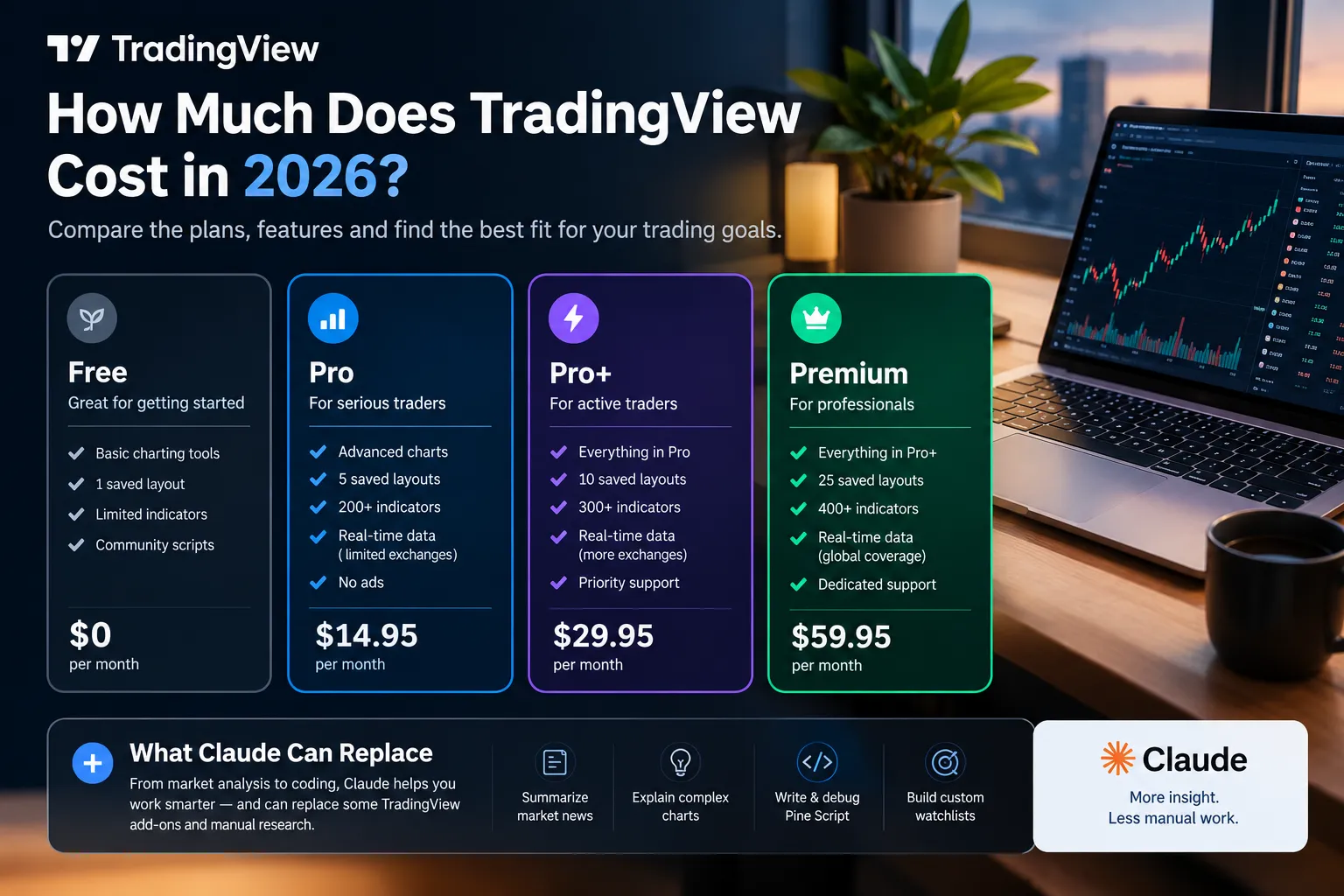
- Custom screening logic. Describe the filter in plain English, get a Python script that pulls end-of-day data and ranks it. No subscription needed for the logic layer.
- Backtesting on historical data. If you can source the bars, Claude can write and debug the backtest faster than most people write it themselves.
- Pine Script writing and debugging. This one is close to a slam dunk. Describing a strategy and having the script produced is a real time saver.
- Journaling and performance analysis. Feed it your trade log, get a breakdown of where you lose money. Usually it’s position sizing, not entries.
- Research summarisation. Earnings transcripts, filings, news digestion.
What Claude cannot replace
- Licensed real-time exchange data. Anthropic’s October 2026 platform updates added browser use, computer use, web search, web fetch and code execution, and those help Claude retrieve user-authorised information. They do not create a regulated real-time exchange feed. Scraping a quote is not a licensed tick.
- Sub-second chart rendering while you’re in a trade. No one is managing a breakout by asking a chatbot what price is doing.
- Server-side alerts that fire whether or not you’re at the keyboard. You’d have to build and host that yourself, and then you’ve rebuilt the thing you cancelled.
- The depth-of-market and order-flow views that come from a paid data relationship.
The part the videos mostly miss
TradingView and Claude stopped being rivals in September 2026. TradingView released a public-beta MCP server, Model Context Protocol being the open standard that lets an AI assistant connect to an external tool, which lets paid TradingView members hook TradingView data and capabilities directly into Claude. TradingView also launched its own AI Copilot on September 28, 2026.
So the framing of “Claude versus TradingView” is already stale. The realistic 2026 setup is Claude sitting on top of a paid TradingView account, doing the thinking while TradingView does the data and the rendering.
Cost math, honestly: Anthropic announced Claude Haiku 5.5 on October 7, 2026 at $0.10 per million input tokens and $0.50 per million output tokens for prompts up to 100,000 tokens, and Claude Opus 5.5 on October 22, 2026 at $4 per million input and $20 per million output, roughly 40% cheaper to run than Opus 5. API usage for a personal research workflow can land well under a Plus subscription, or well over it if you’re running Opus against large documents all day. Metered beats flat-rate only if you watch the meter.
Decision rule: if your workflow is research, scripting and journaling, Claude replaces a lot. If your workflow is intraday execution, it replaces almost nothing.
If you’re going the API route instead of the chart route, our walkthrough on connecting the IBKR API to Claude covers the broker side of that build, and the wider Claude trading bot library has the rest.
What Still Needs Paid Market Data?
Real-time exchange quotes, Level 2 depth, and order-flow tools like footprint charts all sit behind licensed data, and no AI subscription changes that. Exchanges charge for their feeds, and platforms pass those fees through.
What that looks like in practice:
- Real-time US equity quotes. Delayed data is standard on free tiers. Real-time typically requires a per-exchange data subscription on top of your plan. Prices vary by exchange and by whether you’re classified as non-professional. Check the market data section of your TradingView account for current rates.
- Options chains and volume visualisation. TradingView expanded options-volume visualisation and broader options-market coverage in its 2026 updates, and depth of that coverage tracks with your plan and data entitlements.
- Footprint and volume-profile style order flow. These need granular trade-level data, which is the expensive kind.
- Professional vs non-professional status. If you trade for a firm, use the data for business purposes, or hold certain licenses, exchanges classify you as professional and the fees jump sharply. Misreporting status gets back-billed.
TradingView’s 2026 additions also include Hyperliquid derivatives metrics, heat-map screening, earnings-call access, Moody’s credit ratings and expanded bond-market data. Those are platform features, not free data entitlements.
One regulatory note worth filing away: Singapore published AI risk-management guidelines for financial institutions on October 7, 2026, covering traditional machine learning, generative AI and increasingly autonomous AI agents, with implementation starting October 7, 2027. That’s aimed at institutions rather than retail traders, but it signals where oversight of AI-driven trading tooling is heading.
Practical takeaway: budget for data separately from TradingView pricing, and only buy the feeds for the exchanges you trade. Paying for three exchanges when you trade one is the most common silent leak in a retail tool stack.
How Do You Cancel TradingView Without Losing Your Alerts?
Cancelling is done inside your account settings, and the plan generally stays active until the end of the paid period rather than cutting off immediately. Confirm the exact current flow on TradingView’s own help pages, since the interface changes.
Export this first
- Watchlists. TradingView supports exporting a watchlist to a text file from the watchlist menu. Do this for every list. They are the hardest thing to rebuild from memory.
- Pine Scripts. Open each saved script in the Pine Editor and copy the source into a local file or a private repo. Scripts tied to a published account are easy to lose track of.
- Alert conditions. There’s no clean bulk export. Screenshot the alerts panel, or write each condition into a spreadsheet: symbol, trigger, message, webhook URL.
- Chart layouts. Save a screenshot of each layout you care about plus a note of the indicator settings.
- Webhook endpoints. If any live bot points at a TradingView alert, document and disable it before cancelling. An orphaned bot waiting on an alert that never fires is a silent failure.
Then cancel
- Sign in on desktop, not the mobile app. App-store subscriptions cancel through Apple or Google, not through TradingView.
- Open your profile menu and go to account or profile settings.
- Find the billing or subscription section.
- Choose to cancel the plan and confirm.
- Check for a confirmation email and keep it.
Edge case that catches people: if you subscribed through the iOS or Android app, cancelling inside TradingView’s website won’t stop the billing. You cancel in the App Store or Google Play subscription settings. People find this out a month and one charge later.
What happens to your data: downgrading to Basic generally keeps your account, watchlists and scripts, but alerts beyond the free cap stop working and multi-chart layouts collapse. You’re not wiped, you’re throttled.
What Are the Cheaper Alternatives to TradingView?
Three alternatives cover most of what people leave TradingView for, and each has a real catch. None of them is a clean one-for-one swap.
| Alternative | Price | Best for | The catch |
|---|---|---|---|
| Finviz Elite | ~$39.50/month (check official page) | Fast equity screening and heat maps | Charting is thin compared with TradingView, and coverage is US-equity centric |
| StockCharts.com | Tiered, check official page | Classic technical analysis and clean chart annotation | Smaller community scripting layer, no Pine Script equivalent |
| TrendSpider | Tiered, check official page | Automated pattern detection and backtesting without coding | Higher entry price than TradingView Plus for many users, steeper learning curve |
Three honest notes:
- Your broker’s platform is the actual free alternative. Most brokers give real-time data and decent charts to funded accounts. If you only need charts to execute, you may already be paying for them.
- Free doesn’t mean free. A free scanner that surfaces a mover four minutes late costs you more than a $30 subscription ever will.
- Switching has a tax. Rebuilding watchlists, alerts and layouts eats a weekend. Factor it in.
Deeper comparisons worth reading: TrendSpider vs TradingView on the AI charting side, what you lose on Finviz free versus Elite, and our scored TradingView tool profile.
TradingView vs thinkorswim: which is cheaper?
thinkorswim is cheaper on paper, because it’s free with a funded Schwab brokerage account and includes real-time data for the products you trade there. TradingView charges a subscription but works across brokers and asset classes without tying you to one firm.
Choose thinkorswim if you’re already a Schwab client and you mainly trade US equities, options and futures. Choose TradingView if you want one chart layer across multiple brokers, crypto exchanges and global markets, or if you want Pine Script and webhook automation.
TradingView vs Bloomberg Terminal: cost comparison
Not a close contest, and not the same product. A Bloomberg Terminal seat is widely reported to cost in the low-to-mid five figures per year per user, aimed at institutional desks with news, chat, fixed income analytics and dealer connectivity. TradingView Premium at roughly $719 a year is a retail charting and screening platform.
No one choosing between these two is choosing between them. If you’re a retail trader asking the question, the answer is TradingView, and it isn’t close on price.
Does TradingView have a student discount?
TradingView does not publicly advertise a dedicated student discount on its pricing page as of October 2026. The discount that is publicly available to everyone is annual billing, which cuts the effective monthly rate on every paid tier. If you see a student offer advertised elsewhere, verify it on TradingView’s own site before entering payment details.
TradingView for beginners: is it worth paying?
For most beginners, no, not in the first 90 days. The free Basic plan draws the same price action, shows the same support and resistance, and lets you write Pine Script. Pay when a specific limit blocks a specific habit you’ve already built, usually the alert cap or webhooks.
Spending $30 a month before you have a written set of rules is buying a gym membership to fix your diet. The tool isn’t the constraint. For a wider read on where tool money disappears, see AI trading software: what you pay for versus what you get.
Is TradingView Worth the Subscription Price?
For an active trader running a defined system with alerts and automation, yes. For someone who opens a chart twice a week, no. The deciding variable isn’t how good TradingView is, it’s how many times a month a free-plan limit stops you doing something.
A simple test. Over the next 30 days, log every moment you hit a wall on Basic:
- Alert cap reached
- Needed a second chart on screen
- Wanted a webhook to fire a script
- Needed history beyond what the free tier shows
Fewer than four entries in a month? Stay free. More than ten? Plus pays for itself in friction removed. That’s it. That’s the whole decision.
The failure mode to avoid: subscribing to Premium, feeling productive for two weeks, then using it exactly the way you used the free version. Tool upgrades feel like progress. They’re usually a substitute for it.
Frequently Asked Questions
How do I cancel my TradingView subscription?
Sign in on desktop, open your profile settings, go to the billing or subscription section, and confirm cancellation. Your access typically runs to the end of the paid period. If you subscribed through the iOS or Android app, you must cancel in Apple’s or Google’s subscription settings instead, or billing continues.
How much does it cost to use TradingView charts?
Nothing, on the Basic plan. Free charting includes ads, a limited number of indicators per chart, limited historical bars and a small alert allowance. Paid tiers start around $12.95 a month on Essential with annual billing, per TradingView’s pricing page as of October 23, 2026.
Is there a free footprint chart on TradingView?
Footprint-style order flow relies on granular trade-level data, which is licensed and not part of the free tier. Check TradingView’s current feature list and your market data entitlements for what’s available on your plan and exchange. Free alternatives generally trade off either data quality or latency.
What is the best indicator on TradingView?
There isn’t one, and anyone selling you one is selling. Price action, volume, and a single moving average handle most swing setups. The traders who do well usually run fewer indicators than they did a year earlier. Indicator shopping is a symptom of not having rules.
Is TradingView Plus worth it?
Worth it if you need webhook alerts for automation, more than a handful of live alerts, or a multi-chart layout. At roughly $29.95 a month on annual billing, that’s about $360 a year. If you can’t name the specific limit it removes for you, stay on Basic another month.
Can AI tools like Claude replace TradingView entirely?
No, not for execution. Claude can replace screening logic, backtest scripting, Pine Script writing and trade journaling. It cannot provide licensed real-time exchange data or render a live chart during a fast move. TradingView’s September 2026 MCP server beta actually connects the two, which is the more practical setup.
Our Take
For a bot builder, Plus is the pick. It opens up webhook alerts without paying the Premium tax for indicators and chart counts a server never looks at. Move up to Premium only when you cross roughly 100 live alert conditions or need the deeper backtest history.
On Claude: it replaces the thinking layer, not the data layer. Build your screens, scripts and journal with it, keep a paid chart underneath it, and connect them through the MCP beta rather than picking a side. Anyone telling you they cancelled everything and replaced it with a chatbot is describing a research workflow, not a trading one.
Fewer tabs, fewer alerts, one process you follow. Cut the noise, keep the alpha.
Related: browse every bot review on AI Stock Trading Bots, and if a free broker platform could replace the subscription, read our thinkorswim review on AI Stock Picker App.
Running a bot on a TradingView plan and not sure the fee is worth it? Submit your setup and we’ll check it against the plan limits.
Stay alpha.
The FullStack Alpha research desk tests AI trading bots on paper and live accounts. Reviewed and edited by Jay Rocco, Founder and Editor.
