

The FullStack Alpha research desk tests AI trading bots on paper and live accounts. Reviewed and edited by Jay Rocco, Founder and Editor.
By FullStack Alpha Editorial Team | Reviewed by Jay Rocco, Chief Editor
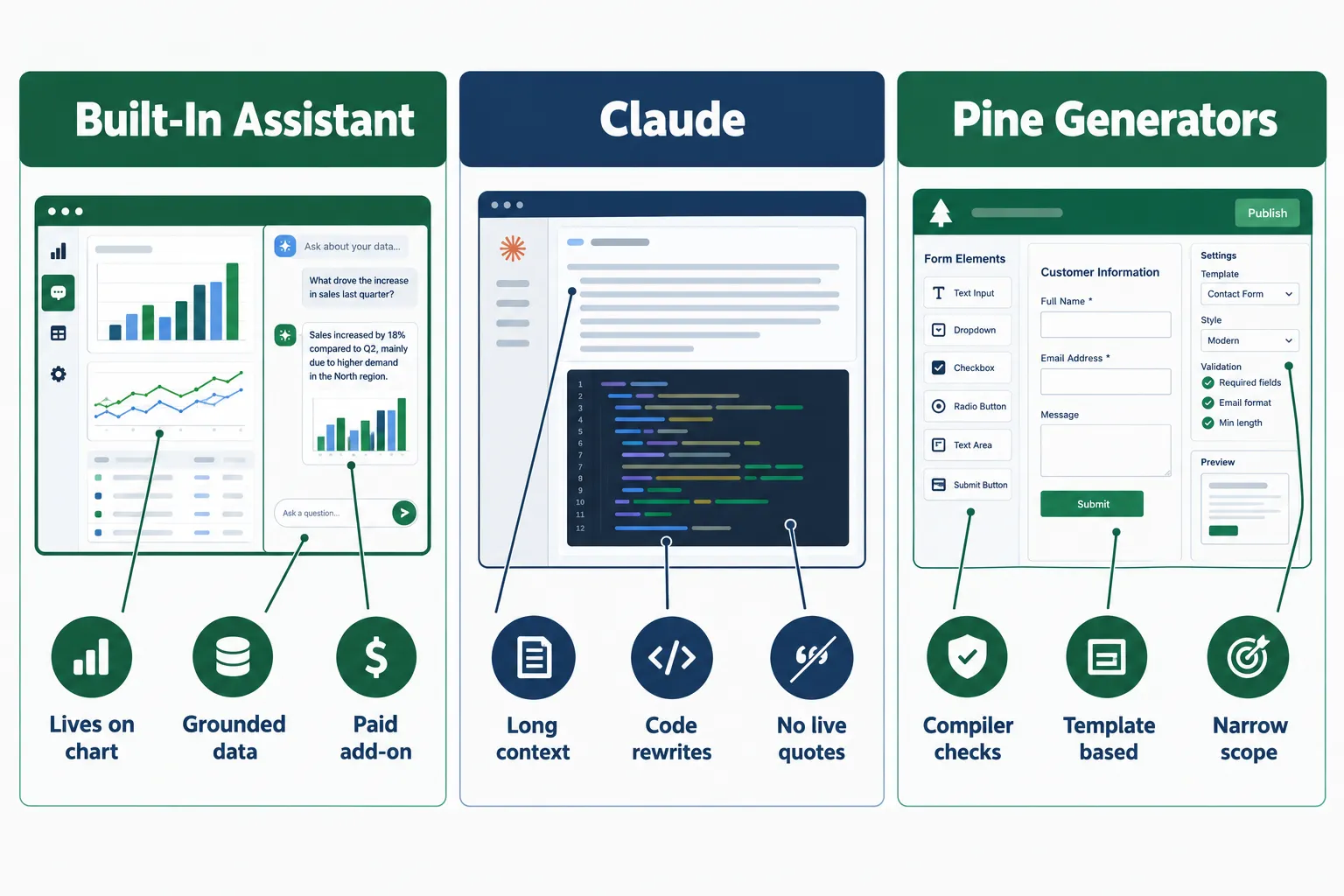
There are three practical TradingView AI routes in 2026: TradingView’s own AI Copilot, a paid add-on that TradingView’s help page says works on Essential, Plus, Premium and Ultimate plans via web and desktop; Claude, Anthropic’s general-purpose model, used for heavy Pine Script writing and debugging; and third-party Pine Script generators like Pineify or PineGen AI that validate code against the compiler. Copilot wins for anything on-chart, because TradingView says it grounds its answers in TradingView’s own quotes, financials, news and screener data. Claude wins for long, messy code work thanks to a documented 1-million-token context window. The one rule before you trust any of it: never run generated code live until you’ve read it line by line and forward-tested it on bar close.
What You Should Know
- TradingView’s AI Copilot launched September 28, 2026, according to TradingView’s own “What’s new” page, and became available as a paid add-on by October 20, 2026.
- Copilot is web and desktop only right now. TradingView’s help documentation states it is not yet available in the mobile apps.
- TradingView does not publish a dollar price for the Copilot add-on on its public help page. It confirms the add-on renews monthly, has a monthly usage limit, and that unused usage does not roll forward. Check the official page for current pricing.
- Claude Opus 5.5 ships with a 1-million-token context window and up to 128,000 output tokens per Anthropic’s API release notes, with Sonnet 5.5 marketed as over 30% faster and up to 30% cheaper for most work.
- Independent Pine reviewers recommend compiler validation over raw model output. AlfaTactix’s comparison advises treating Claude, ChatGPT and Gemini as tutors unless you validate the code yourself.
What Does TradingView AI Mean in 2026?
“TradingView AI” now means three different things, and mixing them up is how people waste a month. Route one is TradingView’s native AI Copilot. Route two is Claude wired in through MCP or used manually alongside the chart. Route three is a pine script generator, a third-party tool that turns a description into Pine code.
Route 1: TradingView’s own AI Copilot
TradingView confirmed the native integration on its “What’s new” page dated September 28, 2026, and by October 20, 2026 it was a paid add-on across the Essential, Plus, Premium and Ultimate plans. This is not a chat box bolted to the sidebar. Per TradingView’s own documentation, the tradingview ai assistant can:
- Change symbols and chart layouts
- Add or remove indicators
- Draw levels and patterns on the chart
- Create and modify alerts
- Manage watchlists
- Run screeners from plain-English instructions
- Pull financials, news, earnings, macro calendar entries and quotes
- Write, check, apply, edit and save Pine scripts
- Read strategy reports, modify inputs, and sweep parameters
That last bullet matters. Some third-party write-ups from August and early September 2026 reported there was no confirmed native Pine generator. TradingView’s current documentation says otherwise. Dates move fast here, so trust the help page over a blog post.
Route 2: Claude
Claude is a general model. It doesn’t know your chart unless you tell it. What it has is room. Anthropic’s models overview documents a 1-million-token context window across its higher-end models, which means you can hand it an entire Pine library, three failed versions, your spec, the compiler errors and the strategy tester output in one go. Anthropic also cut Sonnet 5.5 prompt-cache reads from $0.20 to $0.10 per million tokens on October 7, 2026, which is relevant if you’re re-feeding the same long documents repeatedly.
Route 3: Pine Script generators
Dedicated tools built for one job. AlfaTactix’s review of the category highlights PineGen AI for checking output against the TradingView v6 compiler and Pineify for auto-repairing syntax errors. Narrower than Claude, but they fail loudly instead of quietly, which is the behavior you want from a code tool.
The practical split: Copilot for the chart, Claude for the code, generators for the syntax safety net.
Want the wider field? Our breakdown of the best AI trading tools of 2026 put head to head covers what sits outside TradingView’s walls.
Does TradingView Do AI Trading?
No. TradingView charts, scans, alerts and now writes code. It does not place trades for you, and AI Copilot does not change that. Per TradingView’s Copilot documentation, the assistant’s actions are chart and account-management actions: symbols, indicators, drawings, alerts, watchlists, screeners, scripts. Order execution is not on that list.
What people actually mean when they ask this is usually one of two things:
- “Can AI pick trades for me?” Copilot can screen, summarize, and flag technical conditions using TradingView data. That’s research. The decision is still yours.
- “Can I automate execution from TradingView?” That’s a separate stack. TradingView alerts fire webhooks, a broker-connected service receives them, and that service places the order. TradingView is the signal source, not the execution venue. Several brokers do offer direct trading panels inside TradingView, but those are manual clicks, not AI decisions.
Common mistake: assuming a Pine strategy() backtest equals a live trading system. A strategy script simulates. It does not route an order anywhere unless you build the bridge yourself. If you’re heading toward automation, understand the tradingview automated trading pipeline before you write a single line.
And the obvious reminder no one wants: an AI that can place trades and an AI that can place good trades are different products. Play stupid games with an unsupervised bot and you’ll find out which one you bought.
How Do the Three Options Compare on the Same Tasks?
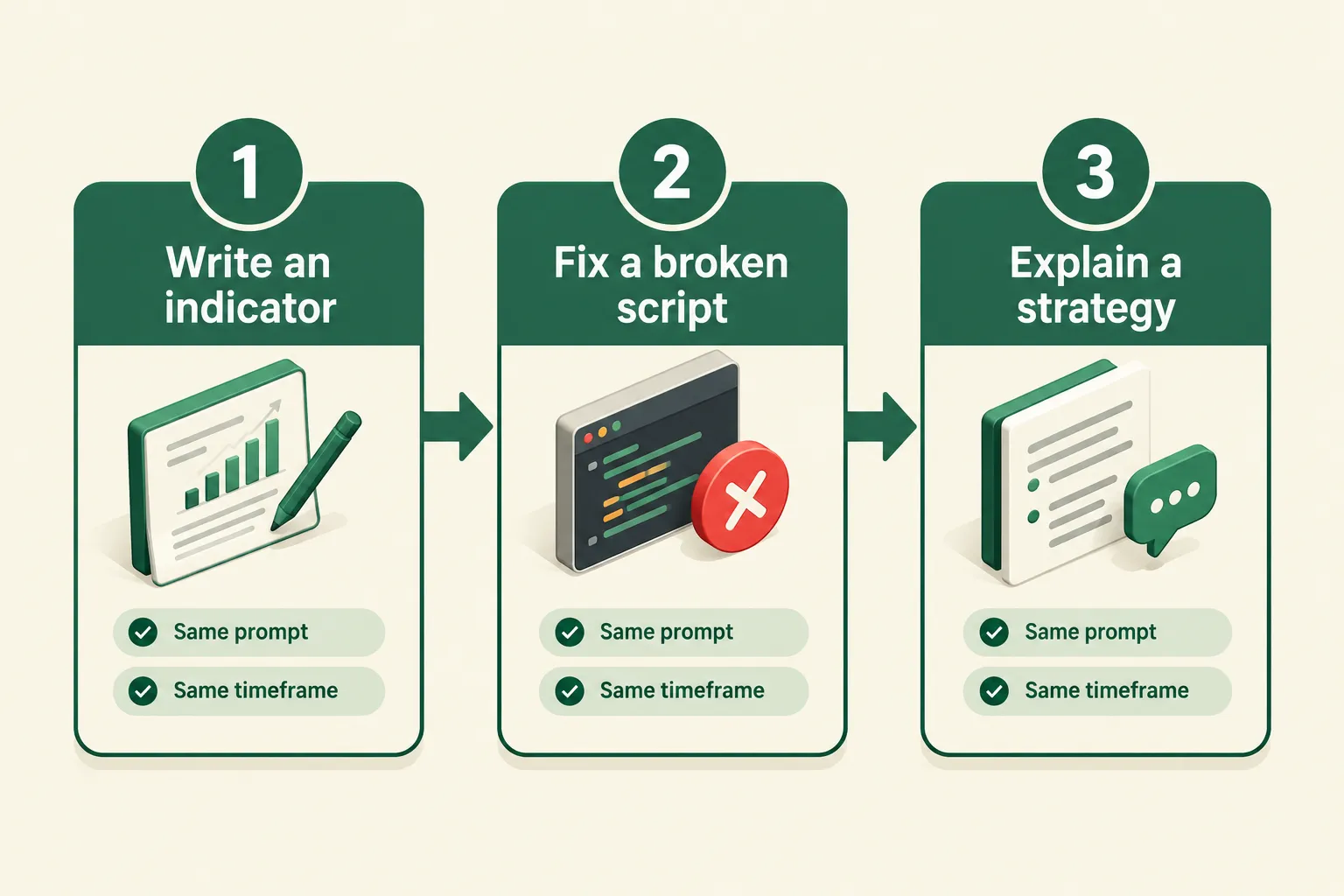
The fair way to compare these is to give all three the identical job, three times, and judge the output on the same criteria. What follows is a method you can run yourself, not a measured result we’re publishing. No one has published a controlled head-to-head of Copilot vs Claude vs Pine generators as of October 2026, and we’re not going to pretend otherwise.
The three tasks
Task 1, Write an indicator from scratch. Same prompt to all three: “Pine Script v6 indicator. 20-period EMA and 50-period EMA. Plot a label when the 20 crosses above the 50, only on confirmed bar close. Add an input for both lengths.”
Task 2, Fix a broken script. Take a script that throws a real compiler error (a v4 script pasted as v6 is the easiest reproducible case) and ask each tool to repair it.
Task 3, Explain a strategy. Hand each one a working strategy script and ask: what does this do, what’s the entry, what’s the exit, and where could it repaint?
Scoring criteria
Score each on four things, 1 to 5:
- Compiles first try?
- Does what you asked, not something adjacent?
- Does it warn you about repainting, look-ahead or fees without being asked?
- How many rounds to a usable result?
Where each route is structurally advantaged
| Task | Built-in AI Copilot | Claude | Pine generator |
|---|---|---|---|
| Write an indicator | Strong. Writes, checks, applies and saves the script in-platform per TradingView docs, so you see it on the chart immediately | Strong on logic depth; you still paste and compile manually | Strong on syntax; narrower on unusual logic |
| Fix a Pine error | Strong. Has the chart, the script and the strategy report in one place | Strongest on long or tangled files thanks to the 1M-token window | Pineify auto-repairs syntax errors per AlfaTactix; less help with logic bugs |
| Explain a strategy | Strong. Can read the strategy report and sweep parameters directly | Strongest for a long, plain-English teardown of a big file | Weakest. Built to generate, not to teach |
| Live market data | Grounded in TradingView quotes, financials, news, earnings, calendars | None unless supplied | None |
| Mobile | Not available yet per TradingView docs | Works anywhere | Browser-based |
| Cost shape | Monthly add-on with a usage cap, no rollover | Per-token API or a chat subscription | Varies by vendor |
Decision rule: if the task touches live data or the chart itself, use Copilot. If the task is 400 lines of Pine and a stack of compiler errors, use Claude. If you just want clean, compiling boilerplate fast, use a generator.
Edge case worth planning for: Copilot’s monthly usage limit with no rollover means a heavy debugging week can burn your allowance. Pair it with something token-metered for the grind work.
Can AI Write Pine Script You Can Trust?
AI can write Pine Script that compiles. Compiling and being correct are two different standards, and the gap between them is where accounts get hurt. Treat every piece of ai pine script as a first draft written by a confident intern.
Here are the four failures that show up over and over, in rough order of how expensive they are.
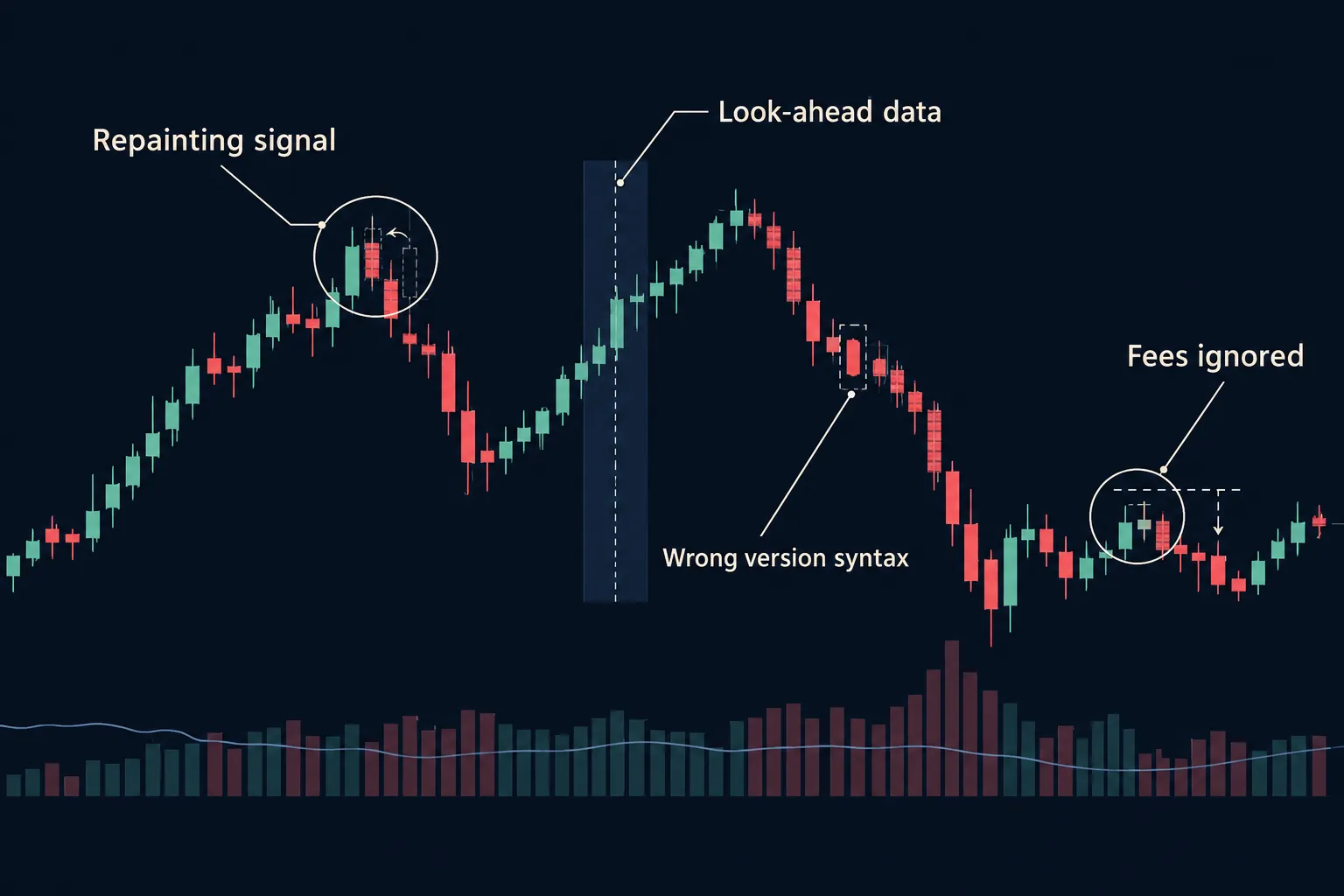
1. Repainting
Repainting is when an indicator changes its historical signals after the fact. The arrow that looks perfect on your chart today wasn’t there in real time. It’s usually caused by reading values from the current, still-moving bar instead of the last closed one, or by using request.security() without the right lookahead and bar-state settings.
Why AI causes it: models optimize for a chart that looks good. A repainting script looks amazing in hindsight, so there’s no feedback signal telling the model it’s wrong.
The tell: your signals never miss. If an AI-generated indicator looks like it called every swing low, it’s repainting, not working.
2. Look-ahead bias
Look-ahead bias means the script uses information that wasn’t available at the time of the simulated trade. A higher-timeframe value that hasn’t closed yet, a daily high referenced intraday, a sneaky offset that peeks forward one bar. The backtest prints a curve that goes straight up and the live account doesn’t. If you’ve never dug into this, read up on look-ahead bias before you trust a single backtest curve.
Quick check: if your backtest win rate is above roughly 80% on a simple trend strategy, assume look-ahead until you prove otherwise.
3. Wrong version syntax
Pine Script has moved through versions, and v6 changed enough that older code just breaks. Models trained on a lot of v4 and v5 forum posts happily produce a v5 function under a //@version=6 header. The error messages are often unhelpful, which sends beginners into a loop of pasting errors back in.
The fix: start every prompt with “Pine Script v6” and paste the current function signature from TradingView’s reference manual when the model gets stubborn. AlfaTactix’s review specifically flags compiler-validated tools like PineGen AI for this reason.
4. No fees, no slippage, no realistic fills
strategy() scripts default to an idealized world. If the AI doesn’t set commission_type, commission_value and slippage, your backtest is a fantasy, especially on anything that trades more than a few times a week.
Rough math: 300 round trips a year at $1 commission and one tick of slippage each way can erase an entire edge on a small account. The script won’t tell you. You have to ask.
5. Overfitting dressed up as optimization
Copilot can sweep parameters per TradingView’s documentation. Useful, and also a loaded weapon. Sweeping 400 combinations and keeping the best one gives you a number, not an edge. The winner is usually the combination that best memorized your sample.
Rule: if a parameter change of one step collapses the results, you found noise, not a setup.
If you’re building from zero, a structured pine script tutorial will do more for you than ten rounds of prompting, and our walkthrough of building a pine script strategy covers the entry and exit plumbing AI tends to hand-wave.
Systems over hacks: the AI writes the draft, you own the audit.
How Do You Check AI-Written Pine Script Before You Use It?
Run this nine-step audit on every generated script. It takes about twenty minutes and it’s the cheapest twenty minutes in your process.
-
Confirm the version header matches the syntax. Look at line one. If it says
//@version=6, spot-check two or three function calls against TradingView’s reference manual. Fix: paste the correct signature into your prompt and ask for a rewrite, not a patch. -
Read every line out loud. Yes, actually. If you can’t explain what a line does, you can’t trade it. Fix: ask the model to add a plain-English comment to each block, then verify the comments match the code.
-
Hunt for lookahead. Search the script for
request.securityandlookahead. Fix: setlookahead=barmerge.lookahead_offand reference only higher-timeframe bars that have already closed, never the one still forming. -
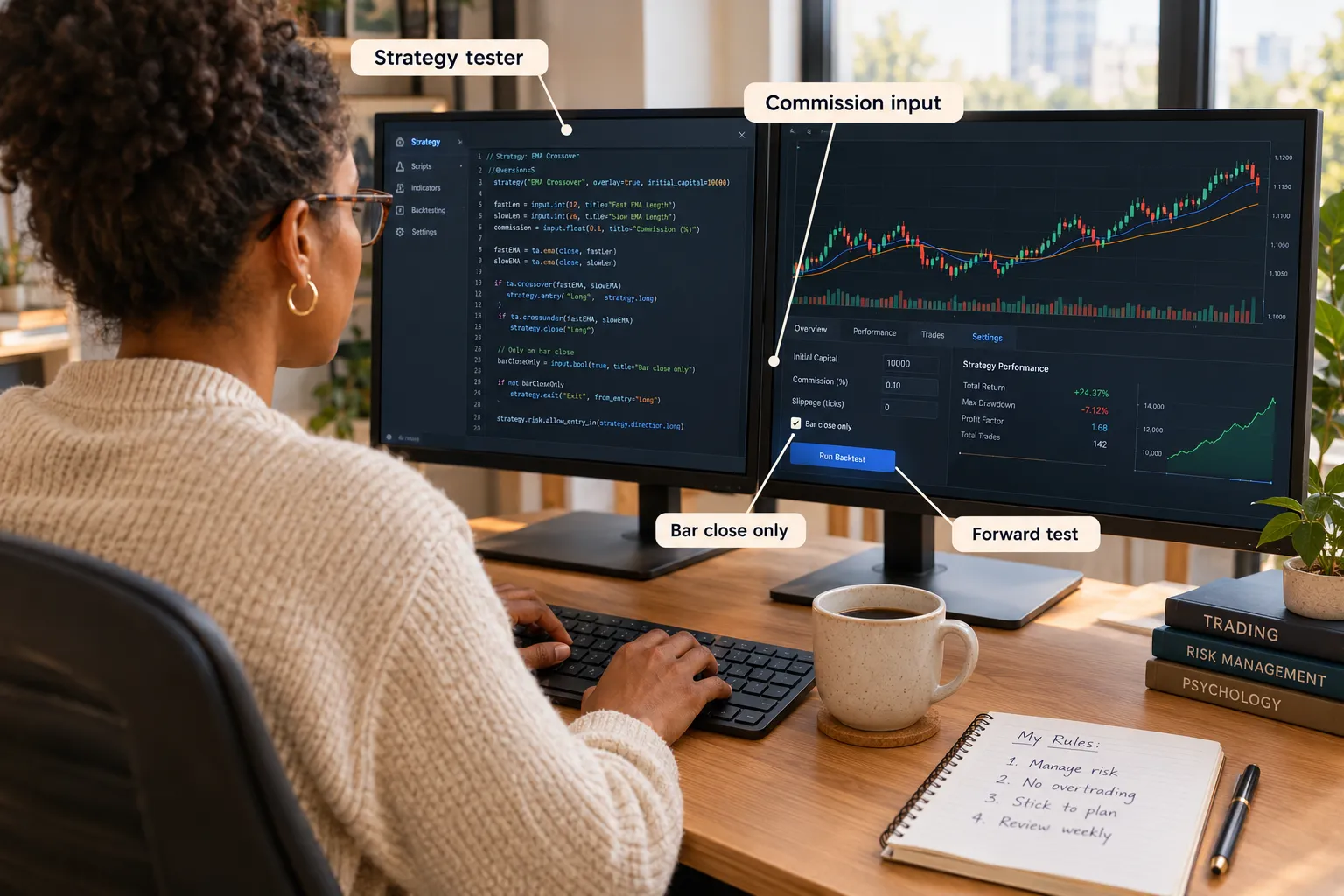
Force bar-close confirmation. Signals that fire intrabar will flip on you. Fix: gate every signal behind
barstate.isconfirmed, or usecalc_on_every_tick=falsein the strategy declaration. -
Compare the signals to a flat-eye chart. Load the script, then scroll back manually and ask whether a signal could really have fired there in real time. Fix: if signals cluster suspiciously at perfect pivots, you’re repainting. Rewrite the trigger to use closed-bar data only.
-
Add commission and slippage. Fix: set
commission_type=strategy.commission.cash_per_order, a real commission value, and a slippage figure that matches your instrument’s spread. Re-run and see what survives. -
Check the trade count. A strategy with 11 trades over two years hasn’t told you anything. Fix: widen the test window or loosen filters until you have a sample worth reading, then re-tighten.
-
Test on data the script never saw. Build on one period, test on another. Fix: if performance falls off a cliff out of sample, the parameters were fitted, not found.
-
Paper trade it for 30 sessions. Fix: no fix needed. This is the step. If it survives a month of live bars without surprising you, then you size into it small.
The one-line rule: any script you can’t audit, you can’t size.
For the rules side of the house, our day trading tools and swing trading tools pages cover the position sizing and risk layer the code won’t build for you.
How Does Claude Connect to TradingView?
Claude connects to TradingView through MCP, the Model Context Protocol, which is the open standard Anthropic uses for letting a model talk to outside tools and data. There is no official Anthropic-built TradingView connector. What exists are community-built TradingView MCP servers, and the quality varies, so vet any one you install.
How it works in plain words
MCP is a translator. Claude speaks one language, an external service speaks another, and an MCP server sits between them exposing a defined set of actions Claude is allowed to call. Install a TradingView MCP server, point Claude at it, and Claude can request the things that server exposes, then reason over what comes back.
What this gets you, realistically
- Pulling chart or symbol data into a Claude conversation without manual copy-paste
- Feeding a long Pine file plus its errors plus the spec into one context window
- Iterating on strategy logic without rebuilding context every session
What it does not get you
- Order execution. MCP moves information, not money.
- Official support. These are community projects. If one breaks after a TradingView update, you’re the maintenance team.
- Anything Copilot already does better on-chart. If your task is “add a VWAP and set an alert,” use Copilot and stop engineering.
Is Claude integration worth it for TradingView? Worth it if you write a lot of Pine and you’re comfortable installing and auditing a community MCP server. Not worth it if you want chart analysis, because Copilot’s data grounding beats a general model guessing at numbers. The honest filter: if you’d call yourself a trader who codes, yes. If you’d call yourself a trader who uses tools, no.
Our coverage of Claude trading bots goes deeper on what the model can and can’t carry.
What Is the Most Accurate Buy Sell Indicator on TradingView?
There isn’t one. No indicator on TradingView, AI-generated or otherwise, has a verified accuracy rate that holds across instruments and market conditions, and anyone selling you one is selling you a backtest.
Here’s the mechanical reason. Every indicator is a math transform of past price and volume. It has no information the chart doesn’t already contain. A tradingview ai indicator that scores signals using a model is still working from the same inputs, just with a fancier filter on top.
What actually moves your results:
- Position sizing. How much you risk per trade decides your survival more than entry timing does.
- Where the stop goes. A good signal with a bad stop is a bad trade.
- How many trades you take. Overtrading kills more accounts than wrong picks.
- Whether you follow your own rules on a red day. Revenge trading is a behavior problem, not a signal problem.
Red flags on any “accurate” indicator listing: a win rate quoted with no trade count, screenshots instead of a strategy report, no mention of fees, and signals that never miss. That last one isn’t accuracy. It’s repainting.
Discipline beats prediction. An ordinary moving-average crossover with real risk management will outlast a 94%-win-rate script every time, because one of those two numbers is real.
Which AI Is Best for Trading Charts and Code?
It depends on the task, and anyone giving you a single answer hasn’t used all three. Here’s the position, based only on what the vendors have confirmed.
For charts, screening and alerts: TradingView’s AI Copilot. TradingView states Copilot grounds every number in TradingView’s own data, including quotes, indicators, financials, news, earnings, macro calendars and screener results. A general model has to be fed that data and will confabulate if it isn’t. Copilot also acts on the chart directly, which removes the copy-paste tax entirely.
For heavy Pine writing, refactoring and debugging: Claude. The 1-million-token context window documented by Anthropic is the whole argument. You can hand it a full codebase, three prior versions, your spec and the test output at once. Sonnet 5.5, marketed as over 30% faster and up to 30% cheaper than Sonnet 5, is the better fit for the iterative loop; Opus 5.5 for one big architectural rewrite.
For fast, compiling boilerplate: a dedicated Pine generator. AlfaTactix’s comparison favors tools that validate against the v6 compiler, like PineGen AI, or auto-repair syntax, like Pineify. Narrow, but they catch the version-mismatch problem that eats beginners alive.
Is TradingView AI good for beginners?
Partly. Copilot lowers the barrier to doing things on the chart, which is genuinely useful if you’ve never written a line of Pine. It also lets a beginner deploy a strategy they don’t understand, which is a new way to lose money that didn’t exist two years ago. If you can’t explain the script, you shouldn’t be sizing it.
Does TradingView AI work without a Pro subscription?
Per TradingView’s help documentation, AI Copilot is a paid add-on available on the Essential, Plus, Premium and Ultimate plans, and it’s web and desktop only. There’s no confirmed free tier. Claude and third-party Pine generators work regardless of your TradingView plan, since they sit outside the platform. For current pricing, check TradingView’s official page, since TradingView does not publish the add-on’s dollar figure on its public help page.
What are the alternatives to TradingView’s AI tools?
If Copilot’s usage cap or the desktop-only limit is a problem, the realistic alternatives are Claude or ChatGPT paired with a compiler-validated Pine generator, or a different charting platform entirely. Our TrendSpider vs TradingView AI charting comparison covers the closest competitor, and the broader best AI trading platforms of 2026 list maps the field by category.
Frequently Asked Questions
Does TradingView do AI trading?
No. TradingView’s AI Copilot analyzes, screens, draws, alerts and writes Pine Script, but it does not place orders. Per TradingView’s Copilot documentation, its actions cover symbols, indicators, drawings, alerts, watchlists, screeners and scripts. Automated execution requires a separate broker-connected service receiving TradingView webhook alerts.
Does TradingView have SMA?
Yes. Simple Moving Average is a standard built-in indicator on every TradingView plan, free tier included. Add it from the Indicators menu, or write it in Pine with ta.sma(close, 20). You can also ask AI Copilot to add it and set the length in plain English.
Which AI is best for trading?
For on-chart work with live TradingView data, TradingView’s AI Copilot, because it’s grounded in TradingView’s quotes, financials and screener data. For writing and debugging large Pine files, Claude, because Anthropic documents a 1-million-token context window. Neither predicts price, and neither should be asked to.
Do AI trading tools actually work?
They work as research and code assistants. They do not work as oracles. An AI can screen 8,000 tickers faster than you, summarize an earnings report in seconds, and write a working indicator. None of that tells you how much to risk or when to stop. The returns come from your rules, not the tool.
What is the most successful AI trading bot?
No bot has a verified, independently audited long-term record that justifies the label. Vendor-claimed win rates are marketing until a third party audits them. Our breakdown of which AI trading bots are legit vs scams covers how to tell the difference before you fund anything.
Why is my TradingView AI not generating correct code?
Usually a version mismatch. Pine Script v6 changed function signatures that older models learned from v4 and v5 examples, so the code compiles in the model’s head and fails in yours. Say “Pine Script v6” explicitly, paste the exact error, and paste the current function signature from TradingView’s reference manual.
Can TradingView AI help with backtesting strategies?
Yes, with a caveat. TradingView’s documentation says Copilot can read strategy reports, modify inputs and sweep parameters, which speeds up testing considerably. It also makes overfitting trivially easy. Always set real commission and slippage values, and always test on data the strategy wasn’t built on.
Our Take
Use Copilot first if your work lives on the chart, because grounded data beats a model guessing at a number. Move to Claude the moment your Pine file gets long enough that you’re scrolling to find a bug. Keep a compiler-validated generator around for boilerplate. And run the nine-step audit on every script before it touches a funded account, because the fastest way to lose money with AI isn’t bad code, it’s code that compiled and looked fine.
Related: weigh your broker side in the FullStack Alpha platform reviews, and find more bot and tool breakdowns at AI Stock Trading Bots.
Built something worth looking at? Submit it here.
Stay alpha.
The FullStack Alpha research desk tests AI trading bots on paper and live accounts. Reviewed and edited by Jay Rocco, Founder and Editor.
