

The FullStack Alpha research desk tests AI trading bots on paper and live accounts. Reviewed and edited by Jay Rocco, Founder and Editor.
By FullStack Alpha Editorial Team | Reviewed by Jay Rocco, Chief Editor
TradingAgents is an open-source, multi-agent trading research framework from Tauric Research that splits stock analysis across a team of language-model agents: four analysts (fundamentals, sentiment, news, technical), a bullish and bearish researcher who argue over the evidence, a trader agent who proposes an action, and a risk layer plus portfolio manager who approve or kill it. It runs in Python, built on LangGraph, and outputs a rating on a five-level scale from Buy to Sell. The repo sat near 113,000 GitHub stars and 21,900 forks as of October 2026, with version 0.7.0 shipped October 16, 2026. A debate between agents is not a backtest, though, and stars are not profits.
What You Should Know
- Scale: roughly 113,000 stars and 21,900 forks on GitHub as of October 2026, with 493 commits listed in the repository history.
- Latest release: v0.7.0 on October 16, 2026, which added the option to run through a ChatGPT Plus or Pro subscription instead of a raw API key.
- Backtest fix: v0.7.0 moved decision entry to the first close after the analysis date, because agents can read news published after the close. Older memory logs keep the old scoring, so resumed runs mix methods.
- Architecture: built on LangGraph as a stateful graph, not one giant prompt. Separate stages for data, analysis, debate, trade synthesis, risk review, and simulated execution.
- Cost reality: the framework is free to download. The model calls and data feeds behind it are not. Check the official repo page for current provider requirements.
What Is TradingAgents?
TradingAgents is a research framework, published by Tauric Research on GitHub, that simulates a small trading desk using language-model agents instead of people. It is code you run yourself, not a hosted product, not a signal service, and not a broker.
The project pairs a paper with a repository. Search tradingagents github and you land on the TauricResearch/TradingAgents repo, which is where the actual truth lives: the README, the release notes, the license file, and the commit history. For license terms and any usage restrictions, check the official repo page rather than a secondhand blog post, including this one. Licenses get amended.
What makes it interesting is the framing. Most retail “AI trading” tools pipe a ticker into one model and print a verdict. TradingAgents treats a trade idea the way an actual investment committee treats one: multiple specialists produce independent work, somebody argues the bear case out loud, a trader synthesizes, and risk gets a veto.
That structure is the product. The output is a research artifact, not a filled order.
The project went viral well beyond developer circles. A Phemex article dated October 2026 described it as the repo that turns a coding assistant like Claude into a multi-agent stock-analysis system in under ten minutes, which is roughly how the claude trading agents search trend got going. Worth reading as evidence of reach. Not worth reading as evidence of performance. Promotional industry coverage never is.
Recent releases show an active maintainer, not an abandoned demo:
| Version | Date | What landed |
|---|---|---|
| 0.7.0 | Oct 16, 2026 | ChatGPT Plus/Pro subscription mode, Python wheels on releases, daily update notice, corrected backtest entry timing |
| 0.6.0 | Oct 3, 2026 | Self-contained HTML reports, separate quick and deep LLM tiers, concurrent settlement of past decisions, Yahoo search news fallback |
| 0.5.2 | Sep 29, 2026 | Parallel analyst execution, unattended CLI runs, reproducibility metadata, benchmarks for Taiwan, Korea, Singapore and major European exchanges, Python 3.14 support |
Read that table again. Three releases in under three weeks, and one of them was fixing how decisions get scored. That is a project still finding its footing, which is fine for research and a terrible reason to wire it to a funded account.
How Does the TradingAgents Team of Agents Work?
The TradingAgents workflow runs as a stateful graph in LangGraph, where each agent is a node with a defined job, defined inputs, and a structured output that feeds the next stage. Four analysts work in parallel, two researchers debate their findings, one trader proposes, and a risk team plus portfolio manager sign off or refuse.
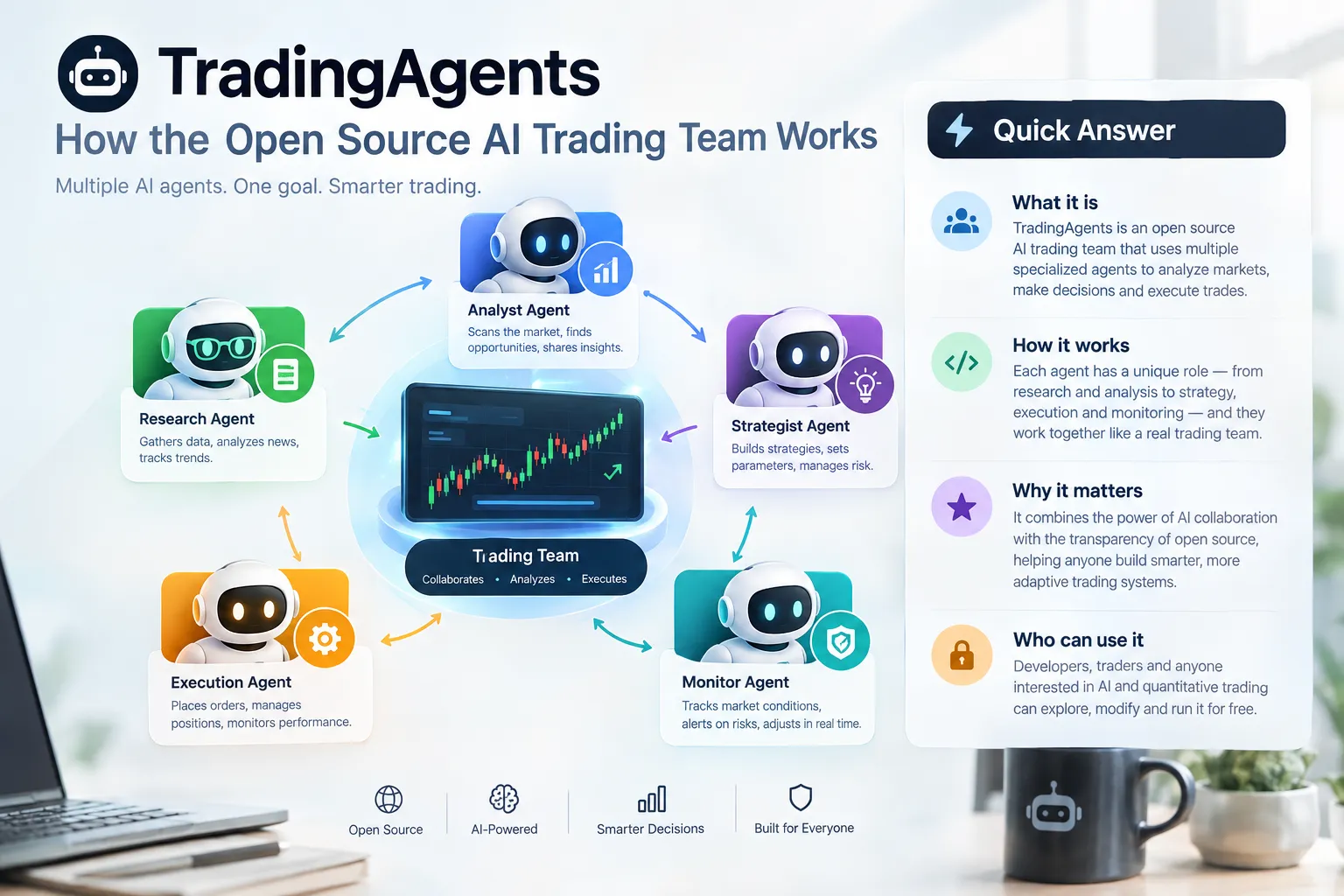
Here is the multi agent trading framework laid out plainly:
| Agent | Role | What it reads | What it outputs |
|---|---|---|---|
| Fundamentals analyst | Values the business | Financial statements, company metrics | A fundamentals report with a stance |
| Sentiment analyst | Reads the crowd | Social sources such as Reddit and StockTwits | A sentiment read on the ticker |
| News analyst | Tracks catalysts | Company news and macro developments | A news summary with event risk flagged |
| Technical analyst | Reads price action | Indicators including MACD and RSI | A technical setup assessment |
| Bullish researcher | Argues the long case | All four analyst reports | A structured bull argument |
| Bearish researcher | Attacks the long case | The same reports plus the bull case | A structured bear argument |
| Trader agent | Synthesizes | Analyst reports plus the debate | A proposed action, direction and timing |
| Risk team | Stress-tests | The proposal, volatility, liquidity, exposure | Risk commentary, approve or object |
| Portfolio manager | Final call | Everything above plus portfolio context | Approve or reject, on a five-level scale |
Why the debate stage matters
A single model given a ticker tends to agree with itself. Ask it for a bull case and it writes one. Ask it for a bear case and it writes that too, equally confidently. The bull-versus-bear step forces both to exist in the same context window, so the trader agent has to weigh them against each other instead of inheriting whichever framing came first.
That’s a real improvement over one-shot prompting. It is not a guarantee of accuracy. Two agents can be confidently wrong together, especially when they’re reading the same four reports.
The five-level scale and structured output
Decisions land on Buy, Overweight, Hold, Underweight, Sell. Current releases use structured outputs for key decision agents, meaning the model returns a defined schema rather than freeform prose. Less malformed output, easier to parse, easier to log, easier to score later. Boring engineering, and it’s the part that makes evaluation possible at all.
Portfolio-aware reasoning
Newer versions accept an actual portfolio as input: cash, currency, positions, quantities, average prices. The trader, risk agents and portfolio manager can then reason about an existing book instead of treating every ticker as a blank-slate recommendation. That’s a meaningful difference. “Buy NVDA” means something different when you’re already 40% concentrated in semis, and the framework can now see that.
Decision rule: if you want to study how agents reason about a portfolio, TradingAgents is worth your weekend. If you want a signal to act on tomorrow morning, this is the wrong tool and you’ll be disappointed.
If you’re comparing structured research frameworks against commercial options, our head-to-head of the best AI trading tools of 2026 covers the paid side of the field.
What Do You Need to Run TradingAgents Locally?
You need Python, at least one language-model provider, and data access. The framework itself costs nothing to download. The model calls and data feeds behind it are where the money goes.
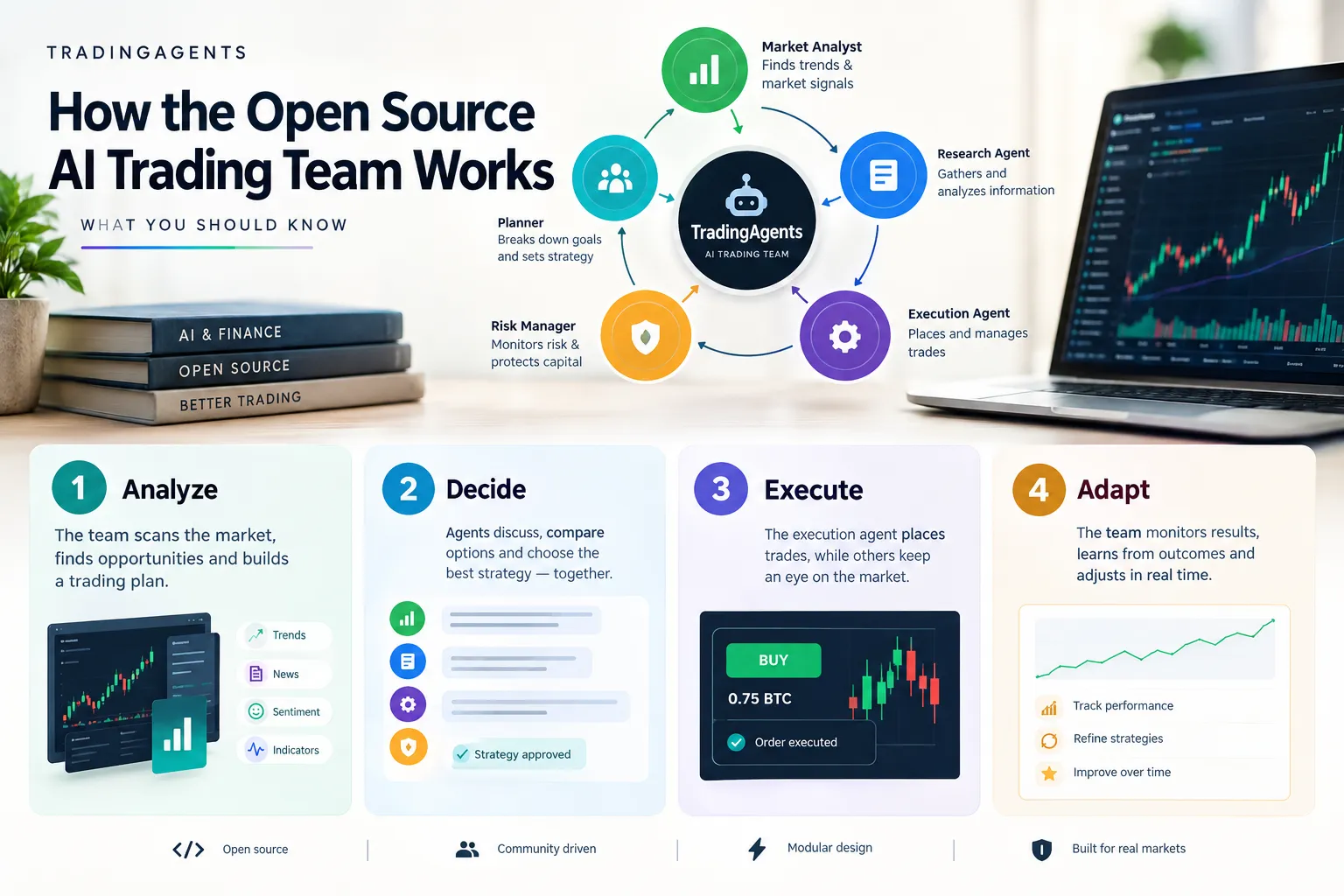
The stack, in plain terms
Python. Version 0.5.2 added Python 3.14 support, so the project tracks current releases. Check the README for the minimum supported version before you install anything, because that moves.
A language-model provider. Version 0.6.0 split reasoning into two tiers, “quick” and “deep,” each with its own provider setting. Quick handles high-volume, low-stakes steps. Deep handles the debate and the final call. This exists for one reason: cost control. Running every step on your most expensive model is how a single ticker analysis turns into a surprisingly unpleasant bill.
The subscription route. Version 0.7.0 added the ability to run through a ChatGPT Plus or Pro subscription instead of a pay-per-token API key. That changes the economics for casual testers. For current terms and whether your plan qualifies, check the official page.
The local route. Ollama lets you run open-weight models on your own hardware. No per-token cost, full privacy, no provider throttling. The tradeoff is real: smaller local models produce weaker reasoning, and a debate between two mediocre reasoners is just two mediocre opinions in a trench coat. If you go local, go in expecting to compare your local output against a hosted model run on the same ticker before you trust it.
Data keys. Analysts need inputs. Fundamentals, news, and social sentiment each come from somewhere, and some of those sources charge. Version 0.6.0 added a fallback that reads company news through Yahoo search while Yahoo’s dedicated news feed is unavailable, which tells you something important about dependency risk: free data sources break, and when they break, your analyst team is reasoning from nothing.
What actually costs money
| Component | Free option | Paid option |
|---|---|---|
| The framework | Yes, open source on GitHub | n/a |
| Language model | Ollama with local open-weight models | API keys, or ChatGPT Plus/Pro mode |
| Market and news data | Free tiers and Yahoo-based fallbacks | Paid data vendors for better coverage |
| Hardware | Your existing machine | A GPU if you run larger local models |
Common mistake: budgeting for the framework and forgetting the token bill. Four analysts, a two-sided debate, a trader, and a risk team is a lot of calls per ticker. Run one ticker first, check your provider dashboard, then multiply by however many names are on your watchlist.
How Do You Run TradingAgents Step by Step?
Install Python, clone the repo, add your keys, run a single ticker, and read the HTML report before you touch anything else. Five steps. The failures happen at step three almost every time.
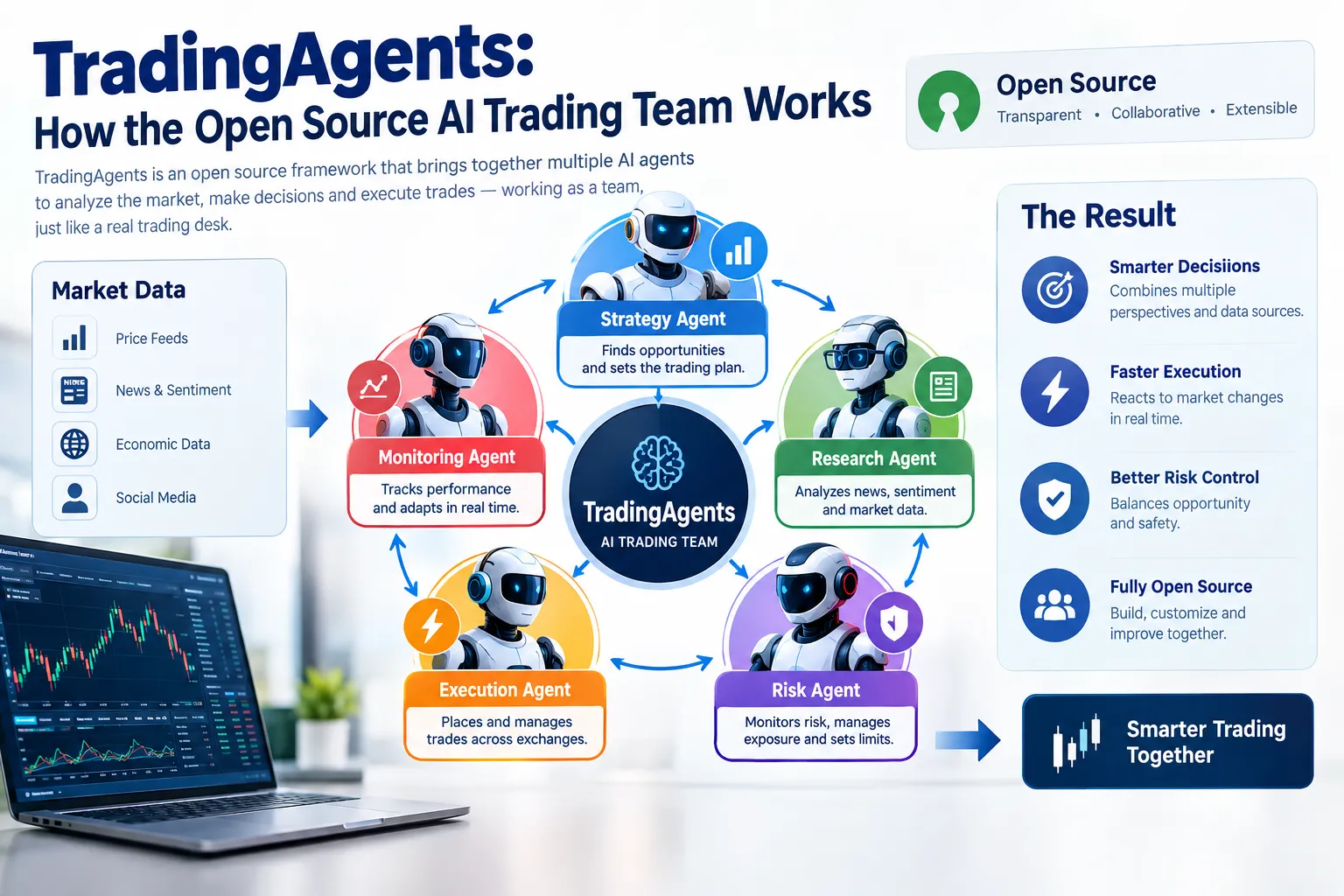
The walkthrough
1. Confirm your Python version. Check the README for the supported range. If you’re on something older than the project supports, dependency installs fail with errors that look like library problems but are actually version problems. What you should see: a version number that matches the README.
2. Get the code and install dependencies. Since v0.7.0, Python wheels and source archives are attached to GitHub releases, so you have a packaged route as well as a clone. What you should see: a clean install with no red errors. Common error: a half-finished install from a dependency conflict. Use a fresh virtual environment. Always.
3. Add your keys. Model provider credentials first, then data source credentials. What you should see: a successful connection test. Common error: this is where most people stall. A key that’s present but unfunded, a key pasted with a trailing space, or an environment variable set in a terminal session you already closed. All three look identical in the logs: the agent runs, produces nothing useful, and exits.
4. Set your quick and deep model tiers. Since v0.6.0 these are separate. Start cheap on quick, stronger on deep. What you should see: both providers named in your config. Common error: assigning your most expensive model to both tiers and then being shocked by the cost of one analysis.
5. Run one ticker, one date. Not twenty. One. What you should see: parallel analyst reports arriving, a bull and bear exchange, a trader proposal, risk commentary, a portfolio-manager decision on the five-level scale, and since v0.6.0, a self-contained HTML report you can open in a browser. Common error: running unattended across a long date range on your first attempt and burning real money on a misconfigured pipeline.
6. Read the whole report, not the rating. The rating is the least interesting output. The reasoning chain is where you learn whether the system is thinking or just producing plausible paragraphs.
One ticker, one date, one careful read. If the reasoning is thin on a name you know well, it will be thin on a name you don’t.
For the broader category of hands-off setups and where they break, see our guide to fully automated AI trading bots.
How Do Open Source Trading Agents Execute Trades Automatically?
TradingAgents produces decisions and simulates execution. It is not a broker connection out of the box, and the architecture explicitly separates the decision stage from simulated execution. Anyone wiring it to a live account is building that bridge themselves and owns everything that happens next.
In general, open-source agent frameworks reach live markets through a broker API layer that sits downstream of the decision engine. The agent outputs a structured decision, a separate execution module translates it into an order with size and limits, and the broker fills it. That separation matters because the two layers fail differently. A reasoning failure gives you a bad idea. An execution failure gives you a bad idea at 400% of your intended position size.
Edge case worth naming: a decision engine that returns “Buy” with no size attached is not a trading system. Position sizing, stop placement, and maximum exposure are yours to define. The risk agents comment on exposure; they do not place your stop.
Can TradingAgents Run 24/7 Without Stopping?
Technically yes. Version 0.5.2 added unattended command-line runs, so the framework can be scheduled to execute on its own without someone babysitting a terminal. Whether it should run continuously is a different question, and the honest answer is: not against real money, and not without supervision.
Three reasons to think hard about it:
- Cost accumulates silently. Every scheduled run is a full agent pipeline. Across a basket of tickers, daily, that’s a recurring token bill whether the output is useful or not.
- Data sources break. The Yahoo news fallback added in v0.6.0 exists because a feed went down. An unattended run during a data outage still produces a confident-looking report built on missing inputs.
- Markets close. Equities aren’t a 24/7 tape. Running analysis at 3am on a US stock gives you a decision no one can act on until the open, by which time the premarket has already repriced it.
Decision rule: schedule unattended runs for logging and study. Keep a human between the output and any order ticket.
Why Is an Agent Debate Not a Backtest?
A debate between two language models is a reasoning exercise. A backtest is a statistical claim about how a rule would have performed. They answer completely different questions, and confusing them is the single most expensive mistake in this whole category.
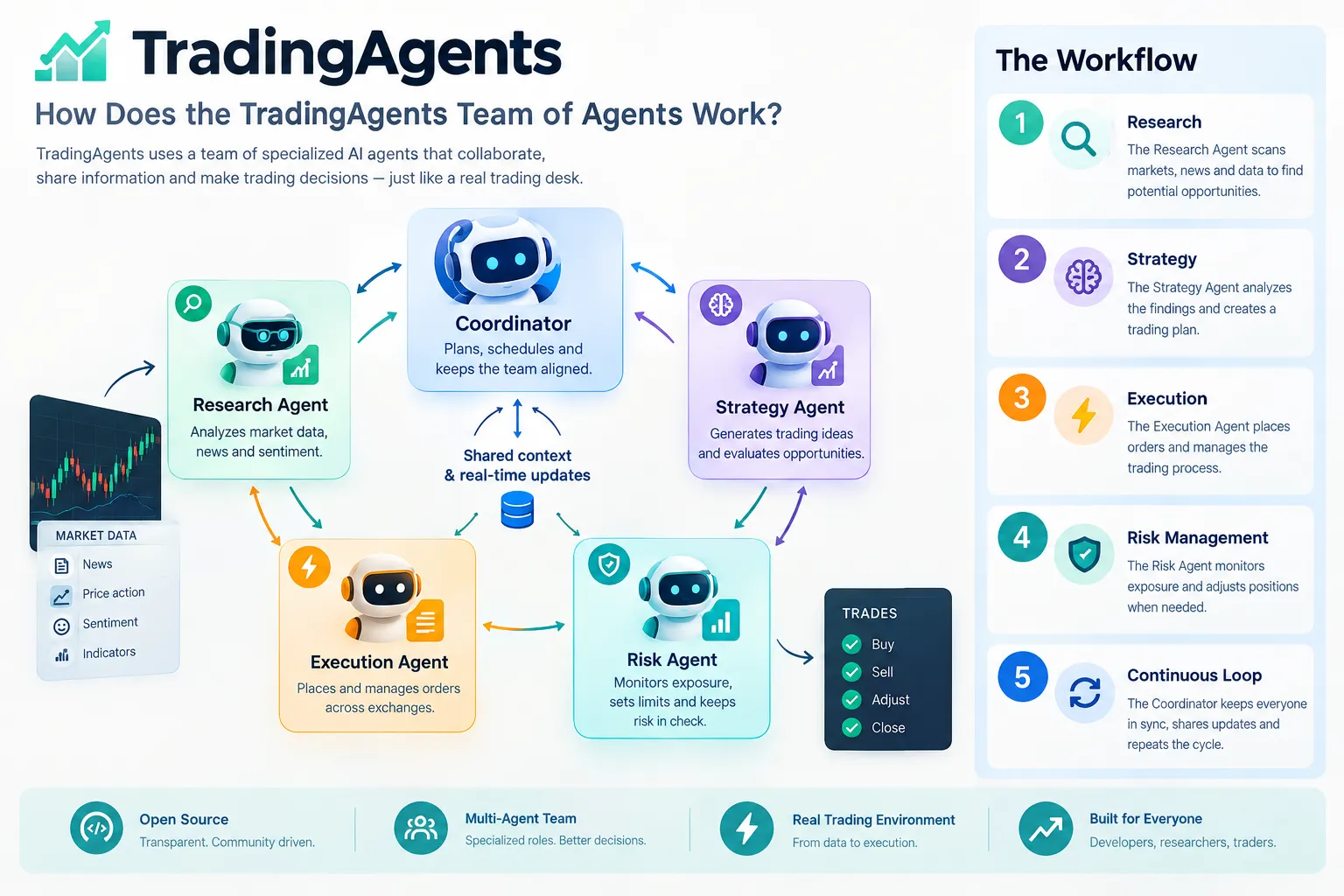
Five specific gaps, each with an example:
1. Look-ahead risk
The maintainers fixed a real instance of this in v0.7.0. The system can read news published after a market’s closing time, so scoring a decision against that same day’s close hands the strategy an execution price it could never have gotten. The fix moves entry to the first close after the analysis date. Good fix. Also a reminder that look-ahead bias hides inside timestamps, not just inside obvious mistakes. One note from the release matters here: existing memory-log results keep the older scoring convention, so resumed experiments can mix two methodologies in the same results file. Our deeper breakdown of look-ahead bias and how it inflates backtests covers why this quietly ruins more strategy research than any other single error.
2. Model randomness
Run the same ticker, same date, same config, twice. You will not always get the same rating. Language models sample. A system whose output changes between identical runs cannot be backtested the way a moving-average crossover can, because there is no single deterministic rule to test. Example: a Hold on Monday morning and an Overweight on Monday afternoon, with zero new information. Which one goes in your results?
3. Sample size
Eight impressive-looking calls is a story, not evidence. Thirty decisions is barely a starting point. Hundreds across different market regimes is where you begin to learn something. Most people stop at the first run that agreed with them. Example: a framework that nails five long calls during a six-week uptrend has demonstrated the uptrend, not the framework.
4. Costs
Commissions, spread, slippage, and data subscriptions all come out of the result. Example: a strategy averaging 0.4% per trade on a low-float name with a wide spread is probably negative after you try to get filled.
5. No live fills
The framework simulates execution. Simulation always fills you. Reality does not fill you at the midpoint on a gap-up open when everyone read the same headline. Example: a gap fill setup that works perfectly in simulation and slips 1.5% on the real open.
Market truth: a backtest tells you what a rule did. A debate tells you what a model said. Only one of those has a track record.
If you want the uncomfortable version of this discussion, our piece on which AI trading bots are legit versus scams covers how simulated results get marketed as proof.
What Did Creator Walkthroughs of TradingAgents Skip?
Video walkthroughs of TradingAgents are genuinely useful for the install and the first run. They are consistently thin on cost, variance, and evaluation, which are the three things that decide whether the framework is useful to you.
What setup videos typically show well:
- Cloning the repo and getting dependencies installed
- Where keys go and what the config looks like
- A first run on a single well-known ticker
- The agent reports arriving in sequence and the final rating
What they routinely skip:
- The token bill. A full pipeline across four analysts, a two-sided debate, trader and risk team is not cheap, and almost no one shows the provider dashboard afterward.
- Repeatability. No one runs the same ticker three times on camera to show whether the rating holds. That single test would be more informative than the entire rest of the video.
- Failure cases. Demos pick liquid, heavily covered names where news and fundamentals data is rich. Run a thinly covered small cap and the sentiment analyst is reasoning from a handful of posts.
- Evaluation methodology. Very few address how you’d score the system over 30-plus decisions, or acknowledge that older memory logs use the pre-0.7.0 scoring convention.
- What happens after. A rating is produced, the video ends. Position sizing, stop placement, and what you do when the system says Overweight and the chart says it’s overextended, all unaddressed.
Practical takeaway: watch a walkthrough for the install. Do your own cost test, your own repeatability test, and your own log. That part isn’t in anyone’s video because it isn’t entertaining.
How Does TradingAgents Compare With Other AI Trading Platforms?
TradingAgents is a research framework you run yourself, which puts it in a different category from hosted AI trading platforms and from simpler open-source bot repos. The closest comparison in open source is the AI hedge fund style of repo, which also simulates a team of analyst agents.
| TradingAgents | AI hedge fund style repos | Hosted AI platforms | |
|---|---|---|---|
| What it is | Multi-agent research framework | Multi-agent analyst simulation | Commercial product |
| Where it runs | Your machine | Your machine | Vendor’s servers |
| Cost of software | Free, open source | Typically free, open source | Subscription |
| Running cost | Your model and data bills | Your model and data bills | Included in the plan |
| Coding needed | Yes | Yes | Usually no |
| Live execution | Not out of the box | Varies by project | Often built in |
| Transparency | Full, the code is the method | Full | Usually “proprietary AI” |
| Support | Community and issues | Community | Vendor support |
Where TradingAgents wins is transparency. You can read exactly how the decision was produced, change the prompts, swap the models, and see every stage of reasoning. Hosted tools that say “proprietary AI” and stop talking cannot offer that at any price.
Where it loses is everything operational. No support line, no uptime guarantee, no execution layer, and the methodology moved three times in three weeks.
Choose TradingAgents if you can read Python, want to study how agent reasoning holds up, and are comfortable debugging an API key at 11pm. Choose a hosted platform if you want a scanner that works tomorrow morning without a terminal. Our rundown of the best AI trading platforms of 2026 covers that side. Choose neither if you don’t yet have written entry, exit, and sizing rules. No agent fixes a missing process.
What markets can TradingAgents trade on?
The framework analyses equities, and v0.5.2 added benchmarks for Taiwan, Korea, Singapore, and major European exchanges alongside existing coverage. Practically, coverage is bounded by data availability. If your data source has fundamentals, news and price history for a ticker, the analyst team has something to work with. If it doesn’t, the agents will still produce a report, which is a far more dangerous outcome than an error message.
Is TradingAgents Free, and Do You Need Coding Skills?
The framework is free and open source on GitHub. The things it depends on are not always free, and yes, you need working Python skills to run it.
On cost: downloading costs nothing. Model inference costs money unless you run locally through Ollama. Data access may cost money depending on which sources you configure. The v0.7.0 ChatGPT Plus/Pro subscription route changes the math for people already paying for a subscription. For current eligibility and limits, check the official page.
On coding: this is a Python project with configuration files, environment variables, and dependency management. Running it means a terminal. Modifying prompts or adding an agent means reading the LangGraph structure. If “virtual environment” means nothing to you, budget a weekend on Python basics first, or start with a free hosted option instead. Our list of free AI trading bots is a softer entry point.
Who it’s not for: anyone who wants a buy signal without understanding how it was made. That’s the exact reader this framework will hurt, because the reports are articulate and articulate is not the same as correct.
Why Is My TradingAgents Bot Not Trading, and What Goes Wrong?
Most “it isn’t working” reports come down to five causes: a key problem, a data problem, a model-tier misconfiguration, a date problem, or a misunderstanding of what the framework does. Run through them in that order.
Troubleshooting checklist:
- Keys. Present, funded, no trailing whitespace, loaded in the session you’re running from. Test the provider connection on its own before blaming the framework.
- Data. If the news feed is down, the analyst reasons from nothing. The Yahoo search fallback added in v0.6.0 exists precisely because this happens. Check whether your sources returned anything.
- Model tiers. Quick and deep are separate settings since v0.6.0. A tier left unset or pointed at a model you lack access to stalls the pipeline mid-run.
- The analysis date. Since v0.7.0, entry is scored at the first close after the analysis date. A date with no subsequent trading day yet won’t settle.
- Expectations. It does not place orders. If you were waiting for a fill, nothing is broken. The architecture ends at simulated execution.
The common mistakes people make with TradingAgents
- Treating the rating as a recommendation. It’s a model output on a five-level scale, produced from sampled text generation.
- Running with stale memory logs. Results logged before the v0.7.0 scoring fix use the old convention. Mixing them with new runs corrupts your evaluation.
- Changing five things at once. New model, new prompt, new data source, new ticker universe, new date range. Now nothing is attributable.
- Judging on a handful of runs. See the sample size problem above.
- Skipping repeatability testing. If the same inputs give different ratings, you need to know the spread before you trust any single answer.
- Wiring it to a live account early. The fastest way to find out that “simulated execution always fills” was load-bearing. Play stupid games.
How Profitable Are TradingAgents Strategies, and Is It Safe With Real Money?
No one can honestly answer the profitability question, including the maintainers, and you should be suspicious of anyone who claims they can. There is no audited live track record for TradingAgents. GitHub stars measure developer interest, not returns. 113,000 stars tells you the architecture is interesting. It tells you nothing about a P&L.
On safety, the framework carries three risks that have nothing to do with market direction:
- Methodology drift. The scoring convention changed on October 16, 2026. If your evaluation spans that change, your results aren’t comparable.
- Data dependency. Free feeds break. The agents keep writing confident reports anyway.
- Output variance. Non-deterministic ratings from identical inputs make risk control harder, not easier.
Position: TradingAgents is safe to study and unsafe to fund blind. Paper trade it first, for a long time, with a log. If you can’t explain in one sentence why a decision was right or wrong after the fact, you don’t yet have an edge, you have an expensive text generator.
How Do You Backtest and Test TradingAgents Safely?
Paper only, logged, minimum 30 decisions, and one change at a time. That’s the whole protocol, and it’s more discipline than most people will apply.
The testing protocol:
- Paper trade exclusively. No real capital until you have a settled, logged sample you can defend.
- Keep a log outside the tool. Date, ticker, rating, the key reason from the debate, the hypothetical entry, the outcome. A spreadsheet is fine.
- Minimum 30 decisions before any judgment. Fewer than that and you’re reading noise. Across different market conditions if you can manage it.
- One variable at a time. Change the deep model, run 30 more. Change the prompt, run 30 more. Tedious. Also the only way to know what caused what.
- Run repeatability checks. Same ticker, same date, three times. Record how often the rating changes. That number is your uncertainty band and most people never measure it.
- Account for costs in your log. Spread and slippage estimates included, or your results are fiction.
- Don’t mix pre- and post-0.7.0 scoring. Start a clean log from your current version.
Practical takeaway: the log is the asset, not the framework. A trader with 100 logged decisions and a mediocre tool beats a trader with a brilliant tool and no record, every time. Systems over hacks.
For the manual version of a disciplined screening process, our stock screener for swing trading breakdown covers the same logic without the Python.
Frequently Asked Questions
What are TradingAgents?
TradingAgents is an open-source Python framework from Tauric Research that simulates a trading desk using multiple language-model agents. Four analysts cover fundamentals, sentiment, news and technicals, two researchers debate the bull and bear case, a trader proposes an action, and a risk team plus portfolio manager approve or reject it on a five-level Buy-to-Sell scale.
Which AI agent is best for stock trading?
There is no verified “best,” and any source naming one without an audited track record is guessing. TradingAgents is among the most transparent open-source options because the full reasoning chain is visible and modifiable. Transparency is not performance. Judge any agent by your own logged results over at least 30 decisions, not by stars or marketing.
What does a trading agent do?
A trading agent reads market inputs and produces a decision or action within a defined role. In TradingAgents, each agent has a narrow job: the technical analyst reads indicators like MACD and RSI, the sentiment analyst processes sources such as Reddit and StockTwits, and the portfolio manager issues the final rating. Narrow roles are what make the output auditable.
Can ChatGPT make a trading bot?
It can help write the code, and v0.7.0 of TradingAgents even lets you run the framework through a ChatGPT Plus or Pro subscription rather than an API key. Generating code is the easy half. The hard half is data quality, cost control, realistic fill assumptions and risk rules, and no chatbot supplies those for you.
Is it illegal to have a trading bot?
Automated trading is legal for retail investors in the US and most major markets, provided you use it within your broker’s terms of service and don’t engage in manipulative practices such as spoofing or layering. Rules vary by jurisdiction, asset class and broker. Check your broker’s automated trading policy and the relevant regulator before connecting anything to a live account.
Does TradingAgents place real orders?
No. The architecture ends at simulated execution. Connecting it to a brokerage requires building your own execution layer, and every consequence of that bridge is yours.
Our Take
TradingAgents is one of the most interesting things to come out of open-source trading research this year, and it is still a research tool, not a system to fund. The multi-agent structure with a forced bull-bear debate is a genuine improvement over one-shot prompting. The maintainer fixing backtest entry timing in v0.7.0 shows intellectual honesty most commercial vendors never demonstrate. Both things are true, and neither is a track record.
Study it. Run it on tickers you already know well, so you can tell whether the reasoning is sharp or merely fluent. Keep a log. Thirty decisions minimum. Then decide.
Process over prediction. Cut the noise, keep the alpha.
Related: more tested bots and agent frameworks live on the AI Stock Trading Bots home page, and our hands-on broker and platform reviews cover where an agent’s orders would actually land.
Built on TradingAgents, or want a second set of eyes before you trust its ratings? Submit it for review and we’ll read the log, not the demo.
Stay alpha.
The FullStack Alpha research desk tests AI trading bots on paper and live accounts. Reviewed and edited by Jay Rocco, Founder and Editor.
