

Jay Rocco is the Founder and Editor of FullStack Alpha. He has tested 200+ AI stock tools since 2022 and run 15+ AI trading platforms on live accounts with his own money. He reviews the software. He does not tell you what stocks to buy.
Last updated: September 29, 2026
Most traders backtest a strategy for ten minutes, see a green line going up, and skip straight to real money. That’s not backtesting. That’s confirmation bias with extra steps.
Quick Answer
The strongest free backtesting software for stock traders in 2026 is QuantConnect’s cloud tier, which gives you unlimited backtests, Python and C# support, and multi-asset historical data at no cost.[1][4] For no-code charting and strategy testing, TradingView’s free plan and thinkorswim (via a Schwab account) cover most retail needs without writing a line of code.[7] Paid tools add speed and automation, not accuracy. The strategy and the discipline behind it still do the heavy lifting.
On AI Stock Trading Bots: go deeper in our Backtesting guide, and see How We Test for the method behind every score.
Key Takeaways
- QuantConnect offers the most complete free tier for coding traders: unlimited cloud backtesting, options and futures data, and a Python/C# environment.[1][4][8]
- TradingView and thinkorswim are the best free, no-code options for chart-based and options strategy testing.[3][7]
- Backtesting shows how a rule-based strategy performed on past data. It does not predict future trades, and treating it that way is the fastest way to blow up an account.
- Paper trading and backtesting solve different problems. Backtest for statistical edge across years of data. Paper trade to test your own execution and nerve.
- Free tools that skip slippage and commission modeling will overstate your edge. Always check whether a platform includes them before trusting the results.
- Overfitting (tuning a strategy until it matches the past perfectly) is the single most common way free backtests lie to beginners.
- Options and futures backtesting is thinner on free platforms. QuantConnect and thinkorswim are the two that actually cover it.[6][8]
What Is Backtesting Software and Why Do Traders Use It
Backtesting software runs a trading rule against historical price data to show how it would have performed in the past. Traders use it to separate a real edge from a hunch before risking capital.
Here’s the mechanic: you define an entry (say, buy on a breakout above resistance with rising volume) and an exit (a stop loss and a profit target). The software then simulates every time that setup appeared in the data and reports the win rate, average gain, and drawdown.
The market truth: a strategy that never gets backtested is just a story you tell yourself after a good week. Backtesting software forces the story to show its receipts.
Practical takeaway: pick one strategy, one timeframe, and one instrument. Run it through at least two years of data before you touch it with real money.
Best Free Backtesting Software for Stock Traders in 2026
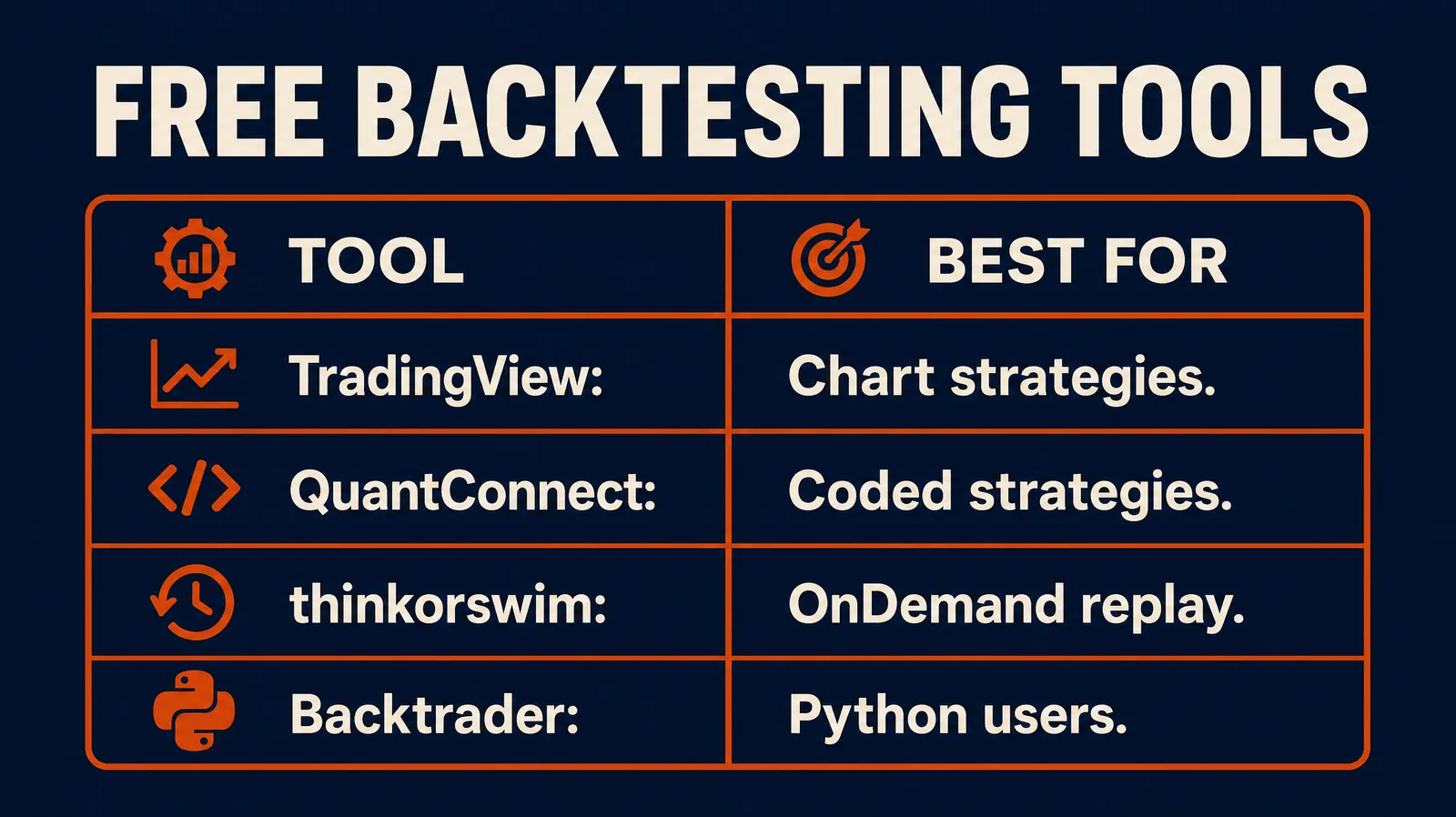
The best free backtesting software in 2026 splits into two camps: code-first platforms like QuantConnect that reward traders willing to write Python, and no-code platforms like TradingView and thinkorswim built for chart-based testing.[3][7] Which one fits depends on whether you’d rather write a script or draw a trendline.
QuantConnect’s free tier, built on its open-source LEAN engine, includes one B-MICRO backtesting node, unlimited backtests, and data across equities, forex, crypto, futures, and options.[1][4] TradeAlgo’s March 2026 review clocks the free data at roughly 15 years of tick-resolution U.S. equity history and access to more than 10,000 community-built algorithms to study.[8]
| Tool | Cost | Asset Classes | Coding Required | Best For |
|---|---|---|---|---|
| QuantConnect (free tier) | Free | Stocks, options, futures, forex, crypto | Python or C# | Coders wanting real backtests[1][4] |
| TradingView (free plan) | Free | Stocks, ETFs, crypto, forex | Pine Script (optional) | Chart-based testing[3] |
| thinkorswim | Free with Schwab account | Stocks, options | ThinkScript for automation | Options and no-code testing[7] |
| NinjaTrader | Free (sim mode) | Futures, forex | Optional NinjaScript | Futures traders[3] |
| MetaTrader 5 | Free with broker | Forex, some CFDs | MQL5 (optional) | Forex-heavy strategies[3][10] |
| Portfolio Visualizer | Free tier | Stocks, ETFs, allocations | None | Long-term allocation testing |
| Backtrader (Python library) | Free | Stocks, futures | Python required | Developers building custom systems[6] |
Our Short List of Free Backtesting Tools
Strip away the noise and the short list is simple: QuantConnect for anyone who can code, TradingView for anyone who can’t, and thinkorswim for options traders already on Schwab. None of them needs a credit card to start, and none of them is a random app pushed through an Instagram ad. That matters more than any feature list.
Decision rule: if you can write basic Python, start with QuantConnect. If you’d rather draw a setup on a chart, start with TradingView or compare TradingView against Finviz and Yahoo’s free charting tools first.
Backtesting Software for Beginners vs Professional Traders
Beginners need no-code, visual feedback. Professionals need speed, custom logic, and control over data assumptions. Trying to use a professional tool as a beginner is how analysis paralysis starts before you’ve placed a single trade.
A beginner is better off on TradingView or thinkorswim, testing one setup at a time and reading the results in plain charts. A professional or serious systems builder gets more out of QuantConnect or a Python library like Backtrader, where hundreds of parameter combinations can run in minutes.[6] If you’re still deciding what category of tool fits your account size, the best AI trading platforms breakdown is a reasonable next stop.
How Accurate Is Backtesting for Predicting Real Trades
Backtesting is accurate at showing how a rule performed on past data. It is not accurate at predicting what happens next, because markets change regime, liquidity, and volatility over time.
A strategy built on 2023’s low-volatility grind can fall apart in a choppy tape with wider spreads. That’s not a software bug. That’s the market being the market.
Practical takeaway: treat a backtest as a floor for what’s possible, not a forecast. Then paper trade it before it touches live capital. Our Paper Trading guide covers the free simulators worth using.
Backtesting Software vs Paper Trading: Which One Should You Use First
Backtest first, paper trade second. Backtesting tells you if the rule has statistical merit across years of data. Paper trading tells you if you can actually follow that rule in real time without flinching.
Skipping backtesting and jumping straight to paper trading means you’re testing your nerves on a strategy that might not even have an edge. Skipping paper trading after a clean backtest means you’re finding out about slippage and hesitation with real money on the line.
Decision rule: if a strategy fails the backtest, don’t paper trade it. If it passes, paper trade it first, always.
Can You Backtest on Thinkorswim or Interactive Brokers for Free
Yes, thinkorswim offers free backtesting for Schwab account holders, and it’s one of the strongest no-cost options for U.S. options traders.[7] Interactive Brokers’ free tools lean more toward paper trading and historical data review than full automated backtesting.
Thinkorswim includes over 400 built-in technical studies and thinkOnDemand, which replays historical sessions candle by candle.[7] Automating a full backtest requires learning ThinkScript, Schwab’s built-in coding language, so it’s not entirely no-code once you want speed at scale.[6][7]
Common mistake: assuming a broker’s paper trading account is the same as a backtest. It isn’t. Paper trading runs forward in real time. Backtesting runs backward through history in seconds.
Does Free Backtesting Software Use Real Market Data
The strongest free platforms use real historical market data, not simulated approximations. QuantConnect’s free tier runs on genuine tick-resolution equity, options, futures, and forex data through its LEAN engine.[1][4][8]
ForTraders’ July 2026 review notes that QuantConnect’s free tier syncs tick-level data across asset classes, though some instruments carry roughly a one-month data delay on the no-cost plan.[10] TradingView and thinkorswim both pull from live exchange feeds for their charting and replay tools.[7]
Practical takeaway: before trusting any free tool, check its data source page. If a platform won’t tell you where the price data comes from, don’t build a strategy on top of it.
Common Mistakes Traders Make When Backtesting a Strategy
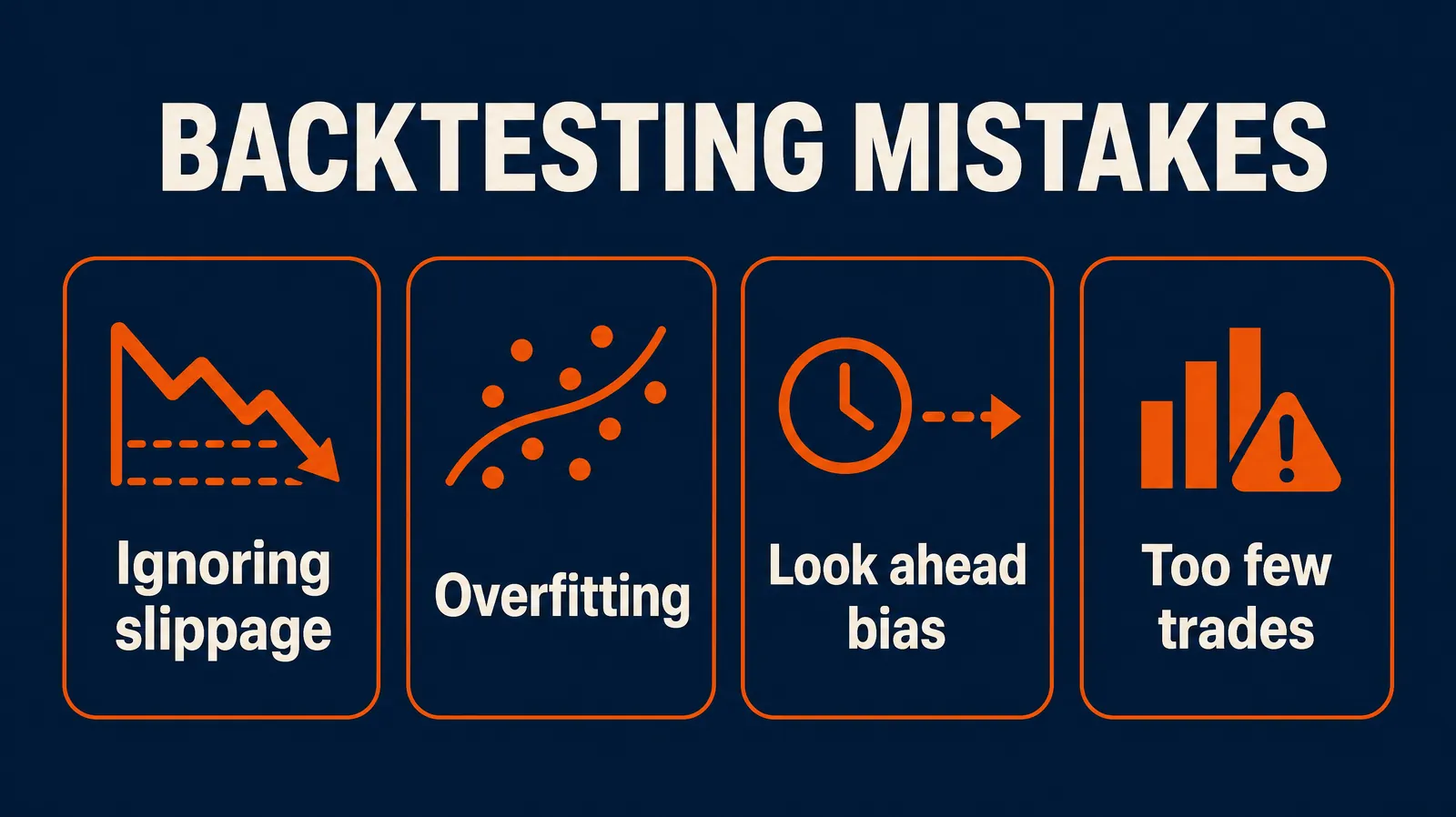
The biggest mistake is testing a strategy on too short a window and calling it proven. A strategy that “wins” over three months of trending price action tells you almost nothing about how it handles a choppy tape or a real drawdown.
Other repeat offenders:
- Ignoring costs. No slippage, no commissions, no realistic fills.
- Cherry-picking the window. Testing only the period where the setup happened to work.
- Overtrading the backtest. Running the same idea fifty times with tiny tweaks until one version looks good.
- Confusing correlation with a system. Ten winning trades in a row is a streak, not proof.
Practical takeaway: run every strategy across at least two full market cycles, including one rough stretch, before you believe the numbers. For the live-trading version of this list, see Why Trading Bots Fail.
How to Avoid Overfitting When Backtesting a Strategy
Overfitting happens when a strategy is tuned so precisely to past data that it stops describing the market and starts describing noise. The fix is to test on data the strategy has never seen.
Split your history into two chunks. Build and tune the rule on the first chunk. Then run it, untouched, on the second chunk you deliberately held back. If performance falls off a cliff, the strategy was overfit, not edge-driven.
Decision rule: if you had to adjust more than two or three variables to make a strategy “work,” it’s probably overfit. Clean setups don’t need six knobs to turn a profit.
Backtesting Software With Options and Futures Support
QuantConnect and thinkorswim are the two free platforms with genuine options and futures backtesting depth. NinjaTrader adds solid free futures simulation as well.[3][8]
QuantConnect’s free tier includes full options chain data across the coverage window, which is rare for a no-cost platform.[8][9] Thinkorswim pairs advanced options analytics with thinkOnDemand for manual historical replay, useful for spreads and multi-leg strategies.[6][7] For a deeper look at tools built specifically around options flow and strategy testing, the best AI options trading tools list is worth a look before committing to one platform.
Does Backtesting Include Slippage and Commission Fees
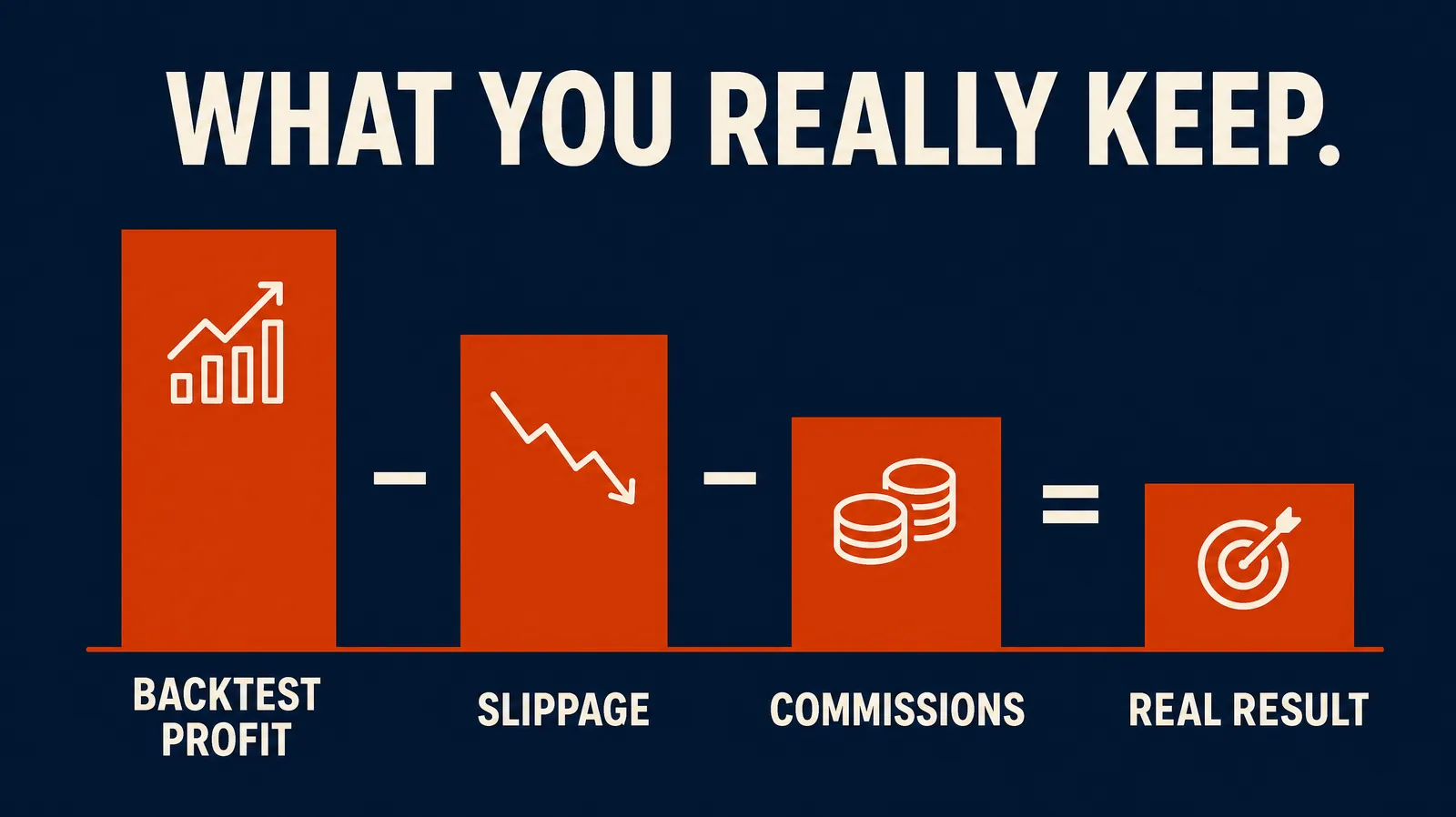
Not automatically, and this is where most free backtests quietly lie. Slippage (the gap between the price you expect and the price you actually get filled at) and commissions both eat into real returns, and a backtest that ignores them will always look better than reality.
Most professional-grade platforms, including QuantConnect, let you set slippage and commission models manually.[1] Simpler charting tools often skip this by default, which means the win rate on screen is optimistic by design, not by accident.
Practical takeaway: always check the settings for a slippage and commission toggle. If you can’t find one, assume the numbers you’re looking at are inflated.
Backtesting Software That Integrates With Your Broker
A handful of free tools connect directly to a broker for a smoother path from backtest to live execution. Thinkorswim ties directly into Schwab accounts, and platforms like Tastytrade and Webull offer their own charting and paper trading tools that sit close to live execution.
QuantConnect supports paper and live deployment through broker connections once a strategy clears backtesting, though live trading and premium data sit behind paid upgrades.[8][9] Broker integration matters because a strategy that backtests well but can’t route cleanly through your actual account isn’t a strategy. It’s a spreadsheet.
Common mistake: building a strategy around a data feed your broker can’t actually execute against. Check the integration before you get attached to the results.
How Far Back Can You Backtest Historical Data
Free backtesting tools typically offer anywhere from 10 to 25 years of historical data, depending on the asset class and platform. QuantConnect’s free tier runs roughly 15 years of tick-resolution U.S. equity history.[8]
Some newer free screening and backtesting tools claim coverage stretching past 35 years on major U.S. indices, though depth varies sharply by instrument and by how far back the free tier extends before hitting a paywall. Options and futures data windows are almost always shorter than equity data, since electronic options chains only go back so far.
Decision rule: for swing and position strategies, aim for at least 10 years of coverage so you catch a full bull and bear cycle. For short-term setups, 3 to 5 years of clean intraday data usually tells you what you need to know.
Our Take
Free backtesting software in 2026 is genuinely capable. QuantConnect, TradingView, and thinkorswim cover most of what a retail trader needs without a subscription. The gap isn’t the software anymore. It’s the discipline to test a strategy honestly, including the losing stretches, before trusting it with real money.
Pick one platform from this list. Backtest one strategy across at least two years of data, slippage and commissions included. Then paper trade it before it touches your account. That’s the whole process. Systems over hacks, every time.
This article is for education, not financial advice. Backtesting results, including any figures cited here, reflect historical data and past performance, not a guarantee of future results.
If you want a fuller list of AI-driven scanners and screeners that pair well with a backtested system, the best AI stock screeners for 2026 and the free AI stock screeners directory are worth bookmarking alongside your backtesting tool. Beginners just getting their process together can also check the free AI stock trading bots roundup and the free trading tools and calculators page before spending a dollar on anything paid.
There are 200+ AI stock tools in the FullStack Alpha directory, filterable by category, price, and what they actually do.
Browse the FullStack Alpha directory of 200+ AI stock tools
This article may contain affiliate links. FullStack Alpha may earn a commission if you sign up through them, at no extra cost to you.
Keep Going
More from AI Stock Trading Bots: Backtesting · Why Trading Bots Fail · Paper Trading.
Written and edited by Jay Rocco, Founder and Editor of FullStack Alpha. 200+ AI stock tools tested since 2022. Educational content only, not financial advice. See our Financial Disclaimer and How We Make Money.
Free weekly email
Join the FullStack Alpha newsletter
One email a week. The AI trading tools we tested, what broke, and what is worth your money. NO BS, no stock picks. Stay alpha.
Unsubscribe anytime. We never sell your email.
Stay alpha.
References
[1] QuantConnect Docs: Backtesting Deployment
[2] FindMyMoat: Free Backtesting
[3] TradeZella: Best Backtesting Software
[4] QuantConnect
[5] Goat Funded Trader: Best App for Backtesting Trading Strategies
[6] Pomegra: Backtesting Software for Traders
[7] TrendSpider Learning Center: Best Backtesting Software
[8] TradeAlgo: Free AI Trading Tools 2026
[9] TradeAlgo: Best Backtesting Platforms 2026
[10] ForTraders: Backtesting Tools for Forex and Crypto
Frequently Asked Questions
Is backtesting software actually free, or is there always a catch?
QuantConnect, TradingView, and thinkorswim all offer genuinely free tiers, though premium data, faster execution, or live trading deployment usually sit behind a paid upgrade.
Do I need to know how to code to backtest a strategy?
No. TradingView and thinkorswim both support chart-based, no-code testing. Coding only becomes useful if you want to automate hundreds of test runs at once.
Can backtesting prove a strategy will work in the future?
No, and any tool that implies it can is selling hype, not software. Backtesting shows historical performance under past conditions. Markets change conditions constantly.
What's the biggest red flag in a free backtesting tool?
No option to model slippage or commissions. That single missing feature can make a losing strategy look profitable on screen.
Should I backtest or paper trade first?
Backtest first. It's faster and tells you if the rule has any statistical edge at all. Paper trade second, to test your own execution and discipline before real money is on the line.
How much historical data do I actually need?
At least one full market cycle for swing or position strategies, roughly 10 years. Shorter-term setups can work with 3 to 5 years of clean data, as long as it includes at least one rough stretch.
Jay Rocco is the Founder and Editor of FullStack Alpha. He has tested 200+ AI stock tools since 2022 and run 15+ AI trading platforms on live accounts with his own money. He reviews the software. He does not tell you what stocks to buy.
