

Jay Rocco is the Founder and Editor of FullStack Alpha. He has tested 200+ AI stock tools since 2022 and run 15+ AI trading platforms on live accounts with his own money. He reviews the software. He does not tell you what stocks to buy.
Last updated: September 29, 2026
Quick Answer
The Alpaca API is a free brokerage API that lets you connect code directly to a real trading account for stocks, ETFs, options, and crypto, no phone calls to a broker, no six-figure minimum. You generate two credentials from a dashboard, point your code at a paper trading sandbox to practice with fake money, then flip a switch later to go live. This article is education, not personalized investment advice, and nothing here promises returns.
On AI Stock Trading Bots: go deeper in our Broker APIs guide, and see How We Test for the method behind every score.
Key Takeaways
- The Alpaca API connects your code (Python or any language that can make HTTP calls) to a real brokerage account covering stocks, ETFs, options, and crypto.[8]
- Every private API call needs two headers:
APCA-API-KEY-IDandAPCA-API-SECRET-KEY.[7] - Paper trading is free for every user and runs on its own endpoint,
paper-api.alpaca.markets, so test orders never touch real cash.[4] - Moving from paper to live trading later means swapping the domain and the credentials. The strategy code does not need a rewrite.[7]
- Alpaca’s official Python library is alpaca-py, and the core object for sending orders is
TradingClient.[9] - Paper trading access is available right after signup. Approval for a funded live account is a separate step.[1][3]
- Paper trade it first. Weeks of clean simulated fills beat one lucky real trade you can’t explain.
What Is the Alpaca API and How Does It Work
The Alpaca API is a set of programming tools that let your own code place stock, ETF, options, and crypto orders through a real brokerage, instead of you clicking buttons in an app. It works like a translator: you write a request in code (“buy 5 shares of X”), the API converts it into a brokerage order, and Alpaca’s Trading API routes it to the market.[8]
That’s the whole pitch. No trading desk, no minimum balance to start testing, no waiting on hold with a broker rep.
Alpaca’s own onboarding path is blunt about the order of operations: create a free account, find your keys in the dashboard, install the official SDK (software development kit, a pre-built code library that does the heavy lifting), then submit your first order.[10] That’s four steps, not forty.
Practical takeaway: if you’ve never written a line of trading code, start with the free AI stock trading bots beginners keep flocking to to see what’s possible before you touch raw API calls.
How Do You Get Your Alpaca API Keys
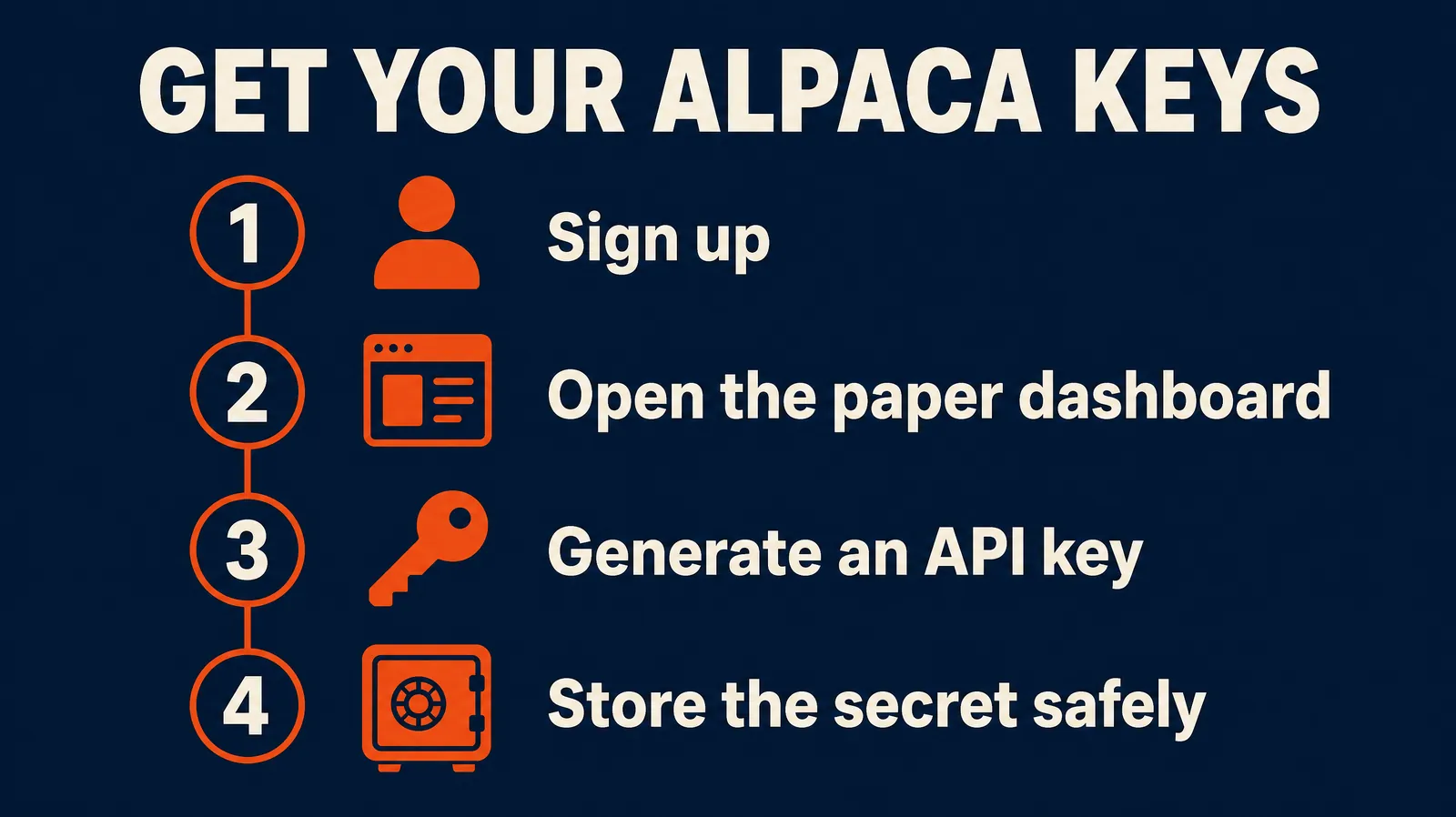
You get Alpaca API keys from the dashboard after creating a free account: generate them under the Paper Trading environment first, and Alpaca gives you a Key ID and a Secret Key as a pair.[5][3]
The Key ID (APCA-API-KEY-ID) is your public account identifier, similar to a username. The Secret Key (APCA-API-SECRET-KEY) is the private password that proves the request actually came from you.[5][7]
Here’s the setup flow in order:
- Register a free Alpaca account.[3]
- Confirm the dashboard is set to Paper Trading mode, not live.
- Open the API Keys panel and generate a new key pair.[1]
- Copy both values immediately. The secret key is shown once.
- Store them as environment variables, never as text pasted into your script.[5]
Common mistake: generating live keys by accident because the dashboard defaulted to the wrong environment. Check the toggle before you click generate.
Alpaca API Authentication Setup for Beginners
Authentication just means proving your code is allowed to talk to your account, and Alpaca does this with two HTTP headers on every private request: APCA-API-KEY-ID and APCA-API-SECRET-KEY.[7]
Every request that touches your orders, positions, or account balance has to carry both headers. Public market data endpoints are more lenient, but anything that can move money requires the full pair.
In practice, most beginners never touch raw headers directly. The official SDK handles it: you pass your key and secret into a client object once, and the library attaches the headers to every call automatically.[9][2]
A typical Python pattern looks like this:
from alpaca.trading.client import TradingClient

trading_client = TradingClient(api_key, secret_key, paper=True)
That paper=True flag is the single most important line in the whole setup. It’s the difference between a test and a real trade.[2]
Decision rule: if you’re not 100% sure which environment you’re pointed at, print your account status before submitting anything. If it says “PAPER,” you’re safe.
Alpaca API Paper Trading vs Live Trading: What Actually Changes
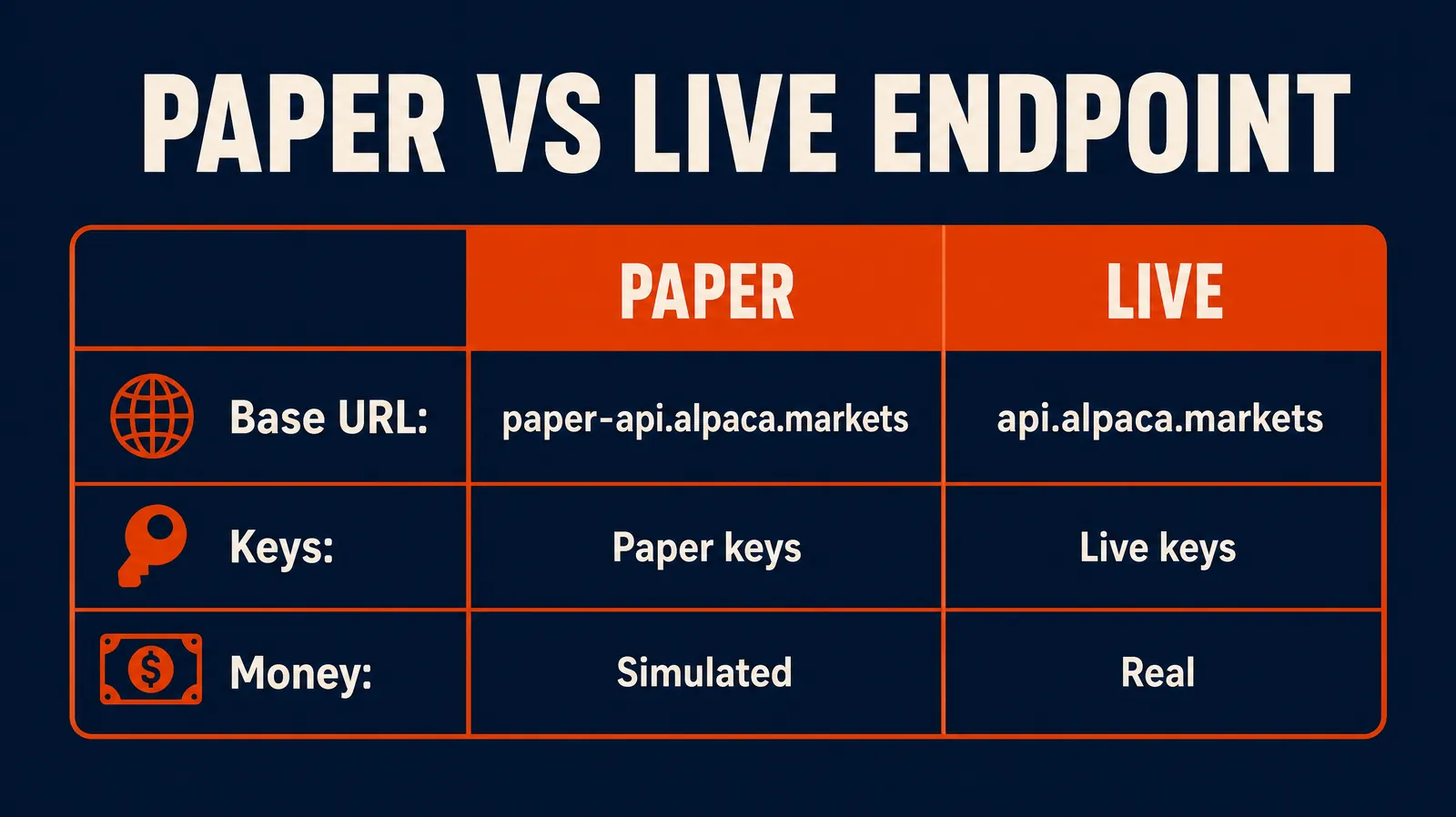
Paper trading simulates real market fills using fake money on a separate server. Live trading sends real orders backed by real cash. Alpaca keeps these completely separate, with different endpoints and different keys, so a coding mistake in testing can’t accidentally cost you money.[4]
A dedicated Paper Only Account exists specifically for simulation, and it uses its own base URL, https://paper-api.alpaca.markets, usually set through an environment variable called APCA_API_BASE_URL.[4][7] Live trading uses a different domain entirely.
Here’s the side-by-side:
| Paper Trading | Live Trading | |
|---|---|---|
| Endpoint | paper-api.alpaca.markets | Live trading domain |
| Cost | Free for every user[4] | Depends on account and any margin |
| Money at risk | None, simulated fills | Real capital |
| Data | Real-time market data included[8] | Real-time market data included |
| Approval needed | None beyond signup[1] | Full brokerage account approval[3] |
| Reset capability | Can reset and retest repeatedly[8] | Cannot undo a filled order |
Practical takeaway: the code you write for paper trading is close to identical to live code. Change the base URL, swap in live keys, and you’re running for real. That’s by design.[7]
How to Place Your First Order With the Alpaca API
Placing your first order means instantiating a TradingClient with your paper keys, then calling the order submission method with a symbol, quantity, and order type. Here’s the shape of it:
from alpaca.trading.client import TradingClient
from alpaca.trading.requests import MarketOrderRequest
from alpaca.trading.enums import OrderSide, TimeInForce

trading_client = TradingClient(api_key, secret_key, paper=True)

order_request = MarketOrderRequest(
    symbol="SPY",
    qty=1,
    side=OrderSide.BUY,
    time_in_force=TimeInForce.DAY
)

trading_client.submit_order(order_request)
With paper=True set, that order routes automatically to the paper endpoint. Nothing real gets touched.[2]
A few things to nail down before you hit submit:
- Time in force tells the order how long it stays active (DAY orders expire at the close).
- Order type (market, limit) decides how the fill happens. A market order fills at whatever price is available. A limit order only fills at your price or better.
- Position sizing matters even in paper trading. Practice the habit now, because sloppy sizing in a sandbox becomes sloppy sizing with real money.
If you want the strategy logic behind the order to actually hold up before scaling it, run it through how to backtest a trading strategy without fooling yourself first, or start with our Backtesting guide.
What Programming Languages Does the Alpaca API Support
Alpaca’s official SDK is built for Python (alpaca-py), but the underlying API is a standard REST interface, meaning any language that can send HTTP requests, JavaScript, Go, C#, Java, can call it directly.[9][8]
Python has the most polished tooling and the most documentation, so it’s the default starting point for beginners. The TradingClient object handles authentication, order submission, and account queries with a handful of method calls.[9]
There’s also a Trading CLI (command line interface) for people who don’t want to write a full application at all. You log in with alpaca profile login --api-key, and you can manage paper trading and submit orders straight from the terminal.
Choose Python if you want the most examples and community support. Choose the CLI if you just want to test keys and submit one order without writing a script. Choose another language if you already have infrastructure built there, since the REST endpoints work regardless of language.
Alpaca API Rate Limits and Restrictions
Alpaca enforces rate limits on API requests to prevent abuse and keep the platform stable for everyone, meaning your account can be temporarily blocked from making calls if you send too many too fast. The exact limit varies by account tier and endpoint, so check the current numbers on the Alpaca Trading API documentation before building anything that polls aggressively.[8]
Practical restrictions beginners run into most often:
- Polling too fast for account status or order updates instead of using a streaming connection.
- Order rejections when submitting outside market hours without the correct order type or extended-hours flag.
- Symbol restrictions on certain securities depending on account type.
Common mistake: writing a loop that checks order status every second instead of using a webhook or a websocket stream. That’s the fastest way to trip a rate limit and stall your own bot.
How Much Does the Alpaca API Cost
Paper trading with the Alpaca API is free for every user, with no minimum account size and no subscription required to start testing.[4][8] Live trading costs depend on your account type, any margin used, and standard regulatory fees that apply across the industry, not an Alpaca-specific charge.
That free paper environment includes real-time market data for simulation, which matters because a lot of competing sandboxes only offer delayed data.[8]
Can you use Alpaca without a brokerage account? For paper trading, yes, effectively. Signup creates the account structure needed to generate keys and test.[1][3] To trade live and hold real securities, you need a funded brokerage account, since Alpaca is acting as your broker of record, not just an API vendor.
Decision rule: if you’re only testing strategy logic, you never need to fund anything. Fund the account only when you’re ready to risk real capital.
Troubleshooting Alpaca API Connection Errors
Most Alpaca API connection errors trace back to one of three things: wrong environment (paper keys hitting the live endpoint or vice versa), missing or malformed headers, or an expired or regenerated key that the code hasn’t picked up.[7][5]
Quick checklist when a connection fails:
- Confirm the base URL matches your key type (paper key needs paper URL).[4]
- Print the key ID being loaded to confirm your environment variables actually populated.
- Regenerate the key pair if you suspect it was copied incorrectly, since the secret is only shown once.[5]
- Check that both headers are present on the request, not just one.[7]
Edge case: if the connection works for account data but fails specifically on order submission, that’s usually a permissions or market-hours issue, not a key problem.
Best Practices for Storing Alpaca API Keys Securely
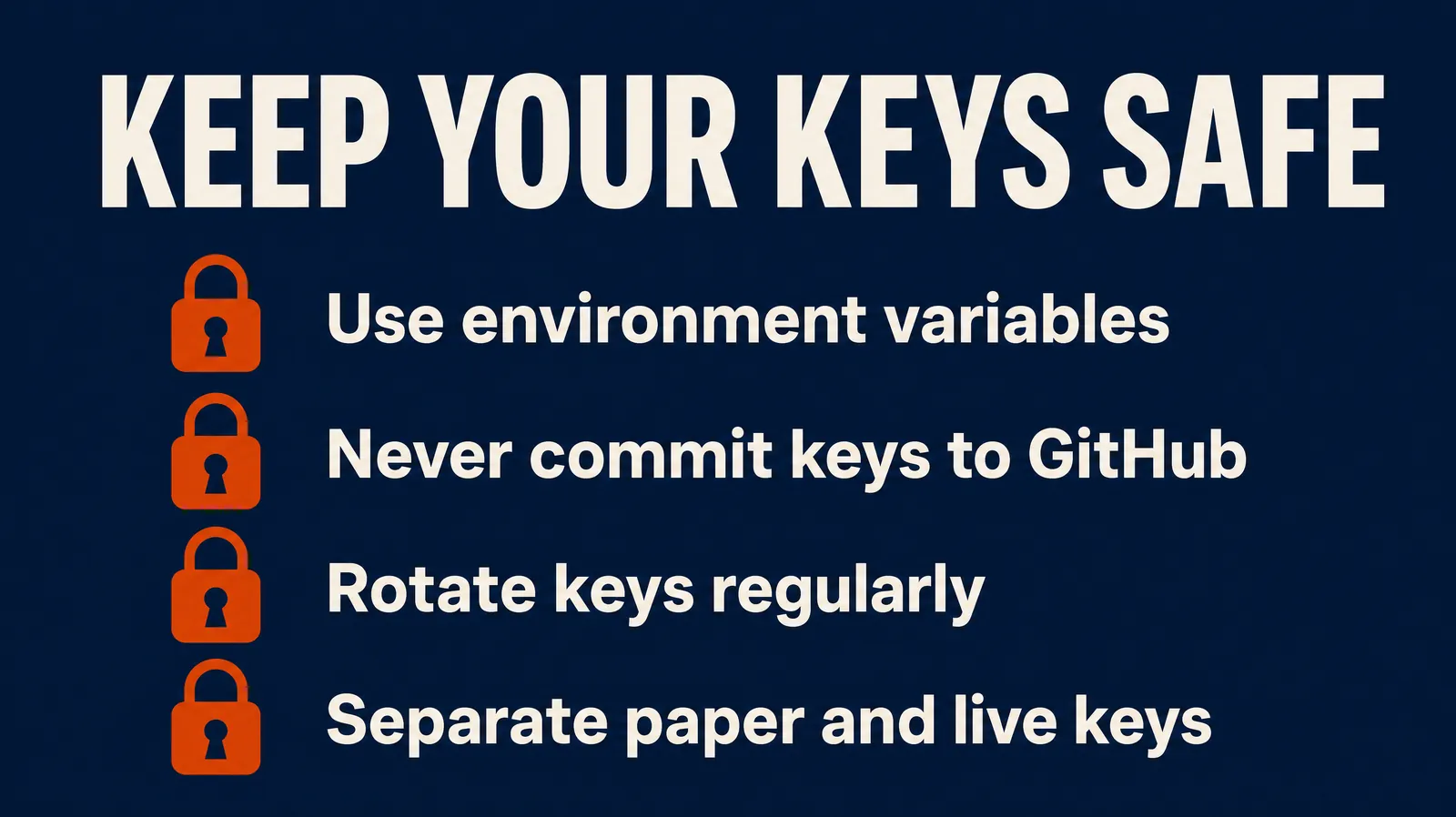
Store Alpaca API keys as environment variables or in a secrets manager, never hard-coded in a script or committed to a public repository. The secret key is shown once at generation, and Alpaca cannot retrieve it for you afterward.[5]
Basic rules that actually get followed:
- Never paste keys into a shared Slack channel, a public GitHub repo, an AI chat, or a screenshot.
- Use separate key pairs for paper and live environments so you can’t cross-contaminate by accident.
- Rotate (regenerate) keys immediately if you suspect exposure.
- Keep the secret key out of version control entirely, using a
.envfile that’s explicitly excluded from commits.
Common mistake: leaving old, unused live keys active for months. If you’re not using a key, revoke it.
Alpaca API Alternatives for Stock Trading
Alpaca isn’t the only broker offering an API sandbox, and the right pick depends on whether you want a coding-first workflow or a no-code builder. Interactive Brokers, Schwab, and Tradier all offer APIs, and no-code platforms in the best AI trading bot category serve a different need. Our Trading Bots by Broker guide compares them.
Choose Alpaca if you want to write your own code and control every part of order logic. Choose a no-code builder like Composer Trade if you want algorithmic exposure without touching Python. Choose a full charting platform like TradingView if your priority is visual strategy building over raw API access.
Browse the full trading bots directory to compare more options side by side before committing to one workflow.
How Long Does Approval Take for Alpaca Trading
Paper trading access is available immediately after account registration, with no approval wait since no real money is involved.[1][3] Live, funded brokerage accounts go through standard identity verification and regulatory checks, similar to opening any brokerage account, and timing depends on how quickly your documentation clears.
Practical takeaway: don’t wait on live approval to start learning. Register, flip to paper mode, and start building your process while the live account (if you choose to open one) works through its own timeline in the background.
Common Mistakes Beginners Make With the Alpaca API
The most common mistake is treating paper trading like a formality instead of a real test, then going live the same week without any track record to check against. Systems over hacks: a strategy that hasn’t run clean for weeks in simulation has no business running with real capital.
Other patterns worth naming:
- Mixing up environments. Paper keys on the live URL, or vice versa, cause silent failures or, worse, silent real trades.[7]
- No stop loss logic in the code, meaning a runaway loop can compound a bad position before a human notices.
- Overtrading the paper account to feel productive, then wondering why the fake win rate doesn’t survive contact with real slippage and real emotion.
- Skipping the read on rate limits, then getting blocked mid-test and blaming the API instead of the loop that hit it too hard.
Run your logic through an expectancy calculator before scaling size, paper or live. Numbers over vibes, every time.
Our Take
The Alpaca API removes the two excuses beginners use most: “I don’t have enough money” and “I don’t know if my strategy works.” Paper trading kills both. It’s free, it uses real-time data, and it lets you break things without losing a dollar.[4][8]
Here’s what to actually do next. Register a free account, generate paper keys, and place one small market order using the TradingClient pattern above. Run it daily for a few weeks before you even think about live keys. Track the fills, not just the wins. That’s the process. Everything else is noise.
Cut the noise, keep the alpha.
FullStack Alpha tests the AI trading tools, scanners, and brokers so you don’t burn months figuring out which ones are real. See the Alpaca profile and 200+ more in the FullStack Alpha directory, filterable by category, price, and what they actually do.
Browse the FullStack Alpha directory of 200+ AI stock tools
This article is for education only and is not personalized investment advice. Some links on this page are affiliate links.
Keep Going
More from AI Stock Trading Bots: Broker APIs · Build a Trading Bot · Paper Trading.
Written and edited by Jay Rocco, Founder and Editor of FullStack Alpha. 200+ AI stock tools tested since 2022. Educational content only, not financial advice. See our Financial Disclaimer and How We Make Money.
Free weekly email
Join the FullStack Alpha newsletter
One email a week. The AI trading tools we tested, what broke, and what is worth your money. NO BS, no stock picks. Stay alpha.
Unsubscribe anytime. We never sell your email.
Stay alpha.
References
[1] Alpaca Learn: Start Paper Trading
[2] Alpaca Learn: Connect to the Alpaca API
[3] Alpaca Learn: Register on Alpaca
[4] Alpaca Docs: Paper Trading
[5] Alpaca Learn: API Key Security Best Practices
[6] Alpaca Learn: Algorithmic Trading Bot in 7 Steps
[7] Alpaca Docs: Authentication
[8] Alpaca Docs: Trading API
[9] alpaca-py SDK: Trading
[10] Alpaca Docs: Getting Started With the Trading API
Frequently Asked Questions
Do I need money to start with the Alpaca API?
No. Paper trading is free for every user and includes real-time market data, so you can test full strategies with zero funding.
What's the difference between the Key ID and the Secret Key?
The Key ID is your public account identifier. The Secret Key is the private credential that authenticates the request, and it's only shown once at generation.
Can I use the Alpaca API without opening a brokerage account?
For paper trading, functionally yes, signup gives you what you need. For live trading real securities, you need a funded, approved brokerage account since Alpaca is your broker of record.
What happens if I mix up my paper and live keys?
The request will either fail authentication or, in worse cases, route to the wrong environment. Always confirm the base URL matches the key type before submitting orders.
Which language should a beginner use with Alpaca?
Python, through the official alpaca-py SDK, has the most documentation and the simplest TradingClient pattern for beginners.
How do I move from paper trading to live trading?
Swap the base URL from the paper endpoint to the live domain and swap in your live credentials. The strategy code itself doesn't need a rewrite.
Jay Rocco is the Founder and Editor of FullStack Alpha. He has tested 200+ AI stock tools since 2022 and run 15+ AI trading platforms on live accounts with his own money. He reviews the software. He does not tell you what stocks to buy.
