

backtrader hasn’t shipped a release since April 19, 2023, and five maintained Python libraries now cover the same ground with fewer install headaches.
Quick Answer
Backtrader Hasn’t Shipped Since 2023, and that single fact should shape how you start your next project. The core package on PyPI stopped receiving upstream releases after April 19, 2023, so the code still runs but nobody upstream is fixing pandas, NumPy or broker API breakage for you. The five maintained alternatives worth your time are VectorBT, backtesting.py, NautilusTrader, lumibot and QuantConnect LEAN. If you already have a working backtrader setup and a pinned environment, keep it. If you are starting fresh in 2026, start somewhere that ships.
Key Takeaways
- backtrader’s last upstream release on PyPI is dated April 19, 2023. Community forks exist, the original does not ship.
- NautilusTrader 2.0.0rc5 landed September 15, 2026, after release candidates on September 2 and August 20, per the project’s GitHub releases page.
- VectorBT 1.1.0 was released July 5, 2026 and backtesting.py 0.6.6 on July 22, 2026, according to a 2026 comparison of Python backtesting libraries.
- Zipline Reloaded’s clearest recent release is 3.1.1, dated July 23, 2025, per its GitHub release history. Slower cadence than Nautilus or backtesting.py.
- QuantConnect’s free plan includes unlimited backtesting; the Researcher tier runs $84 per month, per QuantConnect’s pricing page.
- backtrader costs $0. So do VectorBT, backtesting.py, NautilusTrader and lumibot. Price is not the deciding factor here. Maintenance is.
- A Reddit thread asking whether anyone trusts vibe-coded backtesters drew 67 comments. AI-written backtests fail on lookahead bias far more often than on syntax.
Is backtrader still maintained in 2026?
No. backtrader is dormant, not deleted. The upstream package has had no new release on PyPI since April 19, 2023, which means no fixes for dependency drift, no security patches, and no new broker integrations from the original maintainer.
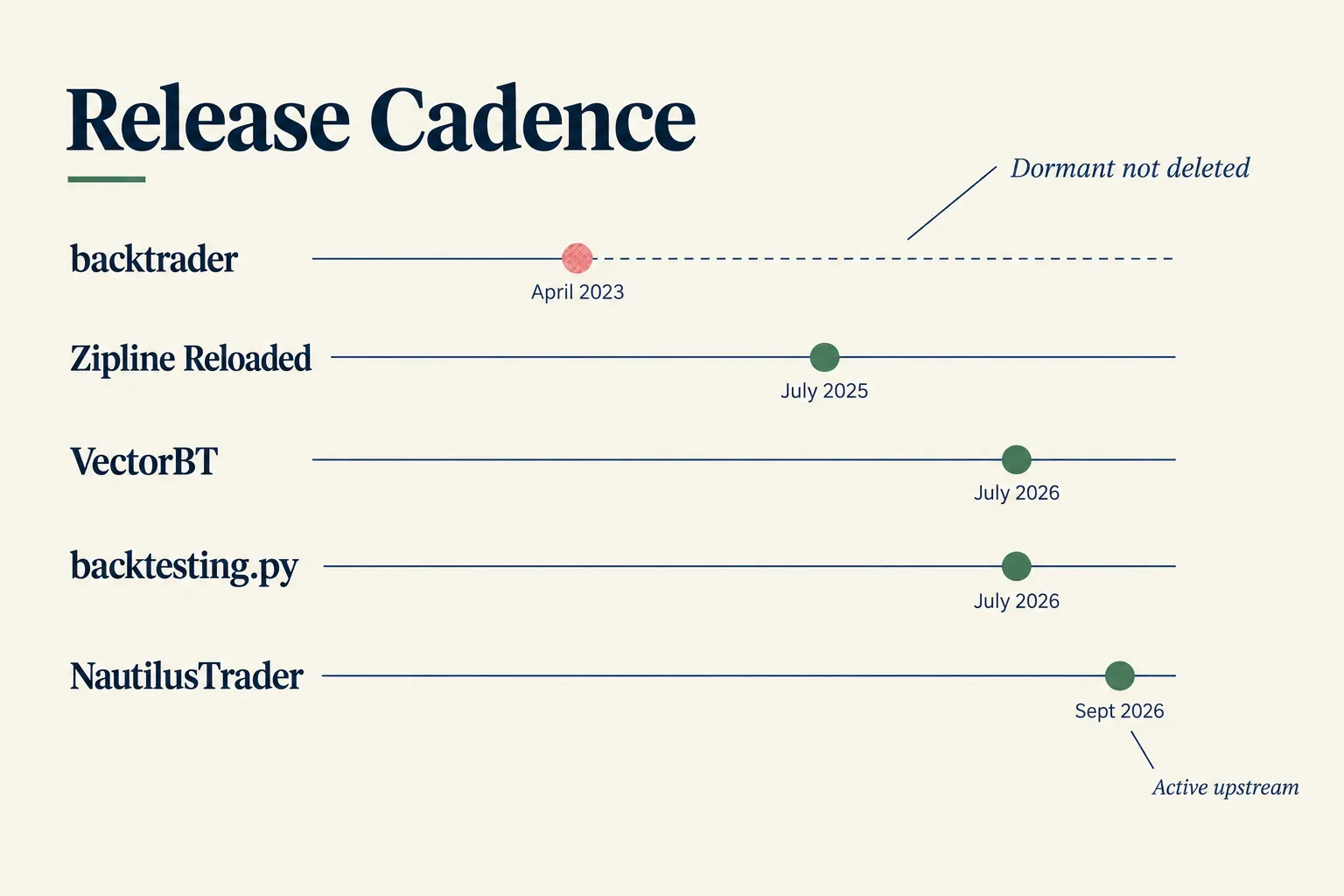
Dormant is a specific word and it matters. The library imports, runs, plots and produces the same numbers it produced in 2023. Practitioner comparisons describe backtrader as dormant rather than unusable, and that is the honest read.
Why it stopped is simple and a little boring. backtrader was largely a one-maintainer project. Releases simply stopped, and nobody with commit rights has shipped one since. No scandal, no license change, no corporate acquisition. That wasn’t on anyone’s 2023 bingo card, but it is how most open source dies: quietly, with the lights still on.
What that costs you in practice:
- Install friction. Newer Python versions and newer pandas releases occasionally break old call patterns. You end up pinning versions.
- No upstream bug fixes. Found a sizer edge case? You fix it in your own fork or you live with it.
- Stale broker links. Live trading adapters age fast. APIs change on the broker’s schedule, not yours.
- Audit risk. Dormant dependencies get harder to install and harder to reproduce as the operating system and the data stack move on.
Community forks exist and some are active. Running a fork is a real option, and it is also a commitment: you own the maintenance of whatever you fork. Decision rule: if you cannot read and patch the library yourself, do not build a new system on a dormant one.
backtrader
backtrader is a free, open source Python backtesting library and trading framework built on an event-driven loop, a Cerebro engine that wires everything together, and a Strategy class where you write your rules. It reads OHLCV data (Open, High, Low, Close, Volume), feeds it bar by bar into your logic, and simulates orders, commissions and position sizing.
Here is how the pieces fit, in plain English:
- Data feeds. You load a CSV, a pandas DataFrame or a live feed. Each feed exposes lines: Close, High, Low, Open, Volume.
- Indicators. You instantiate them inside the Strategy. Each one takes params period and produces one or more lines.
- Strategy. The
nextmethod runs once per bar. You check conditions, you Buy, you sell, you Log what happened. - Cerebro. The engine. You add the feed, add the Strategy, set cash and commission, then run and plot.
To install backtrader you still use pip, and that part works. The trouble starts when an old plotting dependency meets a new matplotlib, or when your Python build is newer than anything the 2023 release ever saw.
What changed since 2023 is not the code. It is everything around the code. Python moved. pandas moved. NumPy moved. Broker APIs moved twice. Recent 2026 reviews increasingly split the field into research backtesters and production trading engines, and backtrader tried to be both at a time when it was the only decent option. It no longer is.
Can you still use it? Yes, with conditions:
- You pin your environment (Docker image or a locked virtual environment).
- You are testing ideas, not running size.
- You accept that any bug you hit is now your bug.
Price check: backtrader is free under a permissive open source license. There is no paid tier, no cloud plan, no seat fee. The cost is time, and dormant software charges that in maintenance.
Comparison table: backtrader vs VectorBT vs backtesting.py vs NautilusTrader vs lumibot vs QuantConnect LEAN
Across the six options, NautilusTrader has the most active release cadence, VectorBT is the fastest for bulk parameter sweeps, and backtesting.py is the gentlest place to start. backtrader is the only one on this list with no upstream release in over three years.
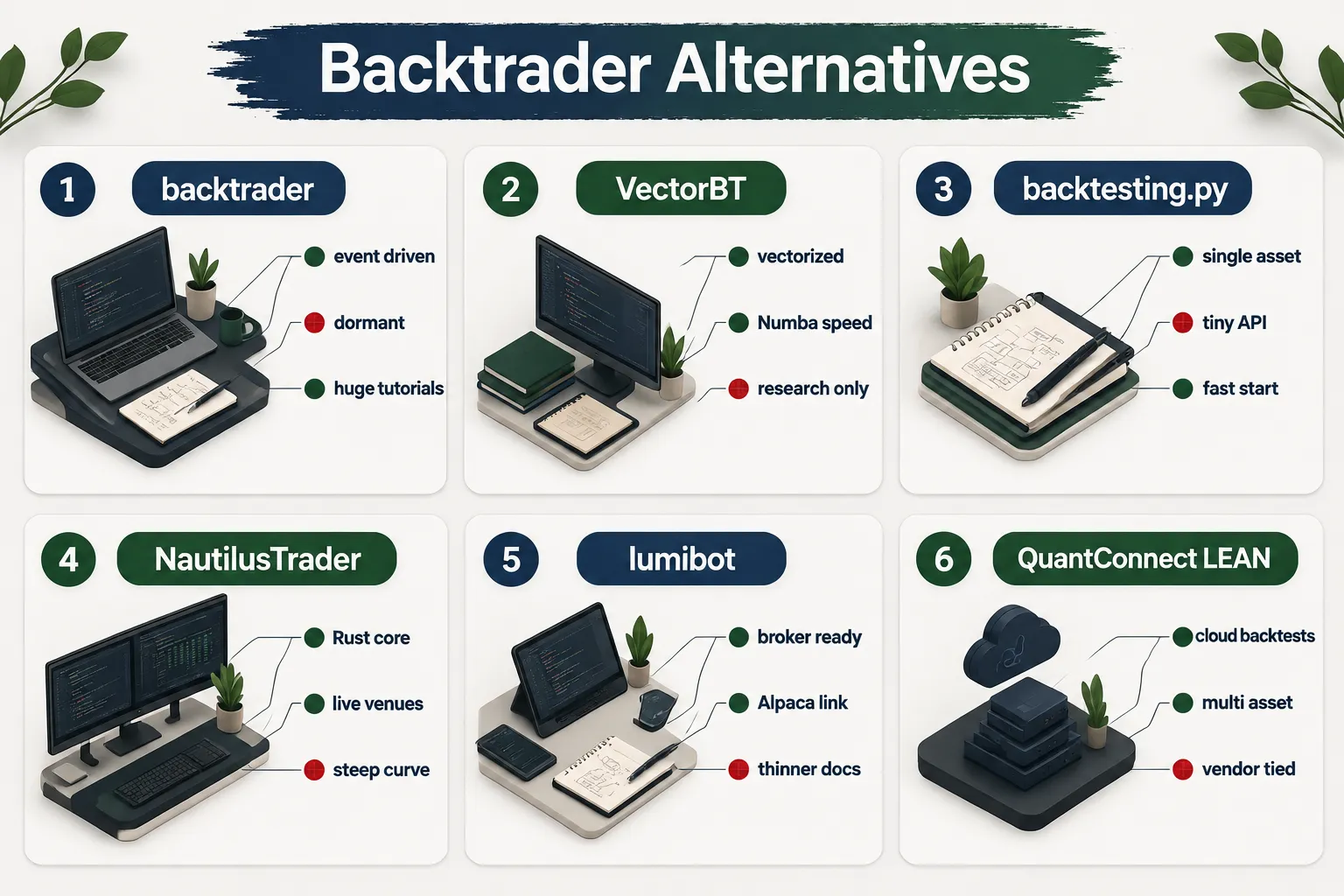
| Library | Last release (checked Oct 2026) | License / cost | Speed | Live trading | Learning curve |
|---|---|---|---|---|---|
| backtrader | April 19, 2023 | Free, open source | Slow on large data (Python event loop) | Adapters exist, aging | Medium |
| VectorBT | 1.1.0, July 5, 2026 | Free open source (PRO is paid) | Very fast, vectorized + Numba, optional Rust | Not its job | Medium to steep |
| backtesting.py | 0.6.6, July 22, 2026 | Free, open source | Fast enough for single assets | No | Easy |
| NautilusTrader | 2.0.0rc5, Sept 15, 2026 | Free, open source | Fast, Rust core with Python bindings | Yes, multi-venue | Steep |
| lumibot | Active, broker-focused | Free, open source | Moderate | Yes, including Alpaca | Easy to medium |
| QuantConnect LEAN | Actively developed | Free plan, Researcher $84/mo | Fast cloud compute | Yes | Medium |
Two notes that the table cannot hold. NautilusTrader states that 1.231.0 was the final release supporting the legacy Cython v1 core, with everything since aimed at the Rust-native v2 architecture. And its docs push backtest and live code reuse, so a Strategy written for the backtest node is meant to carry forward to the live node.
And backtrader vs Zipline? Neither wins on freshness. Zipline Reloaded is maintained but slower-moving, with 3.1.1 dated July 23, 2025. Zipline’s calendar and bundle system is stricter and more equities-focused; backtrader is more flexible across asset classes. For a new project in 2026, both are second-tier picks behind NautilusTrader, VectorBT and backtesting.py. For a wider field, see our roundup of the best free backtesting software, and for the cloud option in detail, our QuantConnect LEAN guide.
The 5 best backtrader alternatives, ranked
We ranked these on three questions that matter to anyone leaving backtrader: is it still shipping, how much of your old strategy survives the move, and is there a real path to live orders. The comparison table above has the side-by-side numbers. This is the longer read on each one, with links, pros, cons and what actually changes when you port.
1. NautilusTrader
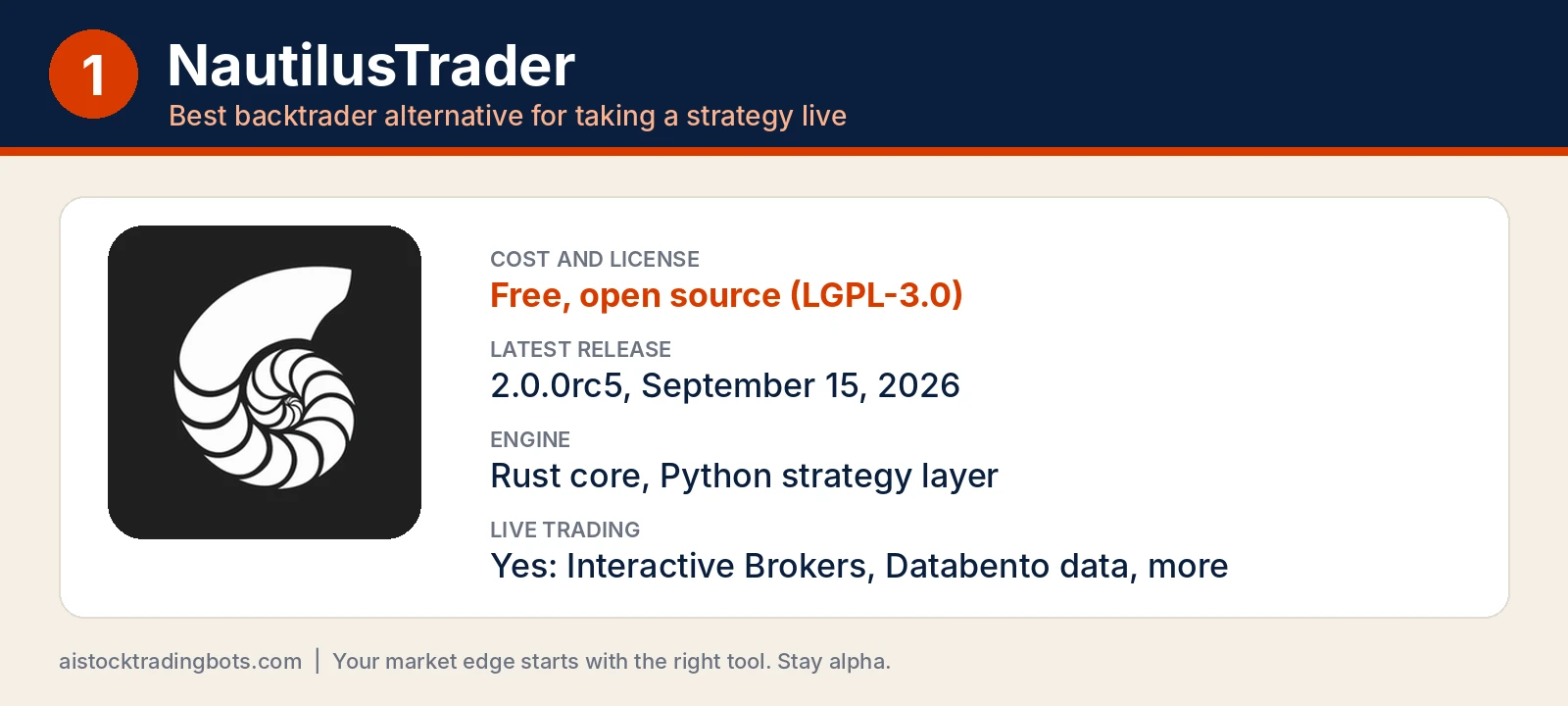
Links: NautilusTrader official site | NautilusTrader docs | GitHub: nautechsystems/nautilus_trader
NautilusTrader is a free, open source trading engine (LGPL-3.0) with a Rust core and Python as the layer where you write strategies and wire up configuration. It fits the backtrader user who always meant to go live and wants the backtest and the live bot to be the same code. Its README says strategies “deploy from research to production with no code changes,” which is the promise backtrader’s aging broker adapters stopped keeping.
Pros
- The most active release cadence on this list: five 2.0 release candidates on PyPI, the latest (2.0.0rc5) on September 15, 2026.
- Serious order handling out of the box: IOC, FOK, GTD and DAY time in force, OCO and OTO contingency orders, post-only and iceberg instructions.
- Stable adapters for Interactive Brokers and Databento market data, running on a deterministic event-driven simulator.
Cons
- The steepest learning curve here. Expect to learn instruments, venues, data wranglers and engine configs before your first simulated trade prints.
- Requires Python 3.12 or newer, and the v1 to v2 Rust rewrite means older tutorials can point you at APIs that changed.
- For U.S. stock traders, Interactive Brokers is effectively the only brokerage adapter. Most of the 17 listed integrations are crypto venues.
Migrating from backtrader: next becomes on_bar, and Cerebro’s quick setup becomes an explicit engine config where you define the instrument and convert your DataFrame into Nautilus bar objects before anything runs.
2. backtesting.py
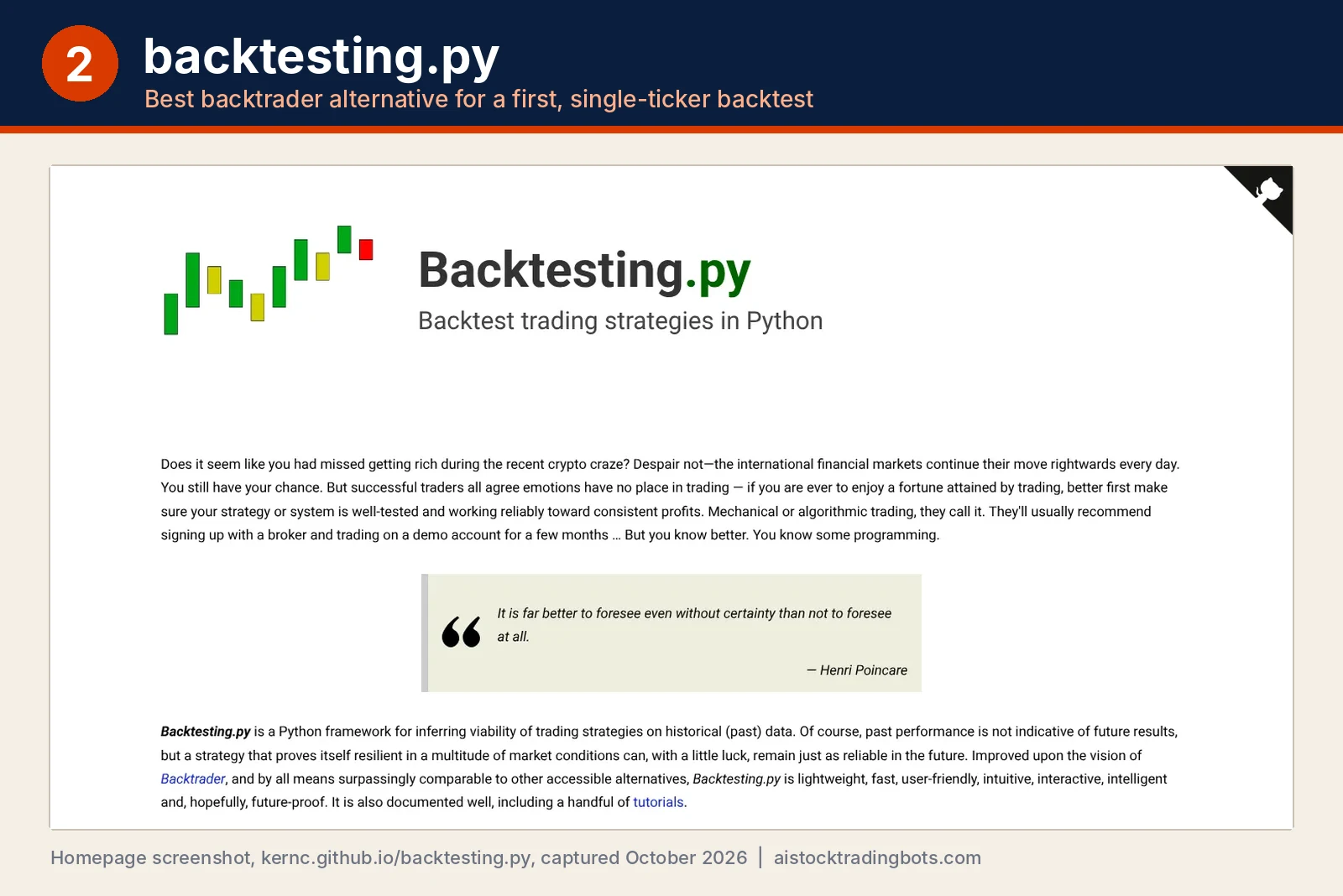
Links: backtesting.py official site | backtesting.py documentation | GitHub: kernc/backtesting.py
backtesting.py is a small, focused Python library: one Strategy class with init and next, one Backtest object, and an interactive chart at the end. It fits beginners and anyone testing one ticker at a time who wants an answer this afternoon. Its own homepage says it “improved upon the vision of Backtrader,” and the API shows it.
Pros
- The easiest port on this list. The method is still called
next, and the bar-by-bar mental model carries straight over. - A built-in optimizer based on SAMBO, plus a stats readout that includes Sharpe, Sortino, Calmar, max drawdown, SQN and Kelly criterion.
- Indicator-library agnostic, so TA-Lib, pandas-ta or your own functions all work. Version 0.6.6 shipped July 22, 2026.
Cons
- Single-instrument by design. Pairs trades and portfolio rotation need workarounds or a different tool.
- No live trading at all, and the AGPL-3.0 license carries real obligations if you build a commercial product on top of it. Read it before you ship anything.
Migrating from backtrader: your data becomes a pandas DataFrame with Open, High, Low, Close and Volume columns, indicators get wrapped in self.I() inside init, and backtrader’s sizers go away. You pass a size to buy() instead, where a number below 1 means a fraction of equity.
3. VectorBT
Links: VectorBT docs (vectorbt.dev) | GitHub: polakowo/vectorbt | VectorBT PRO
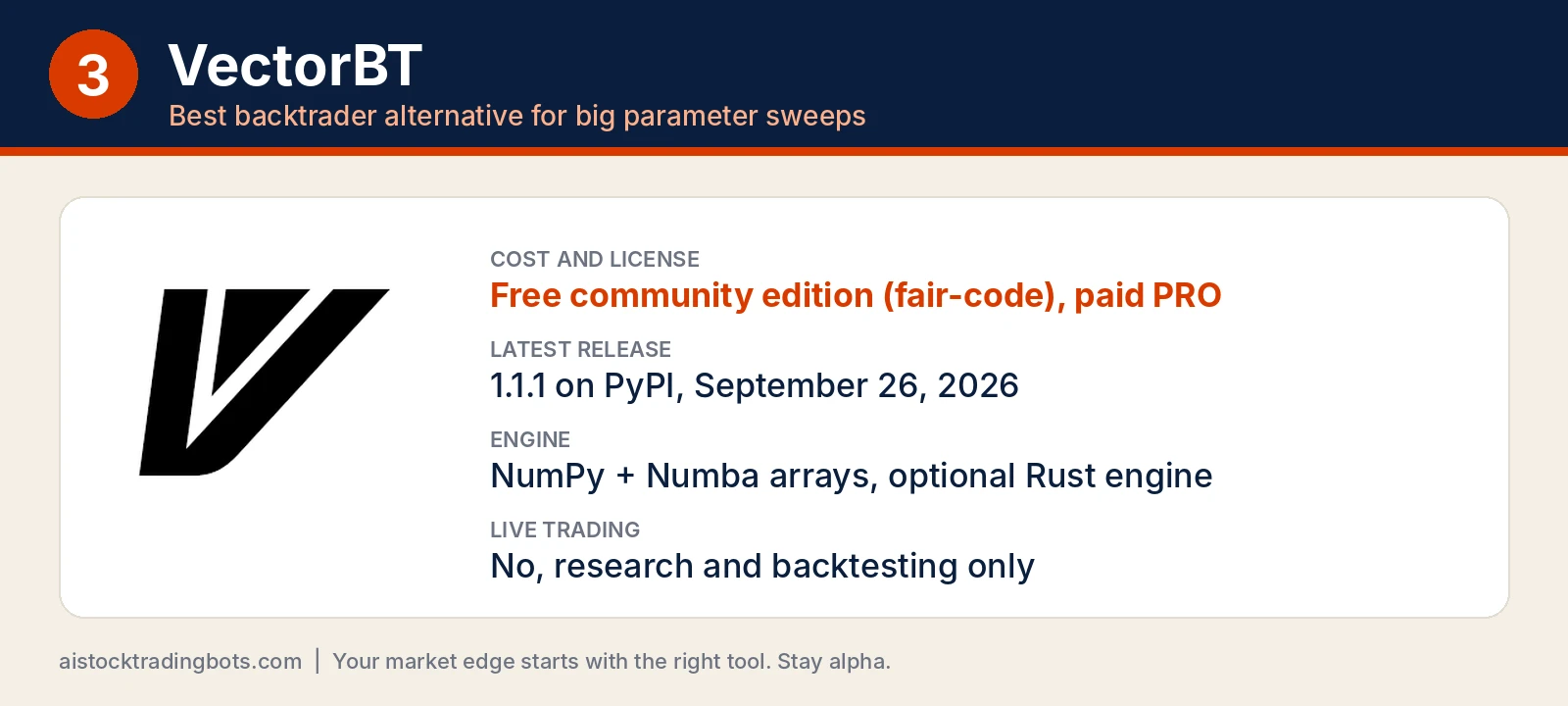
VectorBT throws out the bar-by-bar loop. It packs thousands of strategy configurations into NumPy arrays, speeds up the hot path with Numba and an optional Rust engine, and runs them all at once. It fits the trader who has a working idea and wants to know whether the 20-day version was luck, or whether every period from 15 through 30 holds up.
Pros
- Built for parameter sweeps. A grid that eats an evening in backtrader is the exact job VectorBT was written for.
- pandas-native results, so stats and plots drop straight into a Jupyter notebook.
- Still shipping: 1.1.1 hit PyPI on September 26, 2026, a point release after the 1.1.0 build listed in the table above.
Cons
- The project’s own README pitches limit orders, leverage and futures contract multipliers as VectorBT PRO features, and PRO is paid.
- Fair-code license (Apache 2.0 with Commons Clause), which restricts selling the software itself. Fine for personal research, worth a read for a business.
- Path-dependent logic, like scaling in or stops that depend on earlier fills, is awkward in a vectorized model, and there is no live trading.
Migrating from backtrader: you stop writing next entirely. Your rules become boolean entry and exit arrays computed over the whole history, which you hand to Portfolio.from_signals.
4. QuantConnect LEAN
Links: QuantConnect LEAN docs | lean.io official site | GitHub: QuantConnect/Lean
LEAN is QuantConnect’s open source, event-driven trading engine, written in C# with full Python support and licensed under Apache 2.0. You can run it in QuantConnect’s cloud with data attached, or locally through the LEAN CLI (installed with pip) and Docker. It fits the trader whose real bottleneck is clean historical data, not code.
Pros
- The free plan includes unlimited cloud backtesting with data attached, per QuantConnect’s pricing page.
- Multi-asset, portfolio-level modeling in one algorithm, which backtrader users usually stitch together by hand.
- The biggest community on this list: over 21,000 stars and 5,200 forks on GitHub as of October 2026.
Cons
- Vendor gravity. The smoothest path runs through QuantConnect’s cloud, data and paid tiers, and the Researcher plan is $84 per month.
- Your Python runs on top of a C# engine, so the framework idioms and some error messages feel foreign if backtrader is all you know.
- Running fully local means supplying your own data or paying for QuantConnect’s datasets.
Migrating from backtrader: the Strategy class becomes a QCAlgorithm subclass, Cerebro setup moves into initialize (start date, cash and subscriptions like add_equity), and next becomes on_data.
5. lumibot
Links: lumibot official docs | GitHub: Lumiwealth/lumibot
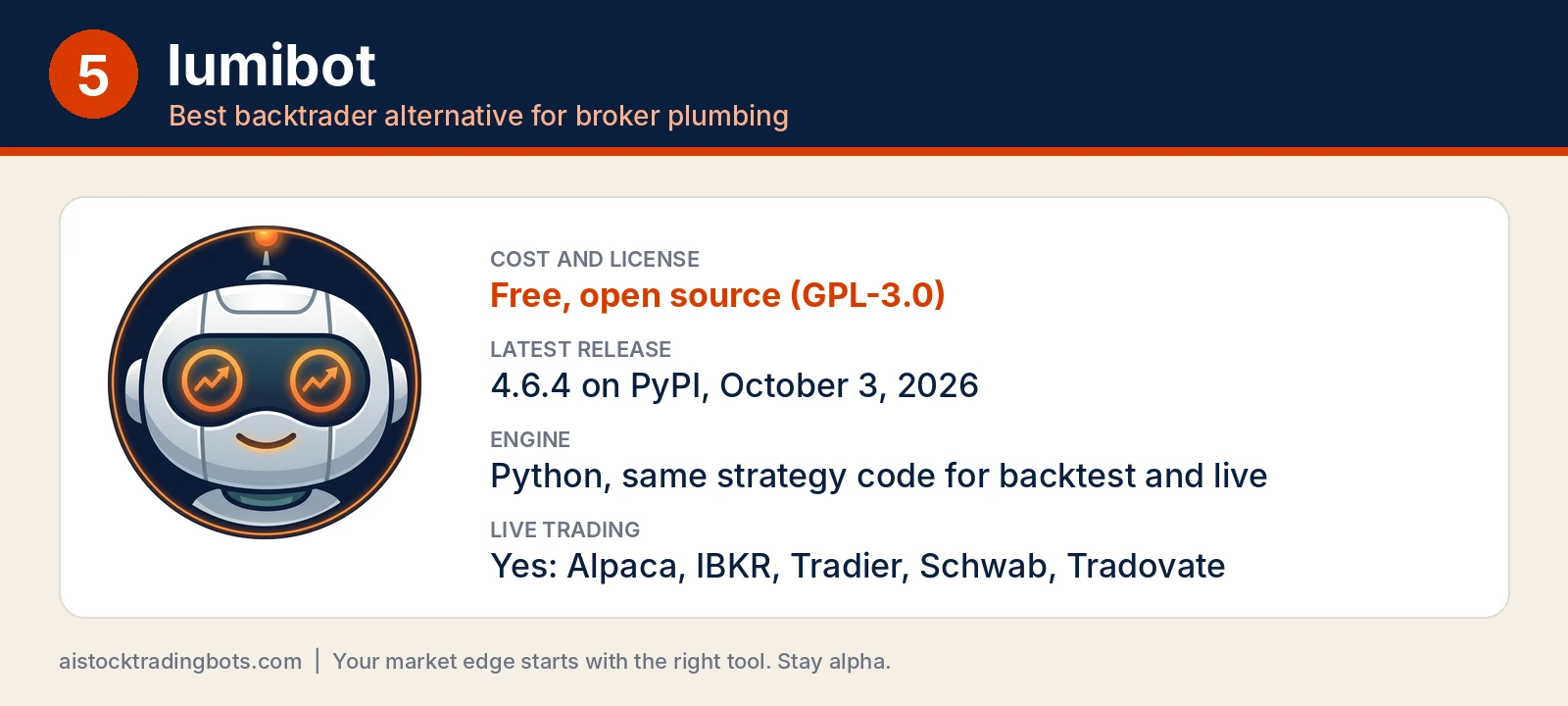
lumibot is a free, open source (GPL-3.0) Python trading framework from Lumiwealth built around one idea: the same strategy code runs in a backtest and against a real broker. Its README lists twelve broker integrations, including Alpaca, Interactive Brokers, Tradier, Schwab and Tradovate, and it now ships AI-agent strategy templates on top. It fits the trader who already has rules and mostly wants the broker plumbing done.
Pros
- The widest U.S. retail broker coverage of the five, Schwab and Alpaca included.
- A fast start: a sample backtest runs on free daily Yahoo data with no API key and no broker account.
- Actively maintained, with 4.6.4 landing on PyPI on October 3, 2026.
Cons
- Documentation is thinner than NautilusTrader’s or LEAN’s, and the README pushes hard toward Lumiwealth’s paid BotSpot platform and courses.
- The AI-agent examples call paid model APIs (an OpenAI key by default), so those backtests carry a usage bill.
- Broker integrations still need your own paper-trading check before real money touches them.
Migrating from backtrader: next becomes on_trading_iteration, which runs on a timer you set with self.sleeptime instead of once per bar, and orders go through self.create_order followed by self.submit_order.
The short version: NautilusTrader if you are going live, backtesting.py if you are learning, VectorBT if you are sweeping parameters, LEAN if you need data, lumibot if you need a broker.
What indicators and plotinfo settings ship with backtrader?
backtrader ships well over a hundred Indicators and a plotting layer controlled by two dictionaries: plotinfo for the whole indicator and plotlines for individual lines. That breadth is the main reason people still reach for it, and the main thing you will rebuild when you migrate.
| plotinfo key | Default | What it does |
|---|---|---|
| plot | True | Draw it at all. Set False to hide |
| plotmaster | None | Attach to another indicator’s axis |
| legendloc | None | Legend placement on the subplot |
| subplot | varies | Own panel (True) or on price (False) |
| plotname | blank | Override the displayed name |
| plotskip | False | Tell backtrader skip this one entirely |
| plotabove | False | Draw above the data instead of below |
| plotlinelabels | False | Label each line separately |
| plotlinevalues | True | Show last value in the legend |
| plotvaluetags | True | Tag the last value on the line |
| plotymargin | 0.0 | Padding above and below |
| plotyhlines | empty | Horizontal reference lines |
| plotyticks | empty | Forced y-axis ticks |
| plothlines | empty | Extra horizontal lines |
| plotforce | False | Plot even when backtrader thinks it shouldn’t |
Averages: Average, AdaptiveMovingAverage, DicksonMovingAverage and the EMA family
Every moving average in backtrader takes params period and plots on price by default, so subplot is False and plotmaster None is common. The set includes Average, EMA, AdaptiveMovingAverage (Kaufman’s KAMA), AdaptiveMovingAverageEnvelope, AdaptiveMovingAverageOscillator and DicksonMovingAverage. The envelope variants wrap the average in bands; the oscillator variants subtract price from the average and move to their own panel, where plotyhlines around zero earns its keep.
Oscillators: AwesomeOscillator, AccelerationDecelerationOscillator, DetrendedPriceOscillator and DV2
These all live in a subplot. AwesomeOscillator and AccelerationDecelerationOscillator are Bill Williams constructions built from median price; DetrendedPriceOscillator strips the trend out of a short period; DV2 is a mean-reversion gauge; CommodityChannelIndex measures distance from a typical price average. For any of them, plotyhlines and plotyticks set readable reference levels, and plotvaluetags keeps the last reading visible.
Trend and range: AroonUpDown, AverageDirectionalMovementIndex, AverageTrueRange and BollingerBands
The Aroon family alone is five classes: AroonUp, AroonDown, AroonUpDown, AroonOscillator and AroonUpDownOscillator. Add AverageDirectionalMovementIndex, AverageDirectionalMovementIndexRating, AverageTrueRange, BollingerBands, BollingerBandsPct, DemarkPivotPoint and Accum. BollingerBands sits on price with plotinfo plot True and subplot False; the ADX pair and ATR take their own panel because their scale has nothing to do with price.
Logic helpers: AllN, AnyN, ApplyN, BaseApplyN, CointN and CrossOver
These are the quiet workhorses. AllN and AnyN test whether a condition held across a period, ApplyN and BaseApplyN run an arbitrary function over a rolling window, and CointN runs a cointegration test for pair work. CrossOver, CrossUp and CrossDown return a signal line you can read directly in your Strategy. For an EMA crossover Example, you wire two averages plus one CrossOver and your Buy condition becomes a single comparison.
Which backtesting library fits a beginner bot builder?
Start with backtesting.py if you are new and testing one instrument. Move to VectorBT when you need thousands of parameter combinations, and to NautilusTrader only when you are actually going live. backtrader is a fine library to read and a poor one to start on in 2026.
| Trader type | Pick | Why |
|---|---|---|
| First backtest ever, one ticker | backtesting.py | Small Strategy/Backtest API, built-in optimization, ships regularly |
| Idea factory, big sweeps | VectorBT | Packs configurations into array operations instead of Python loops |
| Going live, multi-venue | NautilusTrader | Rust engine, separate backtest, sandbox, paper and live nodes |
| Wants broker plumbing done | lumibot | Broker integrations including Alpaca, simple Strategy pattern |
| No local setup, wants data | QuantConnect LEAN | Free plan with unlimited backtesting, cloud data included |
| Already fluent in backtrader | backtrader or a fork | Pin the environment and keep shipping |
Beginner or professional? backtrader sits awkwardly in the middle now. Its event-driven model teaches you the right mental habits, and its tutorial ecosystem is still the largest on the internet, which is why half the YouTube backtesting tutorials you find are backtrader tutorials. But a beginner who hits an install error on day one usually quits, and dormant software hands out install errors. A professional who needs live execution has better options.
The common mistake: picking a library by feature count. You will use four features. Pick the one you will still be using in six weeks, not the one with the longest docs page. Systems over hacks.
How do you migrate a backtrader strategy?
Migrate in five steps: export the data, rewrite the Strategy class, rebuild indicators, re-verify fills and position sizing, then compare equity curves side by side. Industry commentary treats backtesting.py as the easiest migration path for single-instrument OHLCV work.
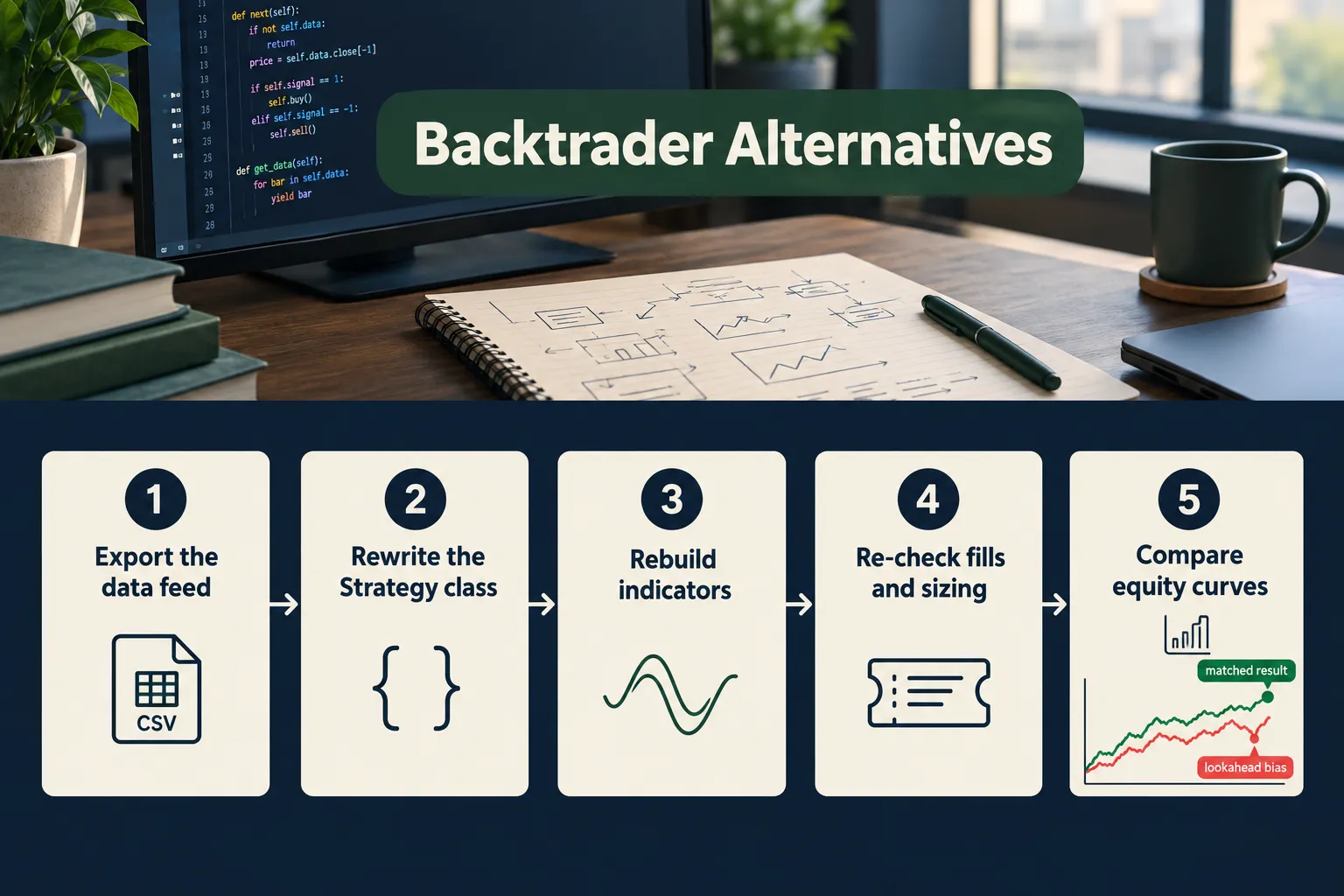
- Pin the old environment first. Get backtrader running one last time and save its output. That becomes your ground truth.
- Rewrite the Strategy. backtrader’s
nextbecomes backtesting.py’snextor Nautilus’son_bar. The logic survives; the wiring does not. - Rebuild indicators explicitly. If you used RSI, MACD or an EMA crossover, confirm the new library’s default period and smoothing match. Mismatched EMA smoothing alone can swing a result by a wide margin.
- Re-check fills, commission and sizing. Different engines fill at different prices. Same signals, different equity curve.
- Compare curves before you trust anything. If the new result is dramatically better, you probably introduced lookahead bias.
backtrader Python installation problems and common fixes
Most backtrader install failures trace to three things: a Python version newer than the 2023 release, a matplotlib or pandas major-version jump, and the plotting extras. The fix is containment, not cleverness.
- Pin Python and pandas inside a virtual environment or a Docker image.
- If plotting breaks, run headless and set plot to False on every indicator you do not need to see.
- Deprecation warnings from NumPy are usually noise. Import errors are not.
- If you cannot resolve it in an hour, that hour is your signal to migrate.
backtrader performance issues with large datasets
backtrader walks every bar in Python, so minute data across many symbols gets slow and memory-hungry fast. This is a design consequence, not a bug.
VectorBT exists for exactly this problem. Its approach packs many configurations into vectorized operations and uses Numba and increasingly Rust so you are not re-running a Python event loop ten thousand times. If your bottleneck is parameter sweeps, that is your answer. If your bottleneck is tick-level realism, NautilusTrader’s deterministic simulation with nanosecond-resolution data is the one to look at.
Top 5 Favorite Features
The five best features across these alternatives are VectorBT’s bulk sweeps, backtesting.py’s tiny API, NautilusTrader’s backtest-to-live code reuse, lumibot’s broker adapters and LEAN’s free unlimited backtesting tier.
- VectorBT’s parameter grids. Test hundreds of period combinations in one call instead of hundreds of runs. Speed changes what questions you are willing to ask.
- backtesting.py’s optimization workflow. Grid search plus SAMBO model-based optimization built in, per the 2026 framework comparison.
- NautilusTrader’s node separation. Backtest, sandbox, paper and live are distinct nodes running the same Strategy code.
- lumibot’s broker integrations. Alpaca and friends, wired up, so you spend your time on rules instead of REST clients.
- LEAN’s free tier. Unlimited backtesting on the free plan with data attached, per QuantConnect’s pricing page. Hard to beat at zero.
What we like / What we don’t like
backtrader’s flexibility and its tutorial library remain genuinely useful, and the alternatives each buy you something specific. Every one of them also has at least two real drawbacks worth knowing before you commit a weekend.
What we like
- backtrader is powerful enough to model multi-data, multi-timeframe setups that simpler tools cannot touch, and the Cerebro pattern is clean.
- VectorBT turns “what if the period were 14 instead of 20” into a batch question.
- backtesting.py gets a beginner from zero to a plotted equity curve in an afternoon.
- NautilusTrader is the clearest path from research code to a live, multi-venue engine.
- LEAN removes the data-sourcing problem, which is where most hobby projects actually die.
What we don’t like
- backtrader: no upstream release since April 2023, and slow on large intraday datasets.
- VectorBT: no live trading, and the vectorized mental model is unforgiving if your logic is path-dependent. Documentation for the free version lags the PRO build.
- backtesting.py: single-instrument by design, and limited order types. Portfolio work is out of scope.
- NautilusTrader: steep curve, and the v1-to-v2 Rust transition means tutorials written against the Cython core can mislead you.
- lumibot: thinner documentation than the big names, and broker integrations still need independent validation before you fund anything.
- QuantConnect LEAN: you are tied to a vendor’s data and infrastructure, and the Researcher tier at $84 per month is real money for a hobby account.
What do real users say?
Public sentiment lines up with the release dates rather than against them. The quiet signal is cadence: NautilusTrader shipped three release candidates between August 20 and September 15, 2026, while backtrader’s PyPI page has not changed since April 19, 2023.
A Reddit thread asking whether anyone trusts vibe-coded backtesters drew 67 comments, and the recurring theme was not bad syntax. It was lookahead bias: an AI-generated backtest that quietly peeks at tomorrow’s Close and prints a beautiful curve. That pattern shows up in every framework, which is why the comparison step in migration is not optional.
Across 2026 reviews, the categorization is consistent. VectorBT and backtesting.py get described as research tools, while NautilusTrader and LEAN get described around execution, live deployment and infrastructure. Community-maintained lists such as the awesome-backtesting-python collection and head-to-head writeups like backtesting.py vs backtrader tell the same story: backtrader is still referenced constantly as an introduction, and increasingly not recommended as a starting point. For a tool-by-tool read of the wider field, the Python backtesting tools review and the best Python backtest engines list are both current.
No regulator has banned anything here. The risk is mundane: reproducibility. FullStack Alpha has tested 200+ AI stock tools since 2022, and the pattern repeats across categories. Dormant software does not fail loudly. It fails the day you need to reinstall it.
Our Take
Keep backtrader if it already works. Do not start on it in 2026. The library is free, capable and well documented, and it is also three and a half years past its last release, which is a long time in the Python data stack.
The honest split:
- Learning the concepts? backtesting.py, then read backtrader’s source for the ideas.
- Hunting for an edge across many parameters? VectorBT.
- Actually connecting a broker? NautilusTrader or lumibot, with LEAN as the no-setup option.
- Running a working backtrader book? Pin it, containerize it, and budget a weekend to port before a dependency forces your hand.
One more thing, because this is where most bot builders lose money and not in the market: a backtest is a hypothesis test, not a promise. Before any of this touches a funded account, size the position properly. Our swing trade position size calculator does that math in about thirty seconds, and if you are trading a small account, how to day trade without $25k covers the constraints that actually bind. If you would rather skip the Python entirely, Composer’s AI algo builder and our QuantConnect vs Trade Ideas comparison are the two paths most people take. And before you run anything with real money attached, check the five settings to change in an AI trading app.
Process over prediction. The framework is plumbing; your rules are the edge.
Built a bot worth testing? Submit it and we will put it through the same process as everything else: send it to the desk.
Conclusion
Backtrader Hasn’t Shipped Since 2023, and the practical response is not panic. It is a decision. Pin it if it works, port it if it does not, and stop starting new projects on dormant dependencies because a 2019 tutorial was well written.
Your next three steps:
- Run
pip show backtraderand write down what Python and pandas versions your setup actually depends on. That is your pin list. - Rebuild one strategy in backtesting.py this week. One instrument, one indicator, one Buy rule. Compare the equity curve to backtrader’s output.
- If the two curves disagree by more than a rounding error, find out why before you add a second strategy. That answer is worth more than any framework choice.
Fewer tabs, fewer half-finished repos, one process you actually run.
Prices are subject to change in this fast-moving AI market. If that $84 moved, blame the robots, or Black Friday.
This article is education, not financial advice. Backtest results do not predict future performance, and nothing here is a recommendation to buy or sell any security.
Your market edge starts with the right tool. Stay alpha.
Frequently Asked Questions
Is Backtrader still maintained?
No. The original backtrader package has received no upstream release since April 19, 2023. It still installs and runs, and community forks continue separately, but there is no official maintainer shipping fixes for new Python, pandas or broker API changes. Treat it as dormant software you maintain yourself.
What is a backtrader?
backtrader is a free, open source Python backtesting library and trading framework. It uses a Cerebro engine, data feeds with Open, High, Low and Close lines, a Strategy class for your rules, and over a hundred built-in Indicators including RSI, MACD and EMA. Its last PyPI release is dated April 19, 2023.
What are the limitations of backtrader?
backtrader's main limits are no upstream releases since April 19, 2023, slow performance on large intraday datasets because every bar runs through a Python loop, aging broker adapters, and a learning curve built around feeds, Indicators, analyzers and observers. Its plotting layer is dated, and any bug you hit is now yours to patch.
What are the disadvantages of backtrader?
The three big ones: no releases since 2023, slow event-loop performance on large datasets, and install friction with modern Python and plotting dependencies. Add a medium learning curve and broker integrations that need independent checking before any live use. The upside is a large tutorial base and real flexibility across asset classes.
Is backtrader free to use?
Yes. backtrader is free under a permissive open source license with no paid tier, no subscription and no seat fee. VectorBT, backtesting.py, NautilusTrader and lumibot are also free. QuantConnect offers a free plan with unlimited backtesting, with the Researcher tier at $84 per month.
Is backtrader safe for beginners?
Safe to read, risky to start on. backtrader teaches good event-driven habits and has the largest tutorial library of any Python backtesting library, but a beginner who hits a dependency error has no upstream fix waiting. backtesting.py or QuantConnect LEAN gets a beginner to a working result faster in 2026.
Can ChatGPT backtest a trading strategy?
ChatGPT can write backtest code quickly, but it cannot validate the result. The common failure is lookahead bias, where generated logic reads a future Close and produces an unrealistic equity curve. A Reddit thread on vibe-coded backtesters drew 67 comments on exactly this. Use AI to draft, then verify the logic yourself.
What is backtesting in trading?
Backtesting runs a set of trading rules against historical price data to see how they would have performed. You define entry and exit conditions, apply commission and position sizing, then measure the result. It tests whether an idea was ever viable. It does not predict future returns, and overfitting makes bad ideas look brilliant.
What is the best backtesting software for forex?
For Python-based forex work in 2026, NautilusTrader is the strongest pick because it handles multi-venue execution, nanosecond-resolution data and deterministic simulation. VectorBT suits bulk parameter testing on currency pairs. backtesting.py works for a single pair. backtrader can model forex but has not shipped since April 2023.
Contributing writer at AI Stock Trading Bots.
