

Jay Rocco is the Founder and Editor of FullStack Alpha. He has tested 200+ AI stock tools since 2022 and run 15+ AI trading platforms on live accounts with his own money. He reviews the software. He does not tell you what stocks to buy.
Last updated: September 25, 2026
Quick Answer: Backtesting websites such as TrendSpider, TradingView, TradeZella, FX Replay, Composer, Finviz Elite, and Portfolio Visualizer let you examine historical trading ideas without writing code, but they test different things. Swing traders should start with TrendSpider for visual rules, TradingView for chart replay, or Composer for stock and ETF allocation rules. Choose the tool that can reproduce your actual entry and exit, not the one with the prettiest rising line.
Key Takeaways
- TrendSpider fits swing traders who want visual conditions applied automatically to historical charts.
- TradingView offers manual replay and existing strategy scripts, but custom automated rules can require Pine Script.
- TradeZella expanded automated backtesting in September 2026; confirm your market and rule support before subscribing.
- FX Replay fits discretionary forex and futures practice better than broad stock-universe research.
- Composer fits conditional stock and ETF portfolios; Portfolio Visualizer fits longer-term allocation questions.
- Finviz Elite is worth considering for stock traders testing supported technical conditions, not every custom screener idea.
- Free access and free backtesting differ. Check the actual tester, history allowance, and export rights before paying.
What are backtesting websites and what can they test?
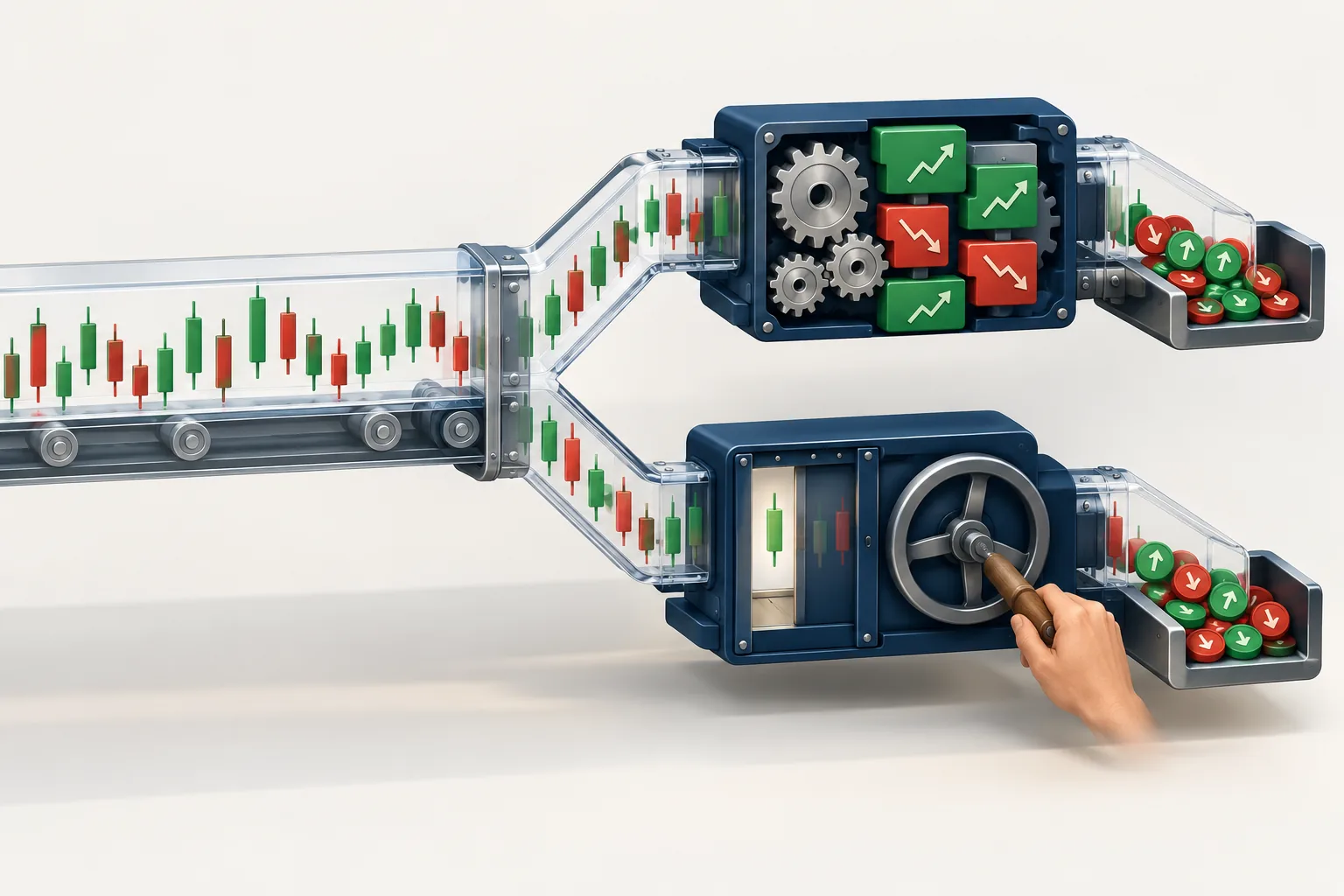
Backtesting websites apply a trading idea to historical market data so you can examine how the rules would have behaved. Depending on the platform, you can test chart entries, holding periods, portfolio allocations, or your own decisions during historical replay.
A swing trader might test buying the breakout above a recent price range, then selling when price closes below a moving average. A moving average is simply an average price over a chosen lookback period.
The useful question is concrete: Can the website reproduce the setup you intend to trade?
“Buy a clean setup” is too vague for an automated engine. “Buy after a daily close above the previous range high” gives the engine something measurable.
Can you backtest trading strategies without coding?
Yes. Backtesting websites offer visual rule builders, preset strategies, natural-language instructions, and manual replay. These approaches remove different amounts of programming work.
A visual builder lets you combine conditions. Replay hides future candles while you make decisions. A preset strategy runs existing logic that someone else wrote.
None makes unclear rules disappear. If “touch resistance” means different things to you and the software, the report answers the wrong question.
Why do traders use backtesting?
Traders use historical tests to reject weak ideas, inspect losses, and compare rule changes before risking money. Backtesting also exposes whether the proposed holding period and trading frequency fit your life.
A strategy that demands constant supervision may fail a trader who checks charts after work, even if the historical report looks attractive.
This article covers website selection. The separate guide on how to backtest a trading strategy without fooling yourself covers the testing process.
Which 7 backtesting websites work without code?
TrendSpider, TradingView, TradeZella, FX Replay, Composer, Finviz Elite, and Portfolio Visualizer each offer a route that does not require writing code. The limits differ: some automate rules, some support replay, and others test allocations rather than individual trade setups.
Research scope: This is a desk-research shortlist using the supplied public comparison material and TradeZella release notes, not a hands-on test. Public commentary provides context, not a verified customer-sentiment score. No Alpha Scores have been assigned.
Pricing caution: Live checkout prices and plan entitlements were not verified for this article. The table separates access models from confirmed prices rather than presenting an old subscription figure as a September 2026 quote.
Backtesting websites: free versus paid comparison
Free access can help you learn an interface, but usable historical testing may require a subscription. Check the specific backtesting feature rather than assuming a free account includes it.
| Website and assets | No-code route | Free access | History | Price status |
|---|---|---|---|---|
| TrendSpider: stocks, ETFs and supported markets | Visual Strategy Tester | Check trial terms; don't assume a permanent free tester | Symbol, timeframe and plan dependent | Paid; current quote unverified |
| TradingView: supported chart markets | Replay and existing scripts | Basic account; testing limits apply | Feed, timeframe and plan dependent | Free account or paid plans; quote unverified |
| TradeZella: supported replay and testing instruments | Replay and automated rules | Confirm current trial and tester entitlement | Instrument and testing mode dependent | Paid; current quote unverified |
| FX Replay: supported forex, futures and other instruments | Manual replay | Confirm current free or trial allowance | Instrument and subscription dependent | Paid access available; quote unverified |
| Composer: supported stocks and ETFs | Visual portfolio rules | Research/backtesting access; confirm current limits | Limited by underlying asset history | Research and execution terms differ; quote unverified |
| Finviz Elite: stocks and ETFs | Supported technical strategies | Free screener; backtesting belongs to Elite | Tester dataset dependent | Elite subscription; quote unverified |
| Portfolio Visualizer: portfolios and asset allocations | Allocation forms and models | Confirm current calculation and report limits | Asset and dataset dependent | Access varies by plan; quote unverified |
The public comparison sources are useful starting points, but they do not replace checking current product terms. Ask vendors to confirm your symbol, timeframe, history depth, and intended rule before committing to an annual plan.
TrendSpider: for swing traders with measurable chart rules
Choose TrendSpider if you want to build technical conditions visually and run them against historical prices. Its Strategy Tester is a closer match for rule-based swing trading than a portfolio allocation simulator.
A useful candidate is a daily trend filter combined with a pullback entry. You can examine whether the defined conditions behaved acceptably instead of collecting screenshots of trades that happened to work.
The main drawback is rule coverage. A visual builder can only express what its available conditions and execution settings allow. A second drawback is detail: understanding indicators, candle timing, and overlapping conditions still takes effort.
Before paying, build the hardest part of your idea first. A subscription won’t make an unsupported stop loss rule suddenly supported.
The TrendSpider review provides separate coverage of the broader platform.
TradingView: for visual swing traders who already use charts
Choose TradingView for manual replay or an existing strategy whose logic you can inspect. Bar Replay and Strategy Tester serve different jobs: replay lets you make decisions, while Strategy Tester evaluates a strategy script.
Running an existing script doesn’t require coding. Building your own arbitrary automated strategy generally does, unless another tool supplies the script.
That distinction gets buried in comparison pages. Adding an indicator to a chart does not automatically produce a backtest.
The drawbacks are the custom-code barrier and plan-dependent history. Script quality is another concern: a community strategy may contain unrealistic assumptions or use information that would not have been available at the time.
Use TradingView when your first question is about price action, the way price moves across the chart. Inspect automated scripts before trusting their reports.
TradeZella: for traders who want testing beside trade review
Choose TradeZella if you want historical testing connected to a journal and decision-review workflow. Its September 2026 updates expanded automated execution choices and AI-guided replay.
The release notes describe next-bar-open entries, intrabar-touch execution, indicator-based trailing stops, and additional controls. Those details affect whether a simulated entry resembles the trade you intended.
The first drawback is interpretation risk. Natural-language rules still need inspection. “Enter on the breakout” leaves unanswered whether entry occurs at a touch, a close, or the next opening price.
The second drawback is product change. Results can change when an engine’s fill logic or error detection changes. Save the settings, report date, and example trades for each run.
Don’t assume that a broker import supported by the journal means the same instrument is supported by automated backtesting.
FX Replay: for discretionary forex and futures practice
Choose FX Replay if the skill being tested is your decision-making while future candles remain hidden. Its replay-first approach fits discretionary day traders and swing traders using supported instruments.
It can help you practice support and resistance, price areas where buying or selling has previously interrupted a move. You can also review getting stopped out without quietly moving the stop after seeing the outcome.
Manual replay has a cost: your time. It is slower than running fixed rules automatically across a large trade sample.
The other drawback is market coverage. A forex-focused replay workflow may be a poor purchase for someone who needs broad individual-stock research. Confirm the exact symbol rather than settling for “stocks supported” on a marketing page.
Composer: for stock and ETF rules built around allocations
Choose Composer if your idea changes portfolio holdings according to conditions. Its visual strategy structure suits stock and ETF rotation more naturally than intraday chart execution.
For example, a strategy might allocate to one ETF when a trend condition holds and another when it does not. The research question concerns holdings and rebalance decisions.
Composer’s first limitation is the execution model. Don’t assume allocation rules behave like intraday stop orders. Its second limitation is asset-history dependence: recently launched funds restrict the period available for a shared test.
Backtesting access and live execution also involve different account, jurisdiction, and subscription questions.
The Composer no-code trading guide explains that distinction in more detail.
Finviz Elite: for stock traders testing supported technical ideas
Choose Finviz Elite when you already use Finviz for stock research and its supported backtesting rules match your question. The paid service includes technical backtesting alongside its research tools.
It can reduce tool switching for a trader who wants to examine supported indicator-based ideas before building the watchlist.
But don’t assume every screener filter becomes a historical trading condition. Today’s screening database and a historical strategy engine are different products.
The second drawback is limited freedom compared with a general rule builder. If you need unusual exits, portfolio-level position sizing, or detailed fill assumptions, confirm those functions first.
The Finviz Elite versus free comparison helps separate screening benefits from backtesting access.
Portfolio Visualizer: for long-term position investors
Choose Portfolio Visualizer for allocation, rebalancing, and portfolio-history questions. It belongs on this list because no-code testing also includes decisions about what to hold, not just where to enter.
Its natural user is a long-term position investor comparing portfolios. It is a weaker fit for a swing trader testing precise candle-based entries.
The first drawback is that portfolio-period calculations may miss the execution detail required for a short holding period. The second is history alignment: a newer holding can shorten the common test window.
Use a portfolio simulator to answer portfolio questions. Asking it to model a stop during a fast opening move is like asking a kitchen scale to measure oven temperature.
Which backtesting websites fit day traders, swing traders, and long-term investors?
Swing traders should prioritize rule fidelity, daily history, and overnight execution assumptions. Day traders need intraday replay and session detail; long-term investors need return data, rebalancing rules, and portfolio comparisons.
| Trading style | Start by comparing | Check before paying |
|---|---|---|
| Rule-based swing trader | TrendSpider and TradeZella | Exact entries, exits, and overnight gaps |
| Discretionary swing trader | TradingView and FX Replay | Symbol coverage and daily replay |
| Day trader or scalper | FX Replay and TradeZella | Intraday data and fill assumptions |
| ETF rotation trader | Composer and Portfolio Visualizer | Rebalance timing and asset history |
| Stock-screening user | Finviz Elite and TrendSpider | Supported historical conditions |
A scalper, a trader seeking very short price moves, should be especially skeptical of candle-only fills. A candle can show that price touched an order without proving the order could have filled.
For swing traders building a candidate list, the swing-trading stock screener guide covers the step before testing.
What changed recently in no-code testing?
TradeZella’s supplied September release notes show why backtesting websites need checking at the feature level. A familiar product name can hide a materially changed testing engine.
September 1, 2026: TradeZella introduced Guided Backtesting, including replay controls, preparation checklists, and sample-trade citations.
September 15, 2026: TradeZella added execution choices including next-bar-open entries and intrabar-touch handling, which can change simulated trade timing.
September 22, 2026: TradeZella reported that roughly two-thirds of previous no-trade results were incorrectly classified. This is a vendor-reported error-detection finding, not an independently verified performance statistic.
If backtesting websites return no trades, inspect rule interpretation and engine warnings before deciding the idea never occurred.
Top 5 features every backtesting website should have
The most useful backtesting websites let you inspect assumptions and individual trades. A polished dashboard cannot compensate for missing execution controls.
- Visible data treatment: The website explains splits, dividends, missing prices, and any excluded securities.
- Trading-cost settings: The test accounts for relevant commissions, spreads, and slippage.
- Explicit execution rules: You can distinguish a touched price, a closing-price condition, and a next-bar entry.
- Separate test periods: You can reserve unseen history instead of repeatedly editing rules against the same sample.
- Inspectable trade records: You can check entries, exits, position sizes, and the trades behind the summary.
Treat these as purchasing criteria, not a claim that every website above includes every feature.
A trade list is especially useful. Find an ordinary losing trade, then trace the entry and exit on the chart. Check whether the report used information available at that moment.
If a vendor cannot explain a suspicious fill, pause the purchase. More charts won’t answer an execution question.
How does it compare to competitors?
TradingView, TrendSpider, FX Replay, and Composer compete for different jobs, so there is no single winner across all backtesting websites. Choose between chart review, automated technical rules, discretionary replay, and allocation testing before comparing subscription costs.
TradingView versus TrendSpider: Choose TradingView if chart familiarity and replay come first. Choose TrendSpider if visual automated technical rules are the main requirement.
FX Replay versus TradeZella: Choose FX Replay when focused replay practice is the priority. Consider TradeZella when linking historical testing to journaling and automated rule review has more value.
Composer versus Portfolio Visualizer: Choose Composer for conditional allocation logic. Choose Portfolio Visualizer for portfolio and rebalancing comparisons.
Finviz Elite versus a dedicated tester: Finviz can make sense when its supported tests answer a stock-research question. A dedicated engine deserves a closer look when exits or execution assumptions get more involved.
Which backtesting platform is best for stock trading beginners?
TrendSpider is the strongest starting candidate here for beginners who want automated technical stock rules without programming. TradingView is the more natural starting point for beginners who want to replay charts manually.
Neither recommendation means every strategy is supported. Bring the actual rule to the trial, including the stop loss and exit timing.
Beginners often spend hours comparing indicator counts while ignoring whether the platform can model their sell rule. The sell rule deserves equal billing.
What should you check before trusting a backtest result?
Check the data, the execution assumptions, and whether the rules were tested on untouched history. Backtesting websites can calculate a bad assumption with impressive precision.
How accurate are backtesting results?
Backtests can accurately describe a simulation while poorly representing live trading. Accuracy depends on the dataset, timing rules, transaction costs, and how closely simulated orders resemble executable orders.
A daily candle records an open, high, low, and close. It may not reveal whether your stop or target was reached first. A platform must make an assumption or use finer data.
Which backtesting website includes transaction costs and slippage?
TradingView’s strategy settings support commission and slippage assumptions. Other backtesting websites use different cost controls, so verify the chosen testing mode rather than assuming platform-wide support.
Slippage means the difference between the expected price and the simulated or actual fill. A fixed allowance may still understate losses during gaps, thin trading, or earnings announcements.
Ask whether costs apply on entry and exit, whether spread is included, and how stop orders behave when price jumps past them.
How do backtesting websites handle dividends and splits?
Platforms may use adjusted price histories, cash distributions, or total-return series. Read the data description so you know which treatment applies.
A stock split changes the share count and price without creating an equivalent economic loss. Dividends affect returns too, but a cash payment and a reinvested dividend are different assumptions.
Avoid counting dividends twice through both adjusted data and a separate cash credit. For chart-based rules, also check whether the displayed historical price matches the price series used by the tester.
How far back can you backtest historical data?
History depends on the instrument, timeframe, feed, and subscription. A platform’s oldest daily data does not establish how far its intraday replay extends.
Newer ETFs create another limit: the requested portfolio cannot have a shared live-fund history before its youngest holding existed. A substitute index introduces a different dataset and should be disclosed.
What common mistakes should you avoid?
Repeatedly changing rules until the historical line looks good is overfitting: fitting noise rather than finding a dependable relationship. Testing only today’s surviving stocks creates survivorship bias, because failed or delisted companies disappear from the sample.
Other traps include buying at a closing price before that close could have been known, ignoring overnight gaps, and testing each stock separately while overlooking simultaneous portfolio positions.
Position sizing, the amount allocated to each trade, can change the account-level outcome even when the entry rules stay fixed.
Our Take
Start with the website that can model your exit as well as your entry. For a rule-based stock swing trader, compare TrendSpider with the relevant TradeZella workflow; for discretionary chart practice, begin with TradingView.
Before subscribing, submit one complete setup to the platform: market, timeframe, entry, stop, exit, and sizing rule. Inspect the resulting trades. If the software cannot explain its fills, keep looking.
Paper trade the accepted version before risking money. Systems over hacks.
Searching for “full stack alpha”? The brand is FullStack Alpha, and its directory groups 200+ tools by category and price.
Browse the FullStack Alpha directory to compare your shortlist before adding another subscription.
References
Affiliate disclosure: FullStack Alpha may earn a commission from qualifying purchases through affiliate links.
By Jay Rocco, Founder and Editor, FullStack Alpha.
Stay alpha.
Frequently Asked Questions
What is the best website for backtesting trading strategies?
For no-code technical swing trading, start with TrendSpider. TradingView fits manual chart review, FX Replay fits discretionary replay, and Composer fits stock and ETF allocation rules. Public comparison lists cover different testing categories, so “best” needs a stated use case.
Can I backtest for free?
Yes, free accounts and research access can support some historical testing, but the usable feature set varies. TradingView and Composer are candidates to investigate. Confirm history, saved-strategy, and export limits before assuming free access covers your intended test.
Can ChatGPT backtest a trading strategy?
ChatGPT can help express rules, examine a supplied trade file, or write testing code. Without historical data and an execution engine, a generated performance summary is not a backtest. Inspect the calculations and never accept invented returns as evidence.
What's the difference between backtesting and paper trading?
Backtesting applies decisions to past data. Paper trading simulates decisions as new market prices arrive. Paper trading helps check workflow and discipline, but simulated fills still do not prove that live orders will execute the same way.
Can backtesting guarantee future profits?
No. Market behavior, costs, liquidity, and trader behavior can differ from the historical sample. Backtesting websites help examine assumptions and expose weaknesses; they cannot promise that a strategy will make money after deployment.
What is the best backtesting tool for crypto strategies?
No crypto winner is recommended in this stock-focused comparison. TradingView is a candidate for supported historical charts, but exchange-specific prices and trading costs need separate checks. A stock-testing recommendation should not be treated as a digital-asset execution review.
How long does it take to backtest a strategy?
Automated calculation can be quick after rules are entered, while manual replay requires decisions across the selected history. Most of the judgment sits outside the calculation: writing precise rules, inspecting fills, and reviewing losses. No reliable universal completion time applies.
Why does a backtesting website show zero trades?
The rules may conflict, the instrument may lack data, or the engine may interpret a condition differently than expected. TradeZella's September 2026 changelog reported incorrectly classified no-trade results, so check warnings and sample conditions before rejecting the idea.
Jay Rocco is the Founder and Editor of FullStack Alpha. He has tested 200+ AI stock tools since 2022 and run 15+ AI trading platforms on live accounts with his own money. He reviews the software. He does not tell you what stocks to buy.
